

STEP BY STEP PROCESS TO PURCHASE YOUR PROP FIRM ACCOUNT.
This is one question I have been getting my DM. I will try my best to explain it well here
Follow through this thread
Like & RT
This is one question I have been getting my DM. I will try my best to explain it well here
Follow through this thread
Like & RT
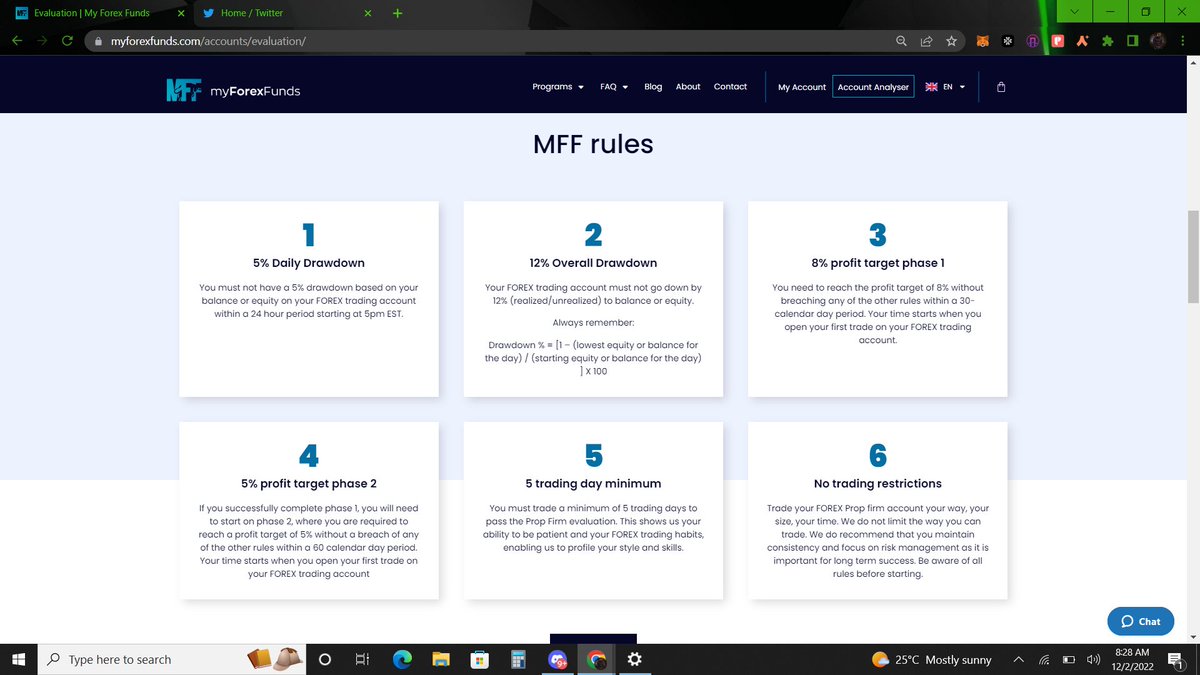
Let us take a moment to go through MFF rules via the slide 1 below and then, the Evaluation Phase benefits in slide 2
Just read through it. It is self explanatory. Further questions can be asked in the comment section and someone will reply you.
Just read through it. It is self explanatory. Further questions can be asked in the comment section and someone will reply you.
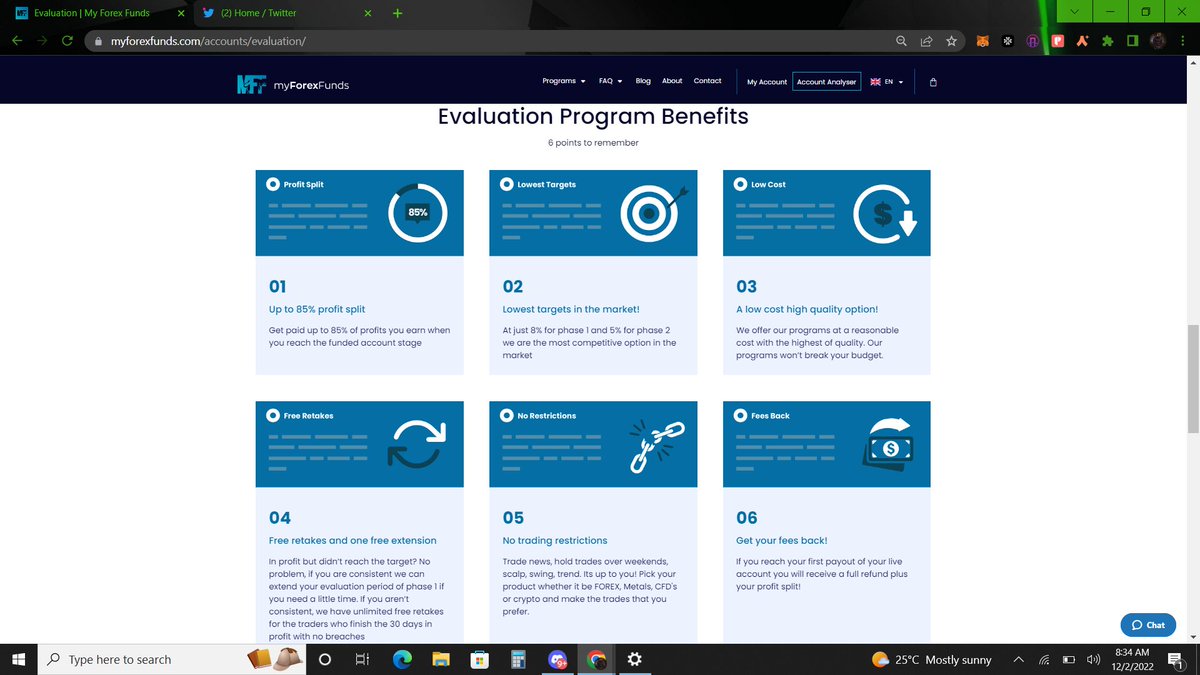
Profit-sharing
You're paid 75% of your profit after the 1st month of trading. In your 2nd month you're paid 80% of your profit bi-weekly. On the 3rd month you'll receive 85% of your profit bi-weekly onwards. Profit-sharing is paid via Deel(Bank tf, Paypal, transferwise)/crypto
You're paid 75% of your profit after the 1st month of trading. In your 2nd month you're paid 80% of your profit bi-weekly. On the 3rd month you'll receive 85% of your profit bi-weekly onwards. Profit-sharing is paid via Deel(Bank tf, Paypal, transferwise)/crypto
Now, to the main deal of the day. The Evaluation packages that range from $5000 account to $300k.
These accounts are taken with a fee that once the challenge and verification phases are done successfully, that registration fee is refunded. Or gone if one fails the challenge.
These accounts are taken with a fee that once the challenge and verification phases are done successfully, that registration fee is refunded. Or gone if one fails the challenge.
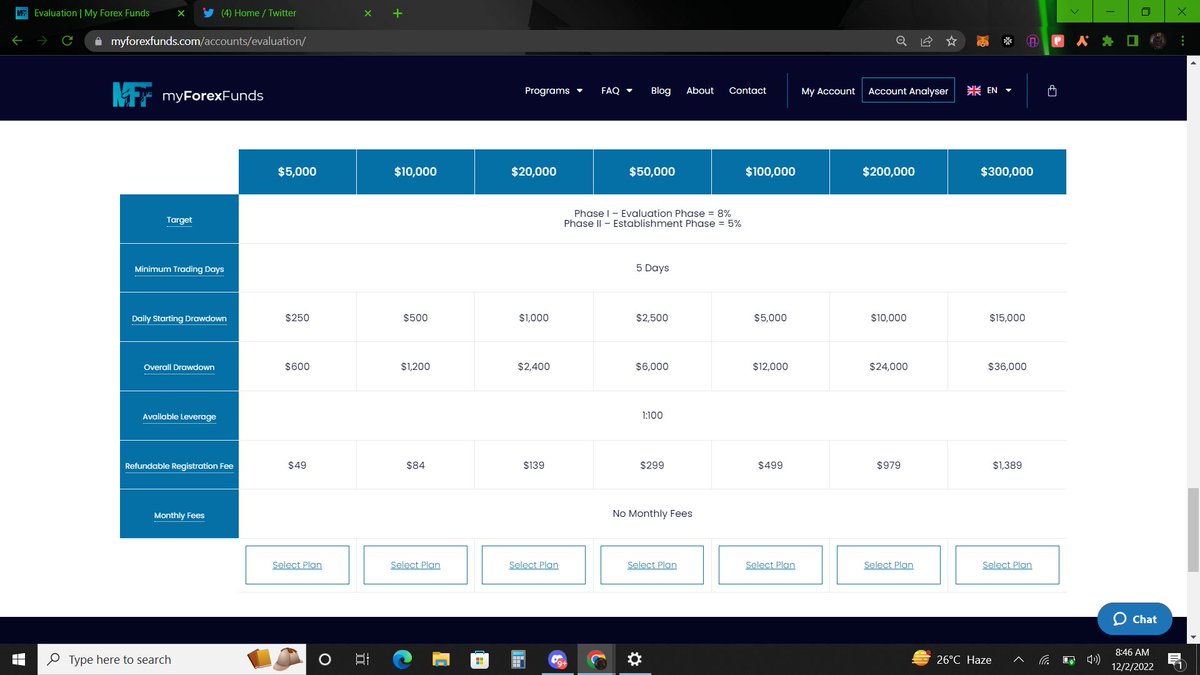
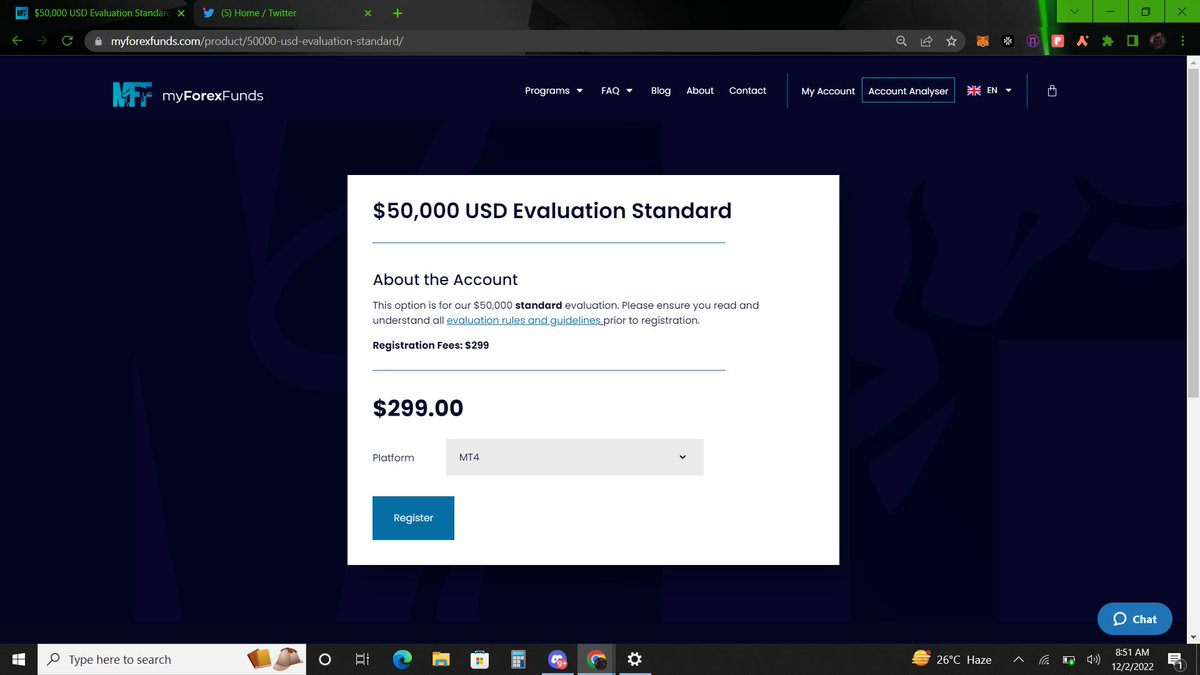
Click on any package you want to purchase and follow the prompts. It will be added to your cart as you know, we are shopping *wink*.
I selected the $50k plan and it would require a fee of $299. Select MT4 or MT5. Depending on the one you are comfortable with. Click on 'Register'
I selected the $50k plan and it would require a fee of $299. Select MT4 or MT5. Depending on the one you are comfortable with. Click on 'Register'
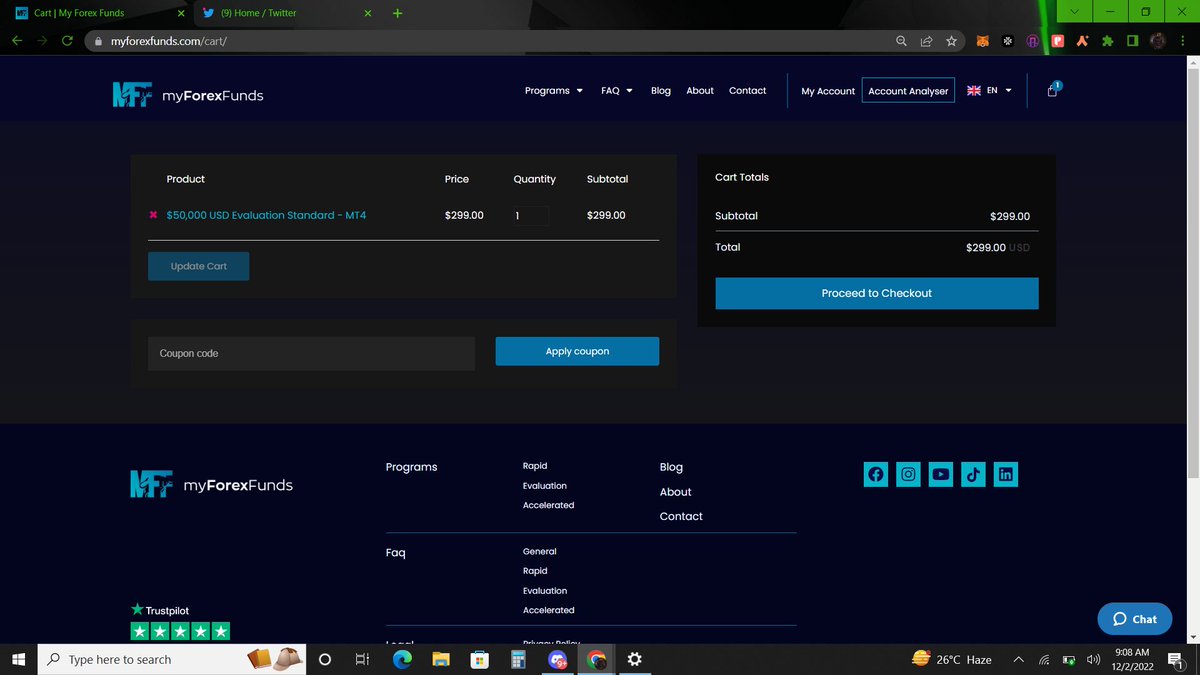
Next, click on proceed to checkout to reveal the payment methods. If you have a coupon code, you can use that to get a discount.
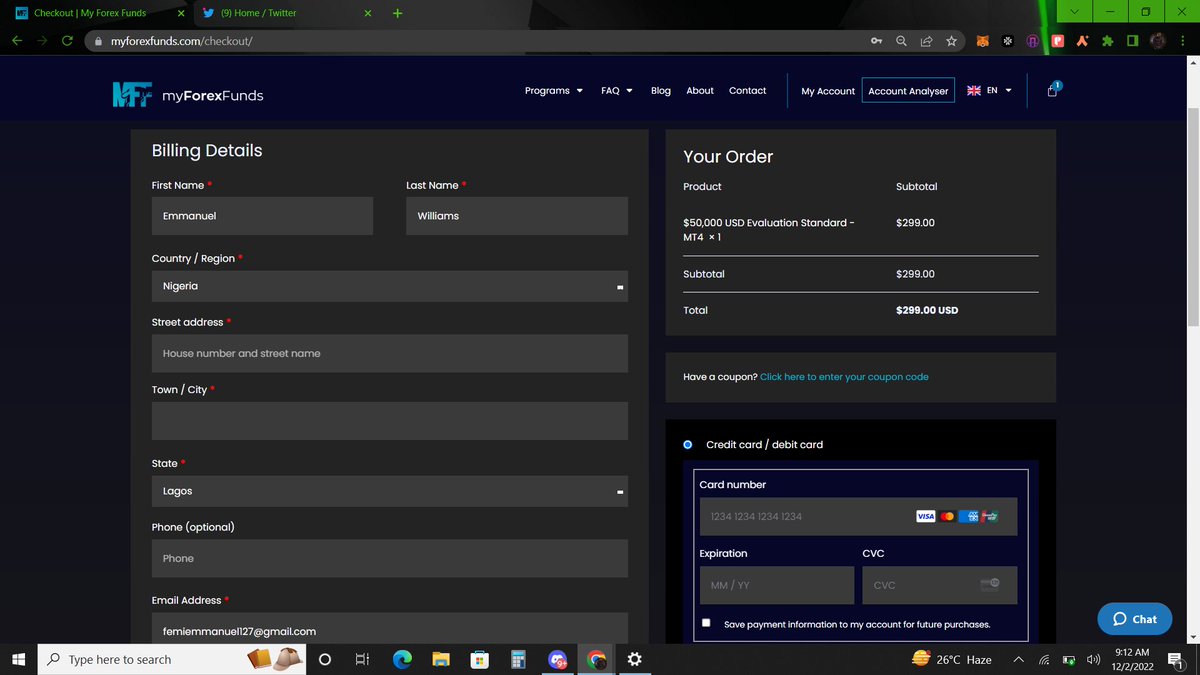
Slide 2&3 shows the form to fill before proceeding to make payment. Select Bitcoin for payment & tick the T&C boxes and hit REGISTER
Slide 2&3 shows the form to fill before proceeding to make payment. Select Bitcoin for payment & tick the T&C boxes and hit REGISTER
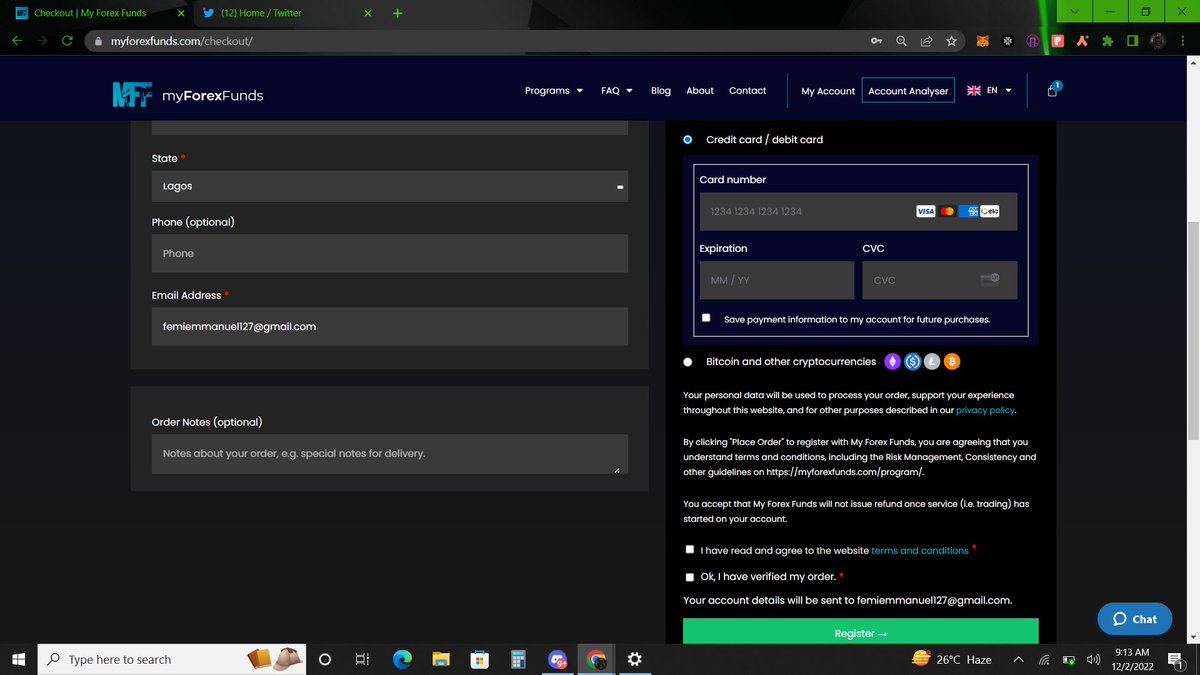
When you hit 'Register', you should see the screen below.
You dont have to pay with coinbase. You can select any coin that you love. For me, I recommend litecoin (it has a lower transaction fee & kinda faster processing time)
Slide 2 shows what happens when you click on any coin
You dont have to pay with coinbase. You can select any coin that you love. For me, I recommend litecoin (it has a lower transaction fee & kinda faster processing time)
Slide 2 shows what happens when you click on any coin
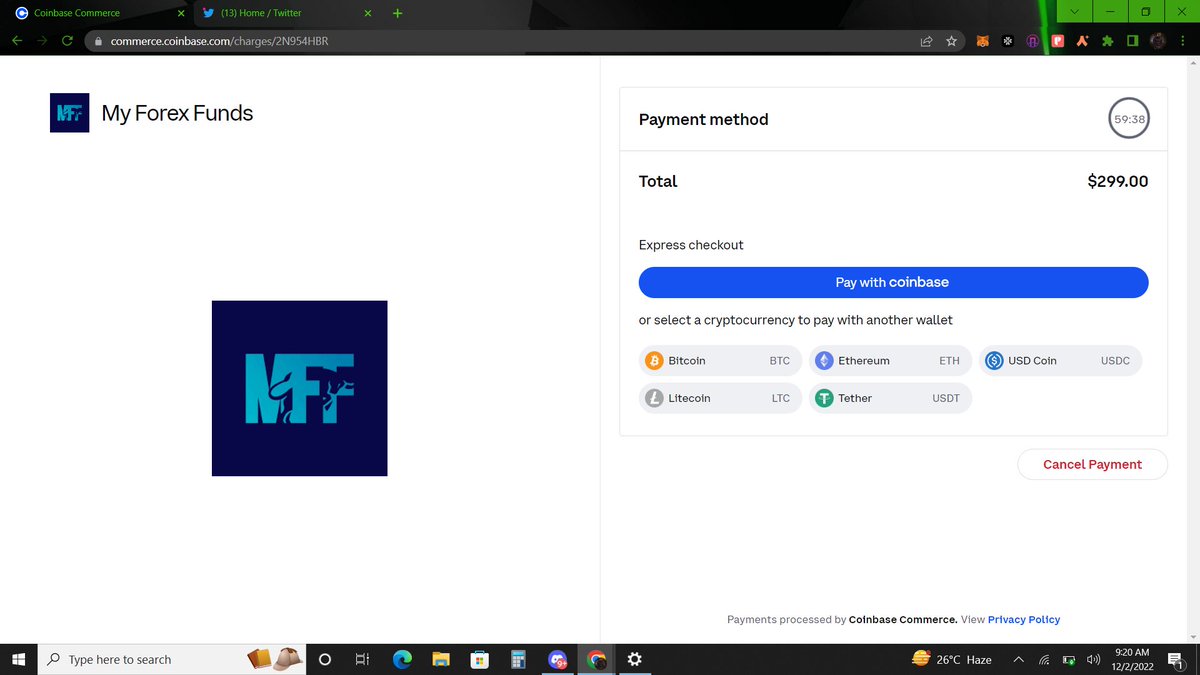
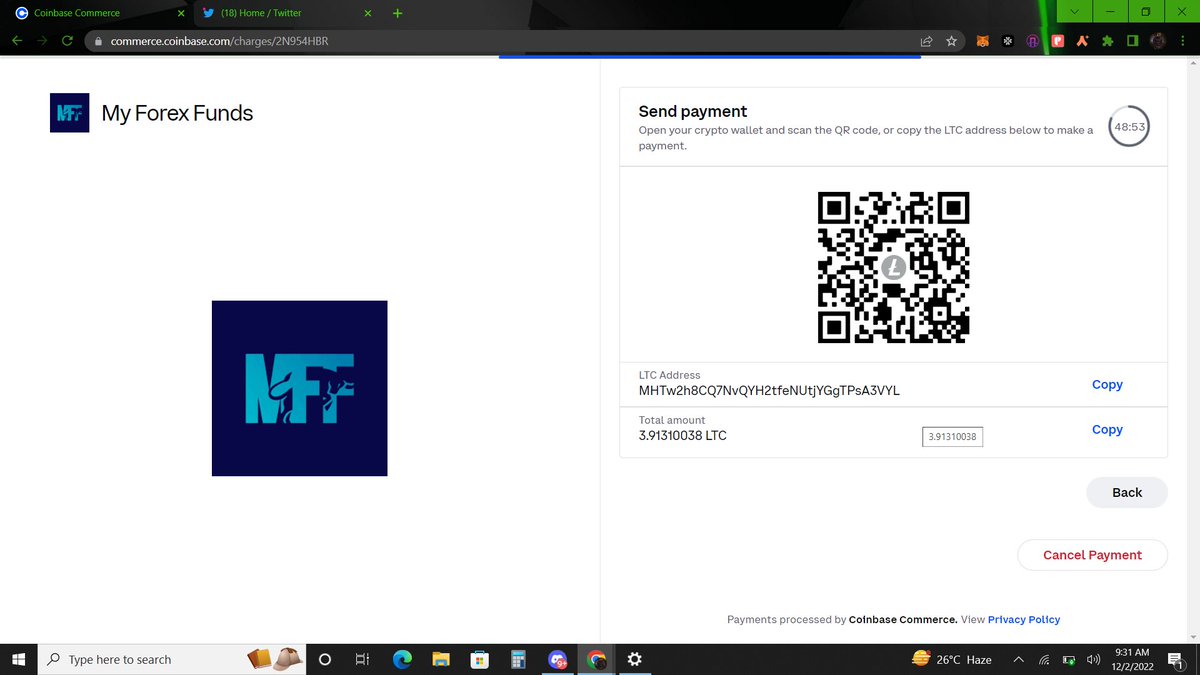
Copy the coin address. You can use USDT, BTC, or any other token given.
Copy the address and go to any exchange where you have funds.
For this, I will use Binance. to b contd
Copy the address and go to any exchange where you have funds.
For this, I will use Binance. to b contd
For those who have an account with Binance, click on trades and click on p2p. Slide 2 shows what the p2p page on Binance look like. We use p2p to buy major crypto token from someone else. It is a very safe practice.
You can use any YouTube video to learn how to get p2p
You can use any YouTube video to learn how to get p2p
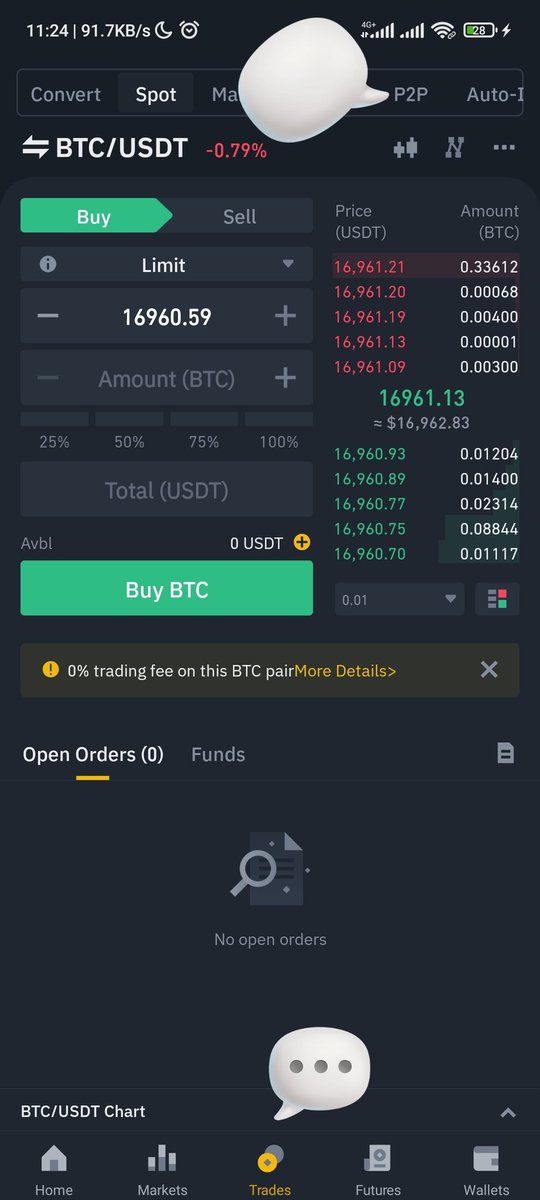
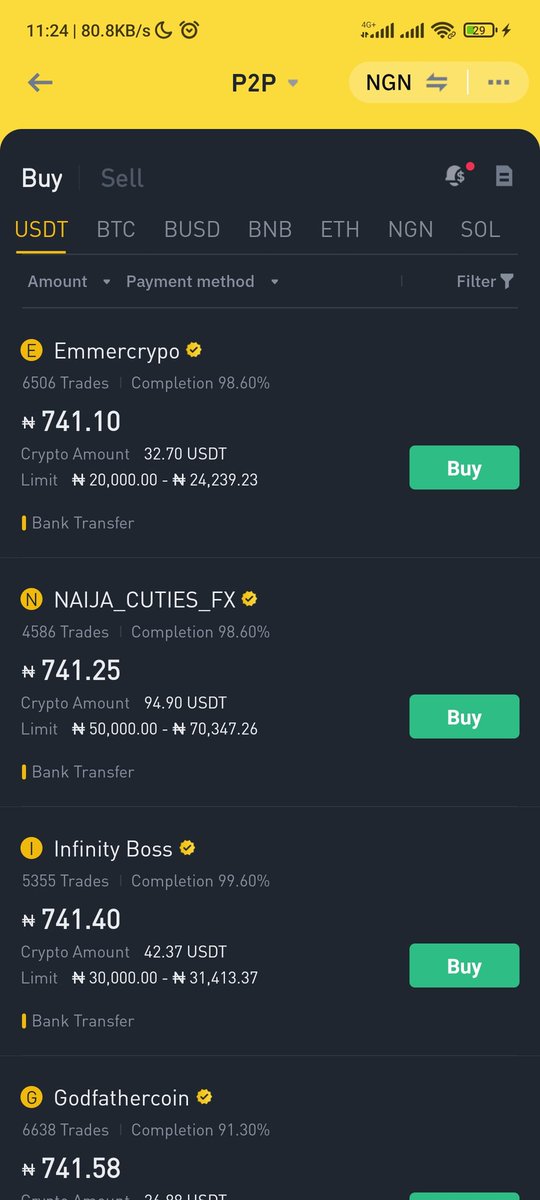
When you have now gotten the Usdt into your wallet, you can easily now swap it for any token you need in the spot wallet tab of your binance app. (kindly use YouTube to understand this)
Next, you want to send your token to Myforexfunds address we copied earlier.
Next, you want to send your token to Myforexfunds address we copied earlier.
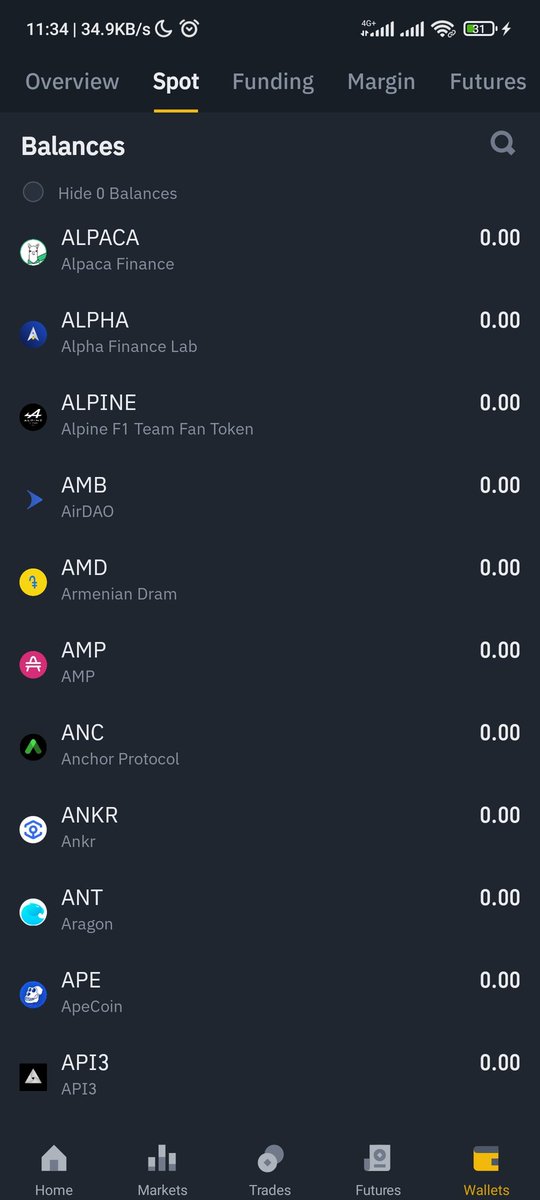
Click on 'wallet' at the far bottom right of your screen and click on 'spot' ant the top left area to access all your Tokens.
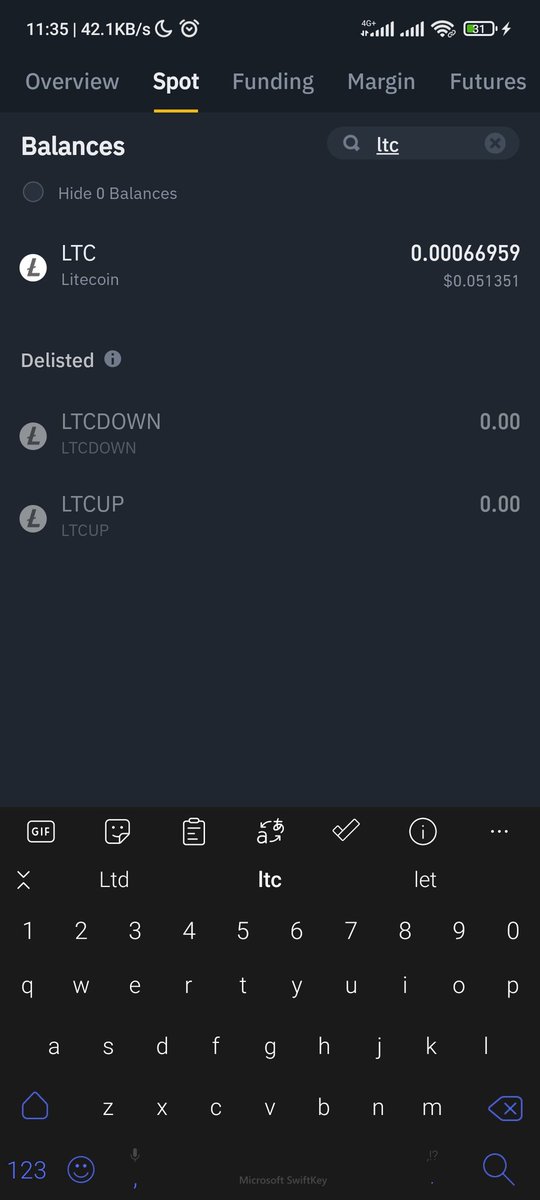
Slide 2: search for the token you chose on MFF payout.
Slide 3: click on the token and hit 'withdrawal'
Slide 2: search for the token you chose on MFF payout.
Slide 3: click on the token and hit 'withdrawal'
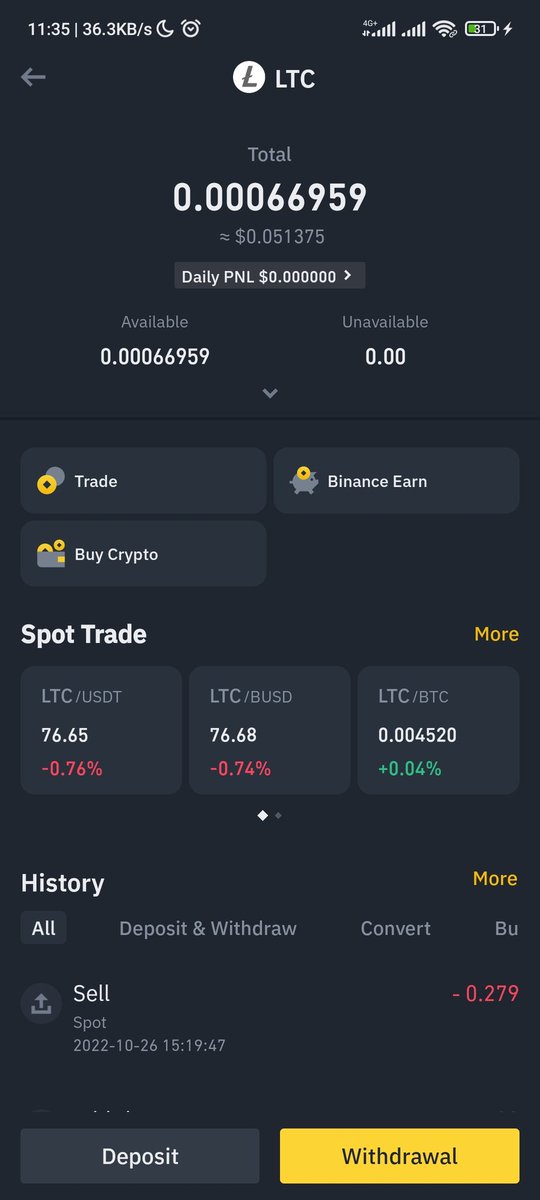
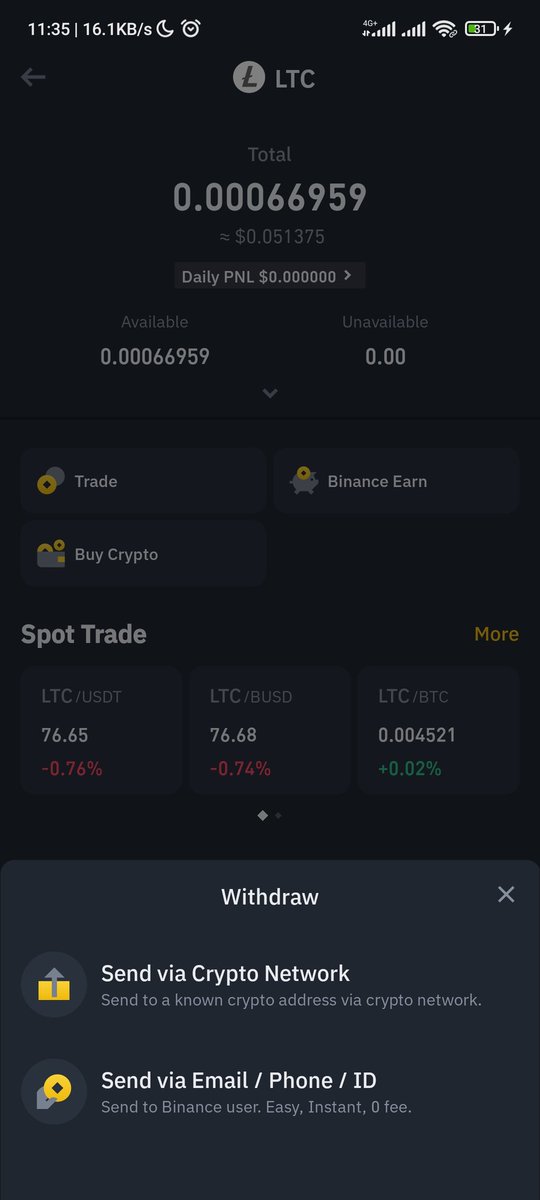
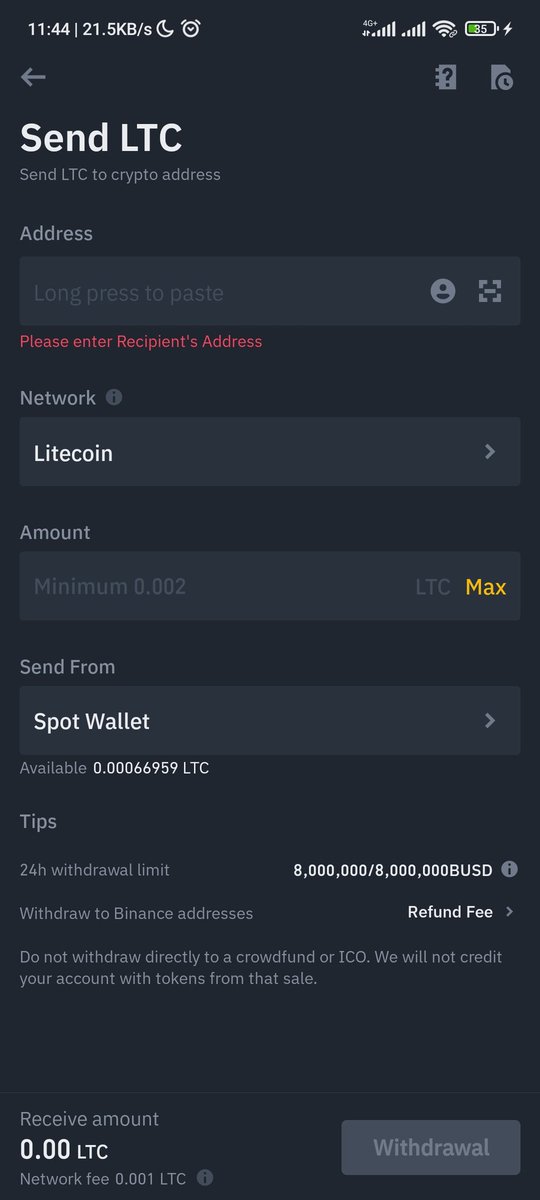
Click on 'send via crypto network'
Slide 2: Paste the address that was copied from MFF payment page
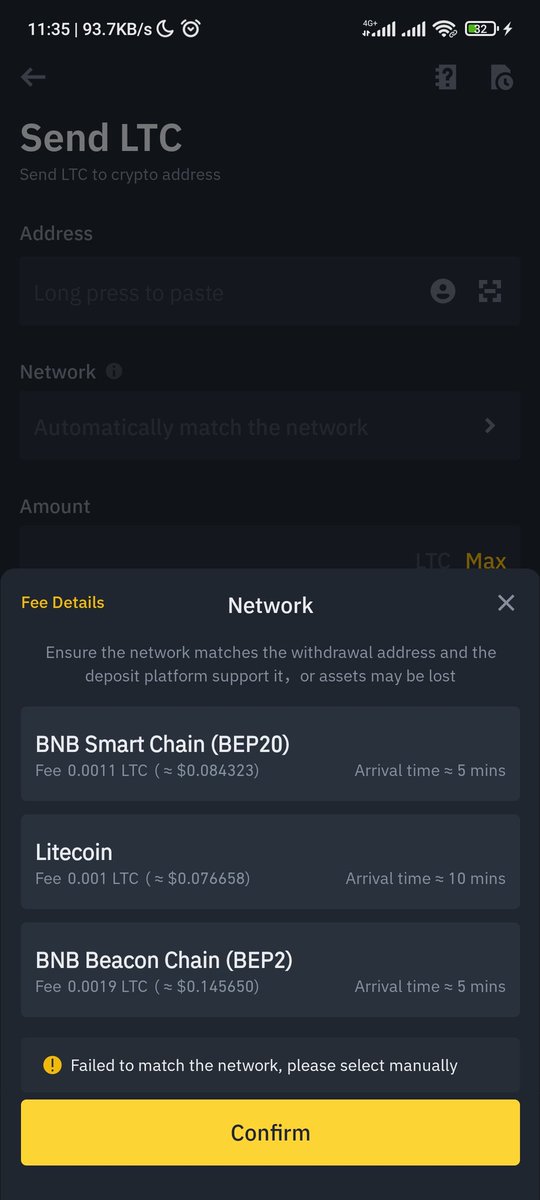
Select network.
Enter amount to send (you can also just copy this from MFF payment page)
Send from spot wallet
And hit send or withdraw.
It'll follow some steps. Just follow it.
Slide 2: Paste the address that was copied from MFF payment page
Select network.
Enter amount to send (you can also just copy this from MFF payment page)
Send from spot wallet
And hit send or withdraw.
It'll follow some steps. Just follow it.
This thread took me hours to put together.
Do well to like, Retweet, share with friends as well as share your progress with getting a prop firm account below in the comment section.
Lets all win together 🥂
Do well to like, Retweet, share with friends as well as share your progress with getting a prop firm account below in the comment section.
Lets all win together 🥂
Loading suggestions...