

82% of jobs require Excel skills and possessing them can put you ahead of your competition.
Here are these basic Excel formulas you must know to increase your earning potential:
Here are these basic Excel formulas you must know to increase your earning potential:
• XLOOKUP
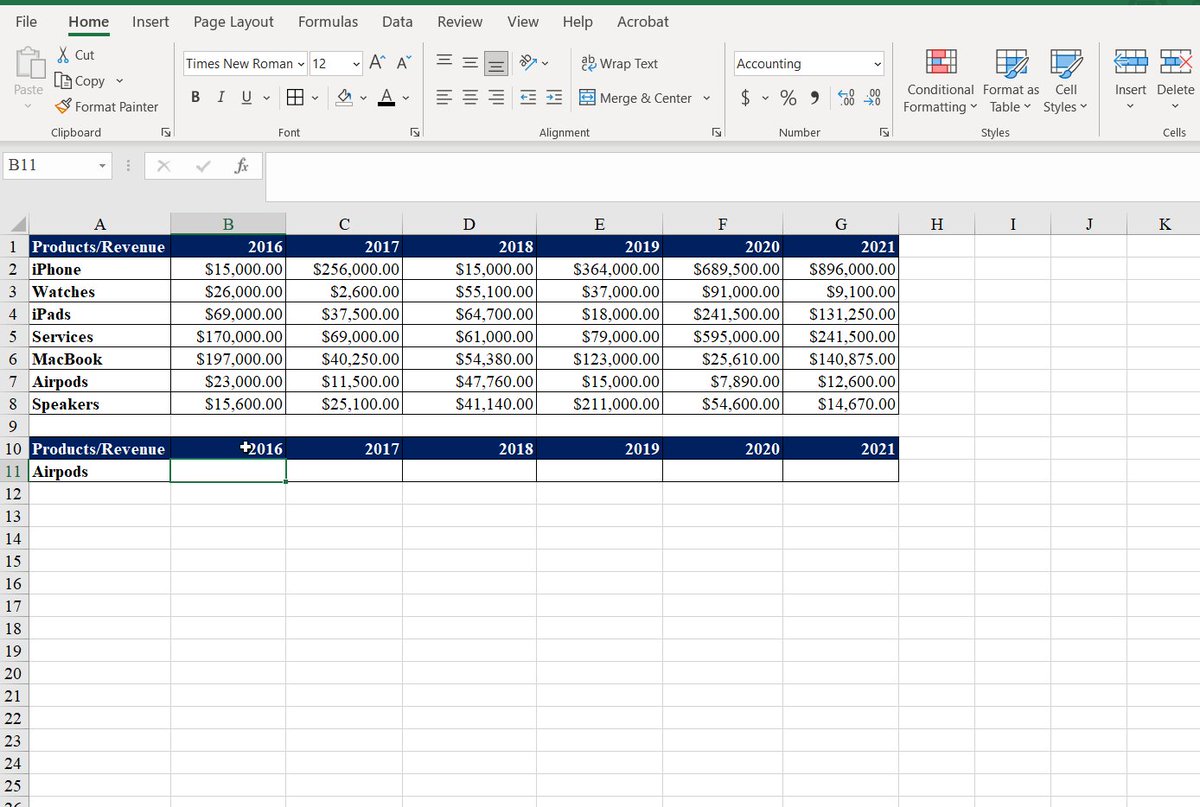
This function finds things in a table or range by row.
It performs VLOOKUP, HLOOKUP, and INDEXMATCH.
We search for the revenue of products in different years. Unlike VLOOKUP, adding a column won't break the formula.
The formula: =XLOOKUP(A11,A2:A8,B2:G8)
This function finds things in a table or range by row.
It performs VLOOKUP, HLOOKUP, and INDEXMATCH.
We search for the revenue of products in different years. Unlike VLOOKUP, adding a column won't break the formula.
The formula: =XLOOKUP(A11,A2:A8,B2:G8)
• CONCATENATE
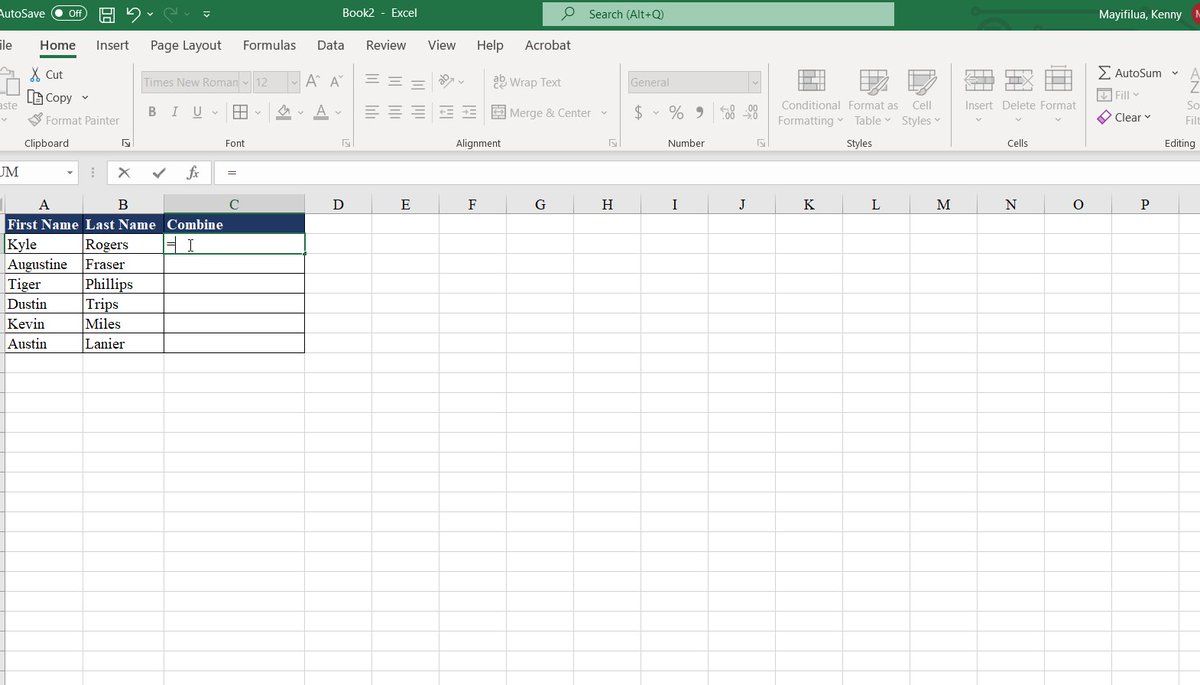
This function is used to combine two or more text strings into a single string.
I want to combine the first and last names in a single cell.
Remember to include the " " and a space in the middle to separate the two texts.
The formula: =CONCATENATE (A2,“ ”,B2)
This function is used to combine two or more text strings into a single string.
I want to combine the first and last names in a single cell.
Remember to include the " " and a space in the middle to separate the two texts.
The formula: =CONCATENATE (A2,“ ”,B2)
• SUMIF
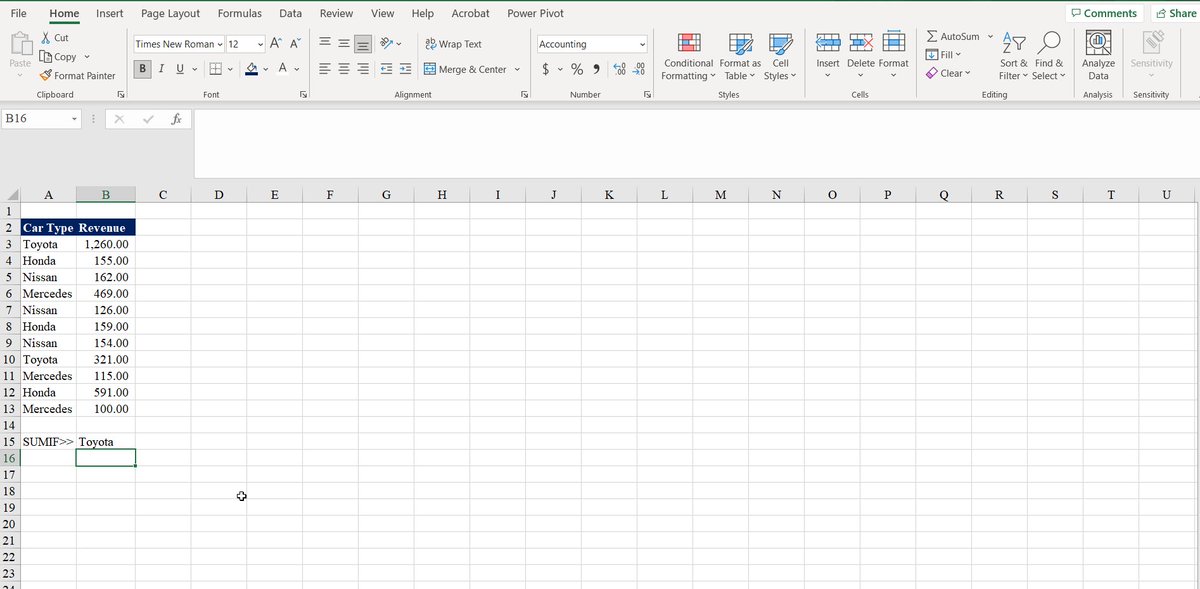
Use the SUMIF function to sum the values in a range that meets the criteria that you specify.
In this case, I'm trying to figure out the number of sales for a given car.
The formula: =SUMIF(A3:A13,B15,B3:B13)
Use the SUMIF function to sum the values in a range that meets the criteria that you specify.
In this case, I'm trying to figure out the number of sales for a given car.
The formula: =SUMIF(A3:A13,B15,B3:B13)
• IF
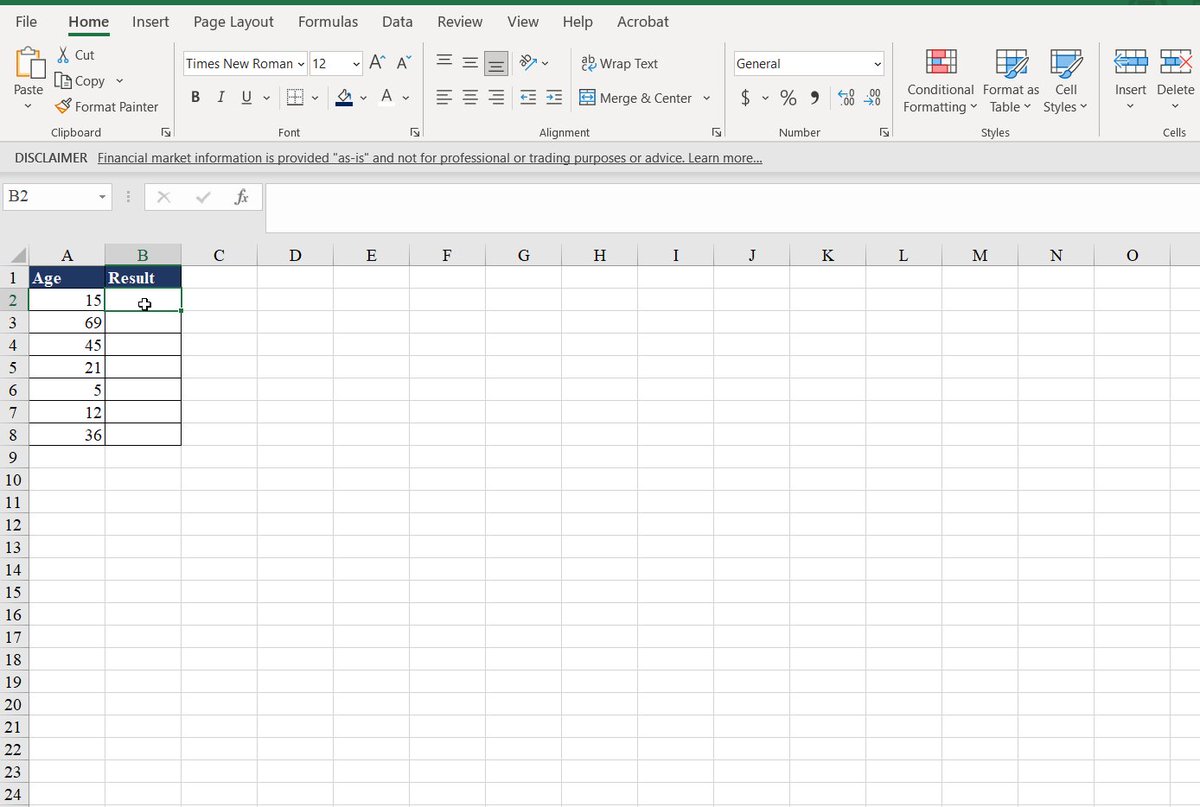
Use the IF function to make logical comparisons.
The logical comparison in our case is to return the word "adult" if the age is greater than 18.
If it is not, it will display the word "child."
The formula=IF(A2>18,"Adult","Child")
Use the IF function to make logical comparisons.
The logical comparison in our case is to return the word "adult" if the age is greater than 18.
If it is not, it will display the word "child."
The formula=IF(A2>18,"Adult","Child")
• SORT
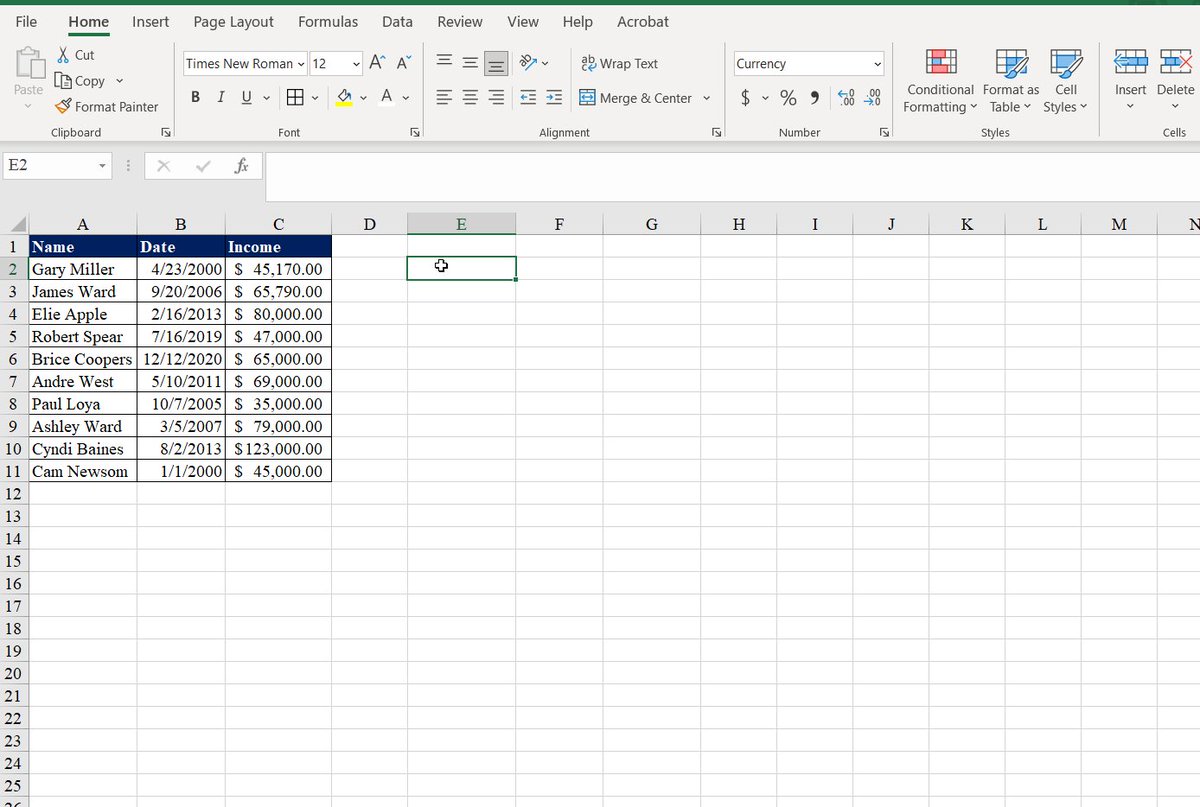
The SORT function sorts the contents of a range or array of data.
We first sorted our table by name, which is the first column.
Then, we sorted by date and income, respectively, by adding the 2 and 3.
The formula=SORT(A2:C11)
The SORT function sorts the contents of a range or array of data.
We first sorted our table by name, which is the first column.
Then, we sorted by date and income, respectively, by adding the 2 and 3.
The formula=SORT(A2:C11)
• MIN
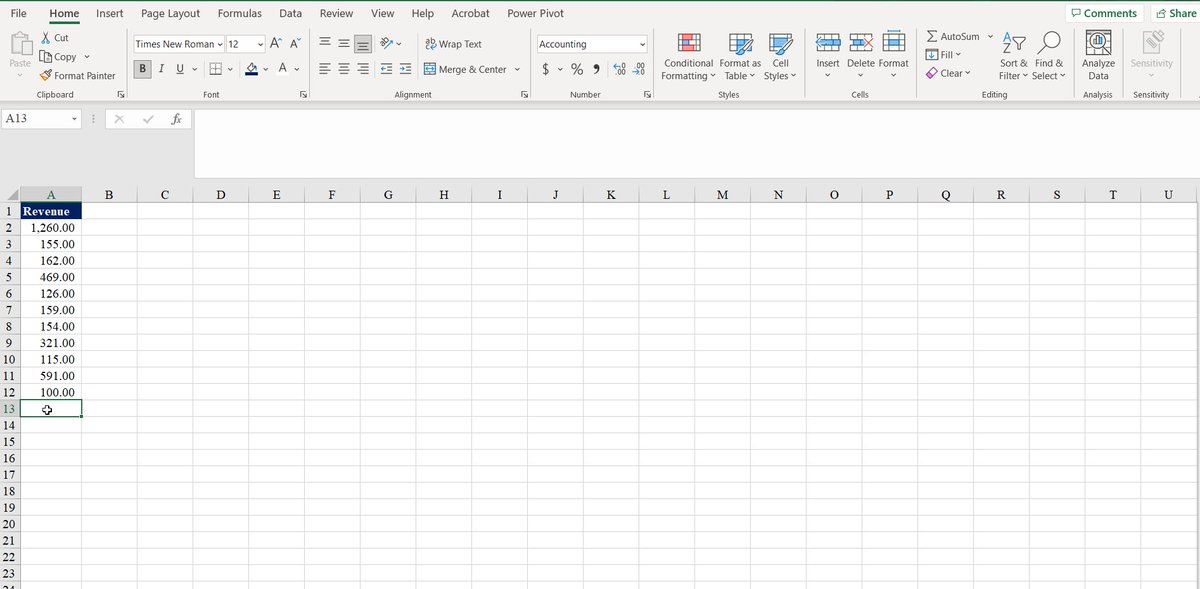
This function returns the smallest number in a set of values.
The formula =MIN(A2:A12)
This function returns the smallest number in a set of values.
The formula =MIN(A2:A12)

• MAX
This function returns the largest value in a set of values.
The formula =MAX(A2:A12)
This function returns the largest value in a set of values.
The formula =MAX(A2:A12)
• TEXTBEFORE AND TEXTAFTER
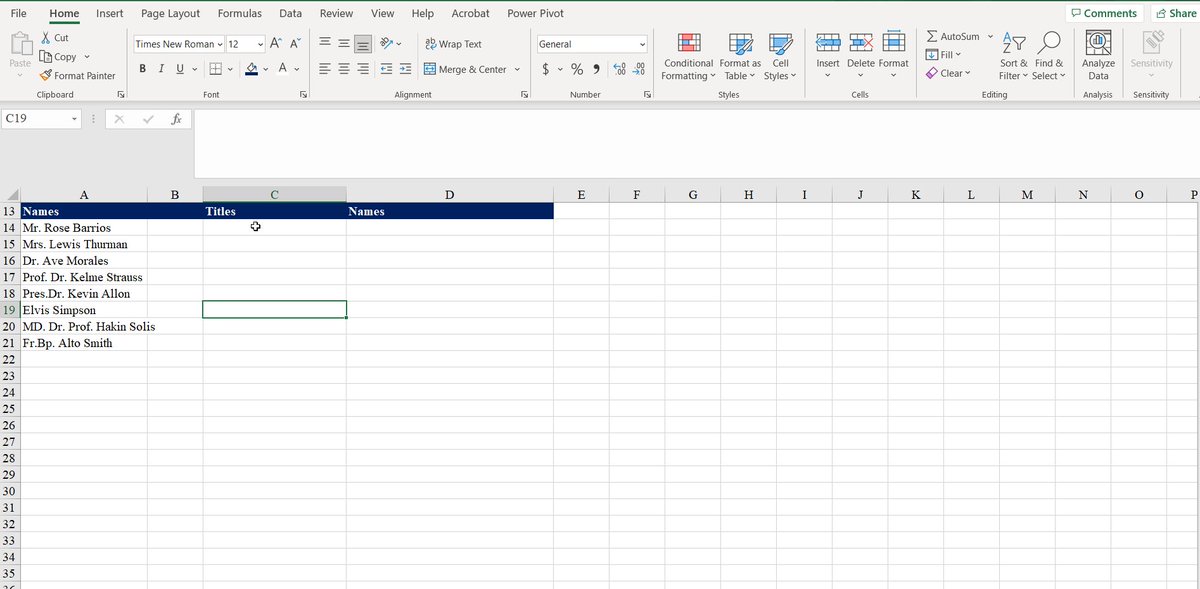
• TEXTBEFORE: This function returns text that comes before a given character or string.
• TEXTAFTER: This function returns text that follows a specified character or string.
• TEXTBEFORE: This function returns text that comes before a given character or string.
• TEXTAFTER: This function returns text that follows a specified character or string.
• COUNTIF
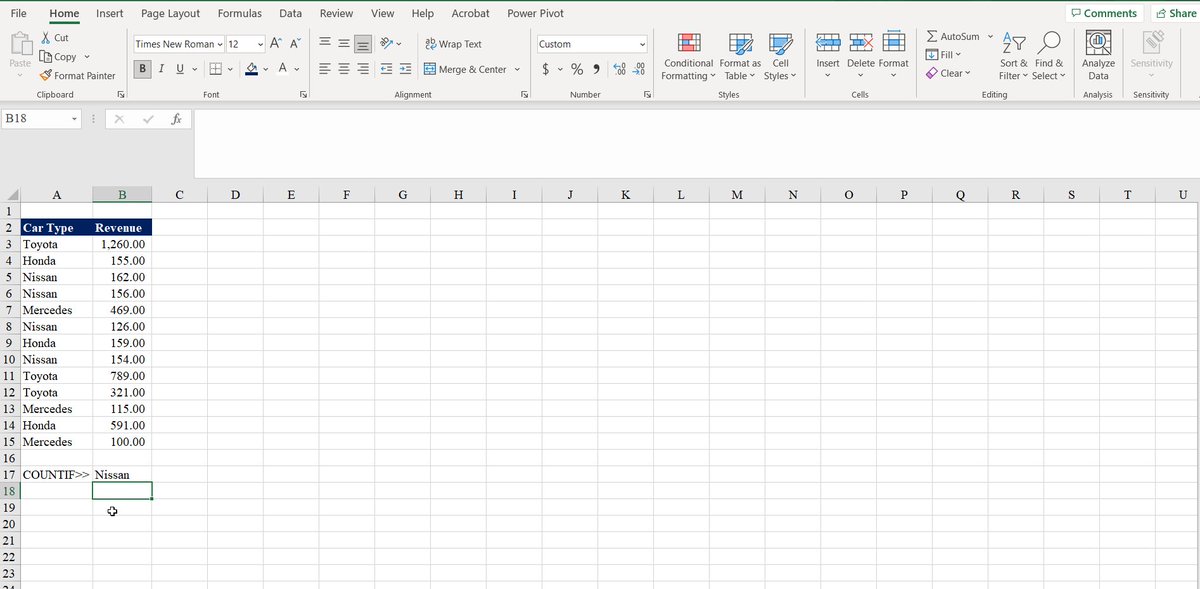
Use COUNTIF to count the number of cells that meet a criterion.
I'm counting the number of times these companies have been the best companies in different years.
The formula:=COUNTIF(A3:A15,B17)
Use COUNTIF to count the number of cells that meet a criterion.
I'm counting the number of times these companies have been the best companies in different years.
The formula:=COUNTIF(A3:A15,B17)
• COUNT
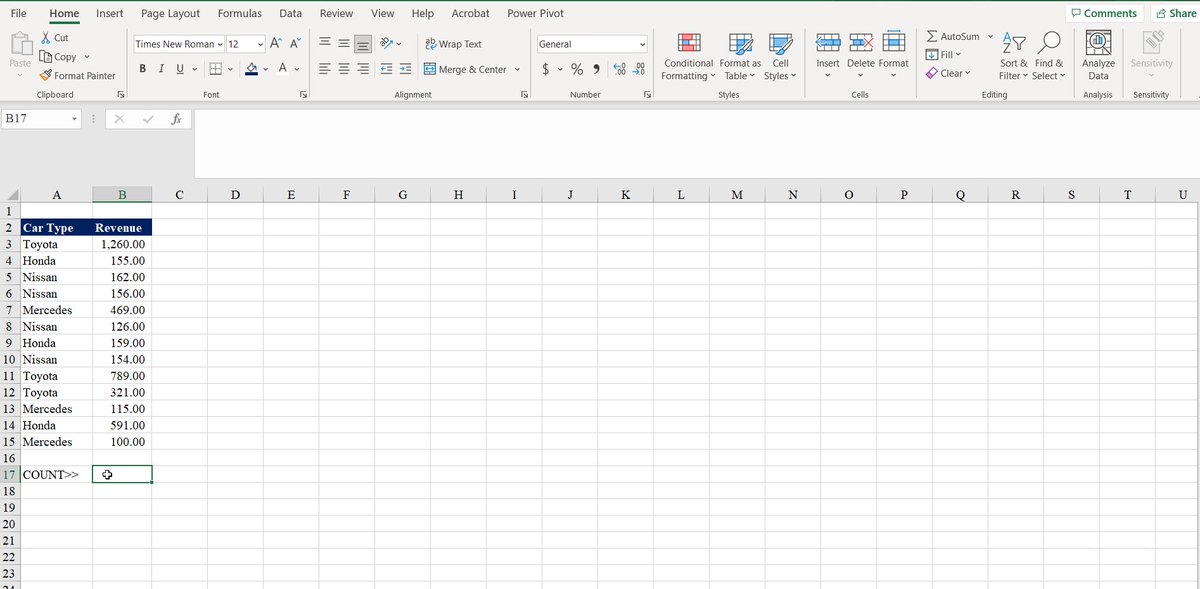
Use the COUNT function to get the number of entries in a number field that is in a range or array of numbers.
The formula: =COUNT(B3:B15).
Use the COUNT function to get the number of entries in a number field that is in a range or array of numbers.
The formula: =COUNT(B3:B15).
• COUNTA
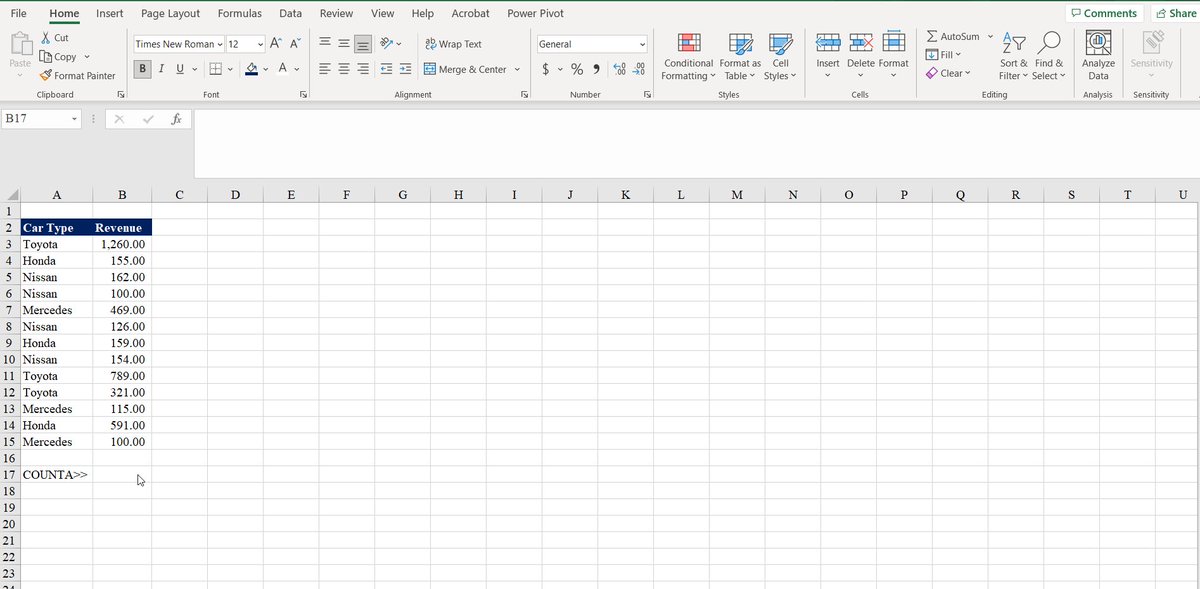
The COUNTA function counts cells that contain any type of data, including error values and empty text ("").
The formula:=COUNTA(B3:B15).
The COUNTA function counts cells that contain any type of data, including error values and empty text ("").
The formula:=COUNTA(B3:B15).
• UPPER, LOWER, PROPER
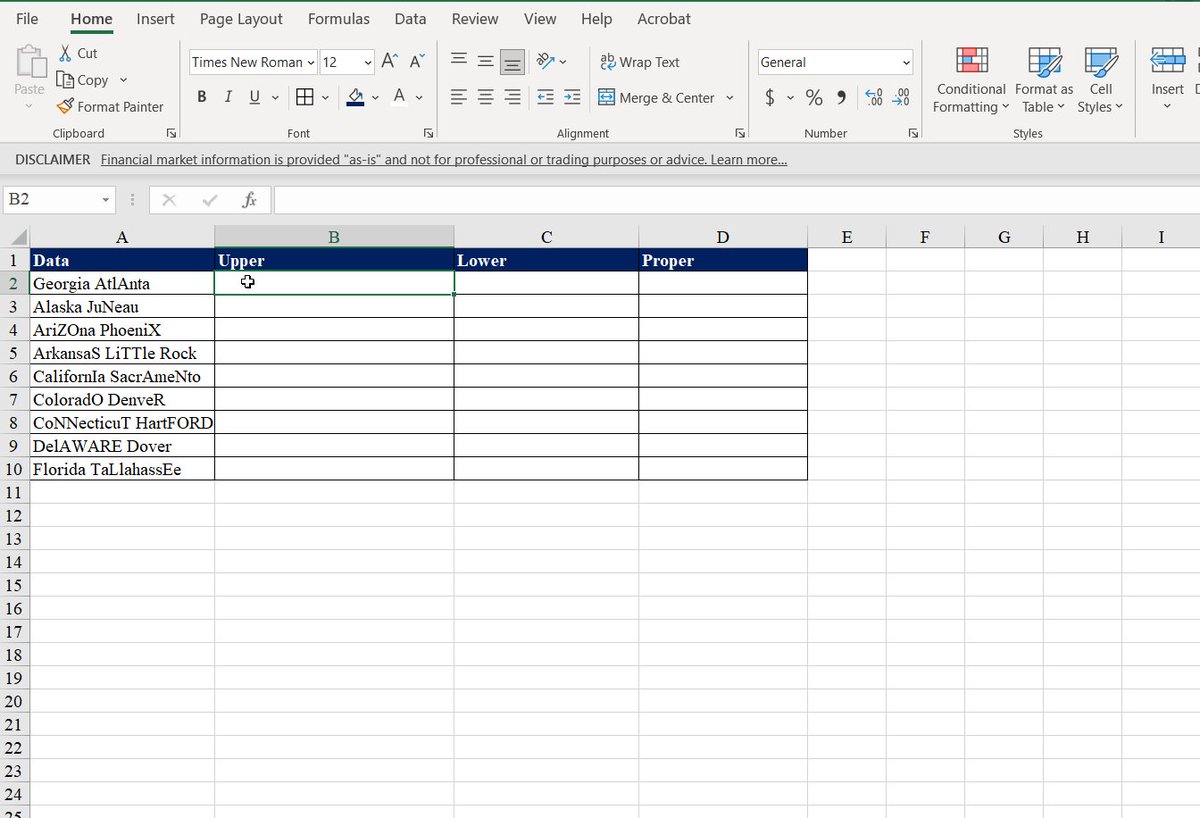
• UPPER Converts a text string to all uppercase
• LOWER Converts a text string to all lowercase
• PROPER Converts a text string to the proper case
For each of the formulas, we use the information from (A2:A10)
• UPPER Converts a text string to all uppercase
• LOWER Converts a text string to all lowercase
• PROPER Converts a text string to the proper case
For each of the formulas, we use the information from (A2:A10)
• TRIM
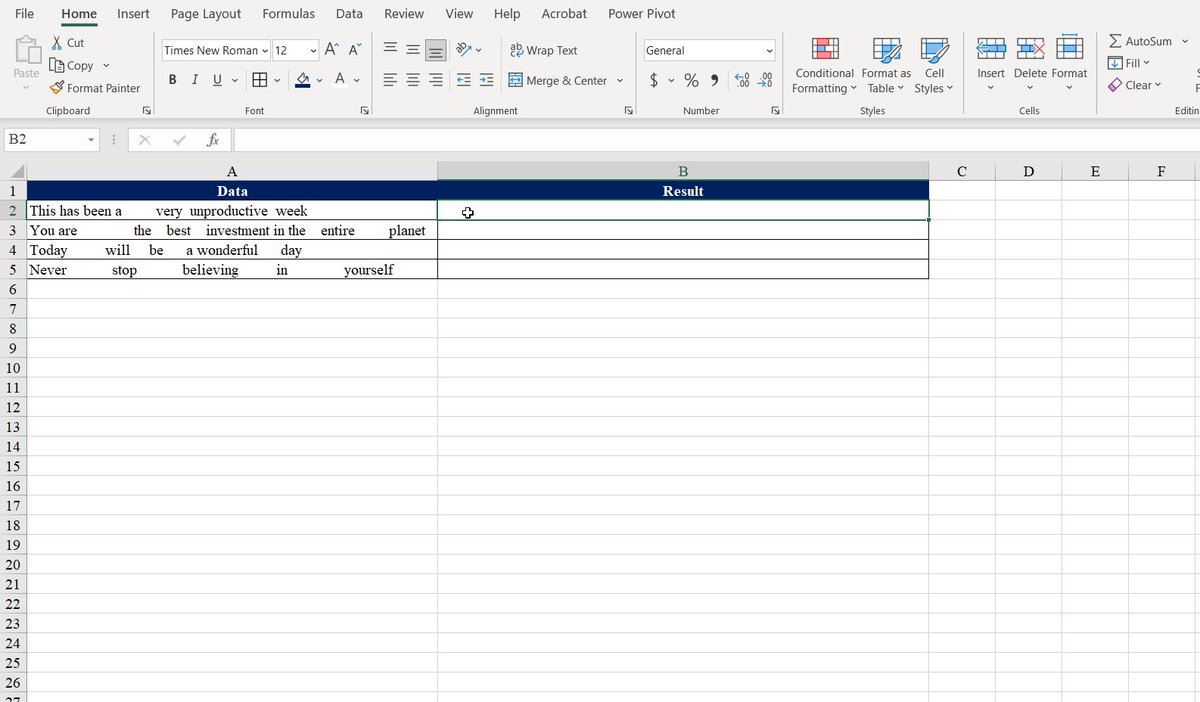
It removes all spaces from text except for single spaces between words.
Use TRIM on text that you have received from another application that may have irregular spacing.
The formula:=TRIM(A2).
It removes all spaces from text except for single spaces between words.
Use TRIM on text that you have received from another application that may have irregular spacing.
The formula:=TRIM(A2).
If you enjoyed this thread, please like, comment, and retweet the first tweet.
I write about
• Personal Finance
• Investing
• Wealth
Follow me @AccentInvesting for more tips.
Subscribe to receive a free guide on the top 5 ETFs to hold for life: bit.ly
I write about
• Personal Finance
• Investing
• Wealth
Follow me @AccentInvesting for more tips.
Subscribe to receive a free guide on the top 5 ETFs to hold for life: bit.ly
Investing in index funds is the simplest way to build wealth.
Start your investing journey today: accentinvesting.gumroad.com
Start your investing journey today: accentinvesting.gumroad.com
Loading suggestions...