

Farming airdrops is easy, but are you ready for an advanced strategy?
My goal is to make my first $100.000 with crypto.
Today I'm farming for the @shardeum airdrop by setting up a validator node!
Duration: 35 min
Cost: $50
Let me walk you through the steps 🧵👇
My goal is to make my first $100.000 with crypto.
Today I'm farming for the @shardeum airdrop by setting up a validator node!
Duration: 35 min
Cost: $50
Let me walk you through the steps 🧵👇

Rent a VPS server:
Step 1:
Click this link: tidd.ly & select "CLOUD VPS M".
This is an affiliate link, but it's also the cheapest VPS provider I could find & it works great for me.
Feel free to use any other platform.
Step 1:
Click this link: tidd.ly & select "CLOUD VPS M".
This is an affiliate link, but it's also the cheapest VPS provider I could find & it works great for me.
Feel free to use any other platform.


Configure your VPS server:
Step 1:
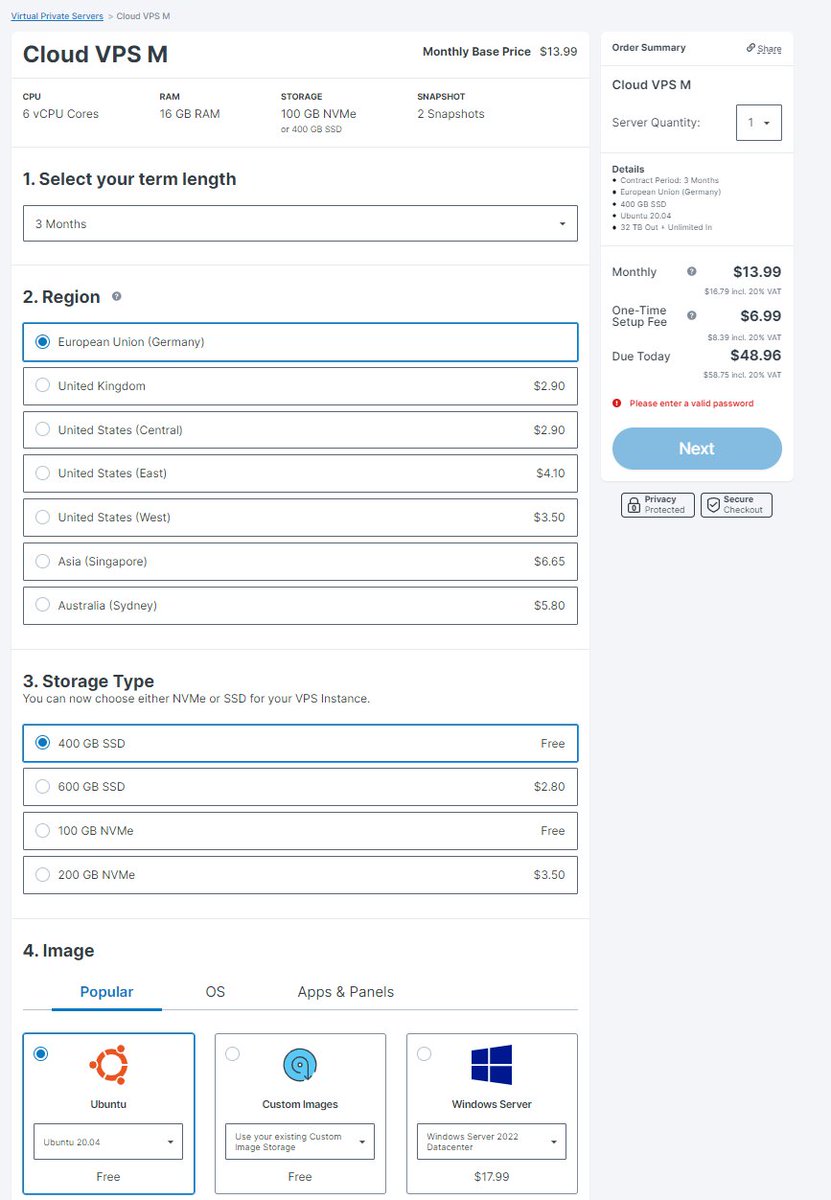
Use the following settings:
• 3 Months
• Germany
• 800 GB SSD
• Ubuntu 20.04
You will need to run the node for 2-6 months.
For me, 3 months is a good trade-off.
Step 1:
Use the following settings:
• 3 Months
• Germany
• 800 GB SSD
• Ubuntu 20.04
You will need to run the node for 2-6 months.
For me, 3 months is a good trade-off.
Create a new account:
Step 1:
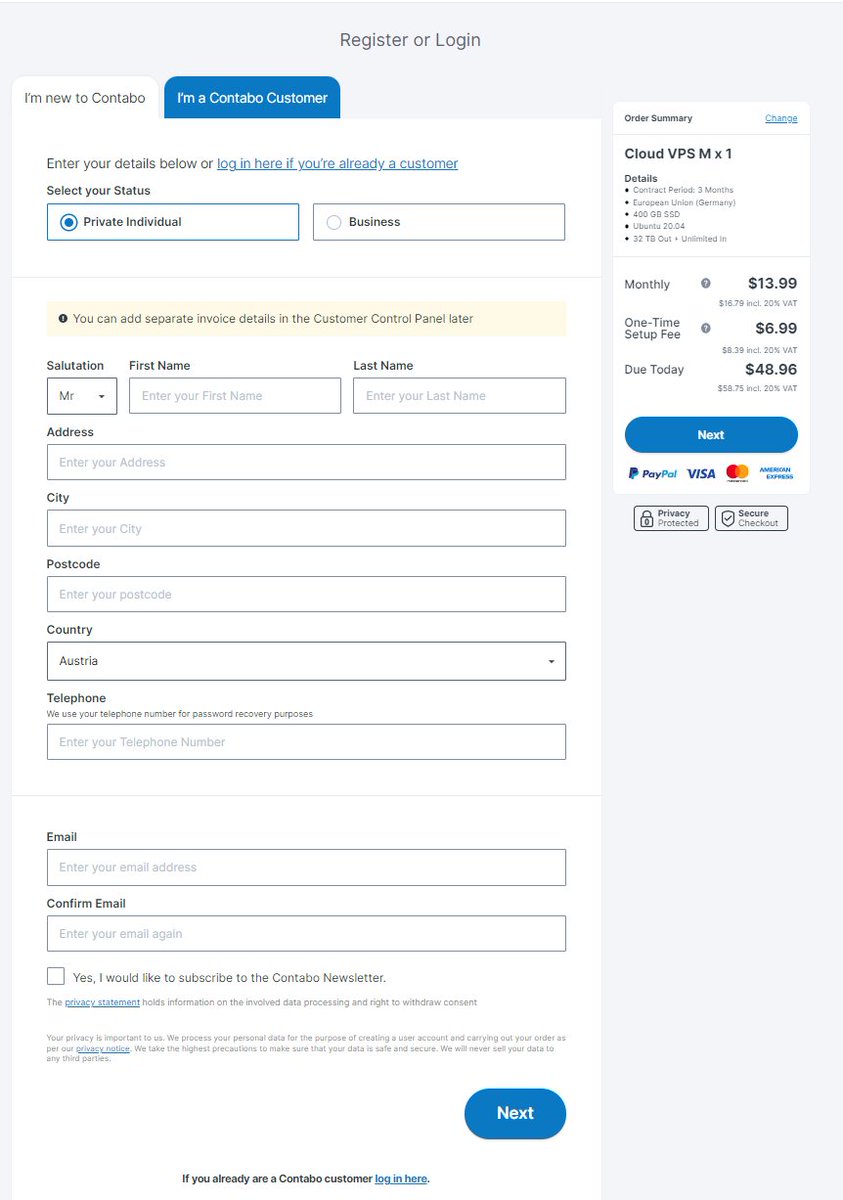
Fill out the form with your contact details & click Next.
Step 2:
Chose your payment method & finish the process by clicking next.
Use your main Email address, they will send "login" information by email.
Step 1:
Fill out the form with your contact details & click Next.
Step 2:
Chose your payment method & finish the process by clicking next.
Use your main Email address, they will send "login" information by email.
Waiting for the server details:
Step 1:
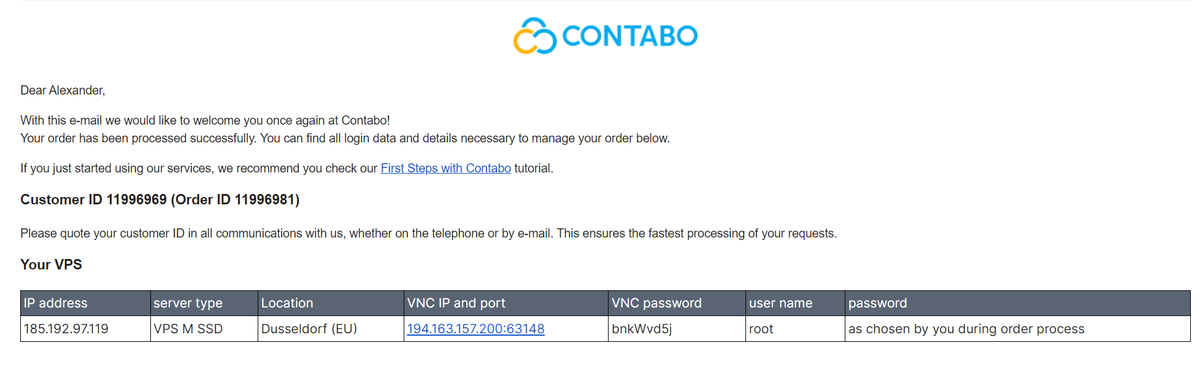
After creating your account you will receive two emails.
• Order Status
• Server details
In the first email, you will get confirmation about your order.
In the second Email, you will get the IP address for your server.
Step 1:
After creating your account you will receive two emails.
• Order Status
• Server details
In the first email, you will get confirmation about your order.
In the second Email, you will get the IP address for your server.
Download the program for SSH connection:
Step 1:
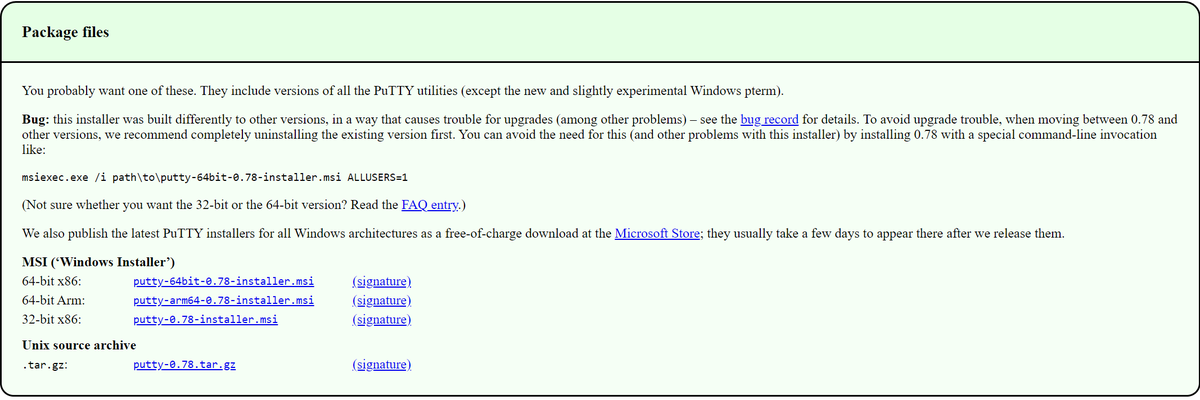
Visit the link shorturl.at to download putty for your operating system (Linux or Windows).
It can take up to 20 min until you receive the email with your Ip address.
Step 1:
Visit the link shorturl.at to download putty for your operating system (Linux or Windows).
It can take up to 20 min until you receive the email with your Ip address.
Connect to your server:
Step 1:
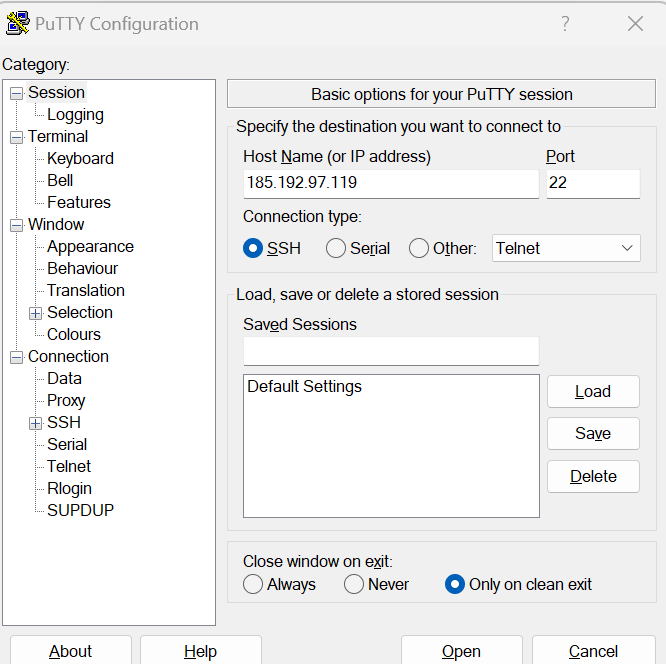
Run Putty, enter your IP address, then click on open.
Click on Accept & you're connected to your server.
Step 2:
Log in as "root" & enter the password you saved in your notepad.
Step 1:
Run Putty, enter your IP address, then click on open.
Click on Accept & you're connected to your server.
Step 2:
Log in as "root" & enter the password you saved in your notepad.
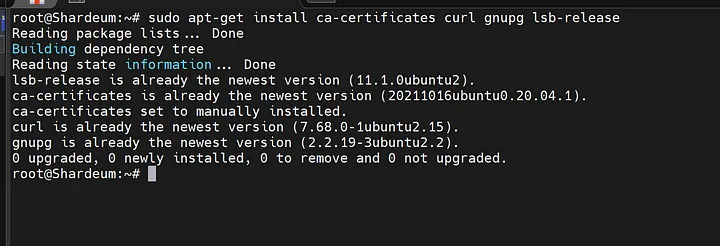
Run the following commands in your putty command line:
"sudo apt-get install curl"
"sudo apt update"
"sudo apt install docker.io"
"sudo curl -L "github.com$(uname -"
"sudo chmod +x /usr/local/bin/docker-compose"
"sudo apt-get install curl"
"sudo apt update"
"sudo apt install docker.io"
"sudo curl -L "github.com$(uname -"
"sudo chmod +x /usr/local/bin/docker-compose"

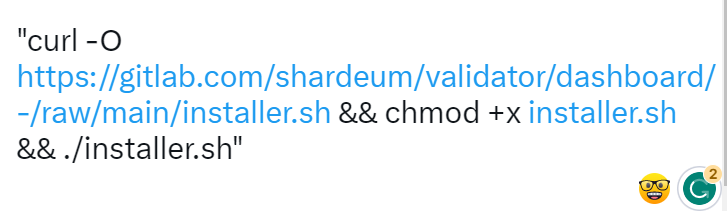
Run the following commands:
Twitter won't let me post the next command, so I have a screenshot for you.
Sorry.
BTW. you can find all these commands here: shorturl.at
Twitter won't let me post the next command, so I have a screenshot for you.
Sorry.
BTW. you can find all these commands here: shorturl.at

Some questions will pop up:
"By running this installer, you agree to allow the Shardeum team to collect this data.
Enter: "y"
"Do you want to run the web based Dashboard?
Enter: "y"
Choose a password for Dashboard access.
Press enter 4 times for default values.
"By running this installer, you agree to allow the Shardeum team to collect this data.
Enter: "y"
"Do you want to run the web based Dashboard?
Enter: "y"
Choose a password for Dashboard access.
Press enter 4 times for default values.
Run the following commands in your putty command line:
" cd .shardeum "
" ./shell.sh "
" operator-cli gui start "
Congrats you have set up your validator node.
" cd .shardeum "
" ./shell.sh "
" operator-cli gui start "
Congrats you have set up your validator node.
Switch to your web browser:
Visit the website: " https://<server_ip>:8080/ "
Use the server IP you got from the Email.
Enter the password you created in the terminal.
Visit the website: " https://<server_ip>:8080/ "
Use the server IP you got from the Email.
Enter the password you created in the terminal.
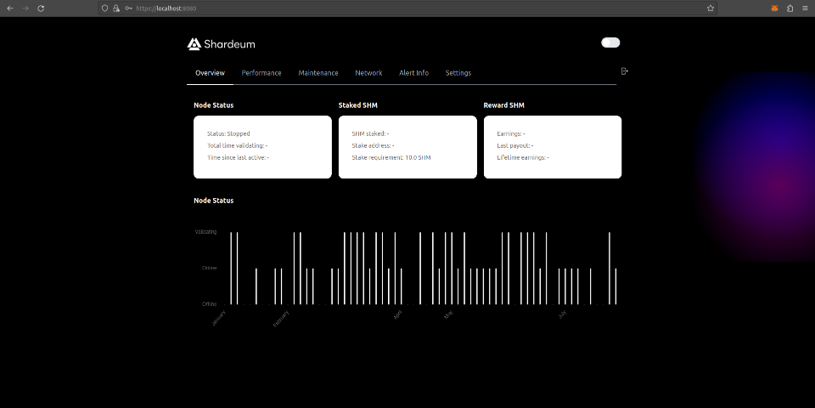
Start your node:
Click on "Maintenance" & "Start node"
Click on "Maintenance" & "Start node"
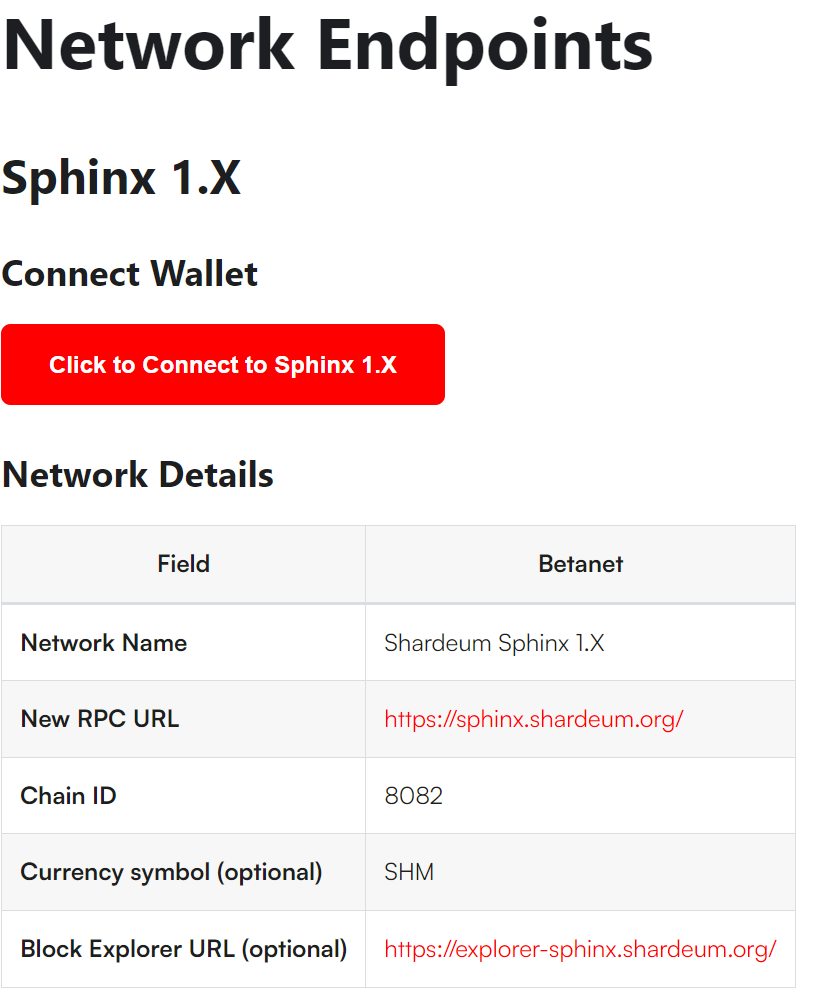
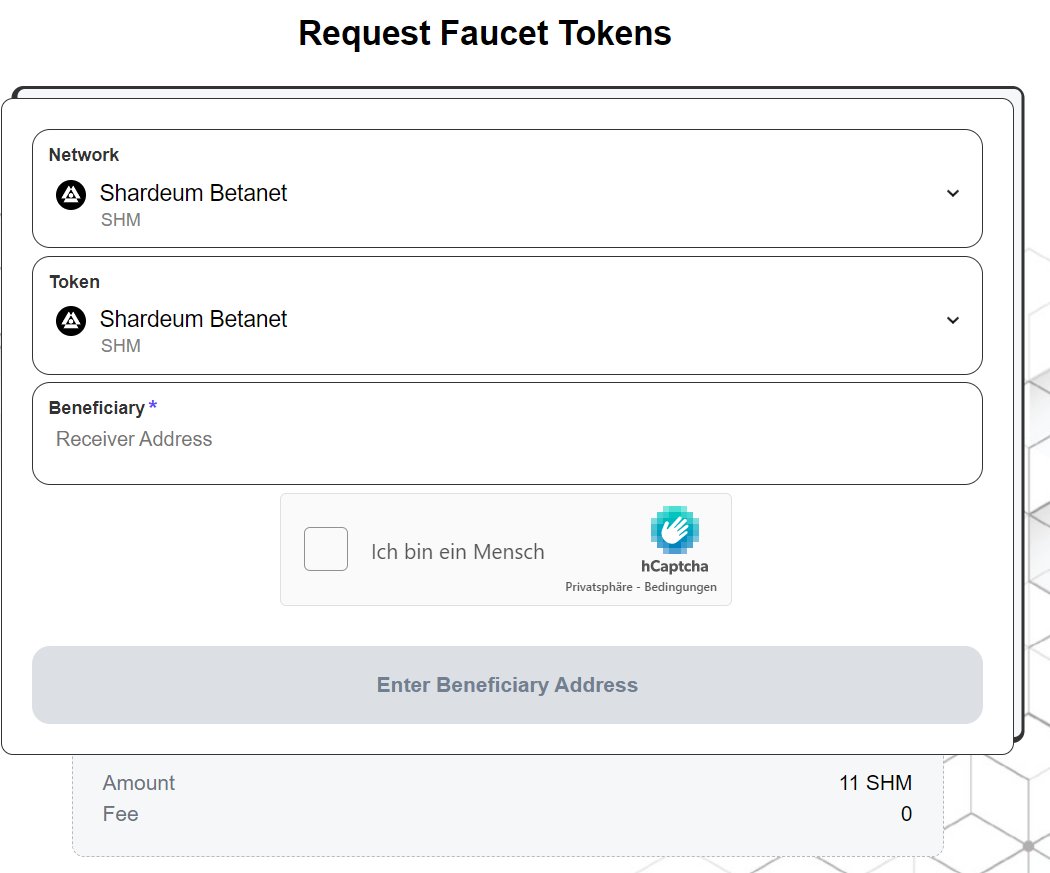
Claim Testnet SHM:
Visit: shorturl.at to claim your testnet SHM.
If that doesn't work for you, go to the shardeum discord.
They have a faucet function in there as well.
Write a ticket in the shardeum discord if you still have problems.
Visit: shorturl.at to claim your testnet SHM.
If that doesn't work for you, go to the shardeum discord.
They have a faucet function in there as well.
Write a ticket in the shardeum discord if you still have problems.
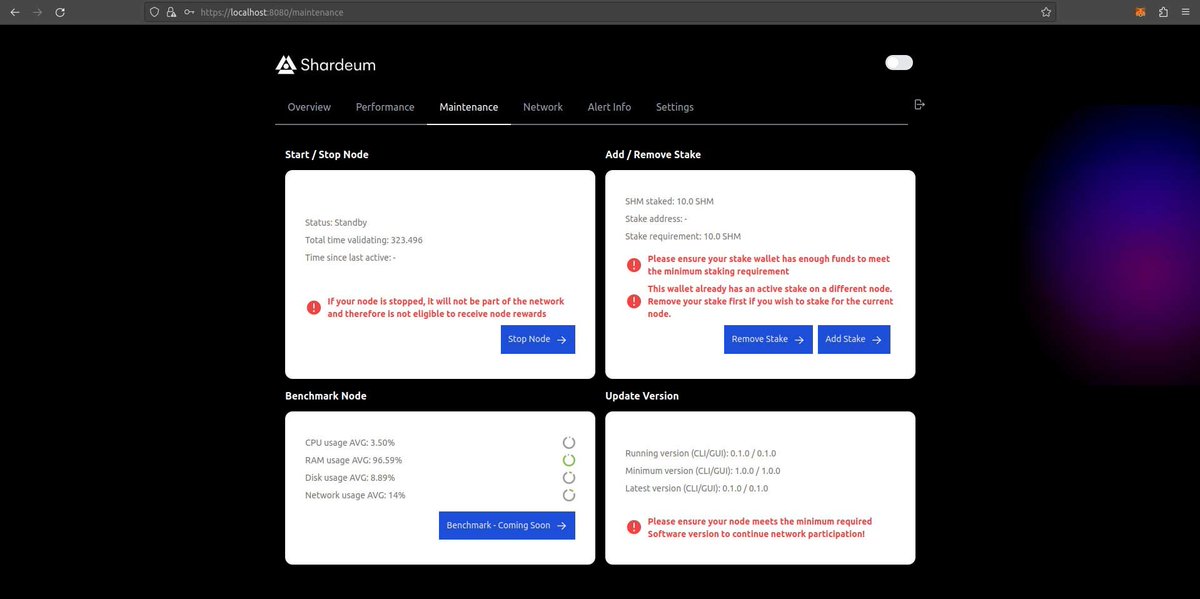
Add the SHM tokens to your node:
Go back to your Node dashboard & click on maintenance.
Click "add stake" to stake your SHM.
Congratulations, your node is up & running.
Check the status every other day & restart if it's offline for some reason.
Go back to your Node dashboard & click on maintenance.
Click "add stake" to stake your SHM.
Congratulations, your node is up & running.
Check the status every other day & restart if it's offline for some reason.
Keep reading!
Here is a post that the community seemed to like a lot! 👇
(Don't forget to follow)
Here is a post that the community seemed to like a lot! 👇
(Don't forget to follow)
Finally, I want to recommend some accounts that I personally like a lot.
@UtilityChad
@Cryptotrissy
@LouisCooper_
@Flowslikeosmo
@Abrahamchase09
@defi_mochi
@CryptoGirlNova
@crypthoem
@crypto_linn
@Axel_bitblaze69
All of them create amazing content!
@UtilityChad
@Cryptotrissy
@LouisCooper_
@Flowslikeosmo
@Abrahamchase09
@defi_mochi
@CryptoGirlNova
@crypthoem
@crypto_linn
@Axel_bitblaze69
All of them create amazing content!
For anyone having problems:
Visit: shorturl.at & scroll down.
You can find all commands, also commands for MAC users.
Also, Twitter cut off one of the commands in my thread.
Find the correct command in the link above! :)
Visit: shorturl.at & scroll down.
You can find all commands, also commands for MAC users.
Also, Twitter cut off one of the commands in my thread.
Find the correct command in the link above! :)
Loading suggestions...