

Obsidian is the most powerful academic note taking app.
But you can’t publish a paper from your notes.
Convert notes to LaTeX or MS Word with one click:
👇
But you can’t publish a paper from your notes.
Convert notes to LaTeX or MS Word with one click:
👇

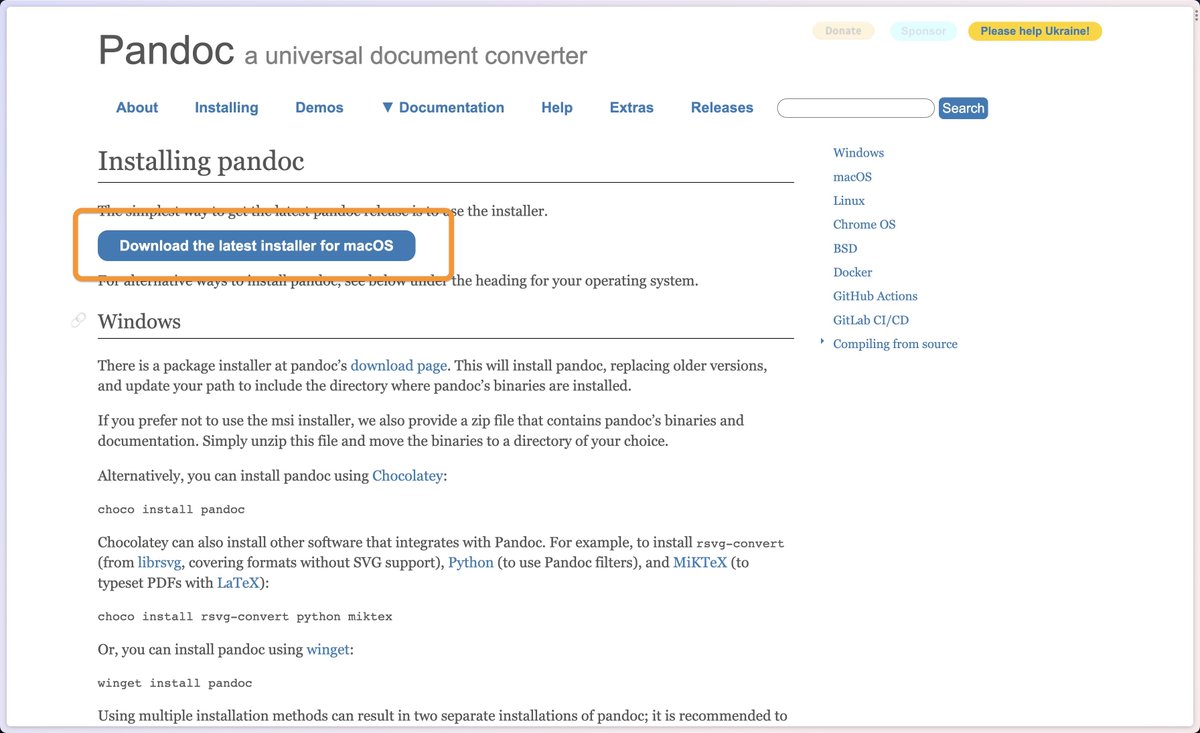
1. Go to Pandoc(dot)org
Pandoc is a universal translator of documents.
It can translate your notes into Word and vice versa.
Download and install it.
Pandoc is a universal translator of documents.
It can translate your notes into Word and vice versa.
Download and install it.
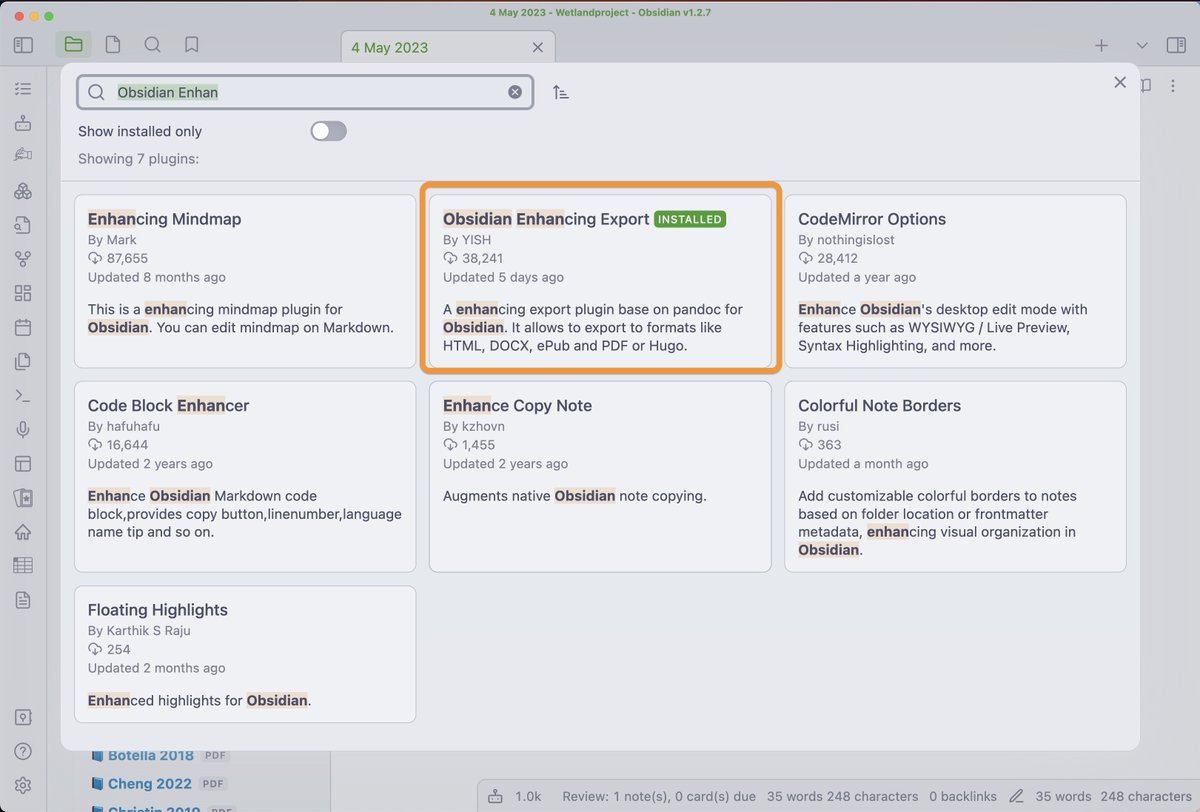
2. In @obsdmd install the "Obsidian Enhancing Export" plugin
This will connect Pandoc with your notes in Obsidian, plus enable a simple one click export.
Settings > Community Plugins > Search for "Enhancing Export".
Install, then enable it.
This will connect Pandoc with your notes in Obsidian, plus enable a simple one click export.
Settings > Community Plugins > Search for "Enhancing Export".
Install, then enable it.
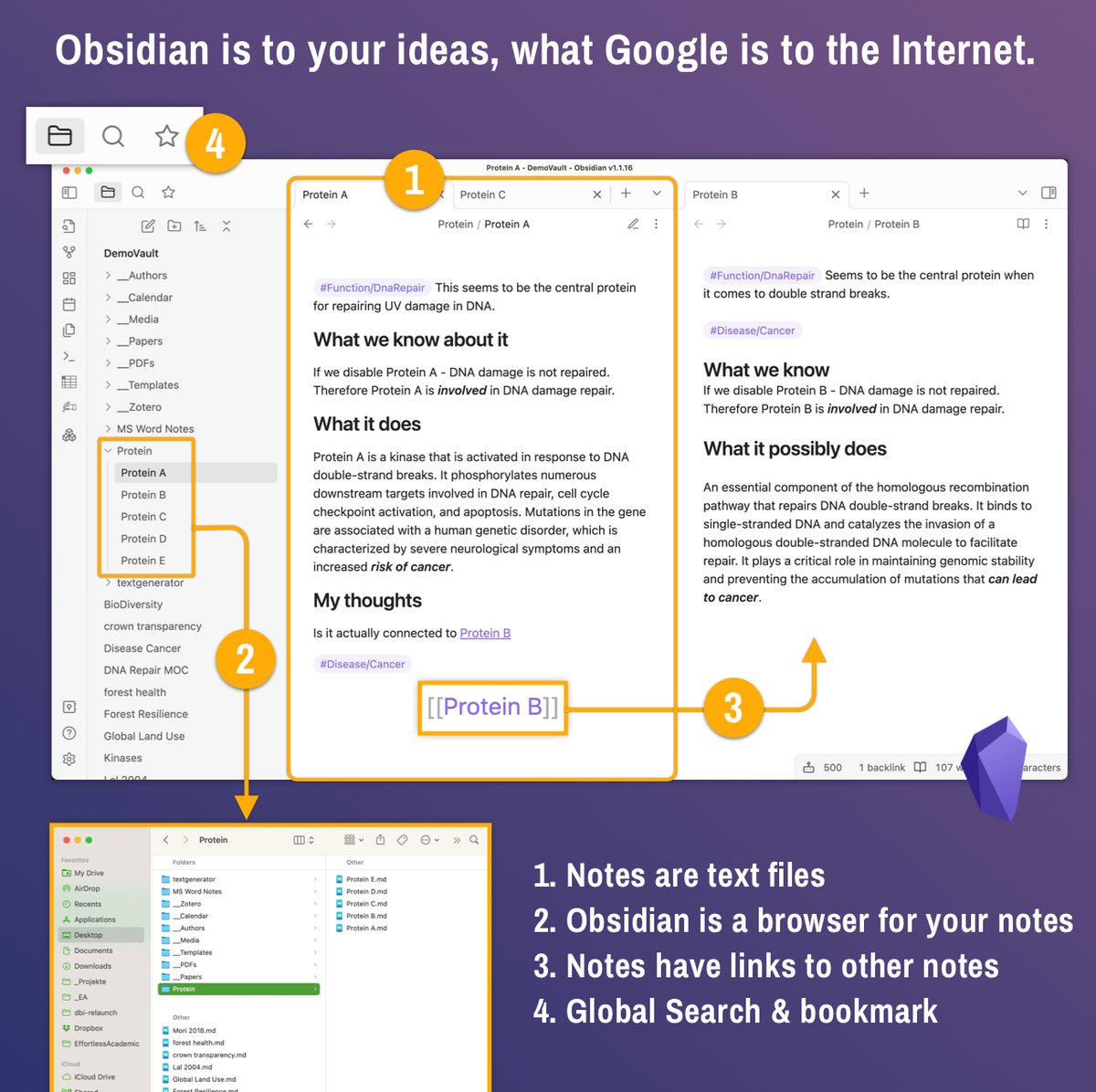
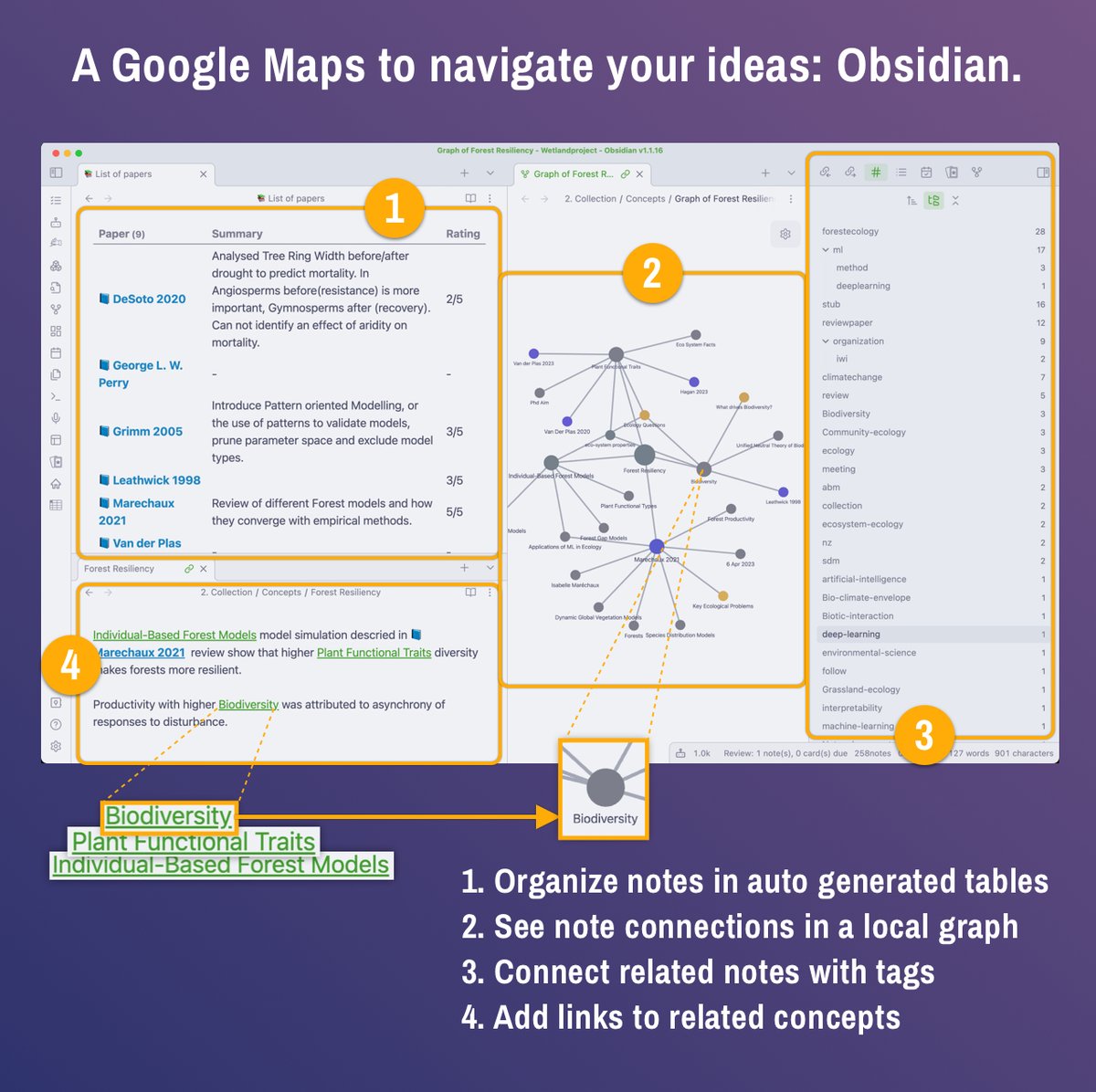
@obsdmd Unsure what Obsidian is and why you should use it?
Here is an explanation in two images.
Join the free 7-day quick start guide on EffortlessAcademic.com
It will teach you a few techniques that will boost your academic productivity and creativity!
Here is an explanation in two images.
Join the free 7-day quick start guide on EffortlessAcademic.com
It will teach you a few techniques that will boost your academic productivity and creativity!

@obsdmd 3. Let's export!
I write all my work in Obsidian.
Notice how I maintain links to my papers in the writing.
It's just faster than using Word.
But Obsidian is not great for sharing.
So when it's time to collaborate, I export.
Hit CTRL / CMD+P and type "Export".
I write all my work in Obsidian.
Notice how I maintain links to my papers in the writing.
It's just faster than using Word.
But Obsidian is not great for sharing.
So when it's time to collaborate, I export.
Hit CTRL / CMD+P and type "Export".

@obsdmd This tutorial is part of a series of Obsidian for Academics.
One of the best tools to increase productivity!
The Effortless Academic Manual is a 9 hour online course that will show you step-by-step how to use it.
effortlessacademic.carrd.co
One of the best tools to increase productivity!
The Effortless Academic Manual is a 9 hour online course that will show you step-by-step how to use it.
effortlessacademic.carrd.co

Loading suggestions...