

If you aren't using backlinks in your notes, you miss out on 50% of ideas.
Every missed connection is possibly a missed idea.
Here is how to leverage backlinks for ideas:
(even without linking!)
👇
Every missed connection is possibly a missed idea.
Here is how to leverage backlinks for ideas:
(even without linking!)
👇
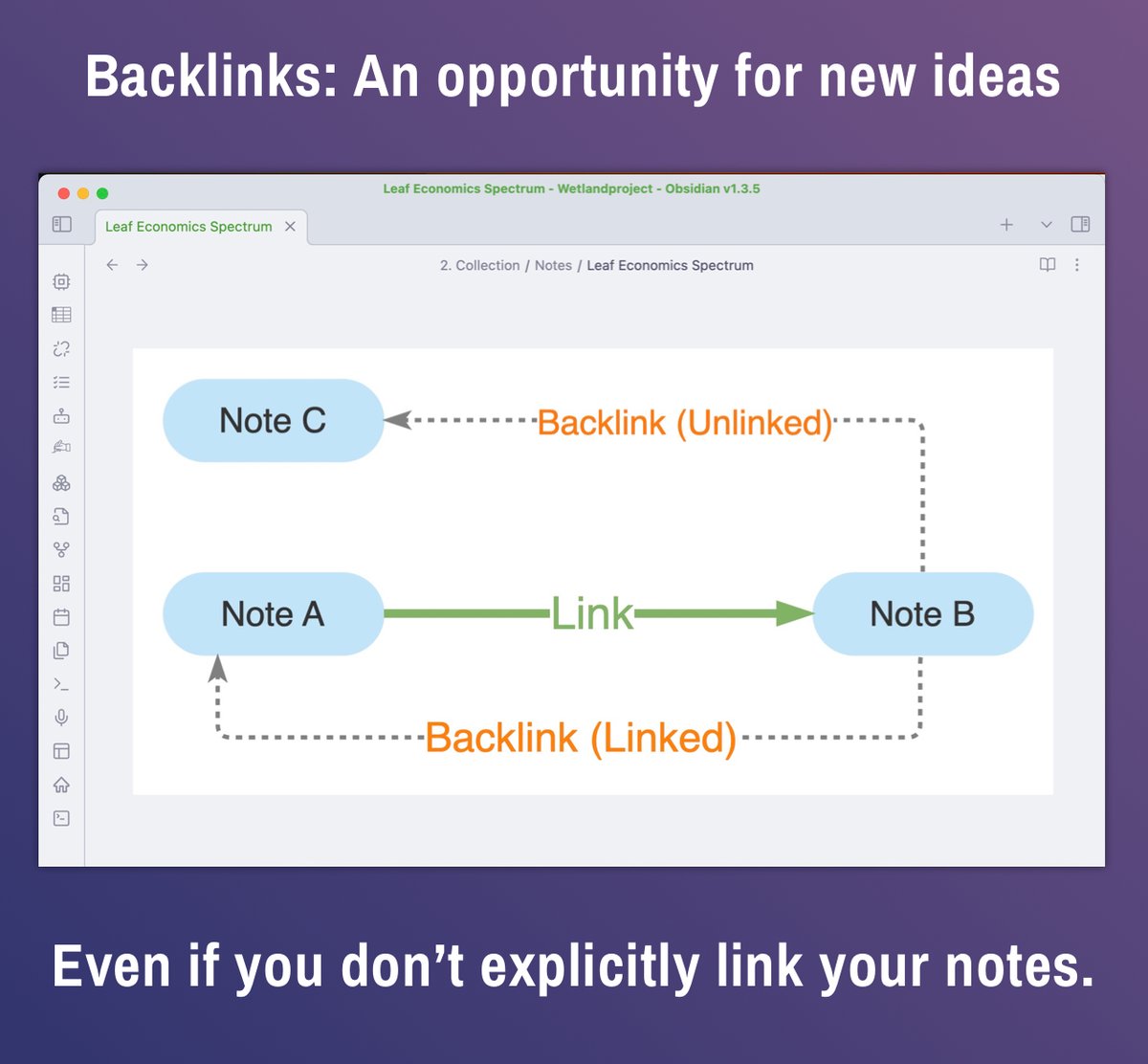
A LINK is something you add manually: A links to B.
A BACKLINK is created automatically: B now has a backlink to A.
Here is an example note.
The 4 outgoing links DESCRIBE details of the note.
So a (forward) link is to dig deeper into a topic.
A BACKLINK is created automatically: B now has a backlink to A.
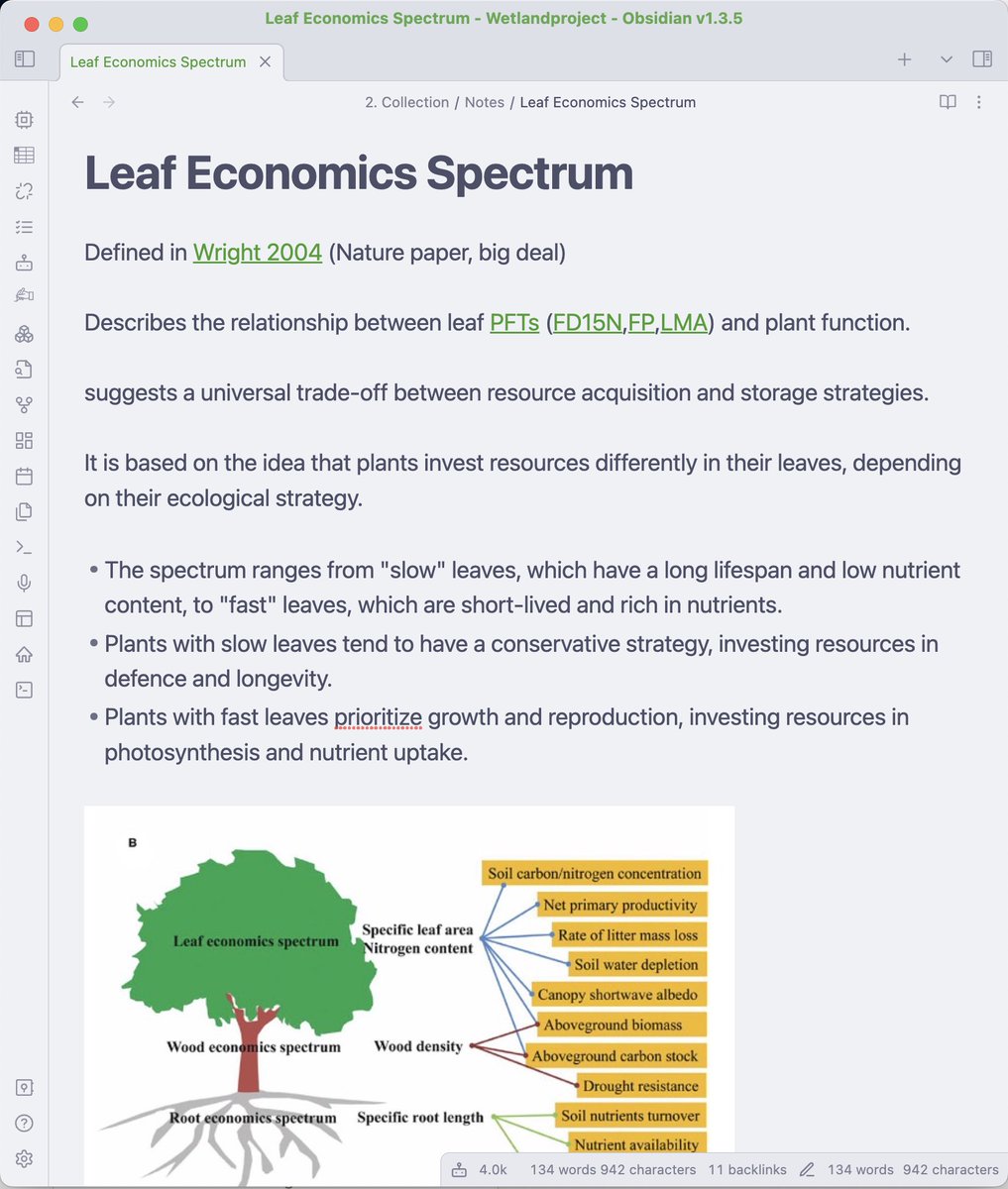
Here is an example note.
The 4 outgoing links DESCRIBE details of the note.
So a (forward) link is to dig deeper into a topic.
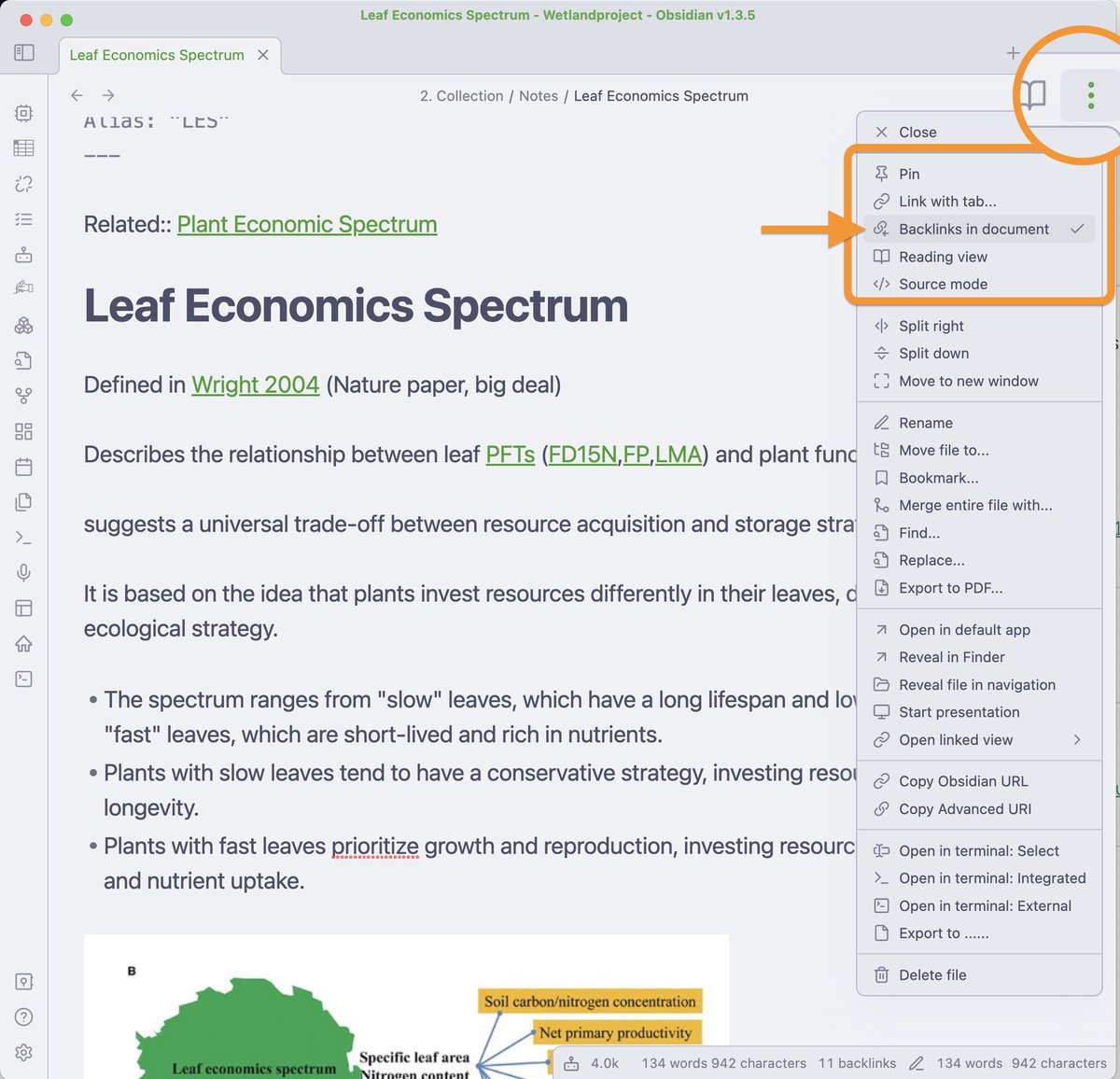
Pretty much all modern note taking tools have a possibility to display backinks too (not MS Word or google docs though).
I use @obsdmd.
Click the 3 little dots at the top
Select "Backlinks in Document".
Backlinks will be displayed at the bottom of the document.
I use @obsdmd.
Click the 3 little dots at the top
Select "Backlinks in Document".
Backlinks will be displayed at the bottom of the document.
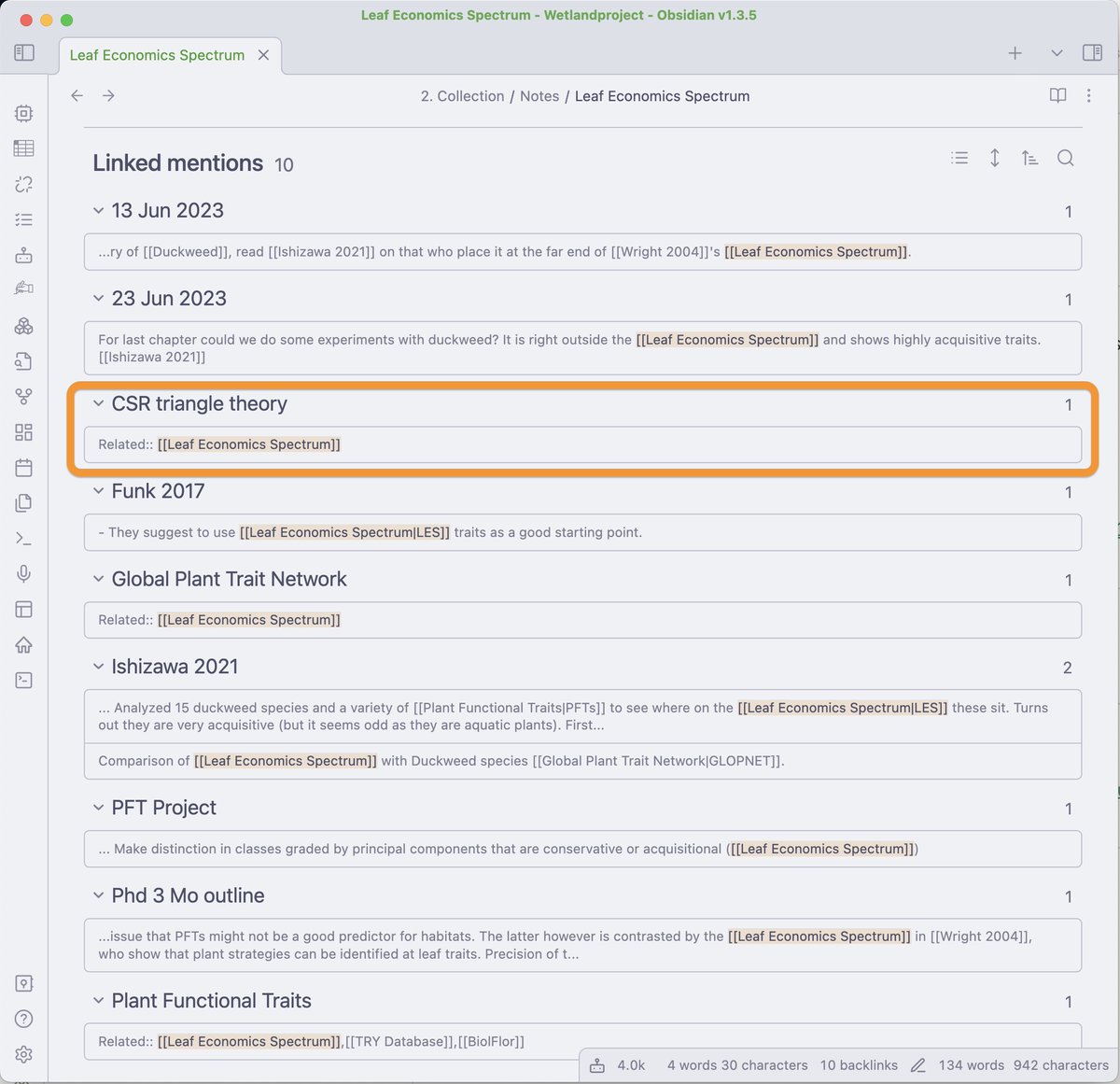
@obsdmd My note deals with properties of plant leafs.
Looking at the backlinks I discover:
It is related to the important CSR Triangle theory.
I would not have thought about it right away.
But having linked it in the CSR note, I automatically also created a BACKLINK.
Looking at the backlinks I discover:
It is related to the important CSR Triangle theory.
I would not have thought about it right away.
But having linked it in the CSR note, I automatically also created a BACKLINK.
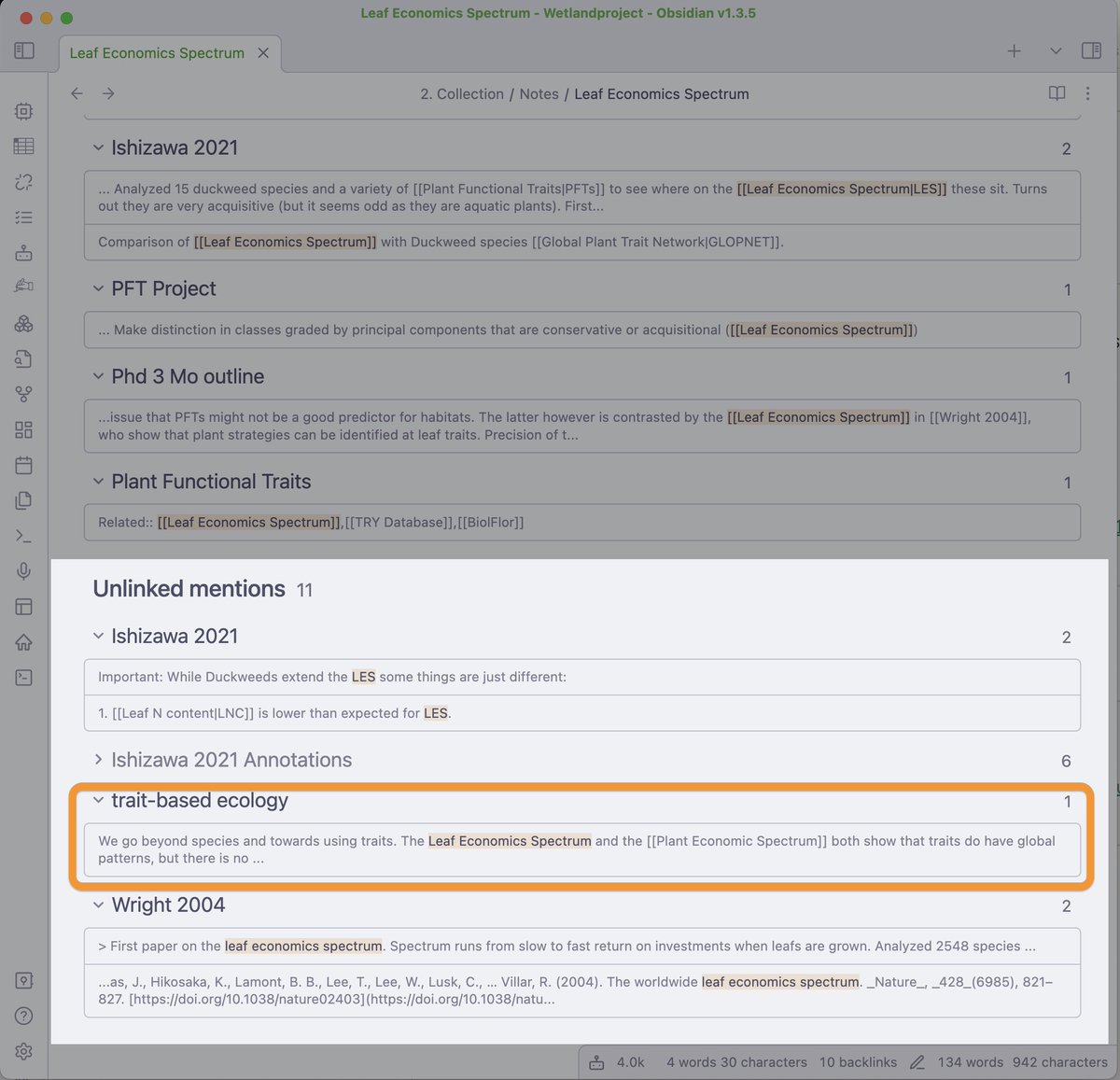
@obsdmd How do you generate ideas?
Don't worry about a method - EXPLORE your notes.
Walking along the links/backlinks will prompt ideas automatically, like a good hike,
Links = Going deeper into a topic
Baclinks = Exploring related ideas
Stroll around and be surprised.
Don't worry about a method - EXPLORE your notes.
Walking along the links/backlinks will prompt ideas automatically, like a good hike,
Links = Going deeper into a topic
Baclinks = Exploring related ideas
Stroll around and be surprised.
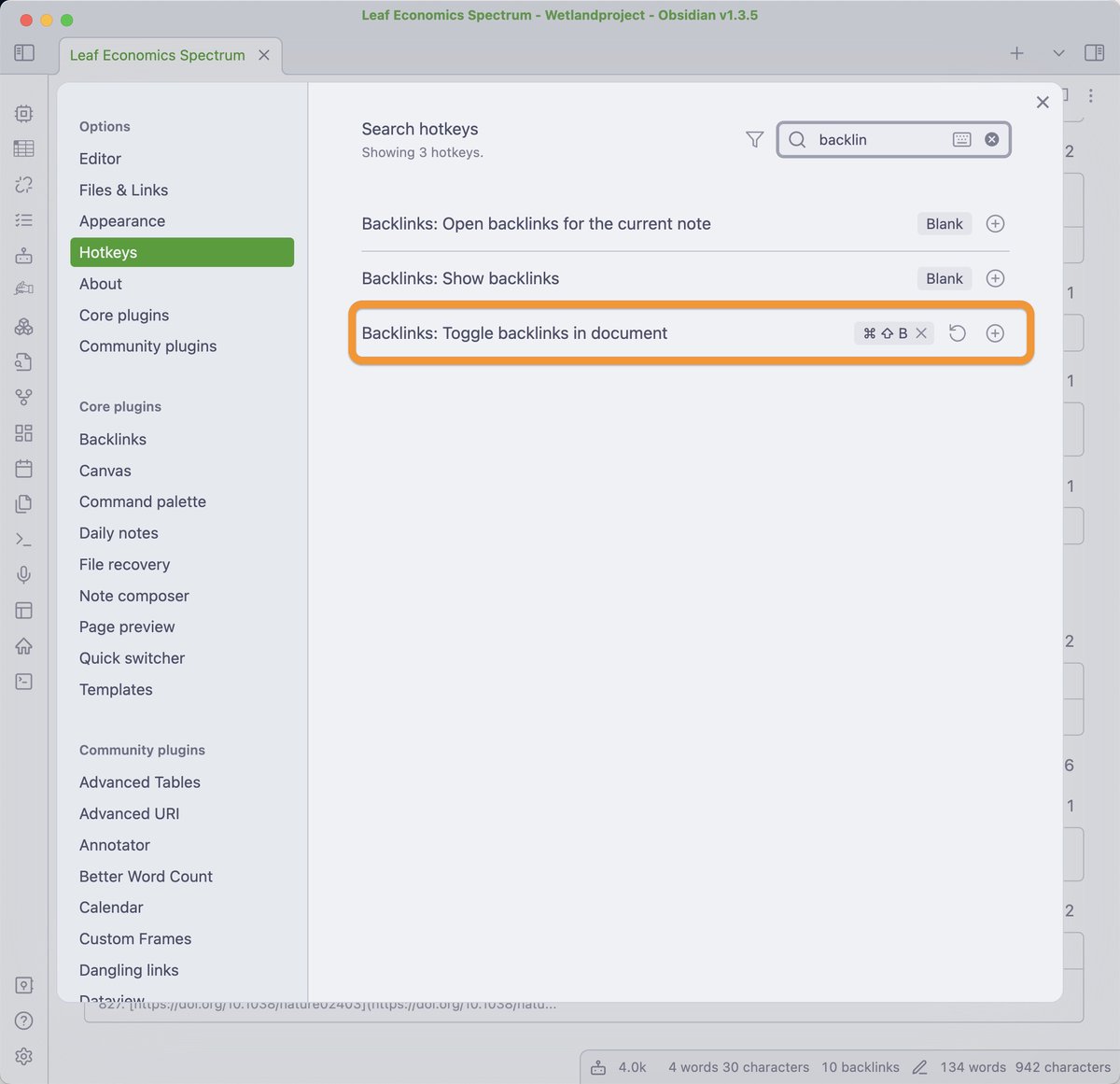
@obsdmd Bonus: Assign a hotkey for showing the backlinks.
This way you don't need to use the mouse all the time and will use it more frequently.
Just use the hotkey and toggle the "linked mentions" and "unlinked mentions" with one keystroke.
Settings > Hotkeys > Search "Backlinks"
This way you don't need to use the mouse all the time and will use it more frequently.
Just use the hotkey and toggle the "linked mentions" and "unlinked mentions" with one keystroke.
Settings > Hotkeys > Search "Backlinks"
@obsdmd If you want to master Obsidian, start small.
It can feel intimidating.
On my website you can signup for a free 8-day email course, to learn the basics:
effortlessacademic.com
Hope to meet you there!
It can feel intimidating.
On my website you can signup for a free 8-day email course, to learn the basics:
effortlessacademic.com
Hope to meet you there!

Loading suggestions...