

5 uncommon but 𝙄𝙢𝙥𝙤𝙧𝙩𝙖𝙣𝙩 HTML5 tags which will definitely help you to make your web pages awesome.
A thread 🧵🔽
A thread 🧵🔽
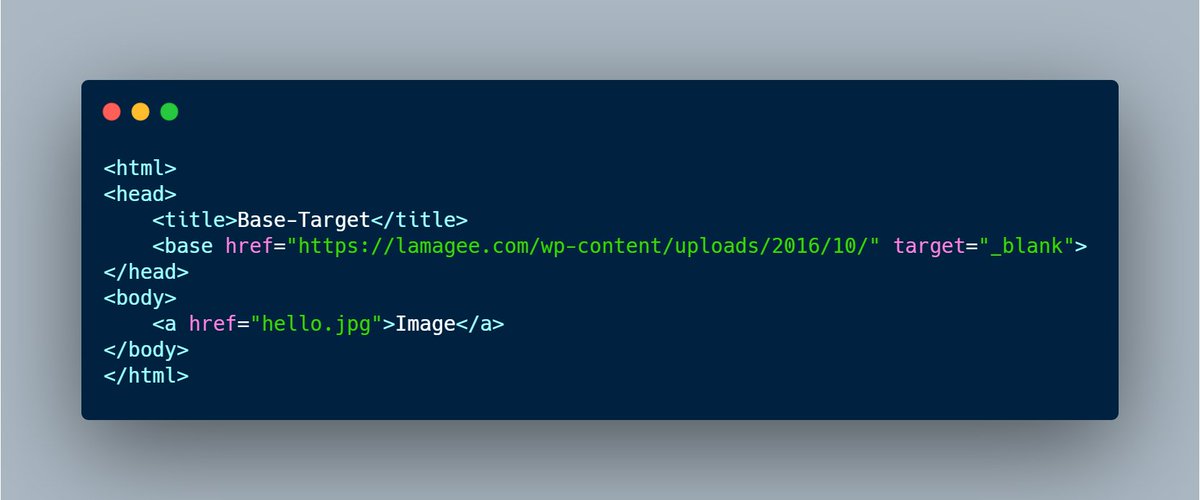
1. <𝙗𝙖𝙨𝙚> 𝙩𝙖𝙜 :
-This tag specifies the base URL and then target all URLs in document.
-Their can only be a single base element in a document and must be inside the <𝙝𝙚𝙖𝙙> tag.
-This tag specifies the base URL and then target all URLs in document.
-Their can only be a single base element in a document and must be inside the <𝙝𝙚𝙖𝙙> tag.
As we have added target="_blank" attribute in the base tag itself so all the image in the document will open in a new tab automatically. 👇
2.<𝙡𝙖𝙗𝙚𝙡> 𝙩𝙖𝙜 :
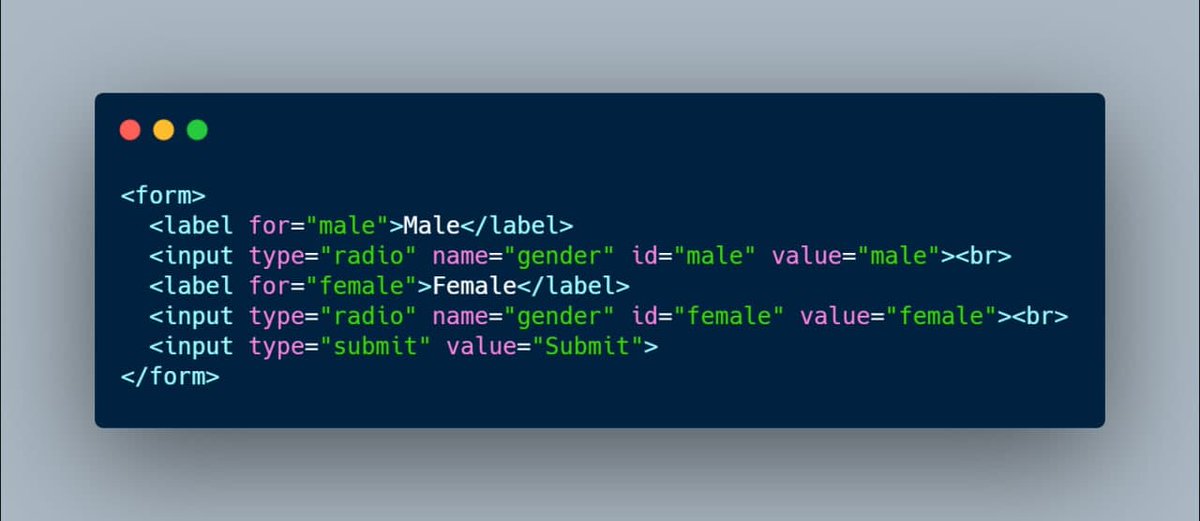
-It defines a label for several elements like checkbox, radio, range etc.
-as these tags allows a small hitting area besides them, after using this label tag you need not to hit into that small area rather you can hit anywhere on the option it'll work.
-It defines a label for several elements like checkbox, radio, range etc.
-as these tags allows a small hitting area besides them, after using this label tag you need not to hit into that small area rather you can hit anywhere on the option it'll work.
3.<𝙙𝙖𝙩𝙖𝙡𝙞𝙨𝙩> :
- As the name suggests it provides the list of predefined options to the user to select data.
-this tag must be used with an <input> element that contains a list attributes. The values of list attribute must be linked with datalist Id.
- As the name suggests it provides the list of predefined options to the user to select data.
-this tag must be used with an <input> element that contains a list attributes. The values of list attribute must be linked with datalist Id.

4.<𝙙𝙚𝙩𝙖𝙞𝙡𝙨> :
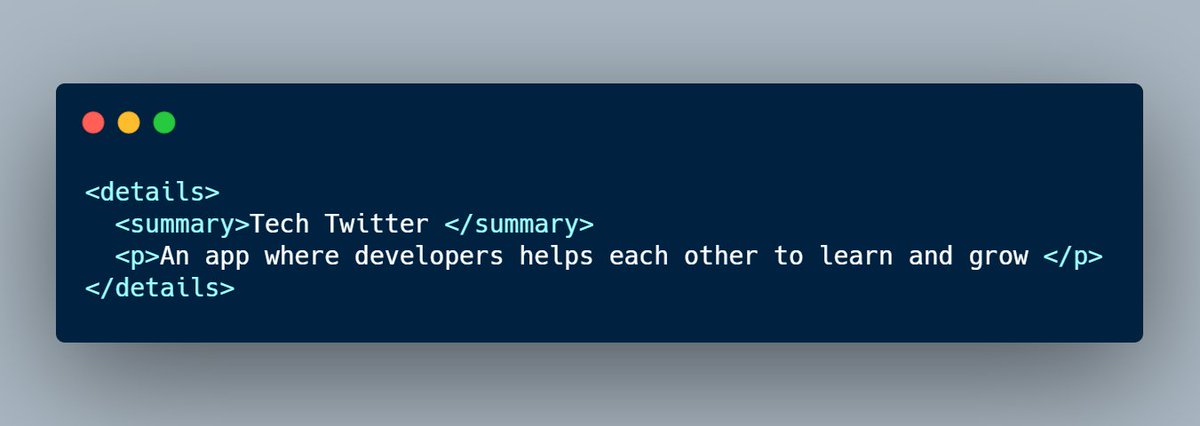
-This tag is used to specify the additional details on the web pages that the user can view of hide on demand.
-It is used together with <summary> tag.
-<details> tag wraps all the content which user want to show or hide including summary tag and
-This tag is used to specify the additional details on the web pages that the user can view of hide on demand.
-It is used together with <summary> tag.
-<details> tag wraps all the content which user want to show or hide including summary tag and
summary tag contains the title of the section.
👇here 'Tech Twitter' is title.
👇here 'Tech Twitter' is title.
5.<𝙛𝙞𝙚𝙡𝙙𝙨𝙚𝙩> :
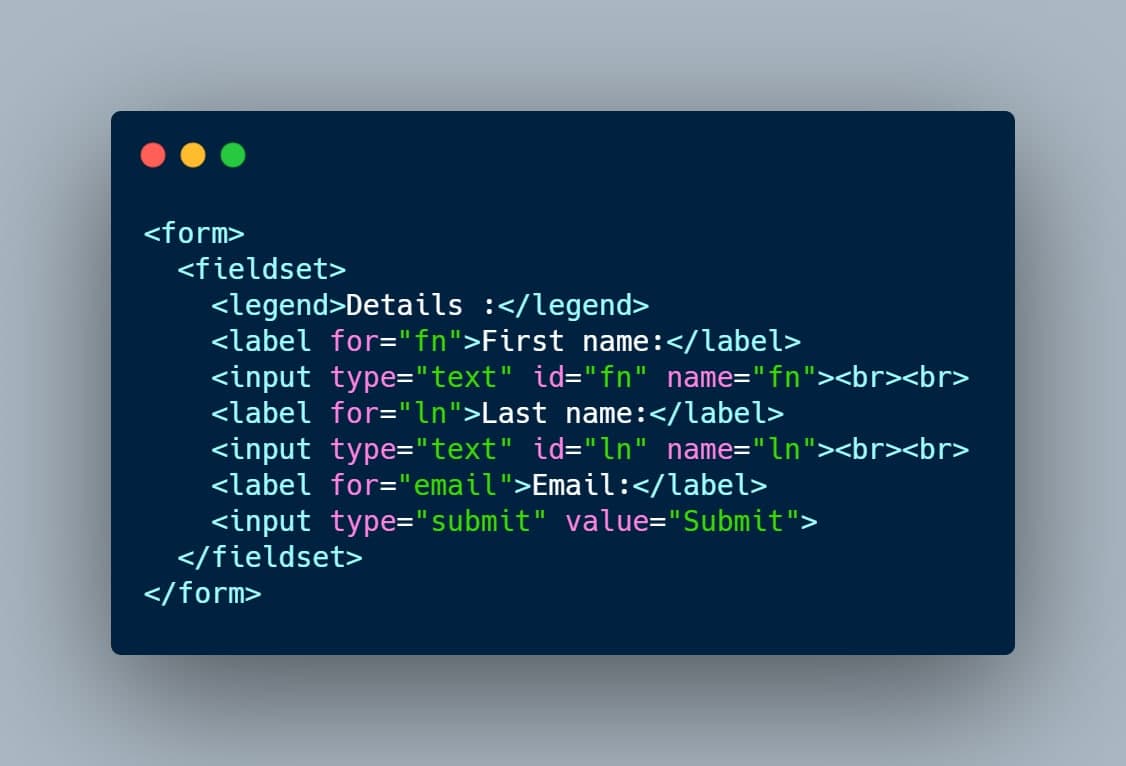
-It is used to group all the elements of a form in a single field i.e. it draws a box around the related elements.
-It is used to group all the elements of a form in a single field i.e. it draws a box around the related elements.
Try these tags, I hope you'll find it useful.
If you want more awesome content not only for HTML but for CSS and JS too don't forget to follow @Prathkum(🔥), @ShadowShahriar (💥) @Deveshb15(recently added a thread on JS calculator) and @UbahTheBuilder(⚡️).
Happy Coding.🌈✌️
If you want more awesome content not only for HTML but for CSS and JS too don't forget to follow @Prathkum(🔥), @ShadowShahriar (💥) @Deveshb15(recently added a thread on JS calculator) and @UbahTheBuilder(⚡️).
Happy Coding.🌈✌️
Loading suggestions...