

Building your first mobile app 📱with fewer lines of code is easier than ever before in 2021 🔥
Here are 12 tools you can use to save time and money that will make your mobile, web development job easier. 🛠
// Thread 🧵👇🏻
Here are 12 tools you can use to save time and money that will make your mobile, web development job easier. 🛠
// Thread 🧵👇🏻
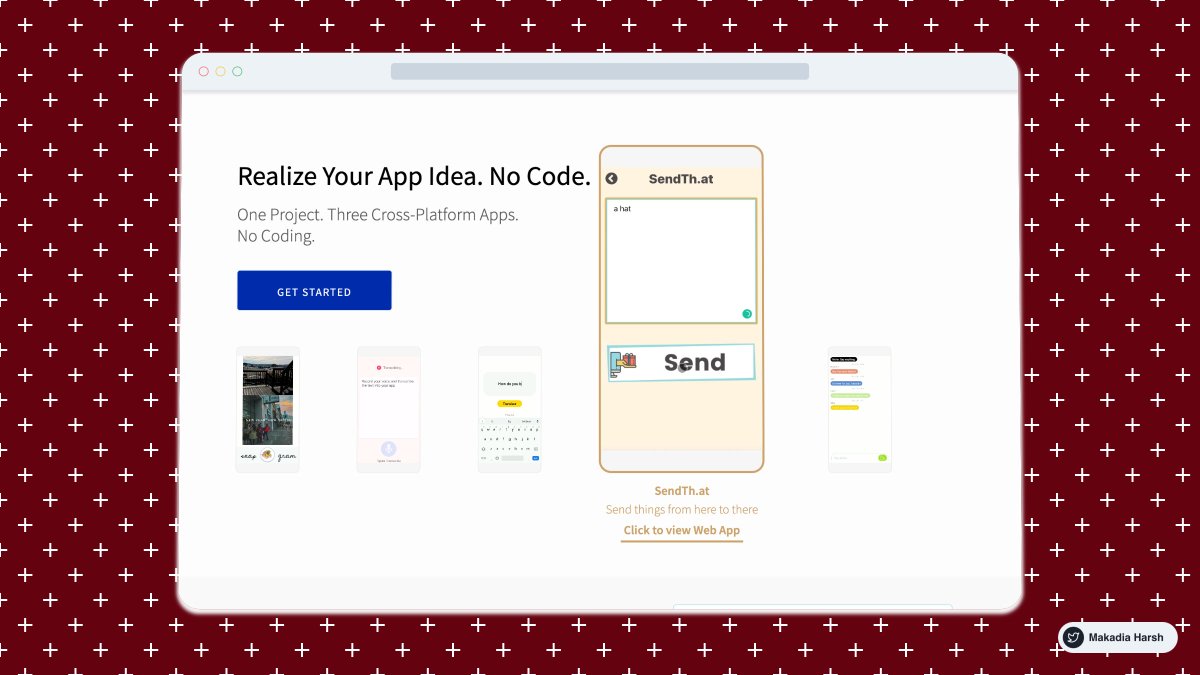
1/ @thunkable - Design beautiful and powerful native apps without coding. Publish on Android, iOS & Web
Features:
✅ One Project. Three Cross-Platform Apps.
✅ Drag-and-Drop Blocks
✅ Easy Animations
✅ Pre-defined templates
✅ Community of Creators
Features:
✅ One Project. Three Cross-Platform Apps.
✅ Drag-and-Drop Blocks
✅ Easy Animations
✅ Pre-defined templates
✅ Community of Creators
2/ @Bravostudioapp - From your design tool to native iOS and Android app.
Features:
✅ Design your app in your favorite design tool Figma or AdobeXD
✅ Connect to real data using Airtable
✅ Test and Publish app
✅ Bravo Community
Features:
✅ Design your app in your favorite design tool Figma or AdobeXD
✅ Connect to real data using Airtable
✅ Test and Publish app
✅ Bravo Community

3/ @glideapps - Create an app from a Google Sheet in five minutes, for free
Features:
✅ Pre-defined Templates
✅ Create apps visually
✅ Team collaboration
✅ Sync with Google Sheets
✅ Use it on iOS, Android, Desktop
Features:
✅ Pre-defined Templates
✅ Create apps visually
✅ Team collaboration
✅ Sync with Google Sheets
✅ Use it on iOS, Android, Desktop

4/ @draftbit - Create, customize, and launch mobile apps all from your browser.
Features:
✅ Visual Builder
✅ Add Custom Code
✅ Define Navigation, Animation, and Interaction
✅ 3rd Party Integration
✅ Collaboration
✅ App Store Binaries
Features:
✅ Visual Builder
✅ Add Custom Code
✅ Define Navigation, Animation, and Interaction
✅ 3rd Party Integration
✅ Collaboration
✅ App Store Binaries

5/ @flutterflow - Build Flutter Apps Effortlessly (@FlutterDev)
Features:
✅ UI Builder
✅ Firebase Integration
✅ 3rd Party Integration
✅ Build it online
Features:
✅ UI Builder
✅ Firebase Integration
✅ 3rd Party Integration
✅ Build it online

6/ @BuilderX - Browser-based design tool that codes React Native and React for you
Features:
✅ Visual Builder
✅ Production-ready Code
✅ Teams & Share via the link
✅ Component Library
✅ Pre-Defined Templates
Features:
✅ Visual Builder
✅ Production-ready Code
✅ Teams & Share via the link
✅ Component Library
✅ Pre-Defined Templates

7/ @AdaloHQ - Creating apps as easy as putting together a slide deck. Turn your idea into a real native app
Features:
✅ Visual Builder
✅ Pre-Defined templates
✅ Set Up Dynamic Actions
✅ 3rd Party Integration
✅ Connect Your Database
Features:
✅ Visual Builder
✅ Pre-Defined templates
✅ Set Up Dynamic Actions
✅ 3rd Party Integration
✅ Connect Your Database

8/ @appsheet - Connect your data and create a custom, powerful app without coding
Features:
✅ Build Apps in minutes
✅ Create and deploy multi-platform apps in real-time
✅ Robust feature set
✅ Pre-Defined Templates
✅ 3rd Party Integration
Features:
✅ Build Apps in minutes
✅ Create and deploy multi-platform apps in real-time
✅ Robust feature set
✅ Pre-Defined Templates
✅ 3rd Party Integration

9/ @miniAppMaker - The easiest tool to build mobile apps for iOS and Android by using Airtable.
Steps:
1. Design your app in Airtable
2. Link Airtable with miniAppMaker
3. Publish it to the App Store!
Steps:
1. Design your app in Airtable
2. Link Airtable with miniAppMaker
3. Publish it to the App Store!

10/ @MSPowerApps - Build and share low-code apps with Microsoft Power Apps.
Features:
✅ Visual Builder
✅ Extensibility for developers
✅ Connector Library
✅ Create sophisticated apps from your data
Features:
✅ Visual Builder
✅ Extensibility for developers
✅ Connector Library
✅ Create sophisticated apps from your data

11/ @appgyver - Changing the way software is built.
Features:
✅ Unlimited Logic
✅ Powerful Theme Engine
✅ Over 500 Components
✅ Integrate APIs in Minutes
Features:
✅ Unlimited Logic
✅ Powerful Theme Engine
✅ Over 500 Components
✅ Integrate APIs in Minutes

12/ @apphiveio - Create an App for Free with No code app builder
Steps:
1. Choose a template
2. Drag and drop
3. Publish in Stores
Steps:
1. Choose a template
2. Drag and drop
3. Publish in Stores

Thanks for stopping by and reading this thread. What other tools would you add for building the Mobile app?
I hope you have enjoyed reading this and got some more insights about them.
1. RT to inspire others
2. Follow @MakadiaHarsh for more such threads.
I hope you have enjoyed reading this and got some more insights about them.
1. RT to inspire others
2. Follow @MakadiaHarsh for more such threads.
Back to top! 🔝
Miscellaneous 🤩 ( Self Promotion )
If you want to build MVP, Side Projects or Startup faster. Get this database of all nocode tools for $5 only ✌🏻
harshmakadia.gumroad.com
If you want to build MVP, Side Projects or Startup faster. Get this database of all nocode tools for $5 only ✌🏻
harshmakadia.gumroad.com
Loading suggestions...