

Here are some ways by which you can hide your elements in a Website.
(HTML/CSS)
🧵👇
(HTML/CSS)
🧵👇
1/7
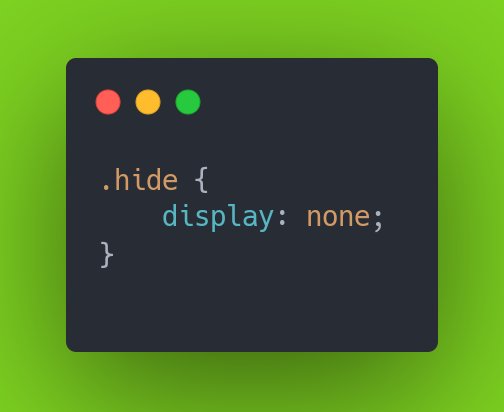
Use display: none
Simply add value of none to the display property.
Use display: none
Simply add value of none to the display property.
2/7
Use visibility: hidden
Works similar to display: none; nut instead of actually removing the element it just hides it and makes it invisible.
Use visibility: hidden
Works similar to display: none; nut instead of actually removing the element it just hides it and makes it invisible.

3/7
Use hidden Attribute for any element
This one actually work on tags. It works nearly identical to display: none
Use hidden Attribute for any element
This one actually work on tags. It works nearly identical to display: none

4/7
Use opacity : 0
Setting an elements opacity: 0;hide element
Use opacity : 0
Setting an elements opacity: 0;hide element

5/7
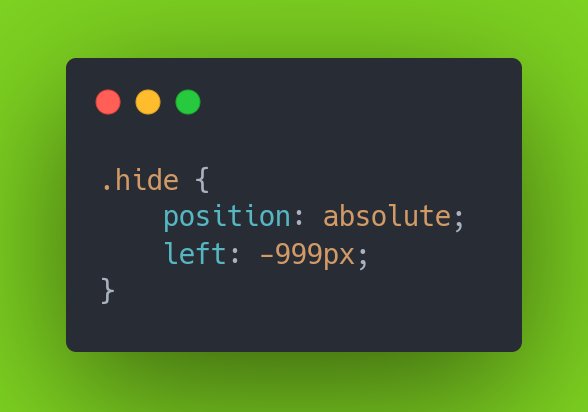
Use position:absolute
Setting an elements positioning to absolute places ita at a specific point realtive to the web browser, not in relation to other elements.
Use position:absolute
Setting an elements positioning to absolute places ita at a specific point realtive to the web browser, not in relation to other elements.
6/7
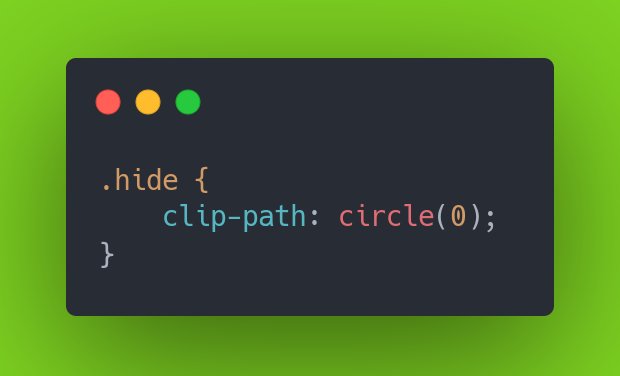
Use clip-path
It works by naking a clip region that sets which aspects of an element can be seen and which are rendered invisible
Use clip-path
It works by naking a clip region that sets which aspects of an element can be seen and which are rendered invisible
7/7
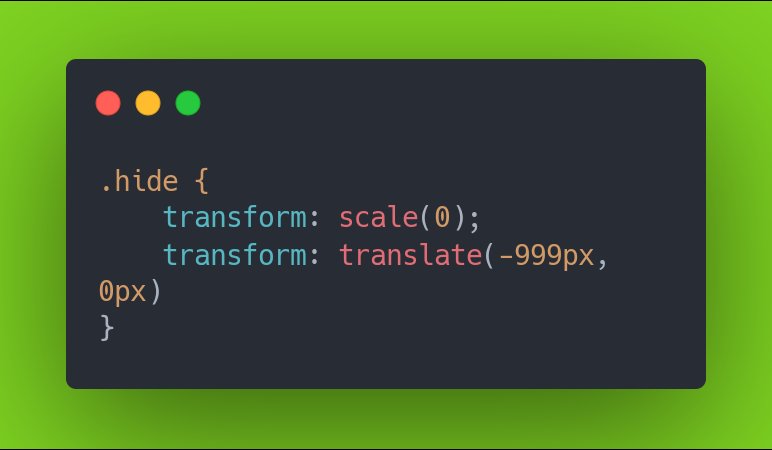
Use the transform Property
Use scale(0) to shrink an element until it's no longer visible.
Apply translate(-999px, 0) to shift an element off screen
Use the transform Property
Use scale(0) to shrink an element until it's no longer visible.
Apply translate(-999px, 0) to shift an element off screen
That's all for this thread. If you found this thread useful, please consider:
💛 Liking these tweets
🔁 Retweet the first tweet so others can see it.
👤 Following me ( @SauravPurohit4 ) for more content.
Thanks for reading. 🙏
💛 Liking these tweets
🔁 Retweet the first tweet so others can see it.
👤 Following me ( @SauravPurohit4 ) for more content.
Thanks for reading. 🙏
Loading suggestions...