

A lot of people ask me how long it takes to learn WordPress.
The answer is, it depends!
Here is how I would start 👇
The answer is, it depends!
Here is how I would start 👇
This is for the open-source version of WordPress (.org and not .com).
I have been working with WordPress for years, and I am still learning something new every day!
Start by taking my free course to understand the basics:
I have been working with WordPress for years, and I am still learning something new every day!
Start by taking my free course to understand the basics:
You will need to decide what you want to do with WordPress.
Do you want to create simple websites for clients, or do you want to explore creating your own themes and plugins so that you can resell them?
Whatever path you choose, you need to understand the basics first.
Do you want to create simple websites for clients, or do you want to explore creating your own themes and plugins so that you can resell them?
Whatever path you choose, you need to understand the basics first.
I would pick a good-quality host, like Kinsta or SiteGround, and go through the installation process.
Get familiar with installing and configuring WordPress hosting environments.
You can also use @LocalWP to install a version on your desktop to play around with.
Get familiar with installing and configuring WordPress hosting environments.
You can also use @LocalWP to install a version on your desktop to play around with.
I would then move on to the basics of the Admin Dashboard.
Learn the difference between Posts, Pages, and working with the Menus and Media upload options.
Learn the difference between Posts, Pages, and working with the Menus and Media upload options.

The goal initially is to get familiar with both the front end and admin dashboard and how it works.
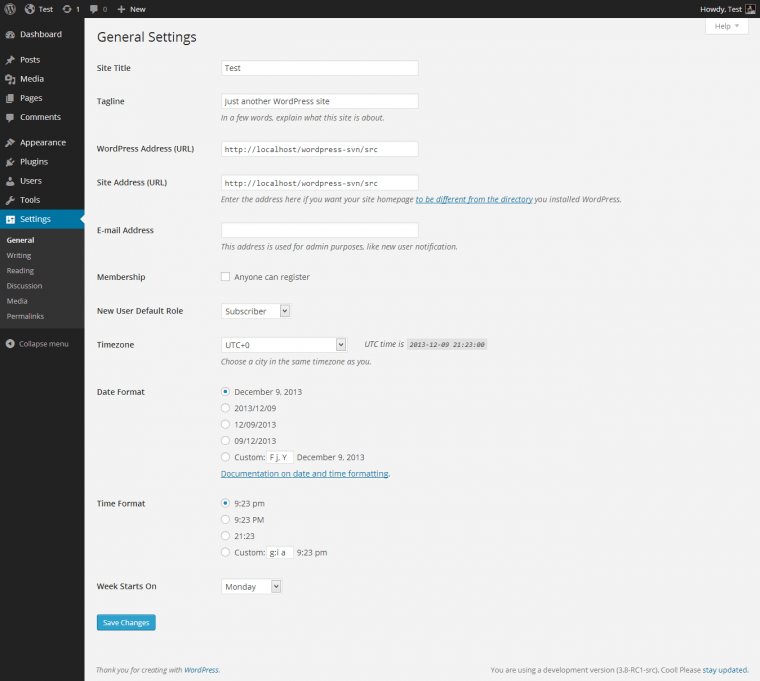
I would also explore the Settings tab (this is really important).
In Settings, you can set up how your post URLs appear and if your website is crawlable by search engines.
I would also explore the Settings tab (this is really important).
In Settings, you can set up how your post URLs appear and if your website is crawlable by search engines.
Explore the front end of your website.
Make some edits to the pages and use the Customize option (will have different options based on your theme and is visible when you are logged in and exploring your pages).
Initially, you will have one of the vanilla WP themes installed.
Make some edits to the pages and use the Customize option (will have different options based on your theme and is visible when you are logged in and exploring your pages).
Initially, you will have one of the vanilla WP themes installed.
Next, I would move on to installing and configuring themes.
Pick a good quality theme that has a lot of options and is easy to configure (like Astra, or GeneratePress).
Check out the theme settings, and the Customize option.
Pick a good quality theme that has a lot of options and is easy to configure (like Astra, or GeneratePress).
Check out the theme settings, and the Customize option.
The theme is really what makes your website look and function a certain way, so this is an important step.
If you know HTML, CSS, PHP, and JS, learn how to make Child Themes so that you can customize your website safely (without breaking the parent theme).
If you know HTML, CSS, PHP, and JS, learn how to make Child Themes so that you can customize your website safely (without breaking the parent theme).
Learning how to customize and work with a theme is one of the most important steps.
You can also use the theme options or you can install a visual builder like Elementor to help you with the customizations.
Whatever step you choose, spend a lot of time exploring this portion.
You can also use the theme options or you can install a visual builder like Elementor to help you with the customizations.
Whatever step you choose, spend a lot of time exploring this portion.
Play around with installing and configuring plugins.
Try to keep your plugin usage to a minimum but not all plugins are created equally (some are great and some are bloated).
I recommend a caching / minification plugin, security, and SEO plugins to start.
Try to keep your plugin usage to a minimum but not all plugins are created equally (some are great and some are bloated).
I recommend a caching / minification plugin, security, and SEO plugins to start.
Once you get a good grasp of these basic areas, try recreating your own website (or another website) using these tools and knowledge.
You can continue to learn by exploring more advanced topics.
You can continue to learn by exploring more advanced topics.
If you know a bit of PHP, the next area I would explore is creating your own themes, and plugins.
You can also explore creating headless WordPress websites for better speed and performance.
These are all a bit more advanced topics but well worth it if you want to pursue WP.
You can also explore creating headless WordPress websites for better speed and performance.
These are all a bit more advanced topics but well worth it if you want to pursue WP.
Keep exploring and keep learning. These are just the basics and the tip of the iceberg. 🙌
Check out my pinned tweet for even more free WordPress learning resources.
Happy learning, and let me know if you have any questions!
Check out my pinned tweet for even more free WordPress learning resources.
Happy learning, and let me know if you have any questions!
Loading suggestions...