

We're shifting on web 3.0 or you are still using Div element all along.🙄
That's not fair🤦♂️🤷♂️
Let's upgrade Div with Semantic tags. 🤯✔
thread🧵👇
That's not fair🤦♂️🤷♂️
Let's upgrade Div with Semantic tags. 🤯✔
thread🧵👇

1️⃣ Wtf is Semantic?
Semantics refers to the meaning of a piece of code:-
"what purpose or role does that HTML element have".
The semantic element itself conveys some information about the type of content contained between the opening and closing tags.
1/3
Semantics refers to the meaning of a piece of code:-
"what purpose or role does that HTML element have".
The semantic element itself conveys some information about the type of content contained between the opening and closing tags.
1/3
Semantic elements increase the:-
- Accessibility
- Improve Search Engine Optimization
- Maintainability
And this makes code more readable for machines and humans too.
2/3
- Accessibility
- Improve Search Engine Optimization
- Maintainability
And this makes code more readable for machines and humans too.
2/3
Examples:-
✔ non-semantic elements: <div> and <span> - Tells nothing about its content.
✔ semantic elements: <header>, <nav>, and <article> - Clearly defines its content.
3/3
✔ non-semantic elements: <div> and <span> - Tells nothing about its content.
✔ semantic elements: <header>, <nav>, and <article> - Clearly defines its content.
3/3
2️⃣ If we can create a structure with Div, why should we use semantics?
Div tags for designing a Web page might provide the same good-looking UI as we would get by using Semantic Tags,
but this would snatch away the ability of communication from the page.
1/2
Div tags for designing a Web page might provide the same good-looking UI as we would get by using Semantic Tags,
but this would snatch away the ability of communication from the page.
1/2
We are not just dealing with the users,
but we also have numerous Screen readers and Search engines,
that are directly dependent on the information which a Web page provides.
2/2
but we also have numerous Screen readers and Search engines,
that are directly dependent on the information which a Web page provides.
2/2
3️⃣ Importance Of Semantic HTML?
These are the most important advantages that semantic markup give us:
- Clear code and easy maintainability
- improve accessibility
- improve your SEO positioning
1/4
These are the most important advantages that semantic markup give us:
- Clear code and easy maintainability
- improve accessibility
- improve your SEO positioning
1/4
✔ Clear code and easy maintainability:-
Finding semantic blocks of meaningful code is easier than searching through endless divs.
When a project grows, adding more pages and more lines of code, the appearance of semantic tags helps us orientate ourselves.
2/4
Finding semantic blocks of meaningful code is easier than searching through endless divs.
When a project grows, adding more pages and more lines of code, the appearance of semantic tags helps us orientate ourselves.
2/4
✔ improve accessibility:-
Screen readers can use semantic as a signpost to help visually impaired users navigate a page.
We have to code for all users.
3/4
Screen readers can use semantic as a signpost to help visually impaired users navigate a page.
We have to code for all users.
3/4
✔ improve your SEO positioning:-
Semantic markup provides better instructions for search engine crawlers when scanning pages for their content;
it tells them what important content is on the page.
4/4
Semantic markup provides better instructions for search engine crawlers when scanning pages for their content;
it tells them what important content is on the page.
4/4
4️⃣ Let's talk about common semantic tags:-
- header
- nav
- main
- section
- article
- aside
- footer
and More.....🙃
- header
- nav
- main
- section
- article
- aside
- footer
and More.....🙃
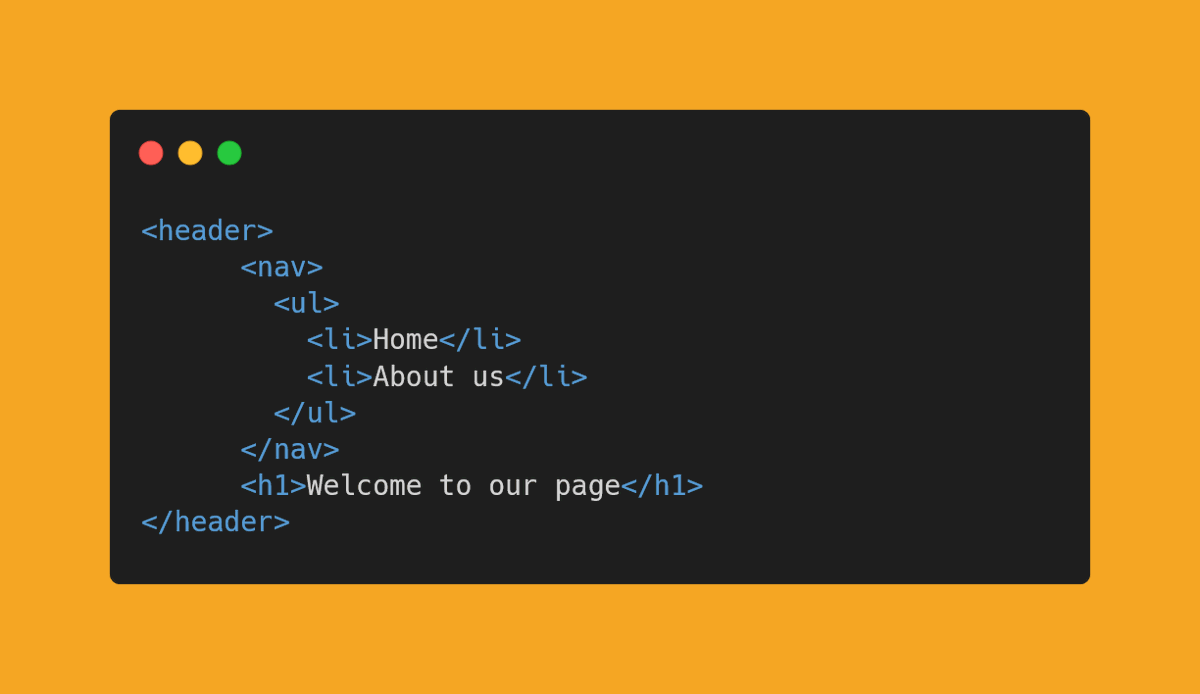
✔ header -
The <header> element defines a header for the document or section. It usually contains a logo, search bar, navigation links, etc.
The <header> element defines a header for the document or section. It usually contains a logo, search bar, navigation links, etc.
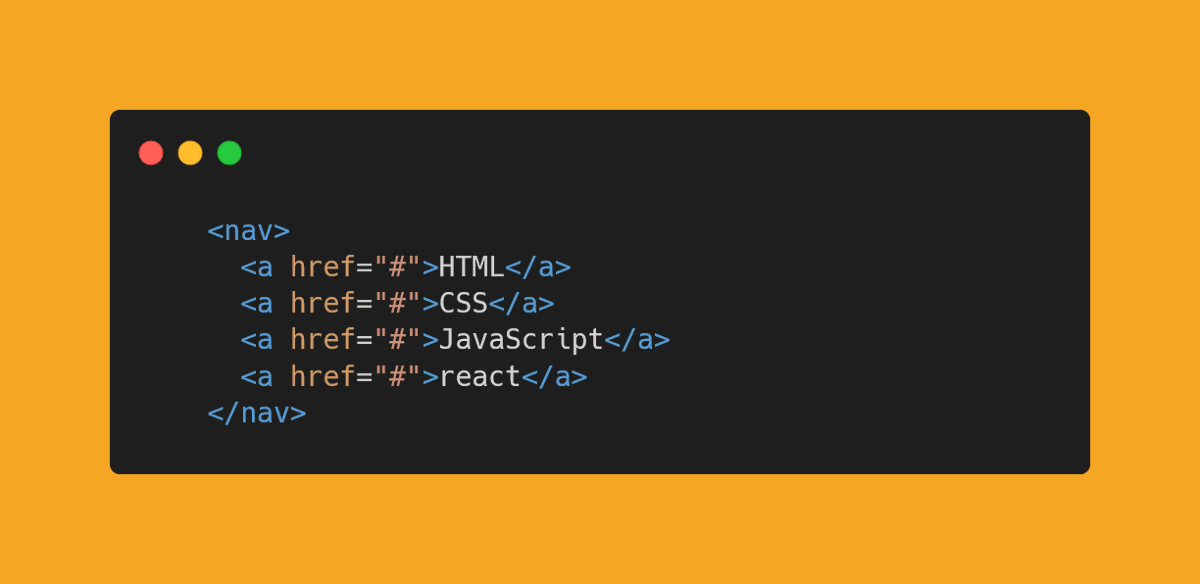
✔ nav -
The <nav> element defines a set of navigation links.
This tag represents a section of the document intended for navigation.
The <nav> element defines a set of navigation links.
This tag represents a section of the document intended for navigation.
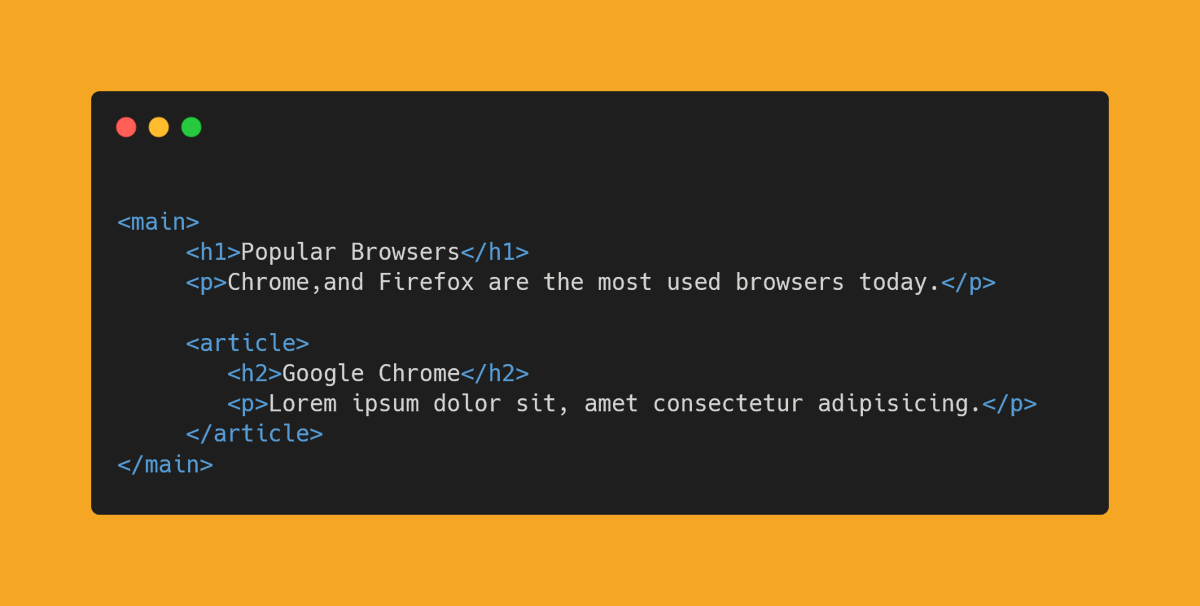
✔ main -
The <main> element defines the main content of the page.
The content of the <main> tag must be unique and not duplicate blocks.
The <main> element defines the main content of the page.
The content of the <main> tag must be unique and not duplicate blocks.
Let's not discuss each and every semantic tag.
if you want to know more then check MDN docs.👇
developer.mozilla.org
if you want to know more then check MDN docs.👇
developer.mozilla.org
Start learning semantic that will make your life easier and your code better.💛✨
And that's it. I tried my best to explain semantic tags.
If you like this thread, drop a like and retweet, means a lot to me 💛
If you like this thread, drop a like and retweet, means a lot to me 💛
Loading suggestions...