

Build a Twitter CRM in 30 min.
Here's how 👇
Here's how 👇
It's no secret that having a better understanding of your audience helps you:
👉 Create More Valuable Content
👉 Build Powerful Relationships
👉 Find Better Opportunities
The challenge is that Twitter makes it hard to sort and search through your followers.
Let's fix that 🤷♂️
👉 Create More Valuable Content
👉 Build Powerful Relationships
👉 Find Better Opportunities
The challenge is that Twitter makes it hard to sort and search through your followers.
Let's fix that 🤷♂️

You can use this to find high value connections, connect with influential followers and meet new friends.
The best part?
You only nee 4 tools.
@Twitter (obviously)
@airtable
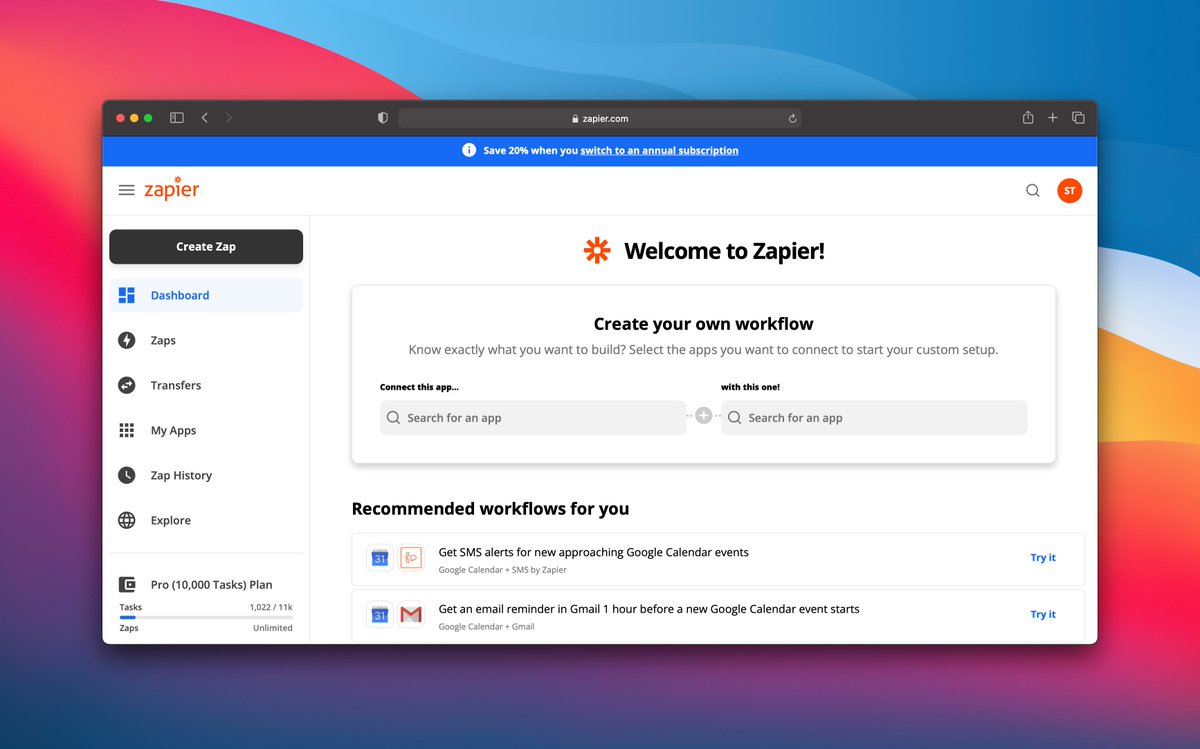
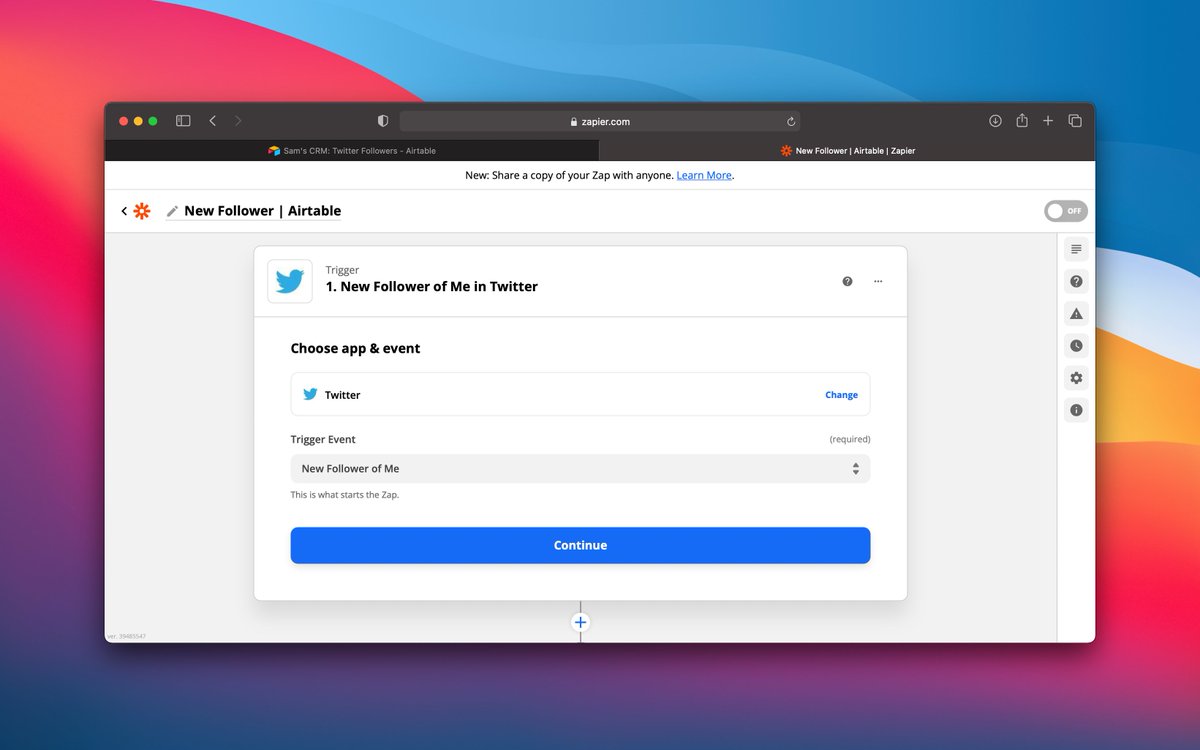
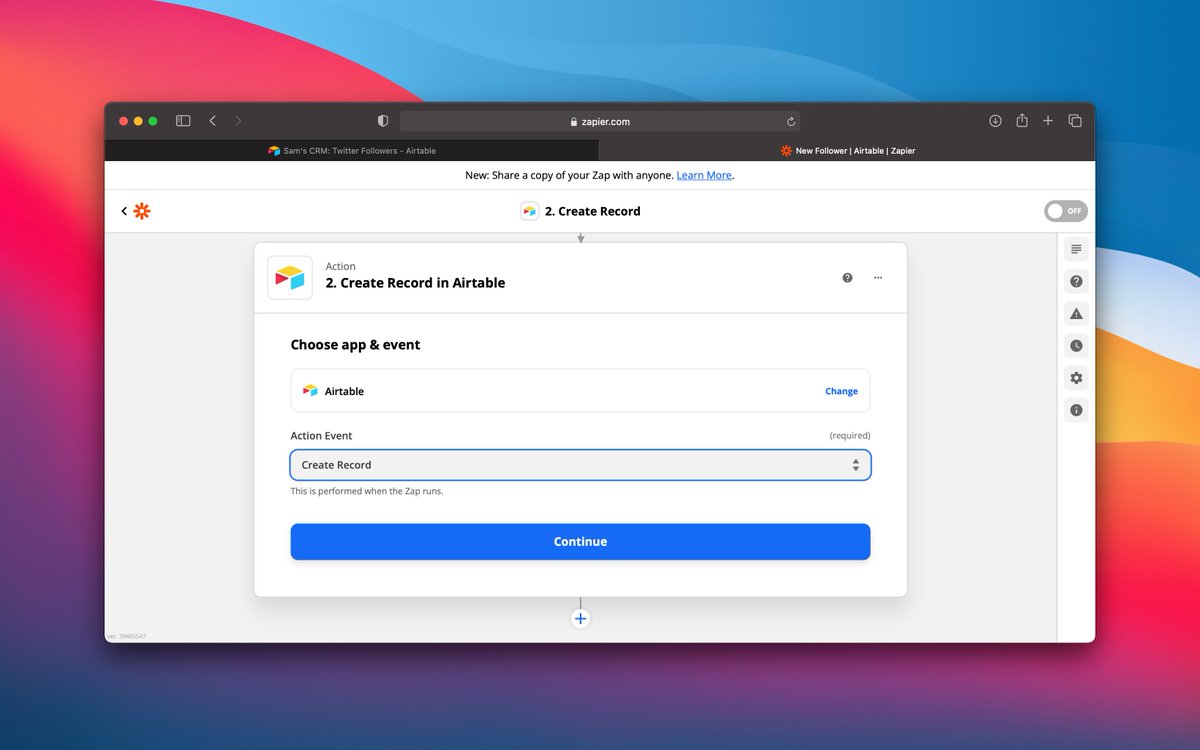
@zapier
@integromat
Airtable will turn into a pseudo-CRM for all of your Twitter followers.
The best part?
You only nee 4 tools.
@Twitter (obviously)
@airtable
@zapier
@integromat
Airtable will turn into a pseudo-CRM for all of your Twitter followers.
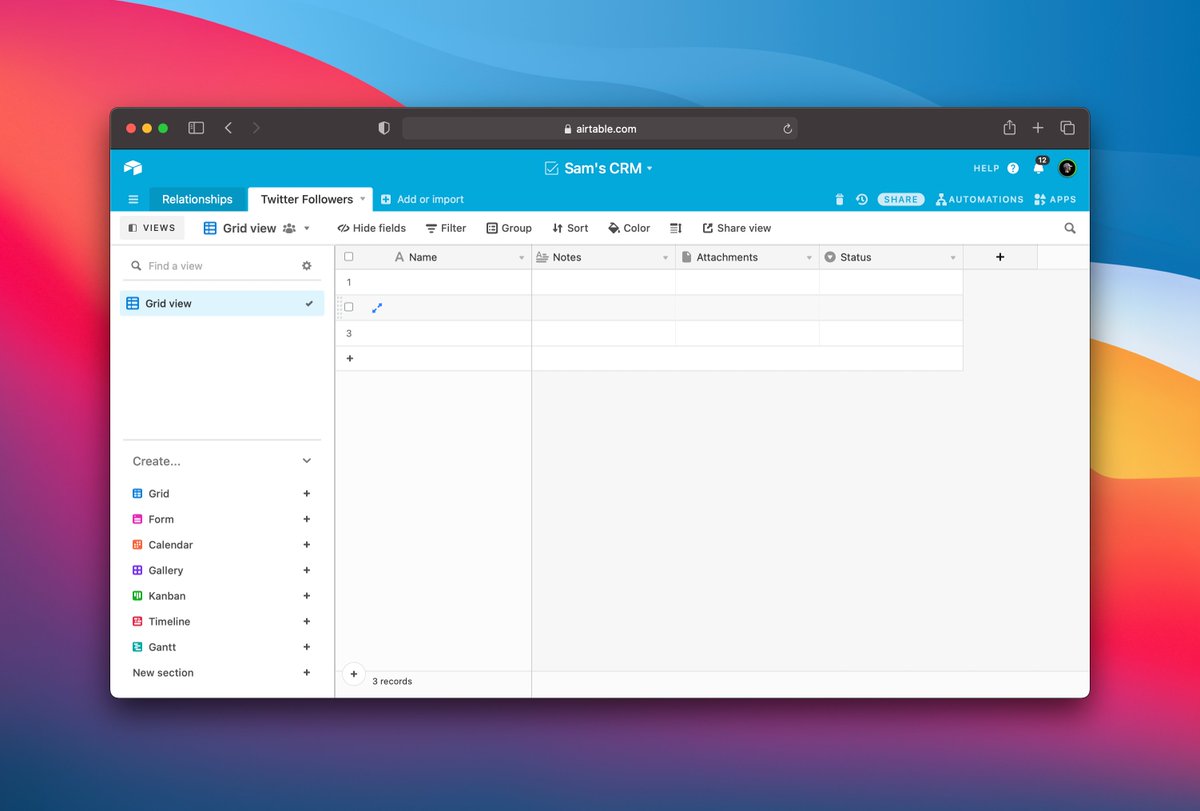
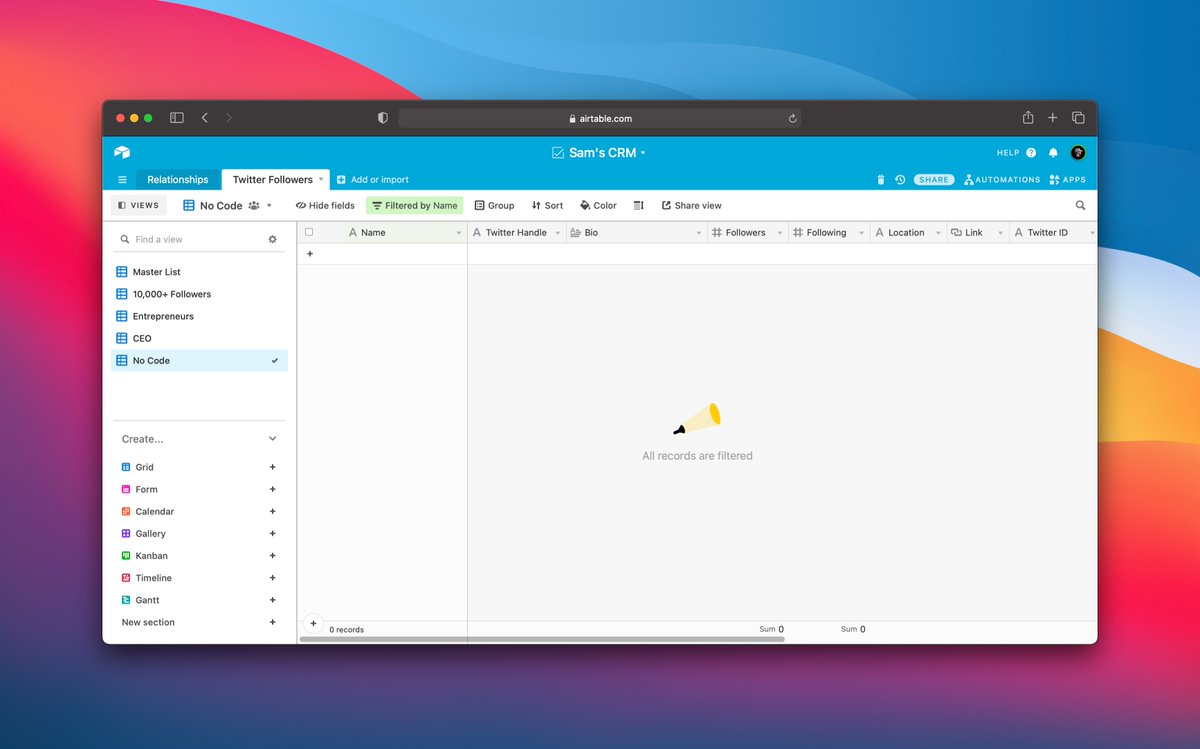
Let's start with a new @airtable base.
You want to add new columns for:
👋 Name
📱 Twitter Handle
✏️ Bio
👀 Followers
👓 Following
📍 Location
🔗 Link
#⃣ Twitter ID
You can add more fields later but these are the "essentials".
You want to add new columns for:
👋 Name
📱 Twitter Handle
✏️ Bio
👀 Followers
👓 Following
📍 Location
🔗 Link
#⃣ Twitter ID
You can add more fields later but these are the "essentials".
Next, we need DATA
Let's start with your existing followers.
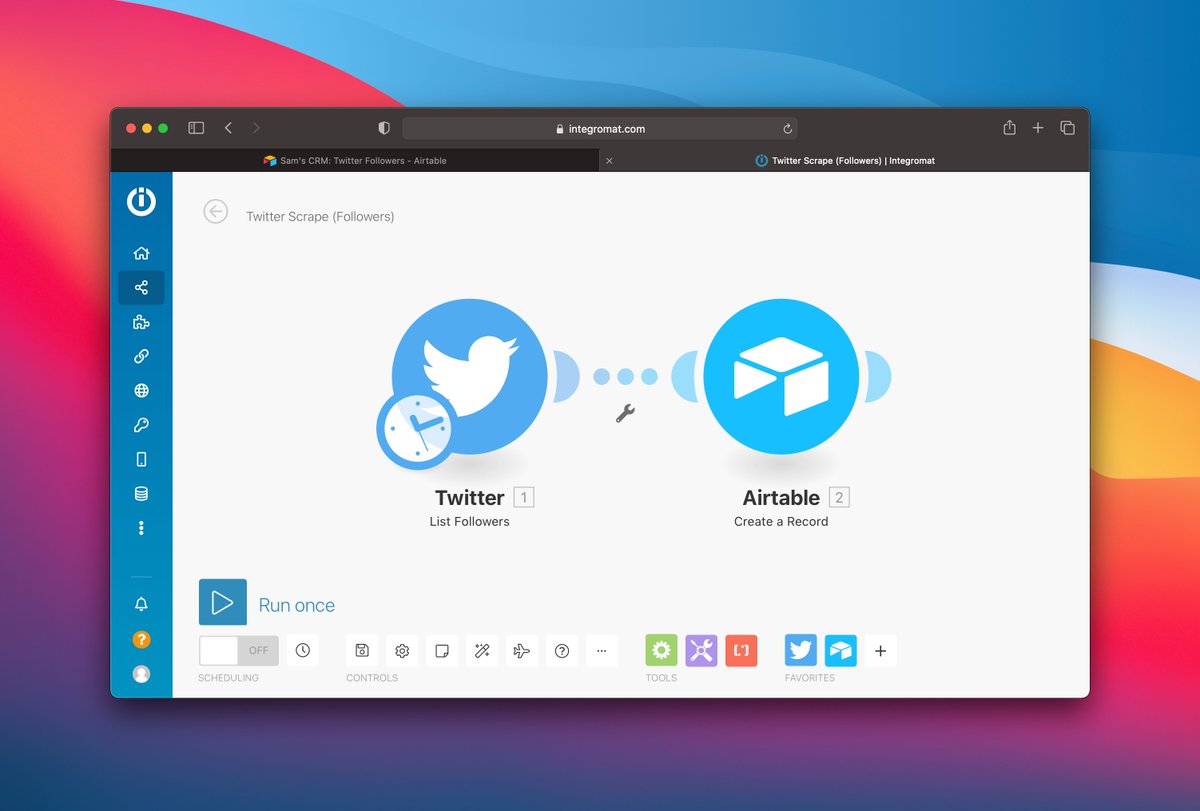
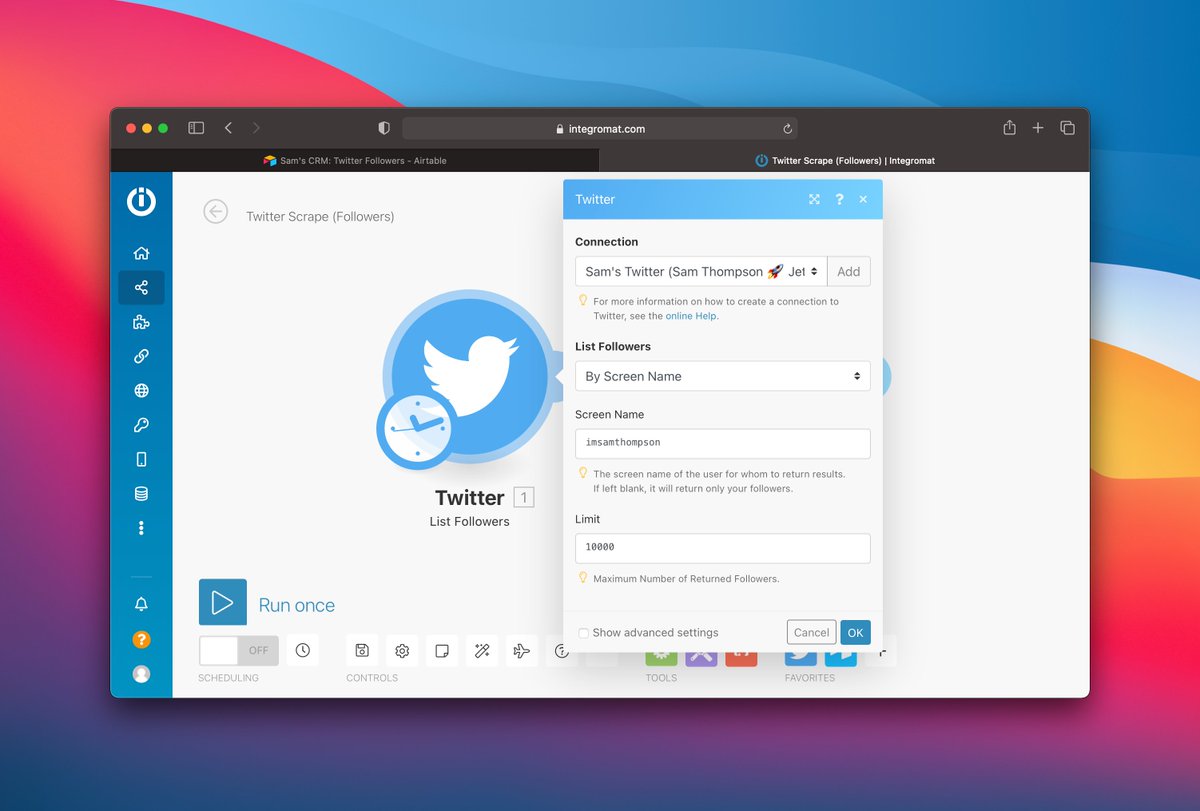
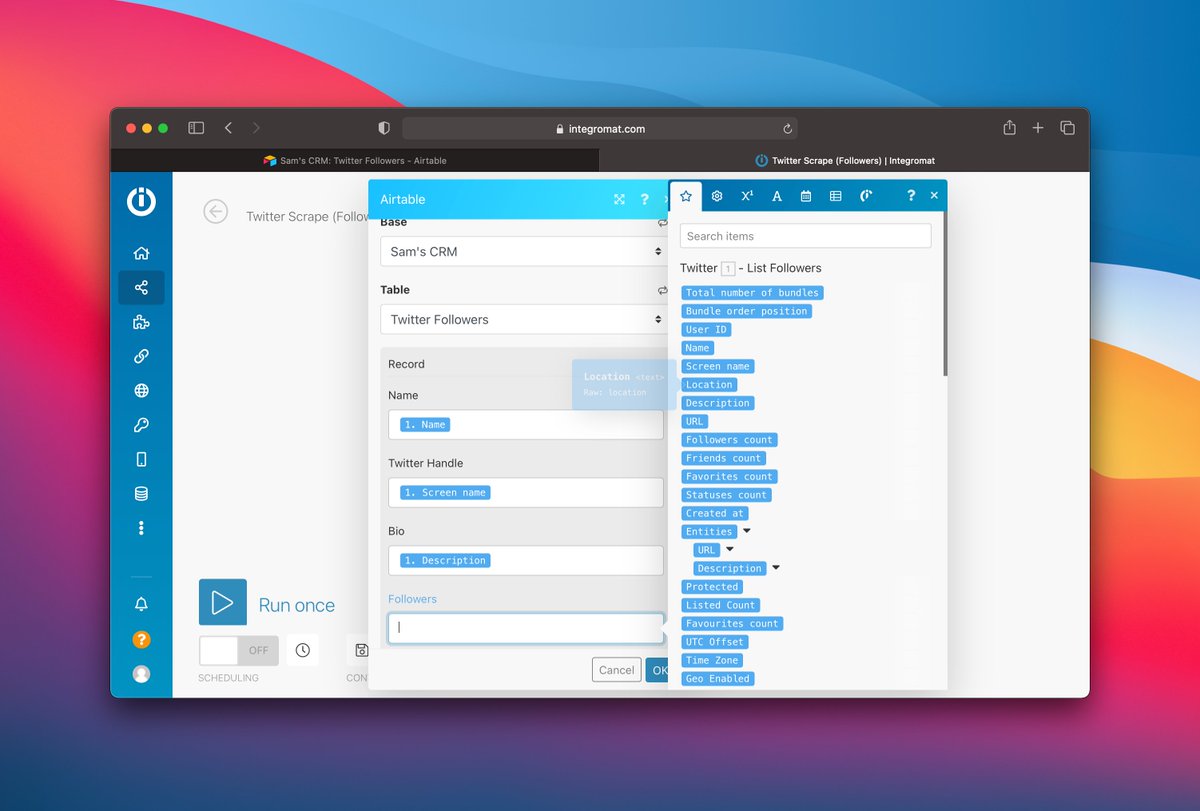
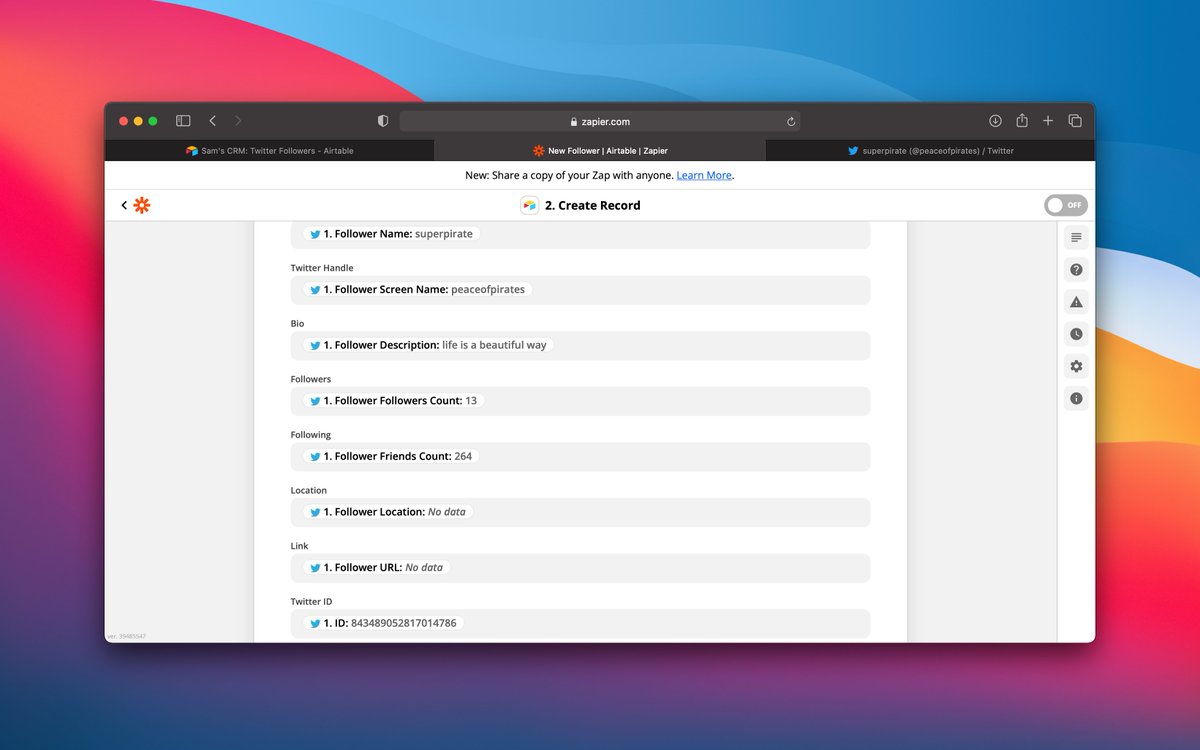
1. Create @integromat scenario
2. "List Followers" Twitter Trigger
3. "Create Record" Airtable Action
4. Connect Your Twitter Account
5. Sync Twitter Data to Airtable Field
RUN IT 🚀
Let's start with your existing followers.
1. Create @integromat scenario
2. "List Followers" Twitter Trigger
3. "Create Record" Airtable Action
4. Connect Your Twitter Account
5. Sync Twitter Data to Airtable Field
RUN IT 🚀

Now, you have a searchable database.
But how do you use it?
You can filter/sort your followers based on any of the data points in @airtable.
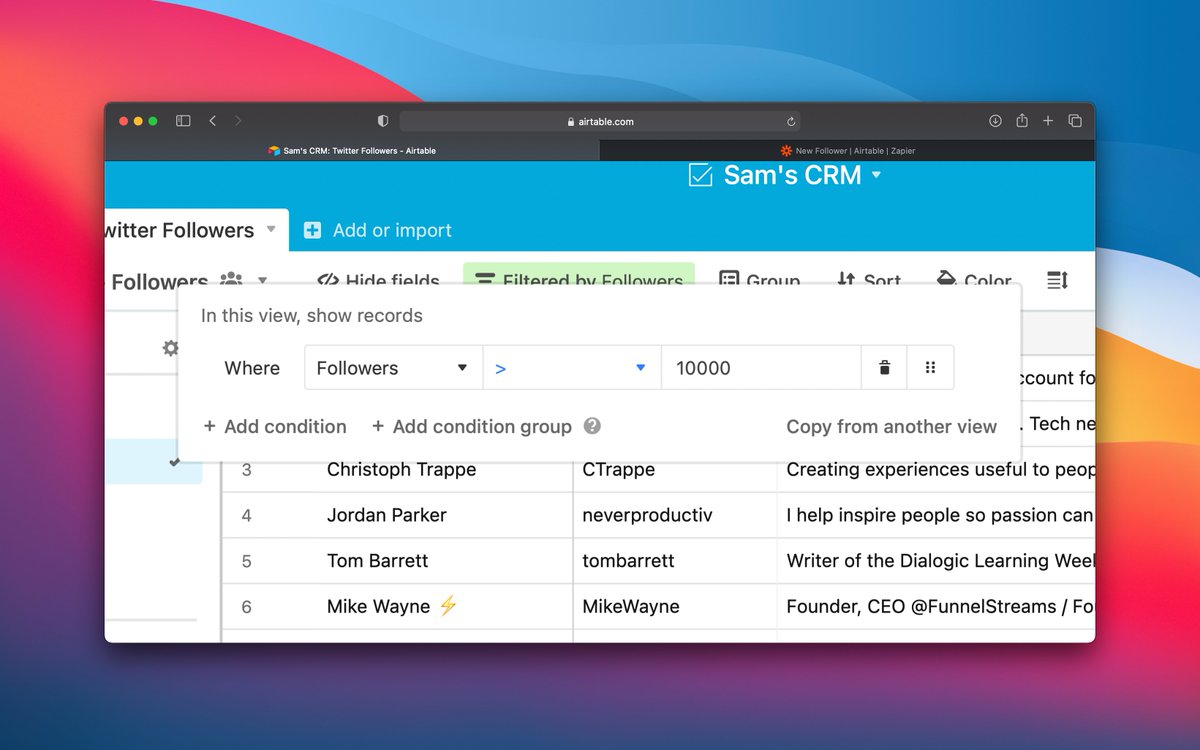
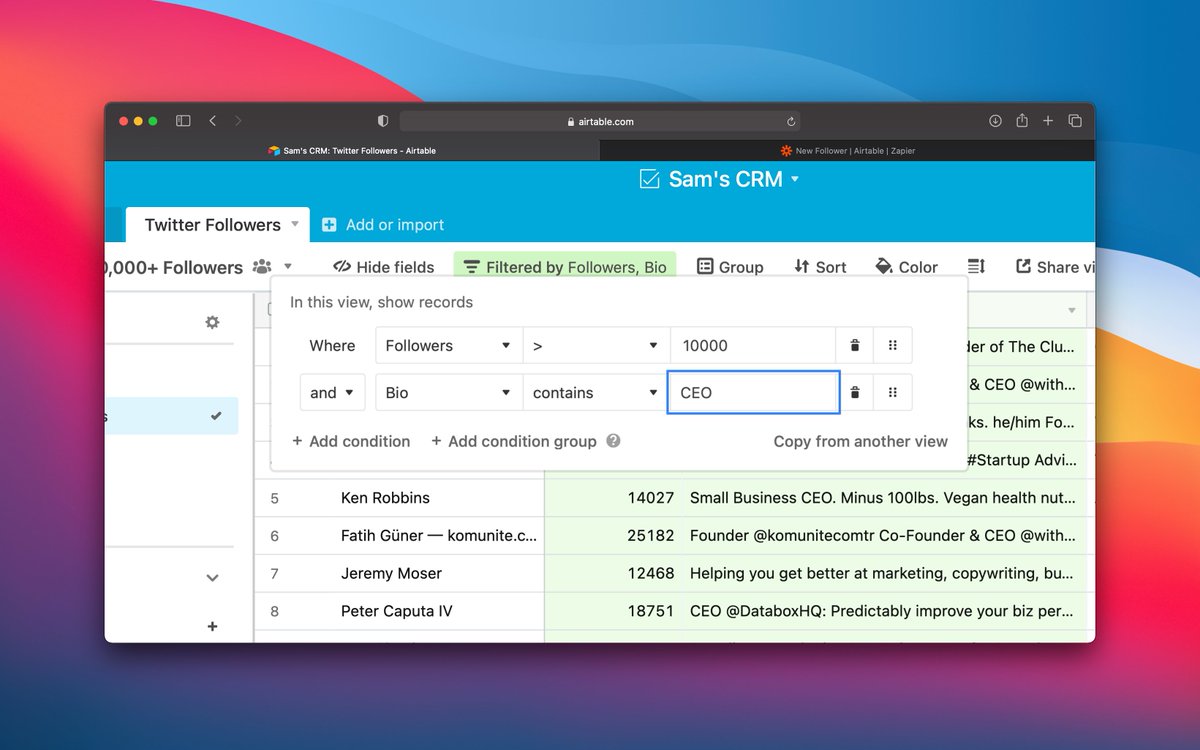
Want to meet influential CEOs?
Filter Follower Count by >10,000
Filter by Bio contains "CEO"
Boom.
But how do you use it?
You can filter/sort your followers based on any of the data points in @airtable.
Want to meet influential CEOs?
Filter Follower Count by >10,000
Filter by Bio contains "CEO"
Boom.
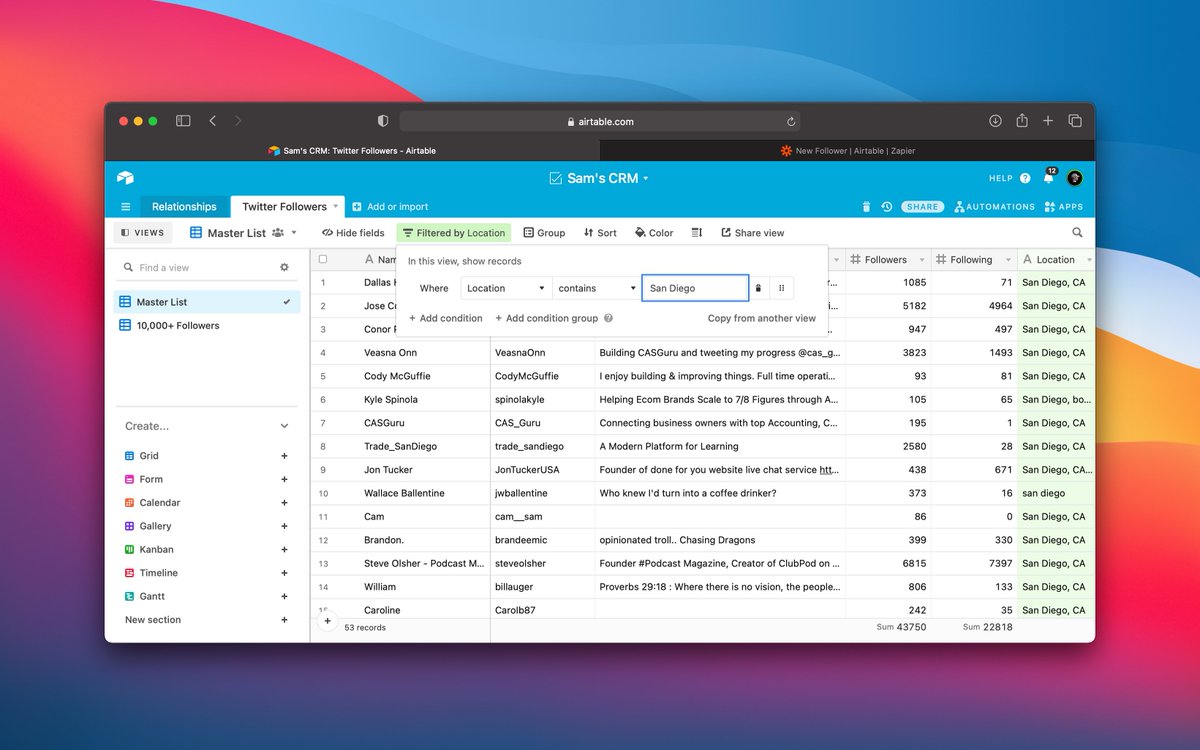
Want to find your followers who live near you?
Filter Location by "your location".
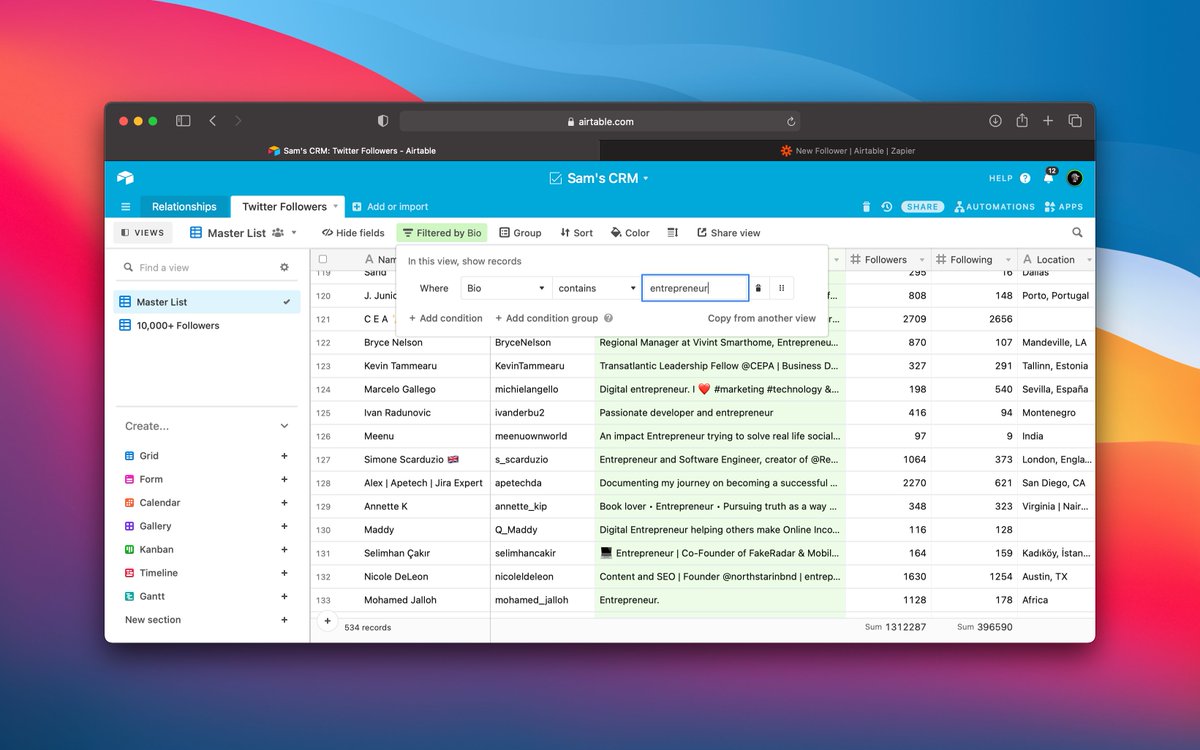
Meet fellow entrepreneurs?
Filter Bio contains "entrepreneur"
Filter Location by "your location".
Meet fellow entrepreneurs?
Filter Bio contains "entrepreneur"
Twitter is a powerful tool when you know how to use it.
Run Lead Gen like @NickAbraham12
Find Podcast Guests like @NathanLatka
Create Amazing Content like @aaditsh
Sell Products like @blackhatwizardd
Find Customers like @jones_spencera
Have questions? DM me @ImSamThompson
Run Lead Gen like @NickAbraham12
Find Podcast Guests like @NathanLatka
Create Amazing Content like @aaditsh
Sell Products like @blackhatwizardd
Find Customers like @jones_spencera
Have questions? DM me @ImSamThompson
Loading suggestions...