

Writing code is hard.
Let's get the A.I to write the code for us.
We just describe with words what we want.
See how 👇
Let's get the A.I to write the code for us.
We just describe with words what we want.
See how 👇
Streamlit is a simple python framework for writing applications.
Fear not we wont write any code.
We will just describe what we want and get the finished code.
Example app: An Uber streamlit app for Ridesharing data
Fear not we wont write any code.
We will just describe what we want and get the finished code.
Example app: An Uber streamlit app for Ridesharing data
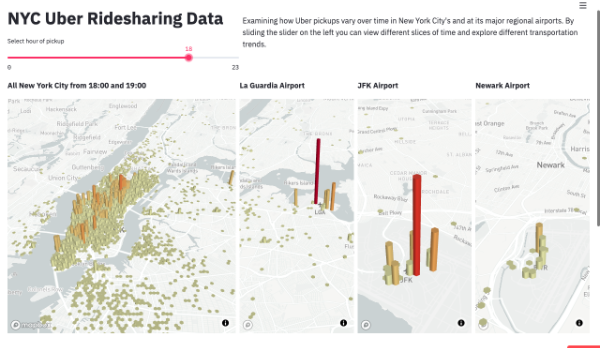
What app do we want to build?
Let's build an A.I that writes congratulatory replies to your achievements.
We will use our generator template from
the previous tweet about bio generation, but now with congratulations as examples.
It will have the following components.
Let's build an A.I that writes congratulatory replies to your achievements.
We will use our generator template from
the previous tweet about bio generation, but now with congratulations as examples.
It will have the following components.
Title of the app and description.
Input field where we write our achievement.
Slidebar to select the length of the response.
Section title for A.I response.
Textbox where the A.I write the response.
Input field where we write our achievement.
Slidebar to select the length of the response.
Section title for A.I response.
Textbox where the A.I write the response.
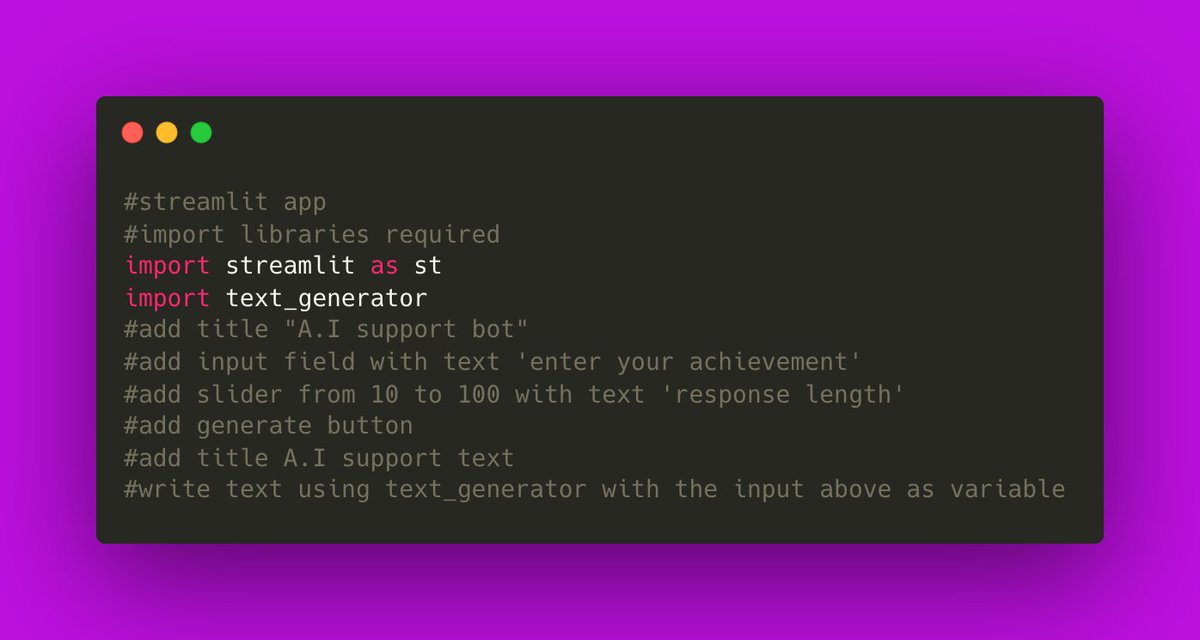
We describe our app to the A.I as follows:
# add title "A.I support bot"
# add input field with text 'enter your achievement'
# add slider from 10 to 100 with text 'response length'
# add title A.I support text
# write text using text_generator with the input above as variable
# add title "A.I support bot"
# add input field with text 'enter your achievement'
# add slider from 10 to 100 with text 'response length'
# add title A.I support text
# write text using text_generator with the input above as variable
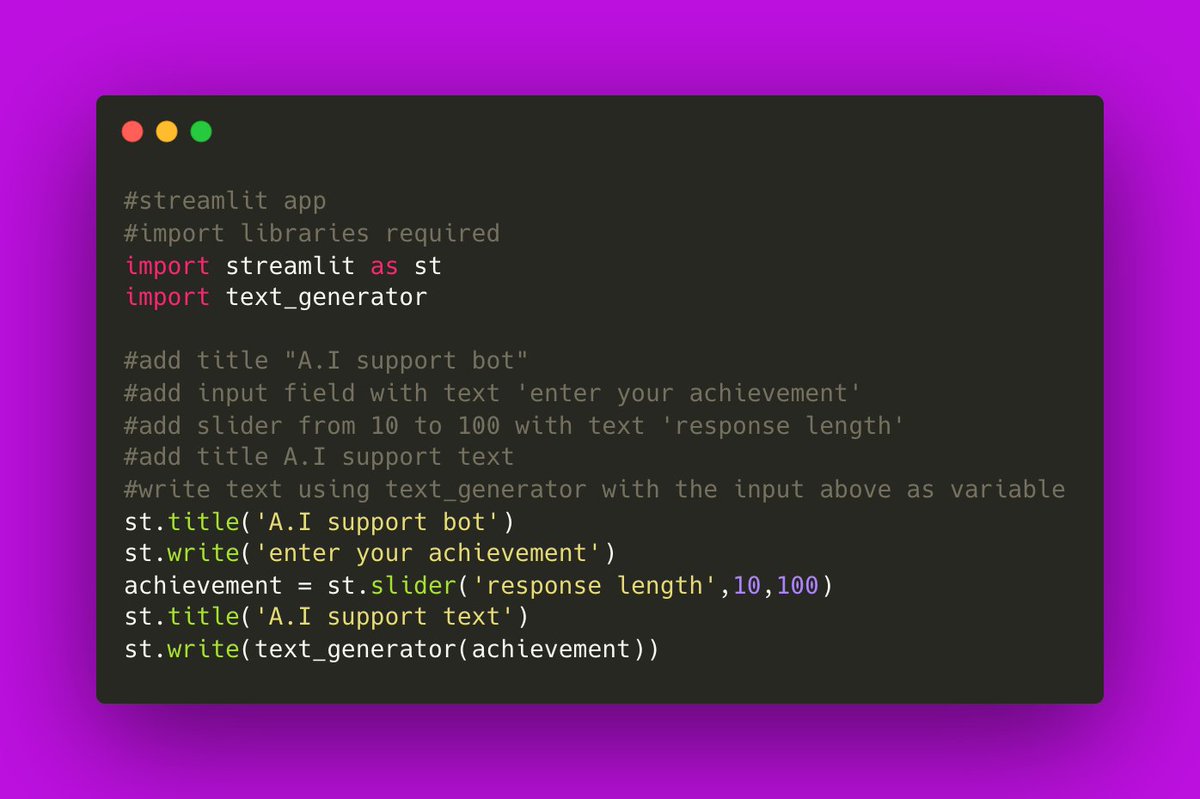
The generated code looks like this!
The A.I successfully generated all the components and even uses the functions correctly.
Now does it actually run?
Let's run the code and see how the app looks like.
The A.I successfully generated all the components and even uses the functions correctly.
Now does it actually run?
Let's run the code and see how the app looks like.
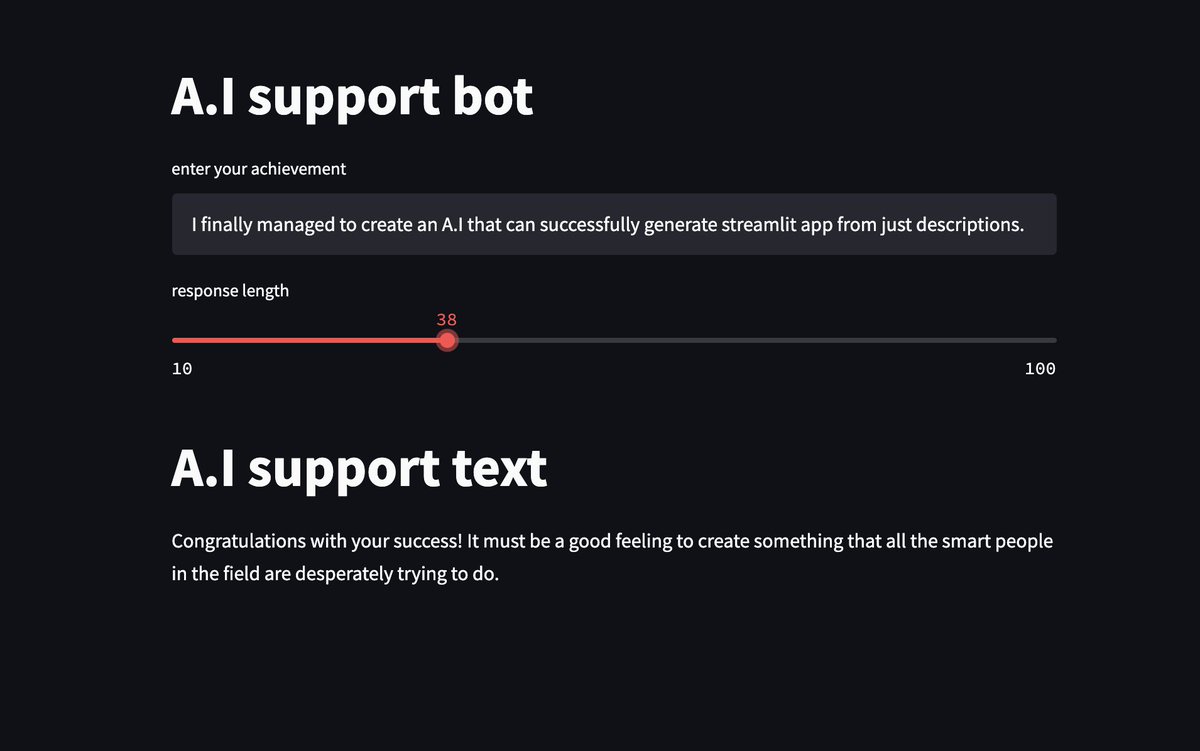
It runs!
Let's try with my example:
"I finally managed to create an A.I that can successfully generate streamlit app from just descriptions."
And entering and examples result in a congratulatory text.
Let's try with my example:
"I finally managed to create an A.I that can successfully generate streamlit app from just descriptions."
And entering and examples result in a congratulatory text.
What did we just achieve?
Just describing what we want the A.I writes the python code, uses the variables and enter text. And using the same text generator we generate the co gratulations.
Check out this thread for more on the generator.
Just describing what we want the A.I writes the python code, uses the variables and enter text. And using the same text generator we generate the co gratulations.
Check out this thread for more on the generator.
Want more of this?
Follow me @AClaybight
If you like A.I share the love liking and retweeting this thread♥️🚀
Follow me @AClaybight
If you like A.I share the love liking and retweeting this thread♥️🚀
Loading suggestions...