

COMPLETE GUIDE to the TOMB/FTM and TSHARES/FTM pools on @beefyfinance using @tombfinance. Talked about these in a recent video on YT and in this short thread I'll break down exactly how to withdraw and deposit to these farms🧵

First ensure that you have downloaded the metamask chrome extension and have a wallet created that connects with Fantom Opera. Next deposit some $FTM to the wallet by either bridging from another chain or buying $FTM on a centralized exchange.
Once you have $FTM in your wallet go to @beefyfinance and find the FTM/TOMB pool. Approve the pool and then press the small arrow and select FTM to be deposited instead of the TOMB-FTM LP (this saves you doing all the steps in between over on @SpookySwap).
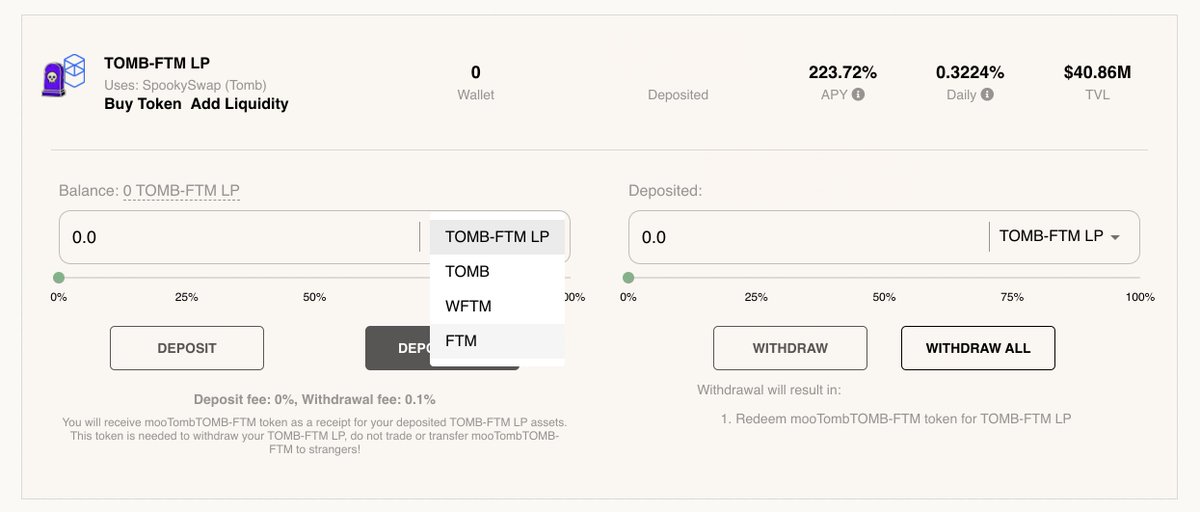
Select deposit and voila! Half of your $FTM has now been converted to $TOMB and is auto compounding in the liquidity pool with a +200% APY. Your rewards will be redeposited automatically and everyday you will see your LP position grow.
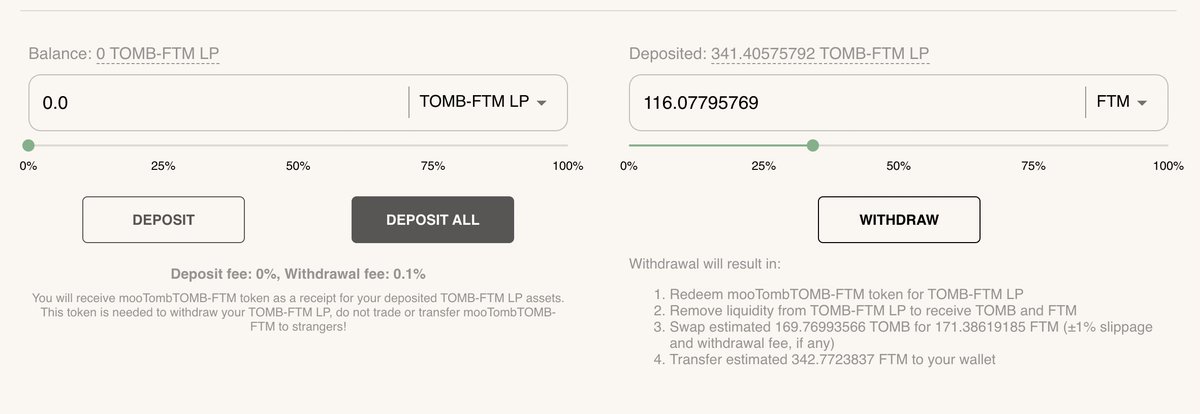
To withdraw simply select FTM once again and press withdraw. Beefy finance tells you all of steps of withdrawing from the pool and converting the $TOMB back into $FTM once again. Withdrawal can be done at any time as there is no lockup and you should have your $FTM in >1 min.
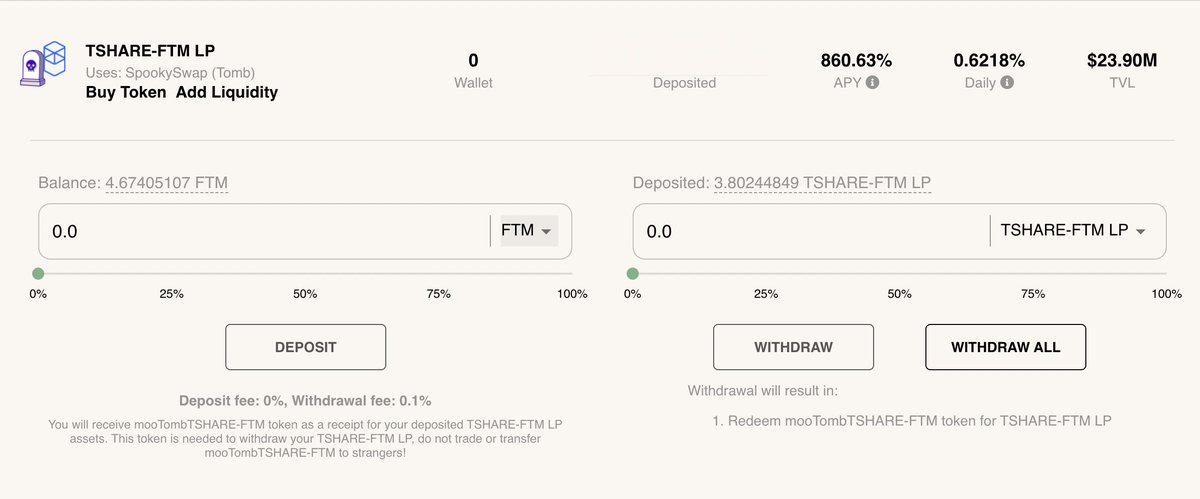
For the FTM/TSHARES pool simply do the exact same steps as with the other pool. Keep in mind that Tshares is not pegged 1:1 to the price of FTM and can is therefore more volatile and can result in impermanent loss.
Staking Tshares on @tombfinance is also a cool strategy that I'll break down in another thread. If you have any questions let me know! Also check out my recent video where I break down how much I made after two weeks using this strategy:
youtube.com
youtube.com
Loading suggestions...