

One picture is worth more than a thousand words. The following diagram demonstrates the email receiving flow.
.
1. Incoming emails arrive at the SMTP load balancer. #softwaredevelopment #cloud 1/7
.
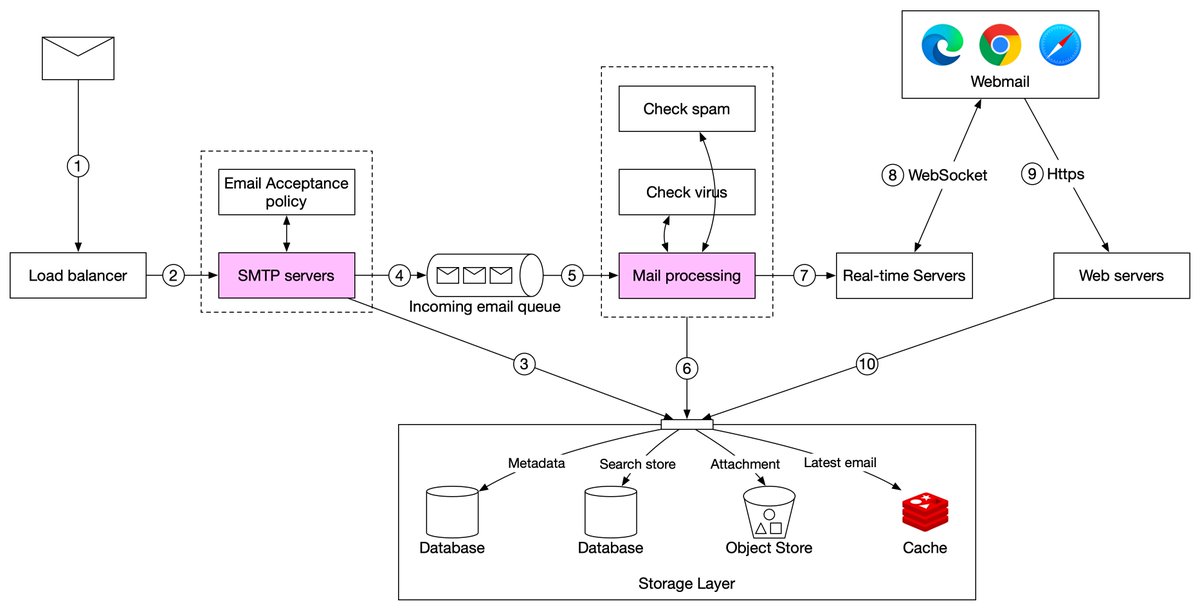
1. Incoming emails arrive at the SMTP load balancer. #softwaredevelopment #cloud 1/7

2. The load balancer distributes traffic among SMTP servers. Email acceptance policy can be configured and applied at the SMTP-connection level. For example, invalid emails are bounced to avoid unnecessary email processing. 2/7
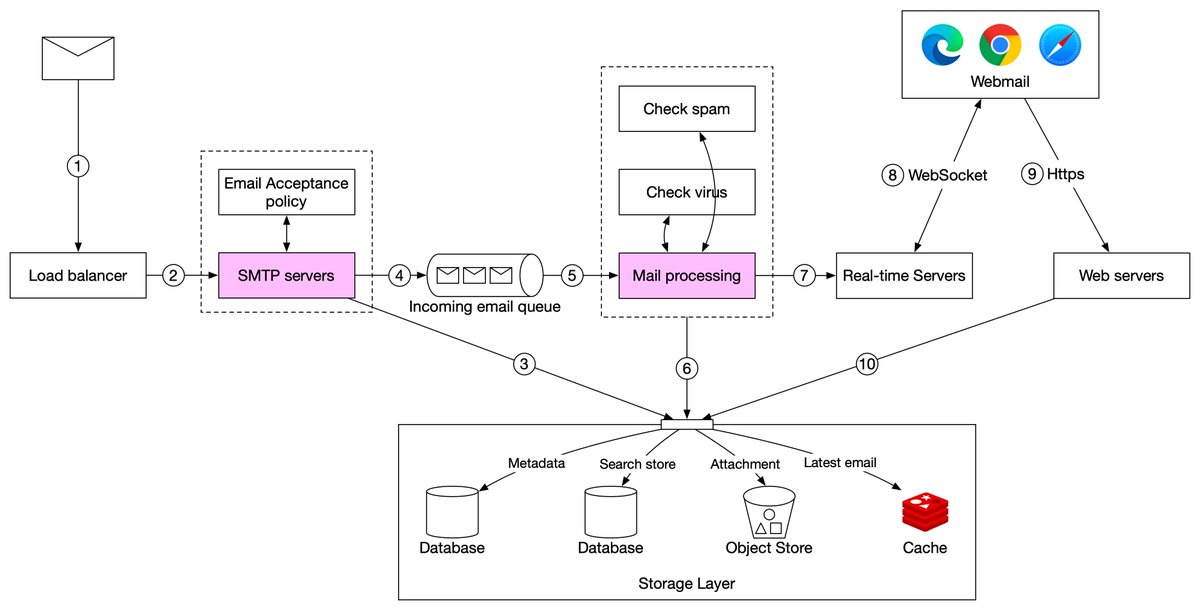
3. If the attachment of an email is too large to put into the queue, we can put it into the attachment store (s3).
3/7
3/7
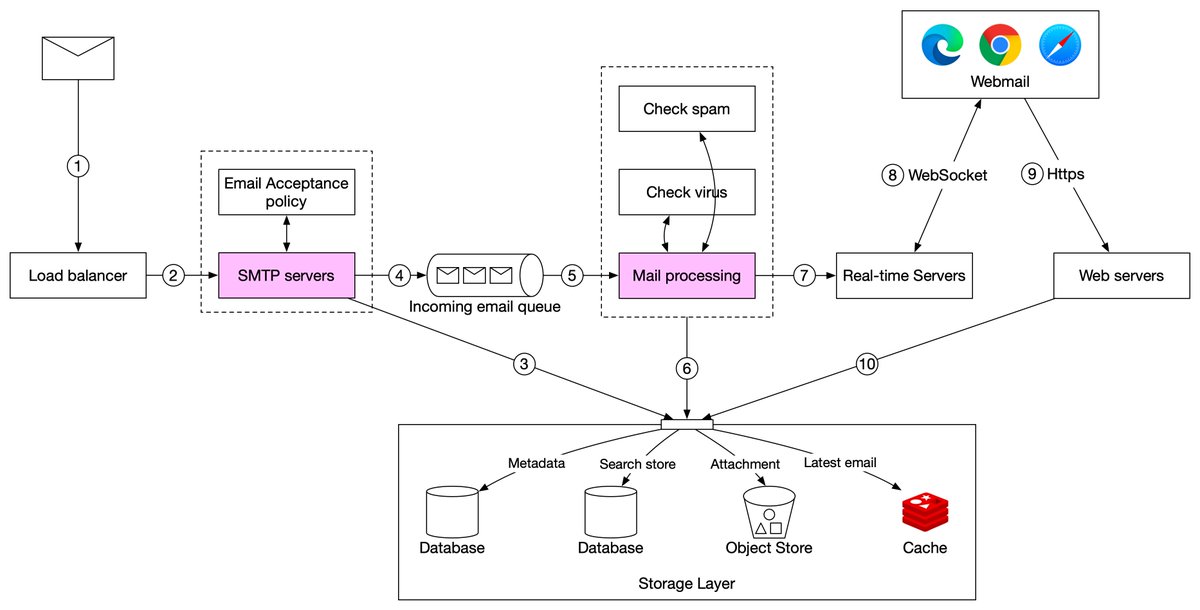
4. Emails are put in the incoming email queue. The queue decouples mail processing workers from SMTP servers so they can be scaled independently. Moreover, the queue serves as a buffer in case the email volume surges. 4/7
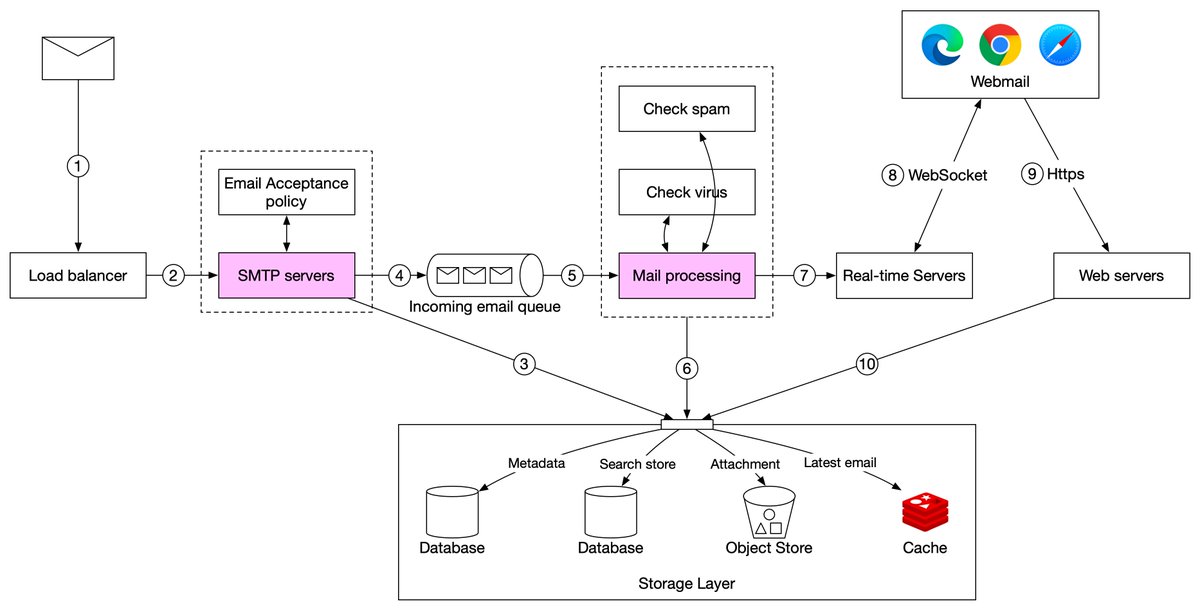
5. Mail processing workers are responsible for a lot of tasks, including filtering out spam mails, stopping viruses, etc. The following steps assume an email passed the validation.
6. The email is stored in the mail storage, cache, and object data store. 5/7
6. The email is stored in the mail storage, cache, and object data store. 5/7
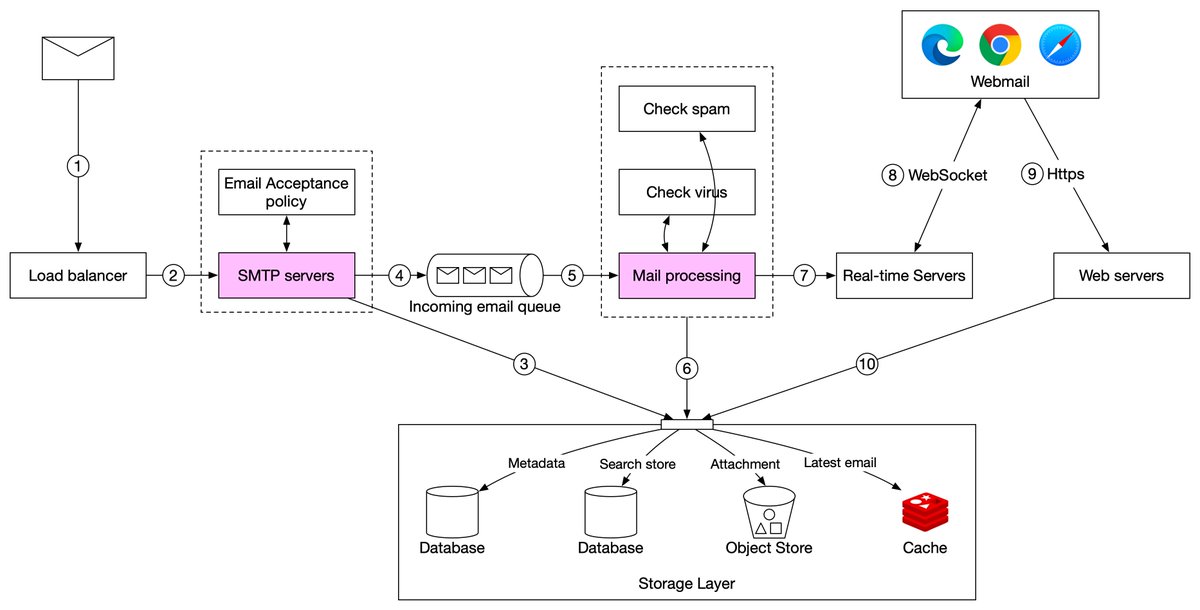
7. If the receiver is currently online, the email is pushed to real-time servers.
8. Real-time servers are WebSocket servers that allow clients to receive new emails in real-time. 6/7
8. Real-time servers are WebSocket servers that allow clients to receive new emails in real-time. 6/7
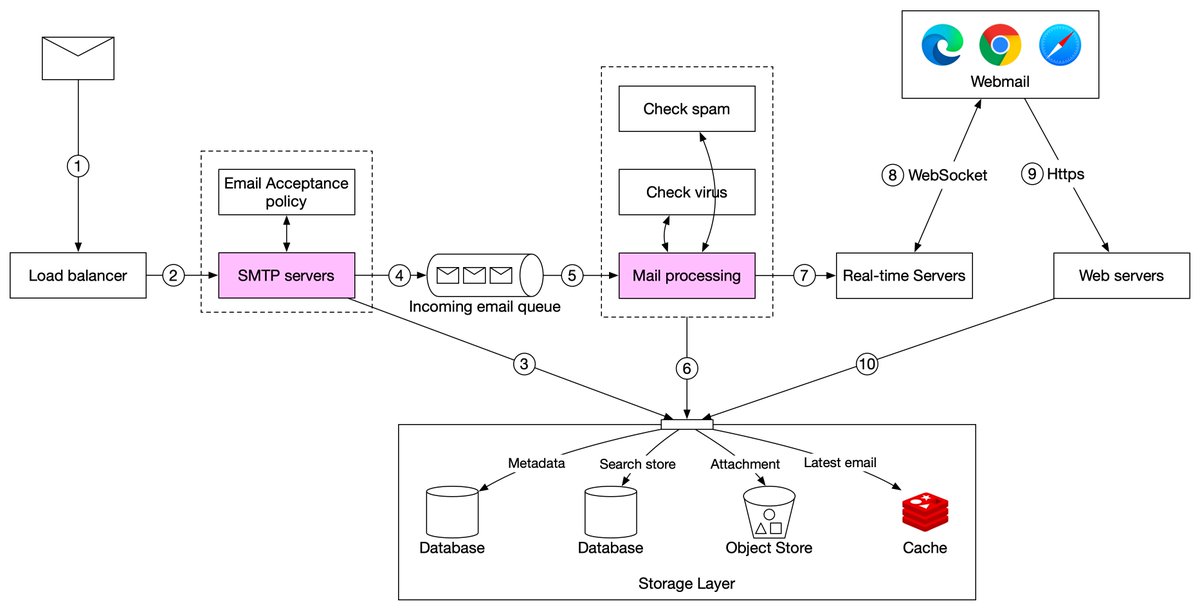
9. For offline users, emails are stored in the storage layer. When a user comes back online, the webmail client connects to web servers via RESTful API.
10. Web servers pull new emails from the storage layer and return them to the client.
What email client do you use? 7/7
10. Web servers pull new emails from the storage layer and return them to the client.
What email client do you use? 7/7
Loading suggestions...