

Quest by Finology is a financial learning platform with quick, fun and insightful courses on finance, investing and the stock market. Quester banoge? Here are the perks ⬇️
a. Enrich your profile with BSE Institute Certifications.
(2/19)
a. Enrich your profile with BSE Institute Certifications.
(2/19)
b. Learn as per your convenience from binge-worthy
Marathon and bite-sized Sprint courses.
c. Get your personalized learning path through
Financial IQ Quiz and Race Tracks
d. Above all, learn from Industry Experts in prolific
courses created by them!
(3/19)
Marathon and bite-sized Sprint courses.
c. Get your personalized learning path through
Financial IQ Quiz and Race Tracks
d. Above all, learn from Industry Experts in prolific
courses created by them!
(3/19)
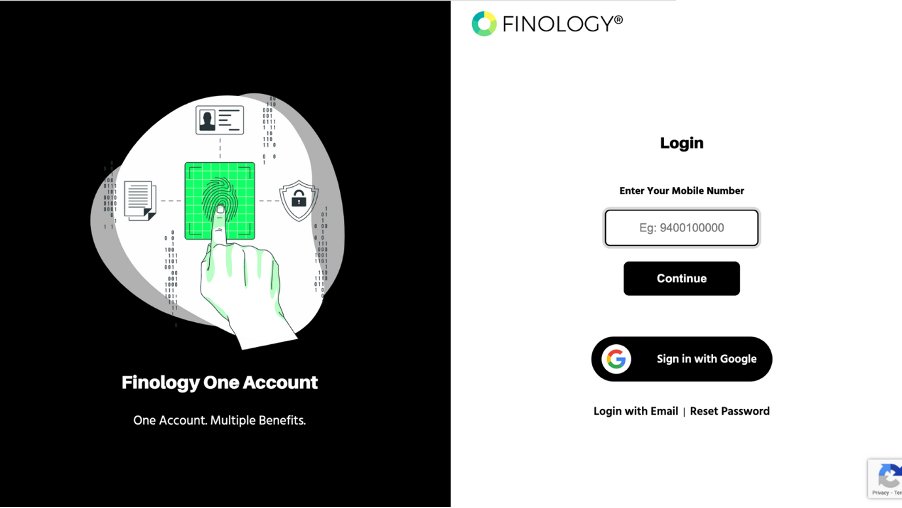
Start with choosing from 35+ courses on Investing, stock market and personal finance following these steps:
- Go to quest.finology.in
- Sign up/Log in
- Visit the courses section in your dashboard
(4/19)
#sharemarket #investors
- Go to quest.finology.in
- Sign up/Log in
- Visit the courses section in your dashboard
(4/19)
#sharemarket #investors
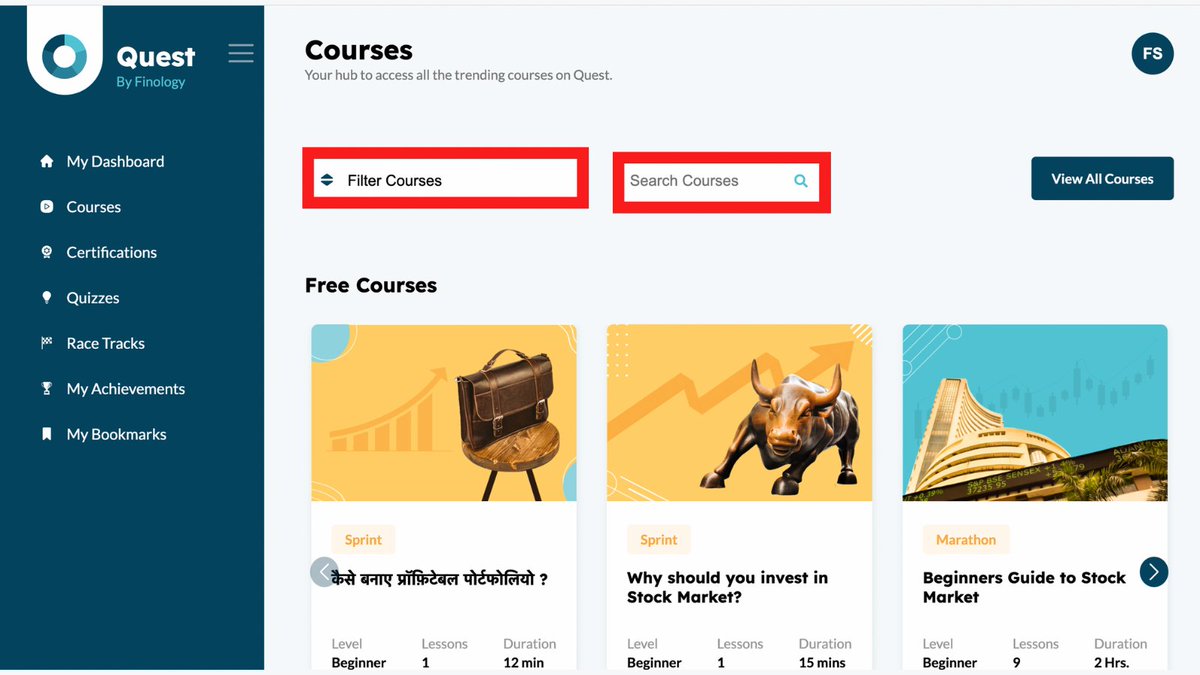
Search for your preferred course or filter options to look for specific categories such as ‘Handpicked,’ ‘Popular,’ and ‘New’. Not just that, click on the View All Courses button at the top right corner and see all the courses at once!
(5/19)
(5/19)
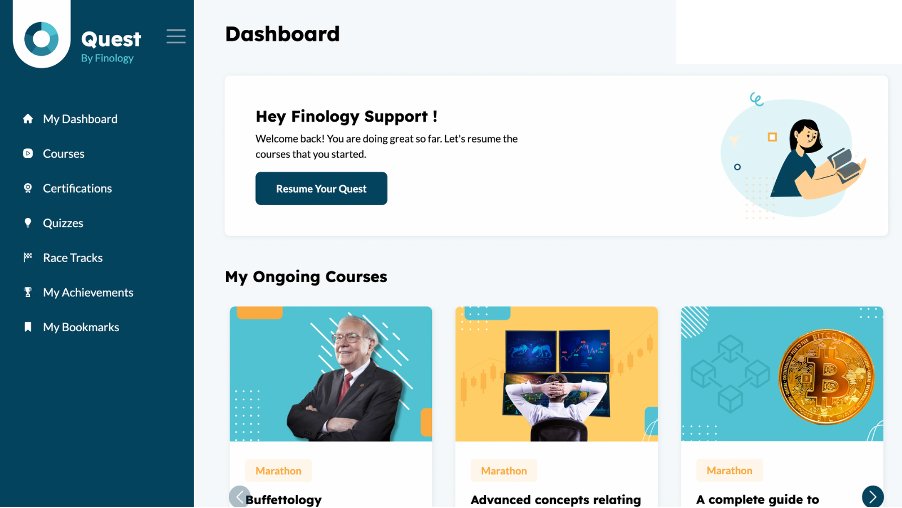
STOCK MARKET COURSES FOR FREE 🥳
Did we tell you, you get not 1, not 2, but 6 free courses!
And when you become a subscribed Quester on Finology One at a mere cost of ₹499/-, you get access to over 35 more prolific ones! How cool is that, right?
(6/19)
Did we tell you, you get not 1, not 2, but 6 free courses!
And when you become a subscribed Quester on Finology One at a mere cost of ₹499/-, you get access to over 35 more prolific ones! How cool is that, right?
(6/19)
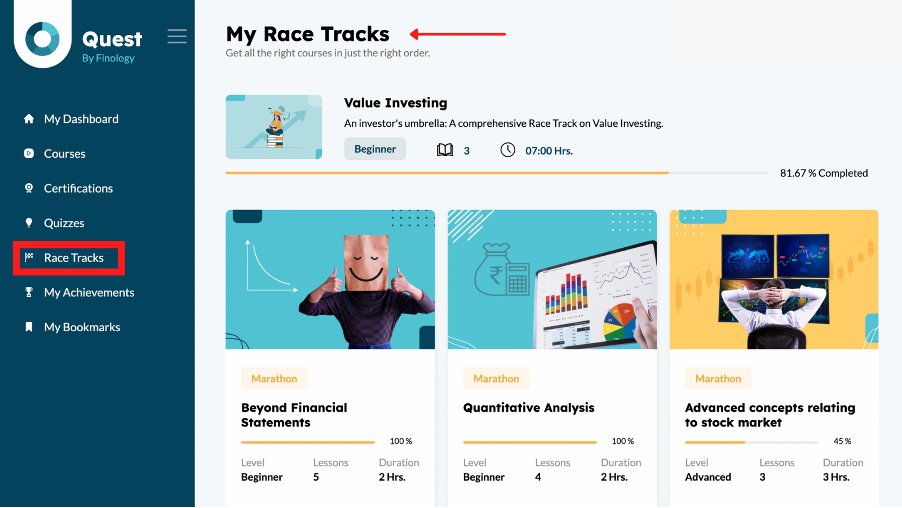
Would you go to an unknown place without Google maps?
Well, bahar ka pata nahi, but when you’re on a quest with us, you get access to Quest’s Investing Courses ka GPS- Race Track!
Visit the Racetrack section in your dashboard.
(7/19)
Well, bahar ka pata nahi, but when you’re on a quest with us, you get access to Quest’s Investing Courses ka GPS- Race Track!
Visit the Racetrack section in your dashboard.
(7/19)
- Essentials of Investing, if you’e a newbie, this Race
Track will help you build your core.
- Level up Your Investing- this one’s for the seasoned
investor in you to oomph-up your game!
(8/19)
Track will help you build your core.
- Level up Your Investing- this one’s for the seasoned
investor in you to oomph-up your game!
(8/19)
- Industry Analysis- if you wish to deep dive into industries and learn from experts, this Race Track is for you.
Now, if you are a Finology fan, you must be a Value Investing fan as well! Our most loved course- The Academy of Value Investing is now on Quest.
(9/19)
Now, if you are a Finology fan, you must be a Value Investing fan as well! Our most loved course- The Academy of Value Investing is now on Quest.
(9/19)
Add chaar chaand to your Resume with prestigious certifications on Quest! Aise milenge 👇
Go to the Certifications section in the dashboard.
Choose from 4 certifications - 2 by BSE Institute and 2 by Quest.
Do the victory dance 🕺
(10/19)
Go to the Certifications section in the dashboard.
Choose from 4 certifications - 2 by BSE Institute and 2 by Quest.
Do the victory dance 🕺
(10/19)
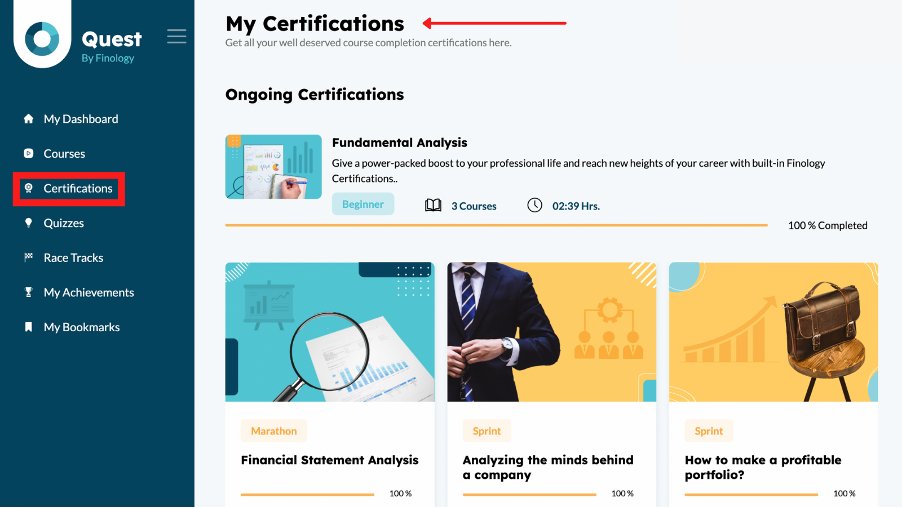
Don’t forget. You can avail of Quest’s certification and even BSE courses under the same subscription plan (to Finology One) but if you wish to avail of the BSE Institute certification, you will have to pay Rs. 4999.
(11/19)
(11/19)
BSE Institute currently provides 2 Certifications on Quest- Academy of Value Investing and The Academy of Mutual funds. All you got to do is obtain 50% marks in BSE’s assessments or 60% on Quest’s assessments for the respective certifications. 😉
(12/19)
(12/19)
Do you think you are financially smart (attitude emoji)
Well! Think again.
Test your financial IQ and know where you stand through these super fun (and FREE) quizzes:
-Stock Market Quiz
-Investing Quiz
-Financial IQ Quiz
(13/19)
Well! Think again.
Test your financial IQ and know where you stand through these super fun (and FREE) quizzes:
-Stock Market Quiz
-Investing Quiz
-Financial IQ Quiz
(13/19)
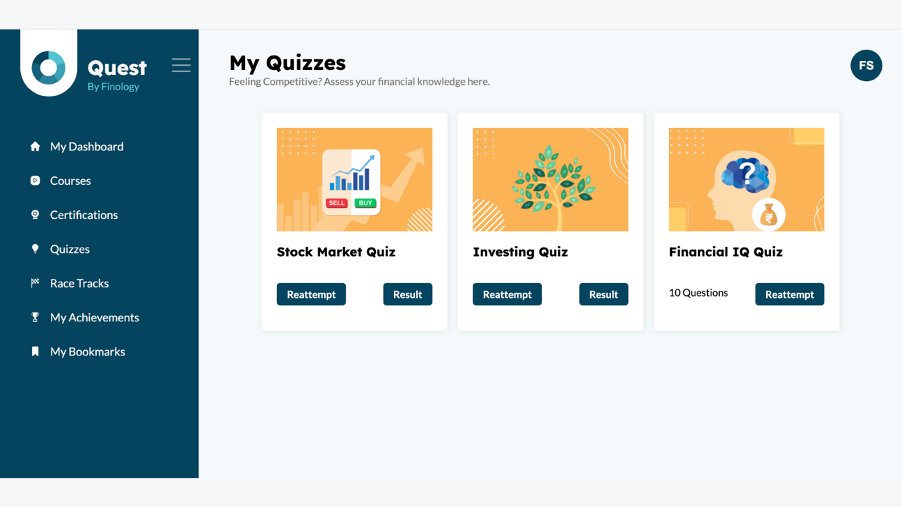
Aise kariye 👇
- Just sign up to quest.finology.in.
- Visit the Quizzes section in your dashboard.
- And see where you stand!
Oh! Sirf result nahi, recommendation bhi denge. 🤩 Get personalized course recommendations based on your Quiz Scores!
(14/19)
- Just sign up to quest.finology.in.
- Visit the Quizzes section in your dashboard.
- And see where you stand!
Oh! Sirf result nahi, recommendation bhi denge. 🤩 Get personalized course recommendations based on your Quiz Scores!
(14/19)
Here is how you can make the most out of Quest! ⬇️⬇️⬇️
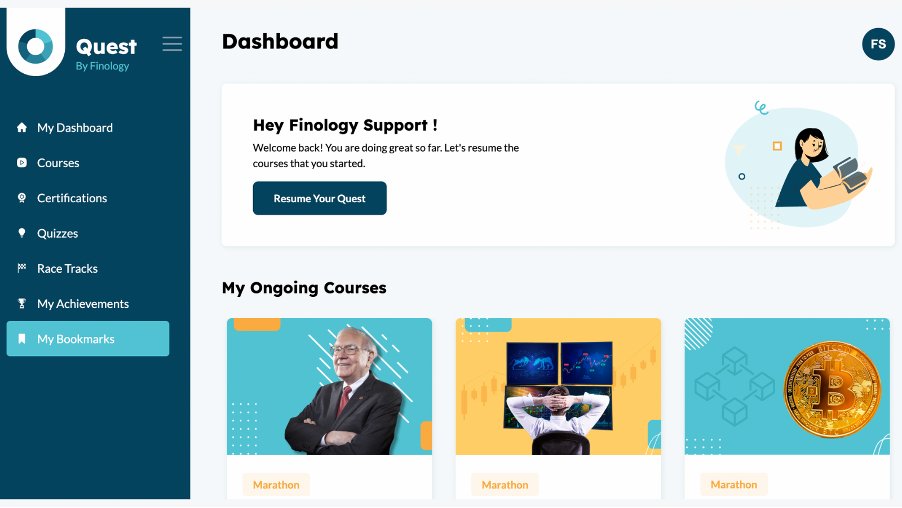
Bookmarks🔖
- Like flags on the moon, bookmark topics on Quest!
Here’s how you do it! 👇
- Click on the bookmark option in the sidebar
- Visit the Bookmarks section on your dashboard to
view the topics!🕺
(15/19)
Bookmarks🔖
- Like flags on the moon, bookmark topics on Quest!
Here’s how you do it! 👇
- Click on the bookmark option in the sidebar
- Visit the Bookmarks section on your dashboard to
view the topics!🕺
(15/19)
Flashcards 📇
Denominator and Numerator mei kaunsa kya tha, yaad hai?
Well, math books didn’t comprise Quest’s Flashcards na! 😉
(16/19)
Denominator and Numerator mei kaunsa kya tha, yaad hai?
Well, math books didn’t comprise Quest’s Flashcards na! 😉
(16/19)
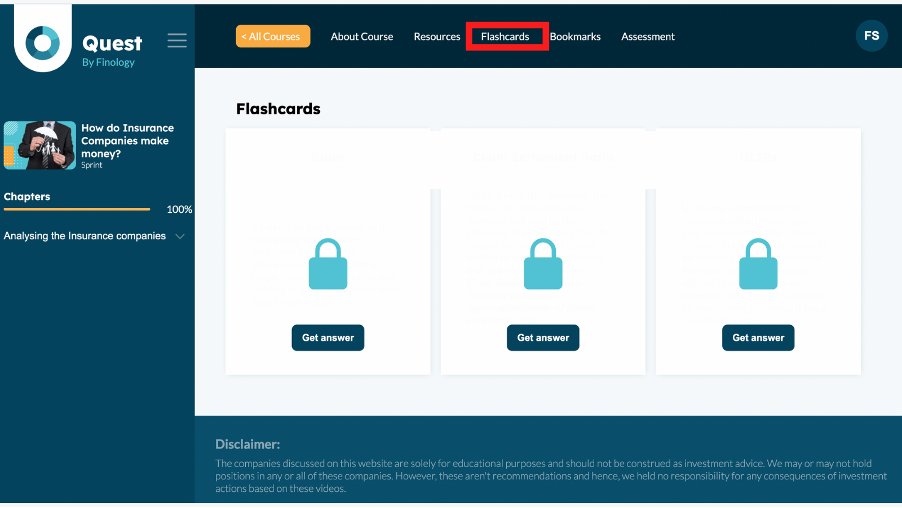
So supercharge your memory with these tiny notes with pointers discussed in the course. Here’s how you access the flashcards: 👇
- Click on the flashcards button on the top right corner
on the reading screen
- That’s all 😅
(17/19)
- Click on the flashcards button on the top right corner
on the reading screen
- That’s all 😅
(17/19)
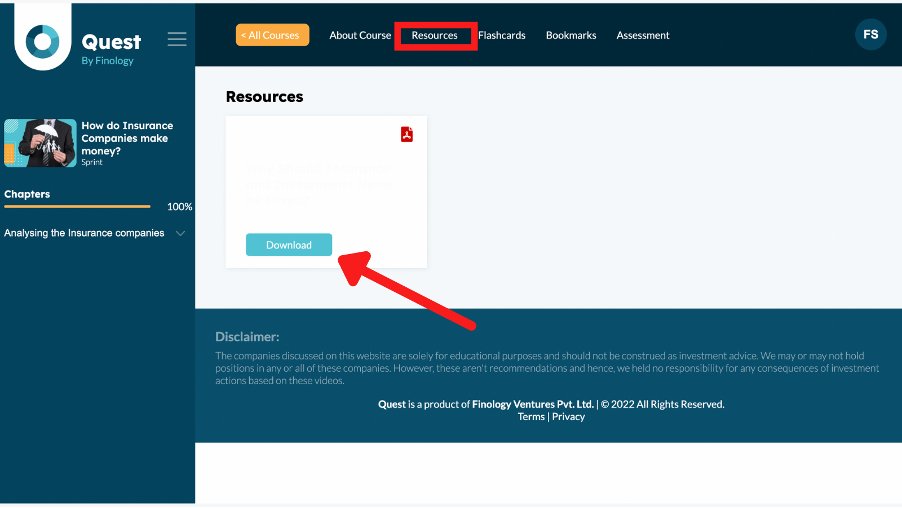
Downloadable Notes 📒
Something extra never hurts, right? So we present to you Downloadable Notes on articles and topics related to the course! Here’s how you go about it: 👇
- Go to the Resources Section on the top right corner in the Menu Bar in the reading screen.
(18/19)
Something extra never hurts, right? So we present to you Downloadable Notes on articles and topics related to the course! Here’s how you go about it: 👇
- Go to the Resources Section on the top right corner in the Menu Bar in the reading screen.
(18/19)
Web App?
~ Users, Quest ka app kaise milega?
Aise milega 💁♀️
- Just open Quest on your browser
- From the browser menu select “Add to home screen”
option
- Click on ‘Add’ button
- Voila!
Hope this thread helps you :)
(19/19)
~ Users, Quest ka app kaise milega?
Aise milega 💁♀️
- Just open Quest on your browser
- From the browser menu select “Add to home screen”
option
- Click on ‘Add’ button
- Voila!
Hope this thread helps you :)
(19/19)
Loading suggestions...