

How can we optimize performance when we 𝐮𝐩𝐥𝐨𝐚𝐝 𝐥𝐚𝐫𝐠𝐞 𝐟𝐢𝐥𝐞𝐬 to object storage service such as S3?
Before we answer this question, let's take a look at why we need to optimize this process. 1/8
Before we answer this question, let's take a look at why we need to optimize this process. 1/8
Some files might be larger than a few GBs. It is possible to upload such a large object file directly, but it could take a long time. If the network connection fails in the middle of the upload, we have to start over. 2/8
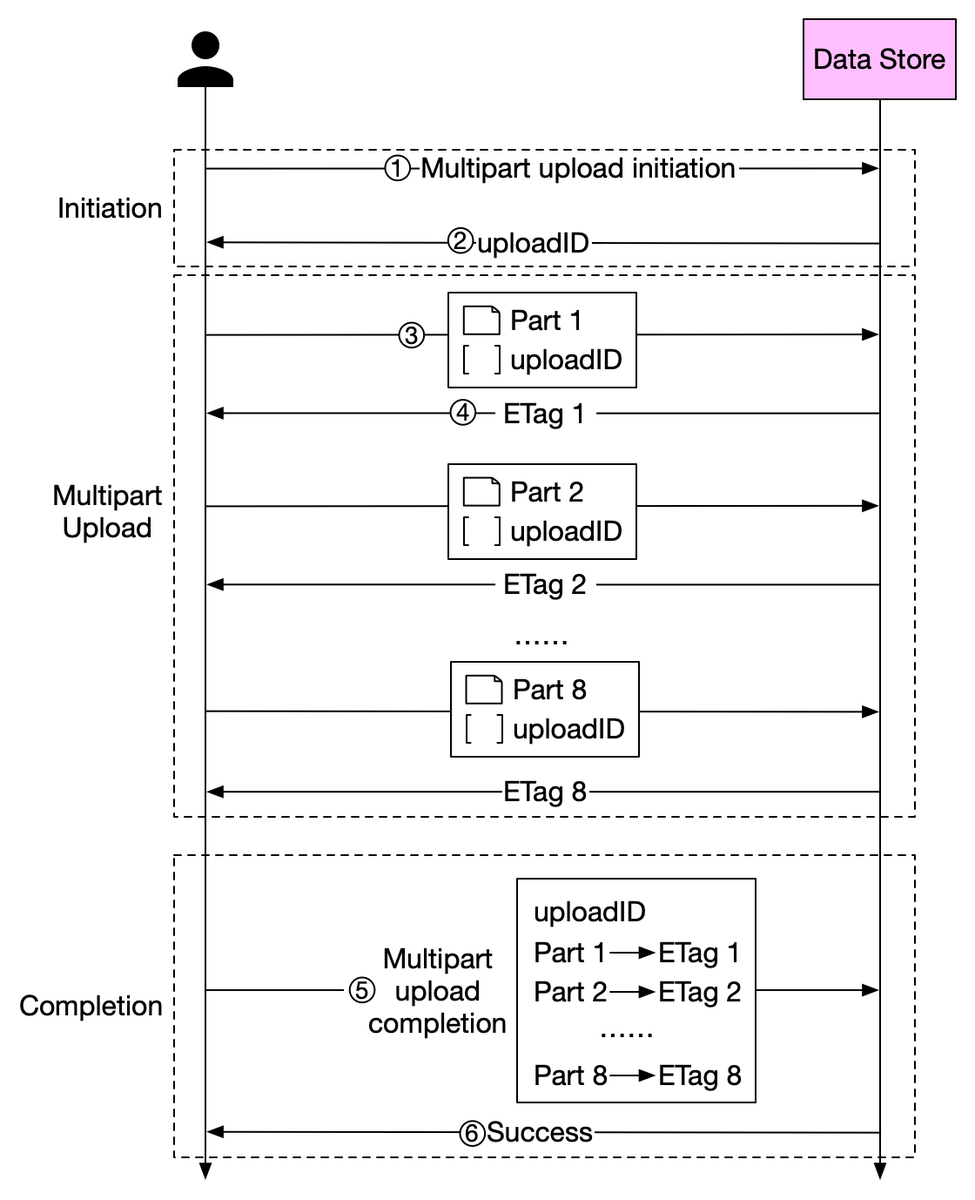
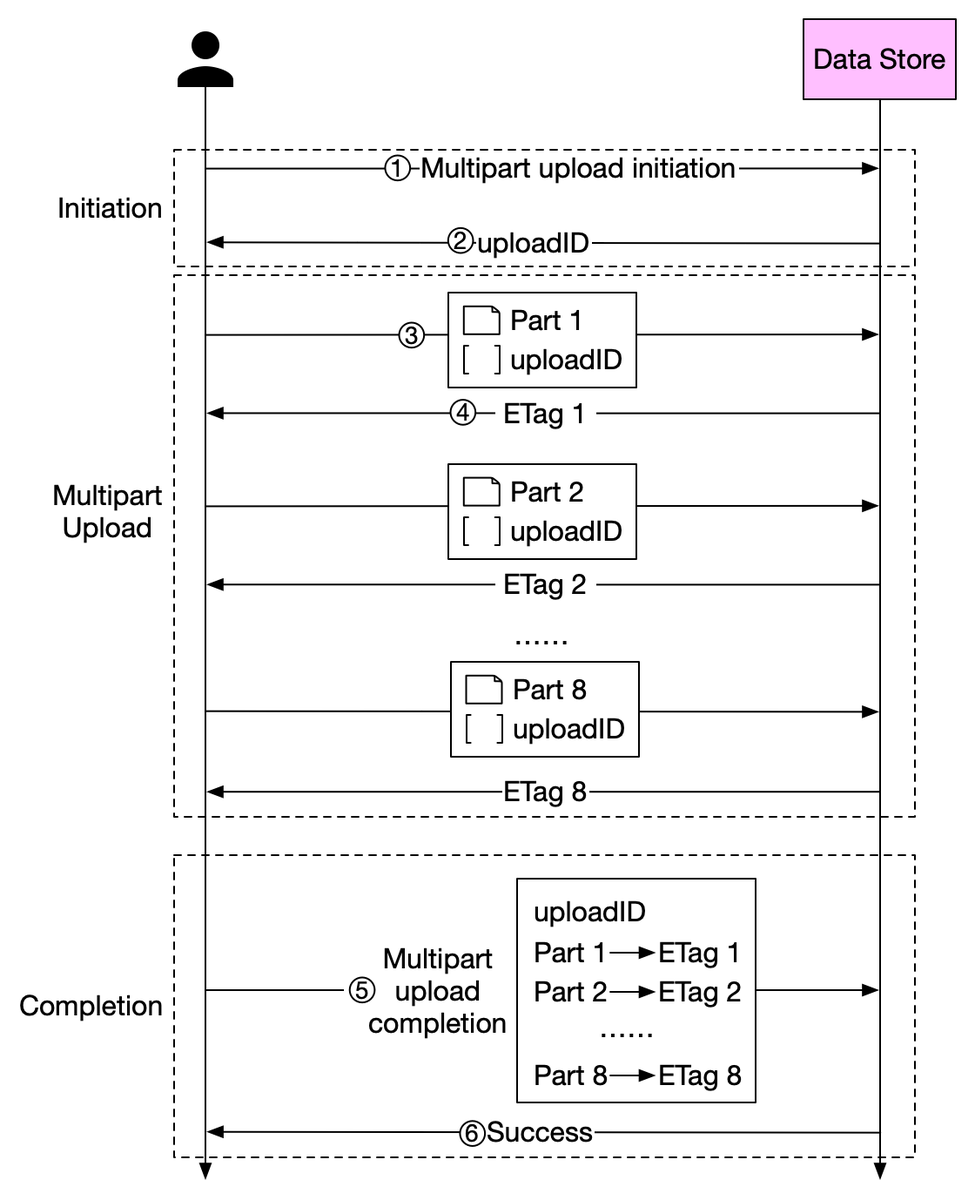
A better solution is to slice a large object into smaller parts and upload them independently. After all the parts are uploaded, the object store re-assembles the object from the parts. This process is called 𝐦𝐮𝐥𝐭𝐢𝐩𝐚𝐫𝐭 𝐮𝐩𝐥𝐨𝐚𝐝. 3/8
The diagram below illustrates how multipart upload works:
1. The client calls the object storage to initiate a multipart upload.
2. The data store returns an uploadID, which uniquely identifies the upload. 4/8
1. The client calls the object storage to initiate a multipart upload.
2. The data store returns an uploadID, which uniquely identifies the upload. 4/8
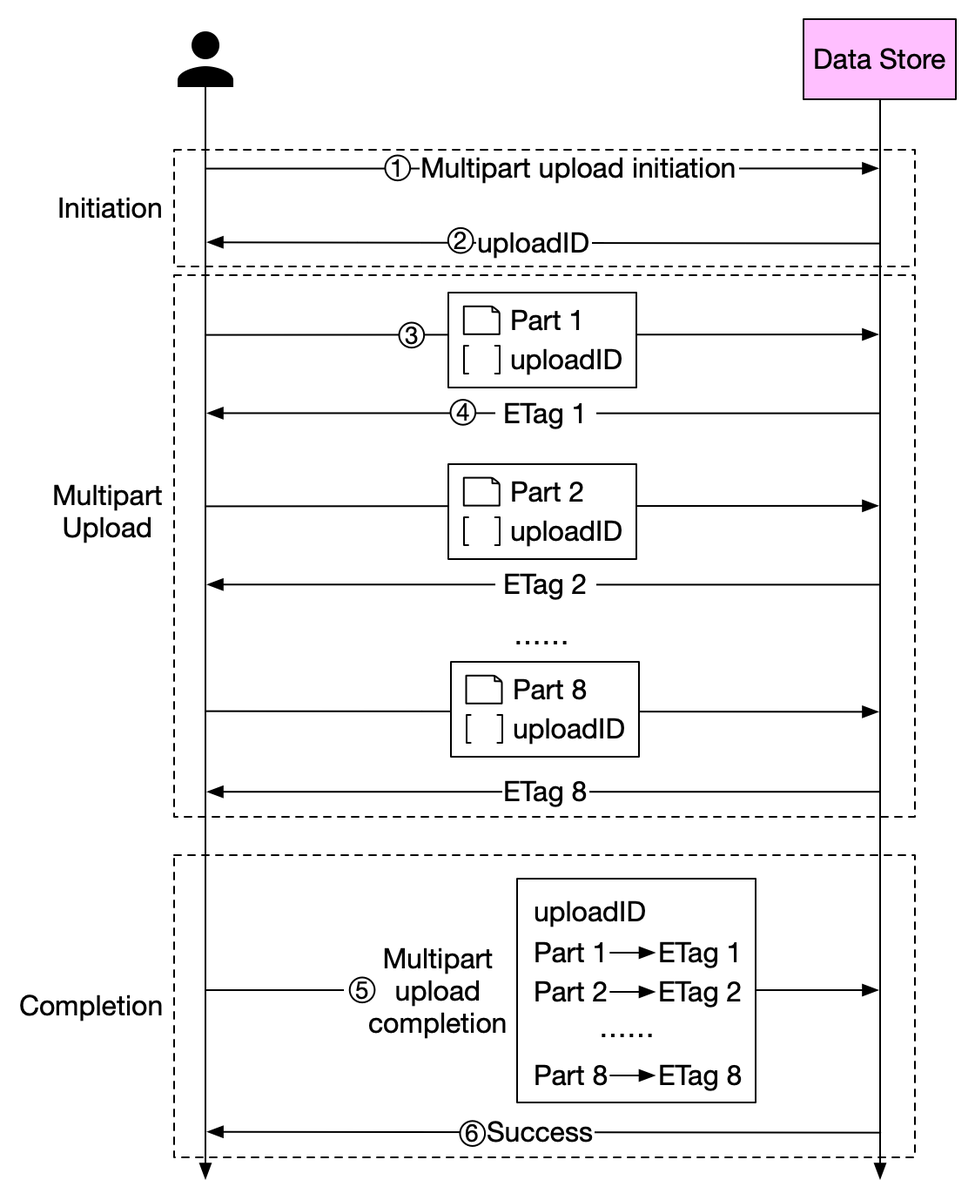
3. The client splits the large file into small objects and starts uploading. Let’s assume the size of the file is 1.6GB and the client splits it into 8 parts, so each part is 200 MB in size. The client uploads the first part to the data store together with the uploadID. 5/8
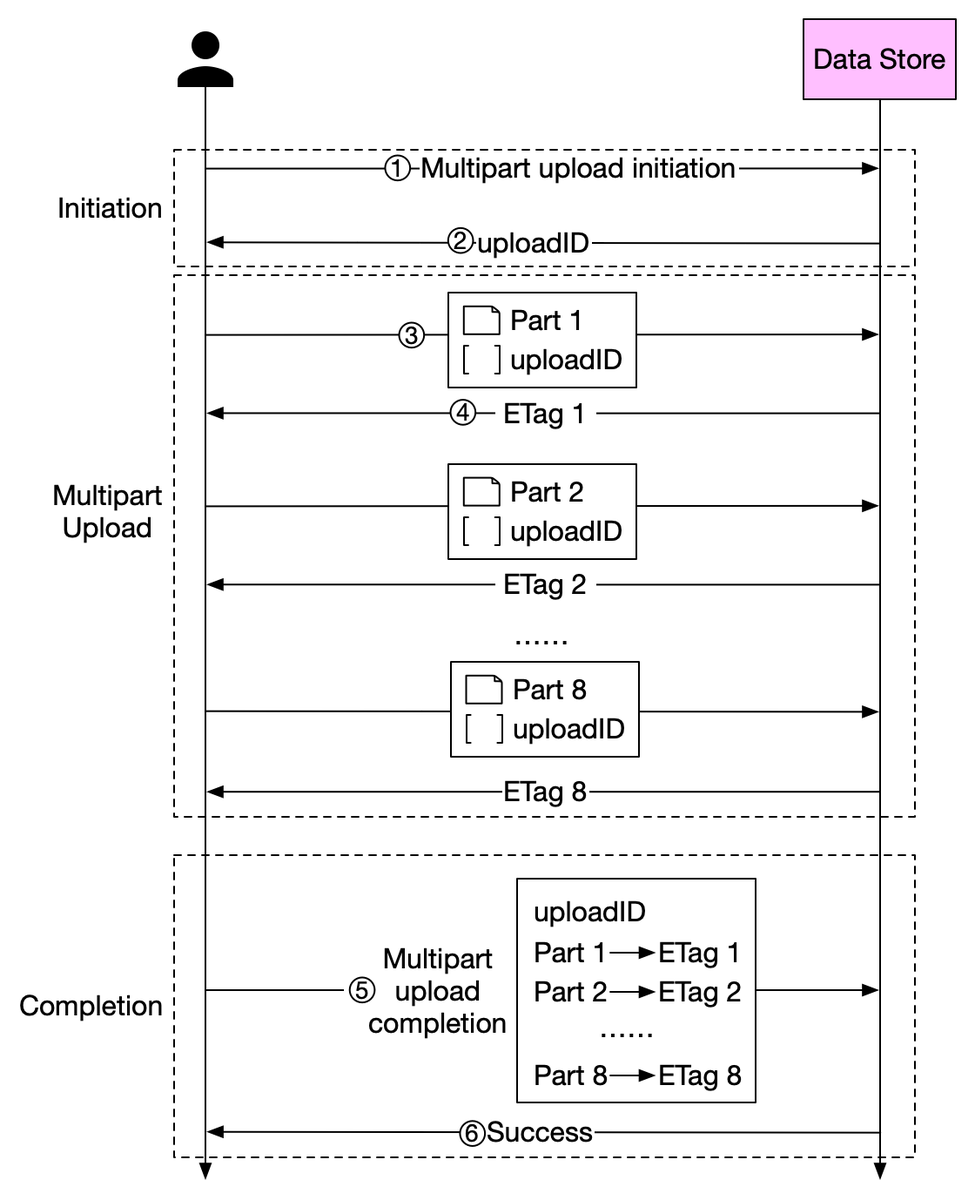
4. When a part is uploaded, it returns an ETag, which is essentially the md5 checksum. It is used to verify multipart uploads.
5. After all parts are uploaded, the client sends a complete multipart upload request, which includes the uploadID, part numbers, and ETags. 6/8
5. After all parts are uploaded, the client sends a complete multipart upload request, which includes the uploadID, part numbers, and ETags. 6/8
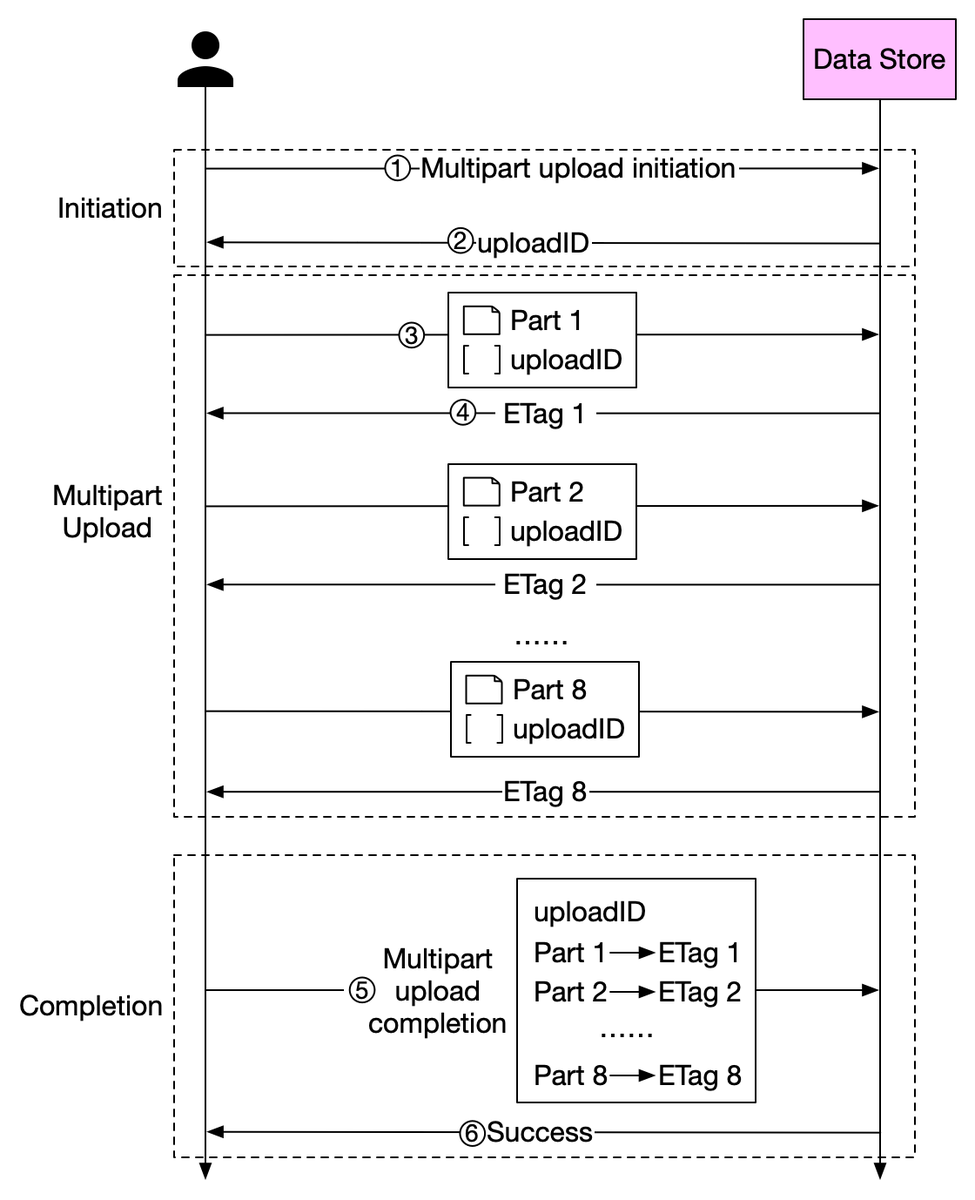
6. The data store reassembles the object from its parts based on the part number. Since the object is really large, this process may take a few minutes. After reassembly is complete, it returns a success message to the client. 7/8
Question: what other techniques can be used to optimize large file upload? 8/8
Loading suggestions...