

Compilation thread of various Keras tips ⬇️⬇️⬇️
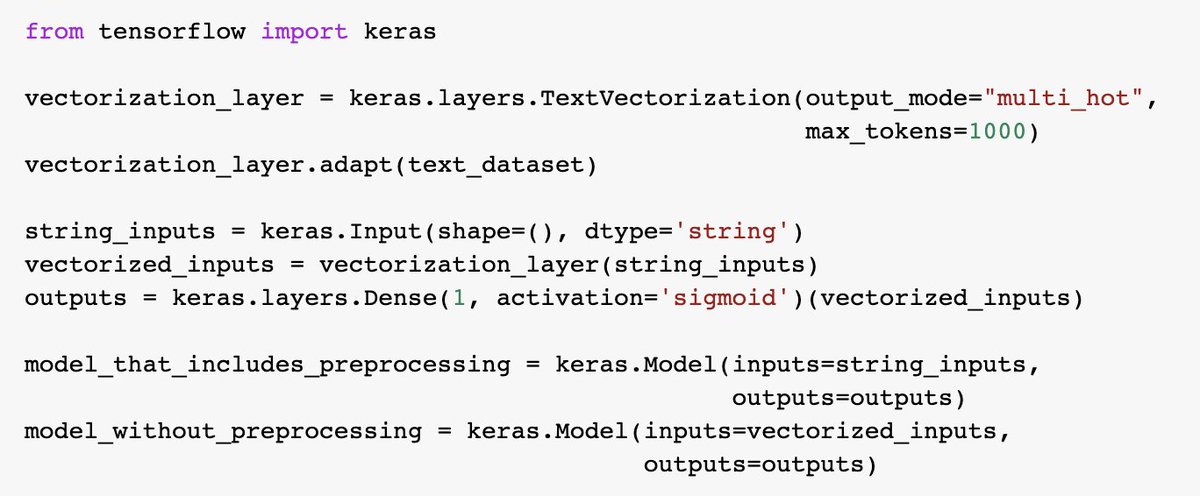
Tip #1: when building models with the Functional API (keras.io), you can use an intermediate output as entry point to define a new Model.
This is especially useful to create pairs of models where one includes preprocessing (e.g. for inference), and one does not.
This is especially useful to create pairs of models where one includes preprocessing (e.g. for inference), and one does not.
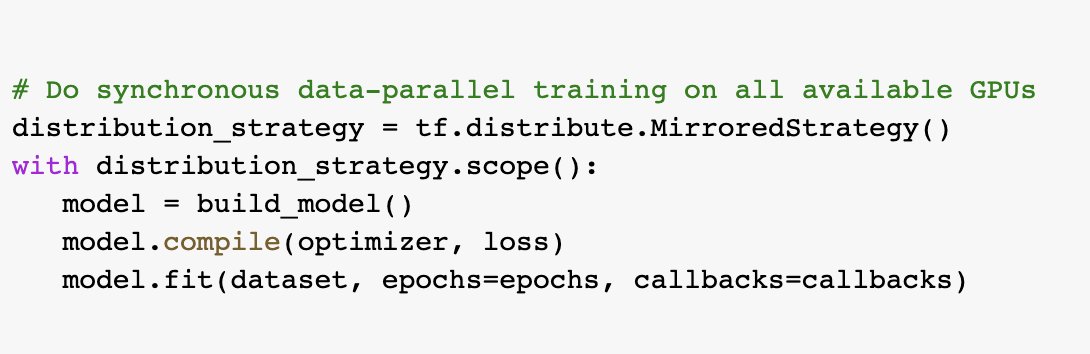
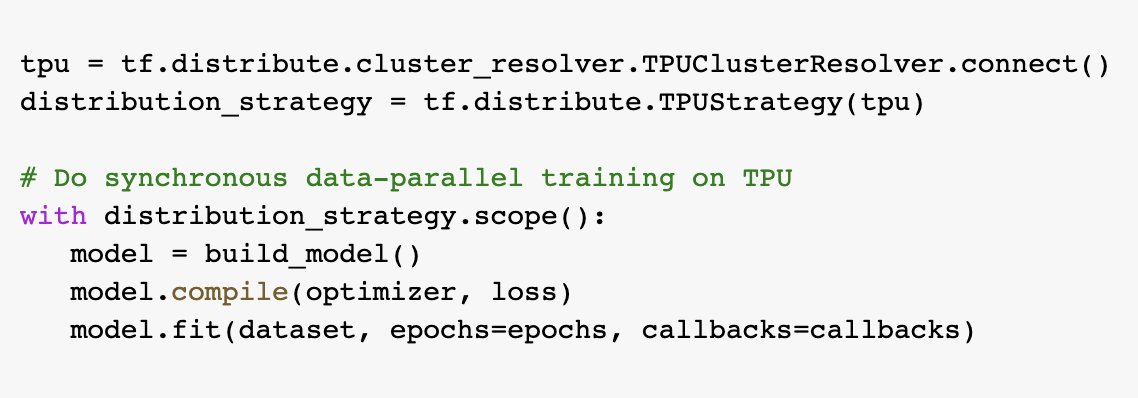
Tip #2: once you have a Keras model and a Dataset, you can train on any hardware -- a CPU, a single GPU, multiple GPUs, a TPU. You just need to create and compile your model inside a tf.distribute scope of your choice.
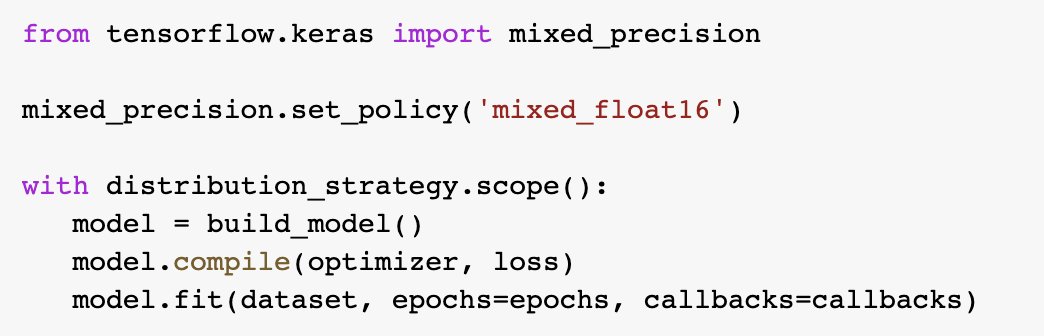
Tip #3: mixed precision is a way to train models significantly faster (~2x) on modern GPUs at virtually no loss of accuracy. It consists of using a lower precision (float16) for forward pass computation while keeping model state in float32.
You can enable it in Keras in 1 line.
You can enable it in Keras in 1 line.
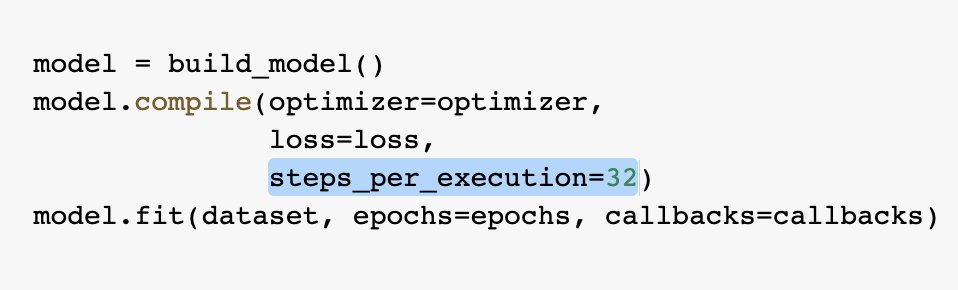
Tip #4: "step fusing" consists of running multiple steps of model training back-to-back on an accelerator device (a GPU or TPU) without syncing with the host CPU RAM. It's a great way to get to near-100% device utilization without having to increase your batch size.
Tip #5: XLA is a linear algebra compiler capable of automatically fusing & optimizing TensorFlow operations, which can lead to significant speed ups for many model architecture / device combinations.
You can compile your Keras training loop to XLA via `jit_compile=True`.
You can compile your Keras training loop to XLA via `jit_compile=True`.

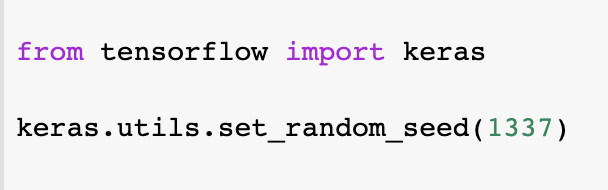
Tip #6: use `set_random_seed()` to make your workflow deterministic. This will simultaneously seed Python's `random` module, NumPy, and TF/Keras.
If you need CUDA op determinism, then also use `tf.config.experimental.enable_op_determinism()`, which comes at a performance cost.
If you need CUDA op determinism, then also use `tf.config.experimental.enable_op_determinism()`, which comes at a performance cost.
Tip #7: use `keras.utils.plot_model(model)` and `model.summary()` to get succinct visualizations of the contents and structure of your model.

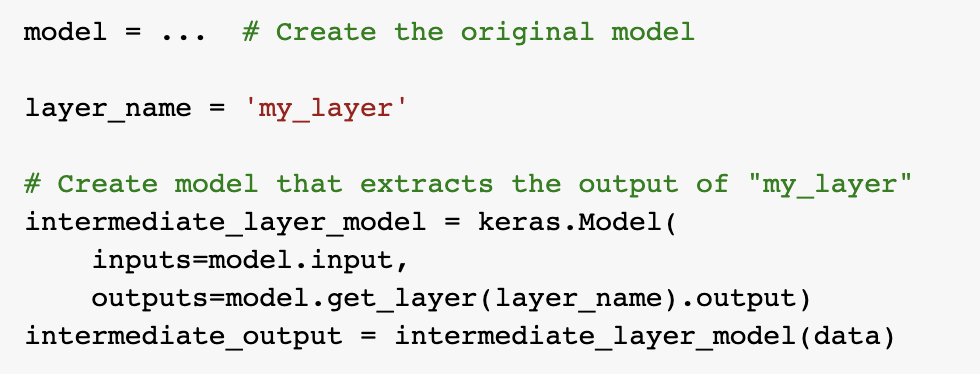
Tip #8: when building Functional models, you can use `layer.output` to create feature-extraction models.
@amit_amola See tip #8
Tip #9: use TFRecords for efficient data storage and loading. Once you've converted your data to the TFRecords format and stored it in the cloud, it becomes easy to stream it to your model, e.g. via `tf.dаtа.TFRecordDataset`.
keras.io
keras.io
Loading suggestions...