

5 Good Practices that will make you better at CSS.
A Thread 🧵
A Thread 🧵
Try to have a good understanding of basics like
1) Display and position
2) Flex and Grid
3) Box Model
4) Images background and tables
5) Media Queries
These are the key pillars to becoming good in CSS.
1) Display and position
2) Flex and Grid
3) Box Model
4) Images background and tables
5) Media Queries
These are the key pillars to becoming good in CSS.
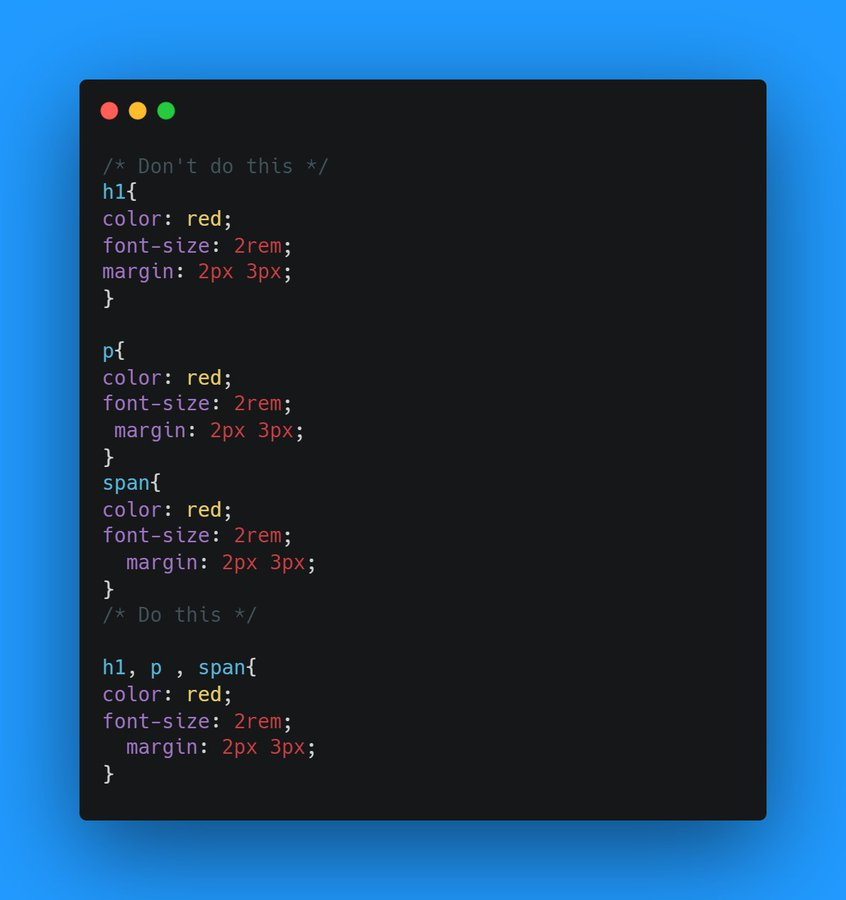
1) Always follow DRY Principle
DRY = Don't Repeat Yourself
It is the general principle that applies to all the CSS.
It prevents the code from being messy
DRY = Don't Repeat Yourself
It is the general principle that applies to all the CSS.
It prevents the code from being messy
2) Make and Use Utility Classes
Utility classes help to use repeatedly on our websites. It means you are creating your own library
There should be a section for Utility classes in our CSS
Utility classes should contain classes for Button, Heading, Text center.
Utility classes help to use repeatedly on our websites. It means you are creating your own library
There should be a section for Utility classes in our CSS
Utility classes should contain classes for Button, Heading, Text center.
3) Give Suitable names to classes and Id's
Give a name that matches the characteristics of the class
If a class centers a text give it a name like text-center.
color blue → Text-primary
font-size 20px → Sub-heading
font-size 30px → Main heading
Give a name that matches the characteristics of the class
If a class centers a text give it a name like text-center.
color blue → Text-primary
font-size 20px → Sub-heading
font-size 30px → Main heading
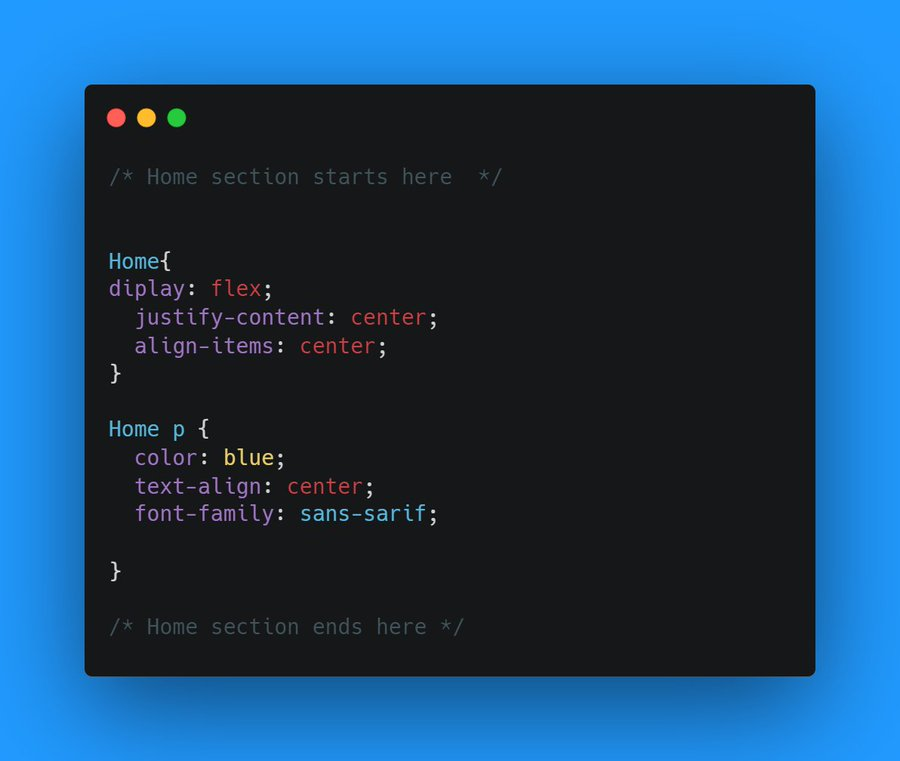
4) Start to comment your code
Every website is made of Section
Let's take an example of a portfolio website
Suppose it has 4 section
1) Home
2) Experience
3) About me
4) Education
So Every Section of CSS should be Separated by Comments.
Every website is made of Section
Let's take an example of a portfolio website
Suppose it has 4 section
1) Home
2) Experience
3) About me
4) Education
So Every Section of CSS should be Separated by Comments.
5) Use Shorthand Property's
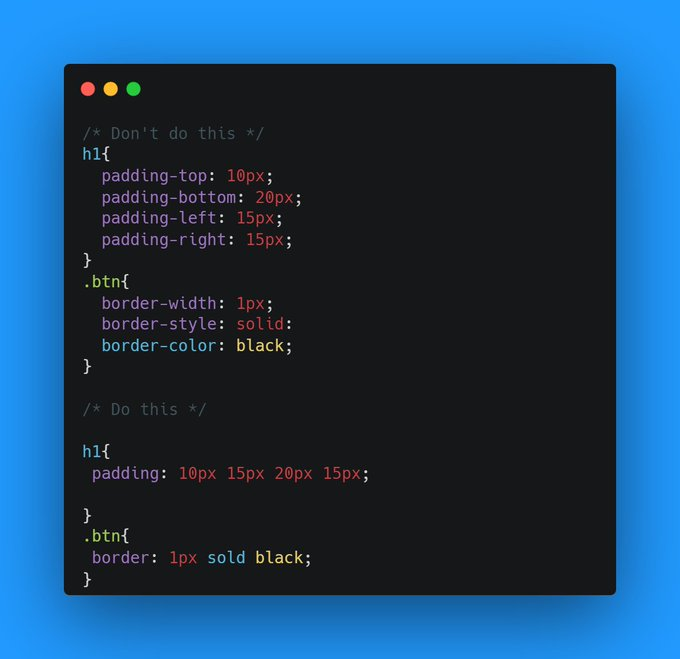
Some CSS properties like Padding, Margin, Border, the background can be written in a much easier and simpler way by shorthand
Shorthand helps to reduce the Lines of rules in CSS.
Some CSS properties like Padding, Margin, Border, the background can be written in a much easier and simpler way by shorthand
Shorthand helps to reduce the Lines of rules in CSS.
Thank you for reading!
- I'm Sanskar 👋
👨💻 Sharing my learnings every day.
🤓 Trying to make Web development easy for You and me.
🔥 Post about HTML, CSS, and JS
💹 Retweets are appreciated.
Loved it?? follow
@SanskarTweets
Good Luck 🙌
- I'm Sanskar 👋
👨💻 Sharing my learnings every day.
🤓 Trying to make Web development easy for You and me.
🔥 Post about HTML, CSS, and JS
💹 Retweets are appreciated.
Loved it?? follow
@SanskarTweets
Good Luck 🙌
Loading suggestions...