

Master JavaScript.
- Topic 6
var vs let vs const 🤯
Explained: 🧵
- Topic 6
var vs let vs const 🤯
Explained: 🧵
Declaration of var vs let vs const
We can declare a JavaScript Variable:
- Using var.
- Using let.
- Using const.
We can declare a JavaScript Variable:
- Using var.
- Using let.
- Using const.
- Let's look at an example of how we can declare variables.

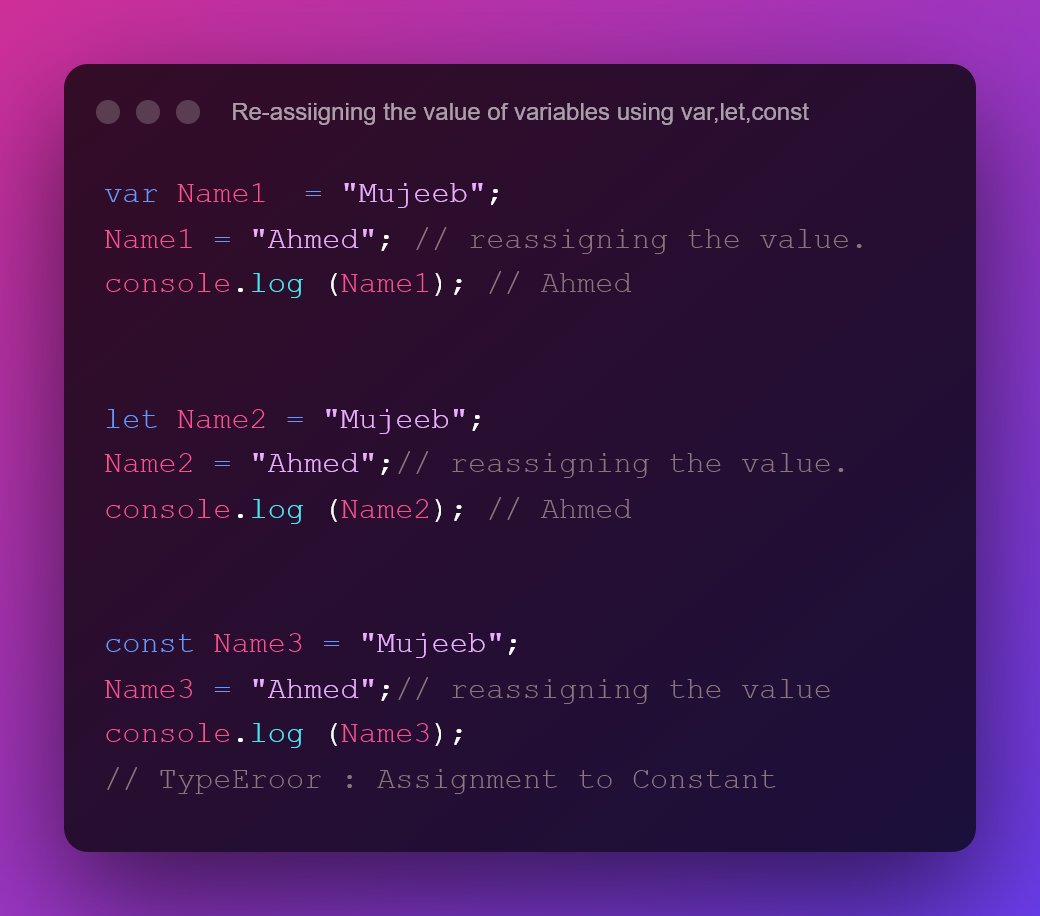
Re-assigning the variables' values:
Example:-
- As seen in the example below, we can reassign variables using the "var" and "let" keywords, but we cannot reassign variables using the "const" keyword.
Example:-
- As seen in the example below, we can reassign variables using the "var" and "let" keywords, but we cannot reassign variables using the "const" keyword.
So, returning to the var vs let vs const:
The main difference between var, let, and const is:
- Variables declared with the "var" keyword are function scoped.
- Variables declared with "let" and const are block-scoped.
The main difference between var, let, and const is:
- Variables declared with the "var" keyword are function scoped.
- Variables declared with "let" and const are block-scoped.
So let us understand what we mean by Blocked-Scope and Function Scope first.
- Block scoped variables:
A block-scoped variable means that the variable defined within a block will not be accessible from outside the block.
- Block scoped variables:
A block-scoped variable means that the variable defined within a block will not be accessible from outside the block.
- function scoped variables:
A function scoped variables mean that the variables defined within the function will not be accessible from outside the function.
A function scoped variables mean that the variables defined within the function will not be accessible from outside the function.
Let us look at an example so you can understand what function scope and block scope are.
Example 1:- using "var":
Example 1:- using "var":
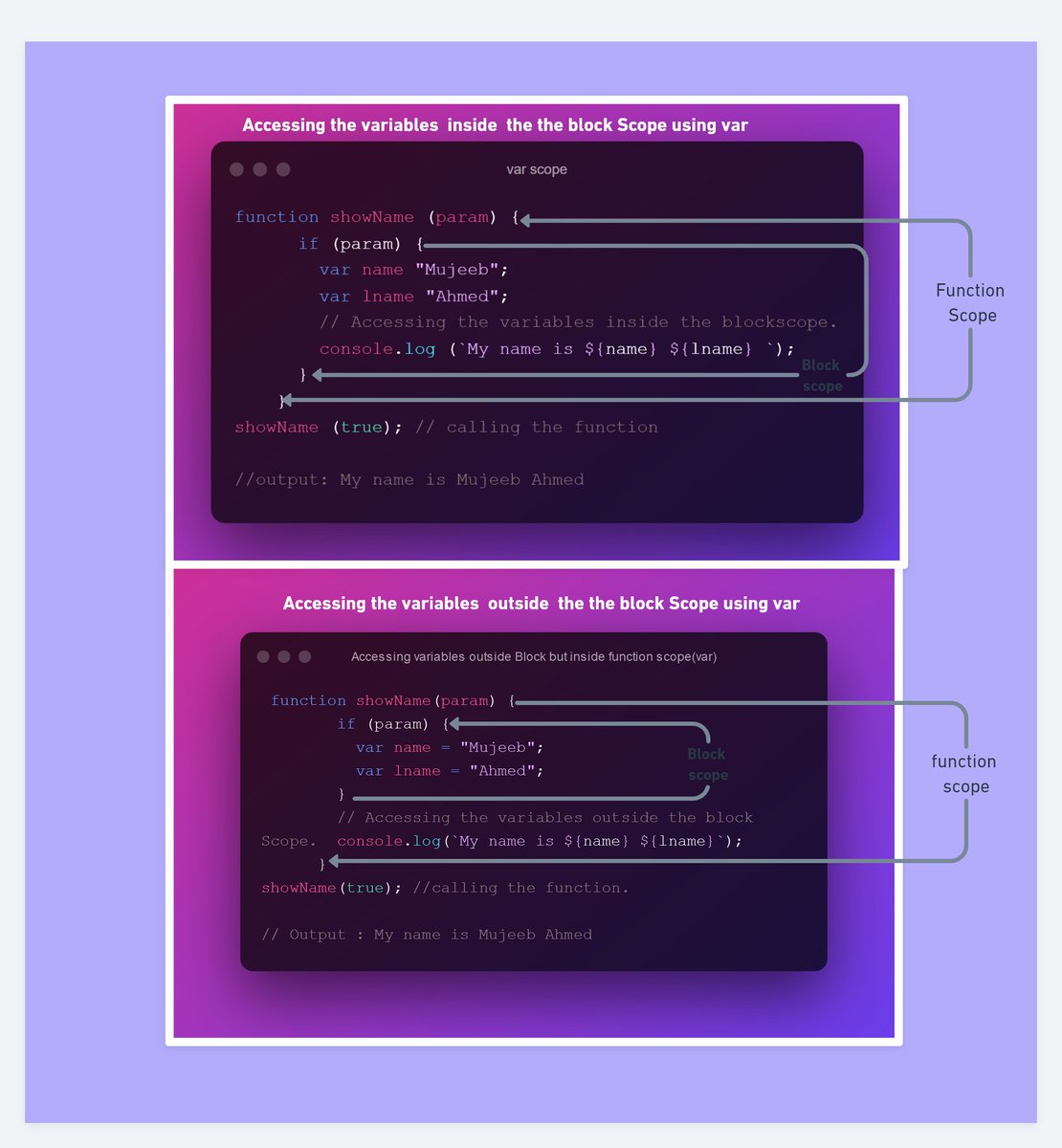
The main issue with the "var" keyword is that when you declare a variable with the "var" keyword, its scope is not limited to the block in which it is defined.
We can also access that variable from outside of that block.
We can also access that variable from outside of that block.
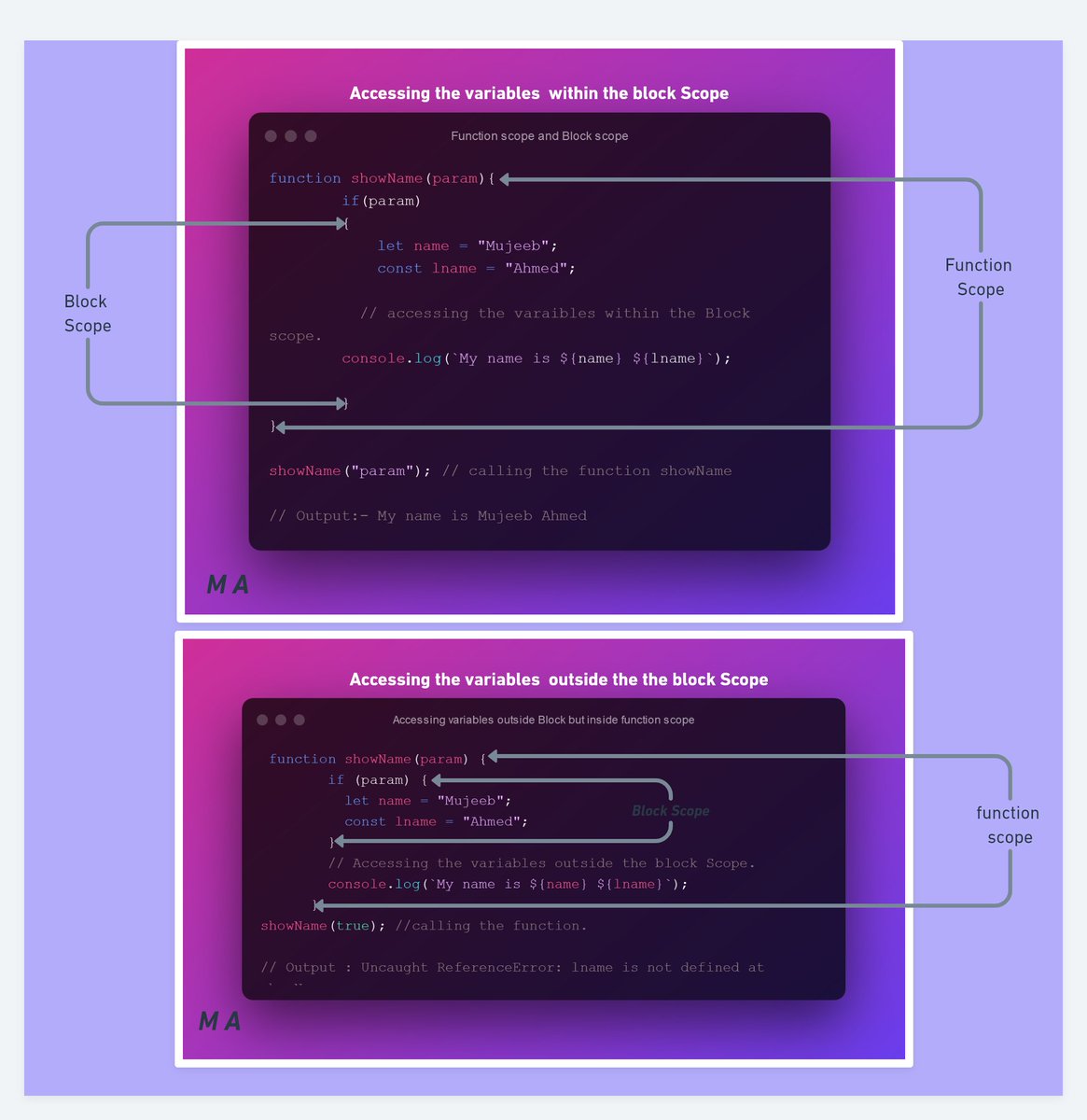
Example 2:- Accessing the variable value by using let and const.
- Since let and const are Block Scoped, we cannot access them from outside the Block scope. If we try to access them it will throw an error.
- Since let and const are Block Scoped, we cannot access them from outside the Block scope. If we try to access them it will throw an error.
Some other examples are as follows:
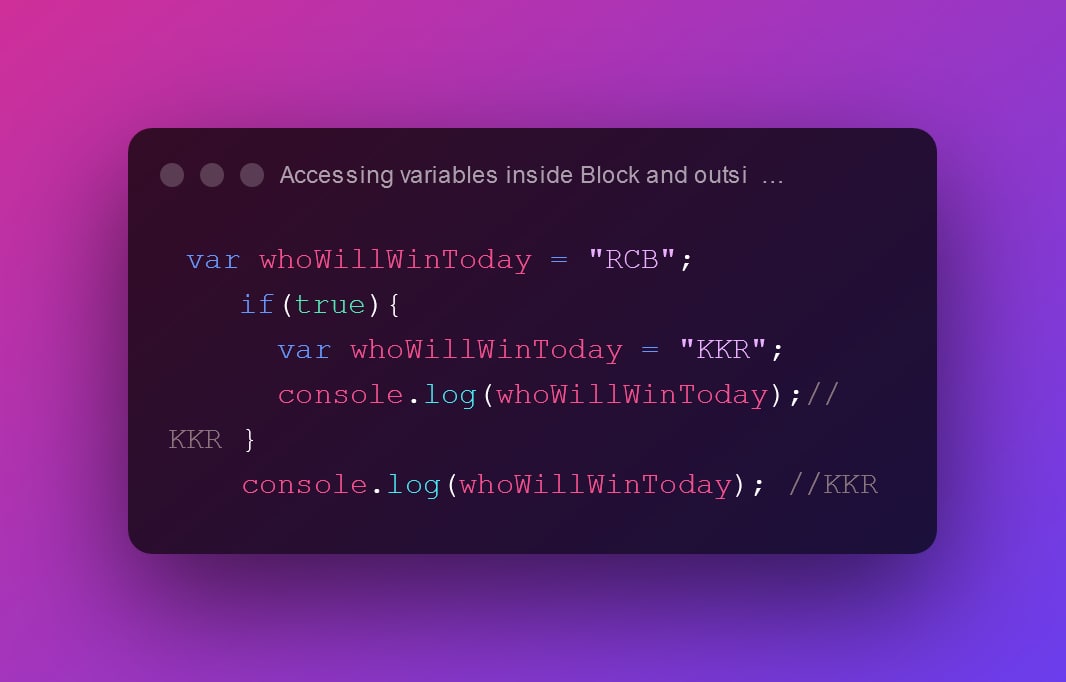
Example 1:- Access variable values inside and outside the block scope by using the var keyword.
Example 1:- Access variable values inside and outside the block scope by using the var keyword.
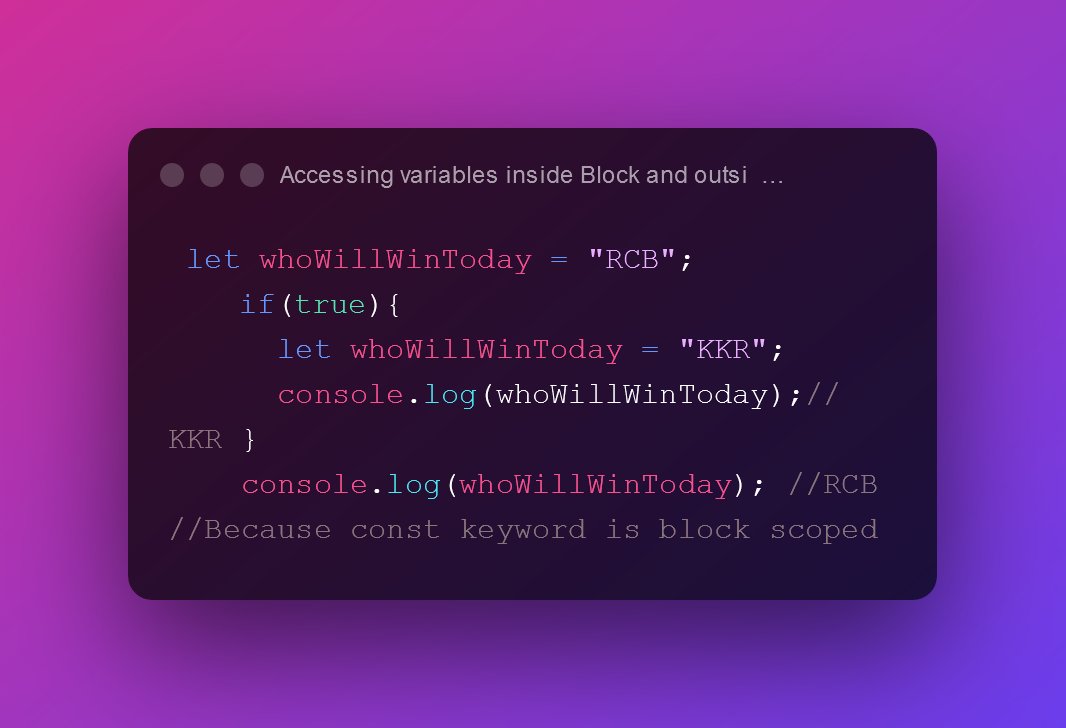
Example 2:- Access variable values inside and outside the block scope by using the let keyword.
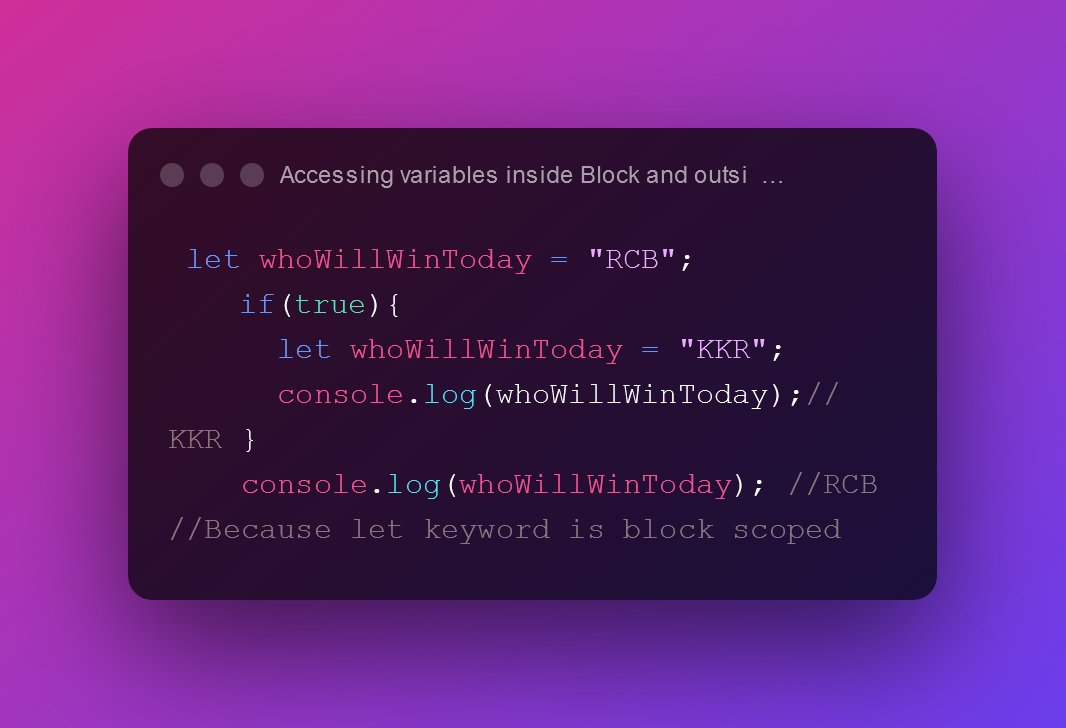
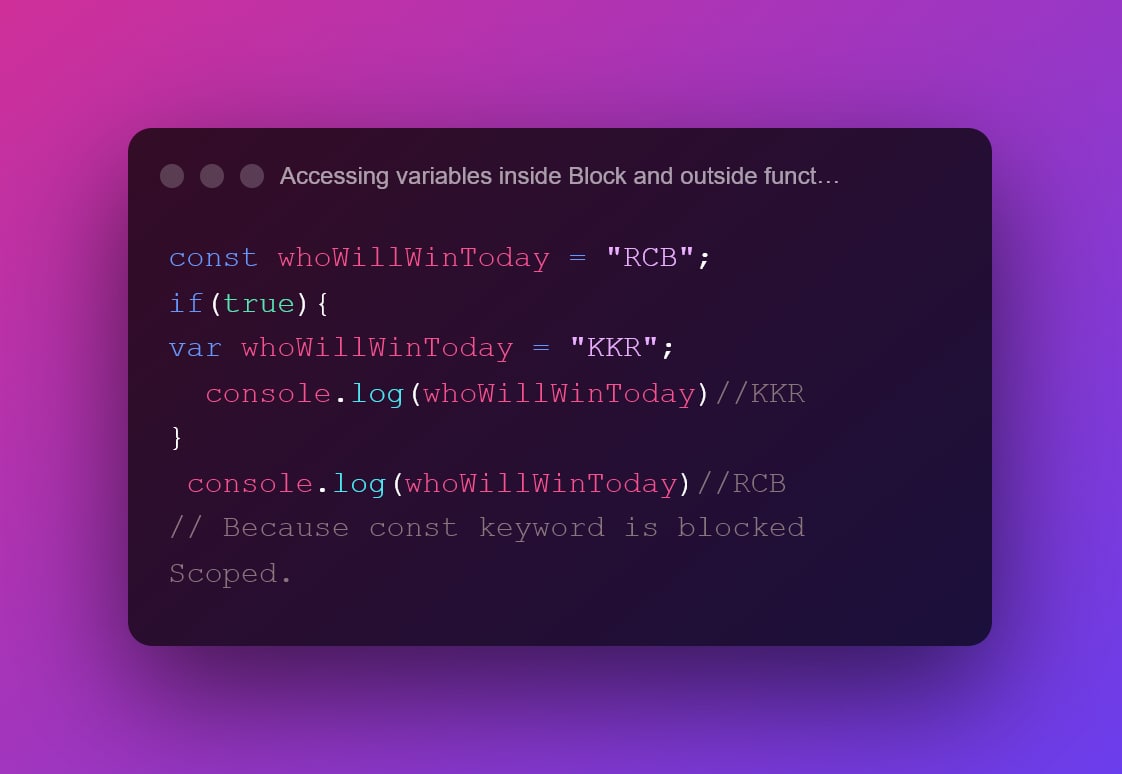
Example 3:- Accessing variable values inside and outside the block scope by using const.

If you found this thread useful,
1. Do Retweet the first tweet.
2. Follow
@CodeMarch
for the amazing content on Javascript & React.
1. Do Retweet the first tweet.
2. Follow
@CodeMarch
for the amazing content on Javascript & React.
Corrected.
Corrected.
Loading suggestions...