

After a decade of working as a Product Manager, I have learned a thing or two about UX Copywriting.
Here are 10 of my favorite tips I've picked up along the way.
===A THREAD===
Here are 10 of my favorite tips I've picked up along the way.
===A THREAD===
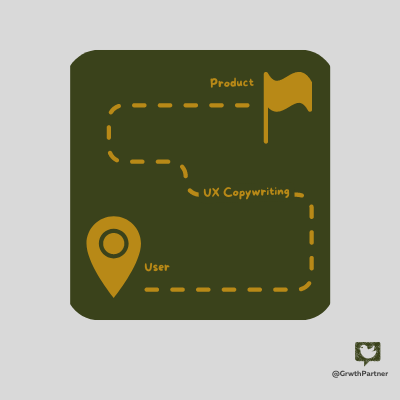
UX copywriting is NOT your standard marketing copy.
Here is why?
It's not about selling your product.
It is about helping users complete their tasks as quickly and efficiently as possible without getting stuck or frustrated.
Here is why?
It's not about selling your product.
It is about helping users complete their tasks as quickly and efficiently as possible without getting stuck or frustrated.
So, What are the key elements of UX copy?
1) Text you see on a product page, help pages etc...
2) Microcopy - Small units of text like labels for buttons, placeholder text, or error messages.
Let's jump right into tips...
1) Text you see on a product page, help pages etc...
2) Microcopy - Small units of text like labels for buttons, placeholder text, or error messages.
Let's jump right into tips...
1/ Use simple words, short and a clear writing style.
👉Don't overwhelm users with information overload
👉Don't let your users have to go to Google for product definitions.
👉Text on a page should serve a purpose—if it doesn't, get rid of it.
👉Don't overwhelm users with information overload
👉Don't let your users have to go to Google for product definitions.
👉Text on a page should serve a purpose—if it doesn't, get rid of it.
2/Create a unique voice for your product consistent with your brand.
EX: If you're writing for a playful and creative product...
Don't use a stuffy dictionary tone.
EX: If you're writing for a playful and creative product...
Don't use a stuffy dictionary tone.
3/Avoid sounding like a ROBOT, write like a HUMAN.
👉Use contractions ("It's," "doesn't," etc.)
👉Use the second person (you/your)
👉Avoid jargon and industry language—speak in plain language.
👉Use contractions ("It's," "doesn't," etc.)
👉Use the second person (you/your)
👉Avoid jargon and industry language—speak in plain language.
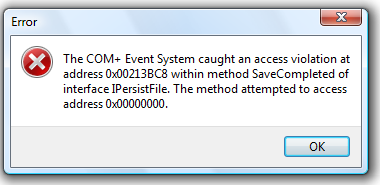
4/Keep your copy SCANNABLE.
Your copy should be easy to scan through, especially on mobile.
Break up copy into bite-sized chunks.
Keep paragraphs short.
Your copy should be easy to scan through, especially on mobile.
Break up copy into bite-sized chunks.
Keep paragraphs short.
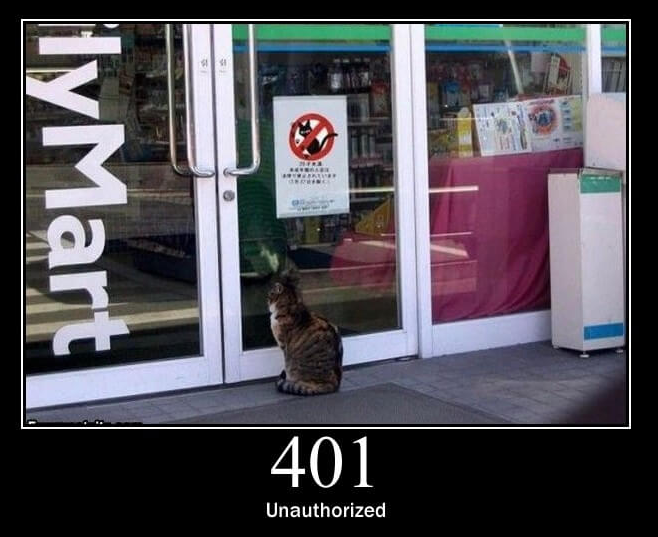
6/ Include helpful hints in error messages to reduce user frustration.
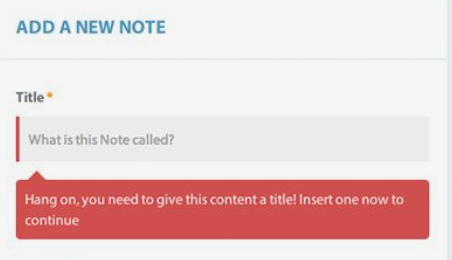
7/ keep the vital information on the top of the page [ABOVE THE FOLD] to make it easier for the users to take action.
8/Don't frustrate the users!
Users may get confused or angry if they struggle with the flow.
Try not to draw attention to their mistake to make them feel stupid.
Instead, focus on supporting them to recover from the situation by walking them through the process.
Users may get confused or angry if they struggle with the flow.
Try not to draw attention to their mistake to make them feel stupid.
Instead, focus on supporting them to recover from the situation by walking them through the process.
9/ Edit ruthlessly.
It's okay to end up with one sentence per screen or page if it gets the point across without confusion or fluff.
It's okay to end up with one sentence per screen or page if it gets the point across without confusion or fluff.
10/ Use illustrations, screenshots, and other visual elements to enhance your UX copy.
atlassian.design
atlassian.design
All these tips apply to any product that interacts with users.
If you like this thread, follow me @GrwthPartner for more tips on UX Design.
If you like this thread, follow me @GrwthPartner for more tips on UX Design.
Loading suggestions...