
How to Draw Fixed Range Volume Profile.
This is a free volume profile tool. Use it.
PLEASE READ and Learn before Volume Profile Master-class Part 2.
This is a free volume profile tool. Use it.
PLEASE READ and Learn before Volume Profile Master-class Part 2.
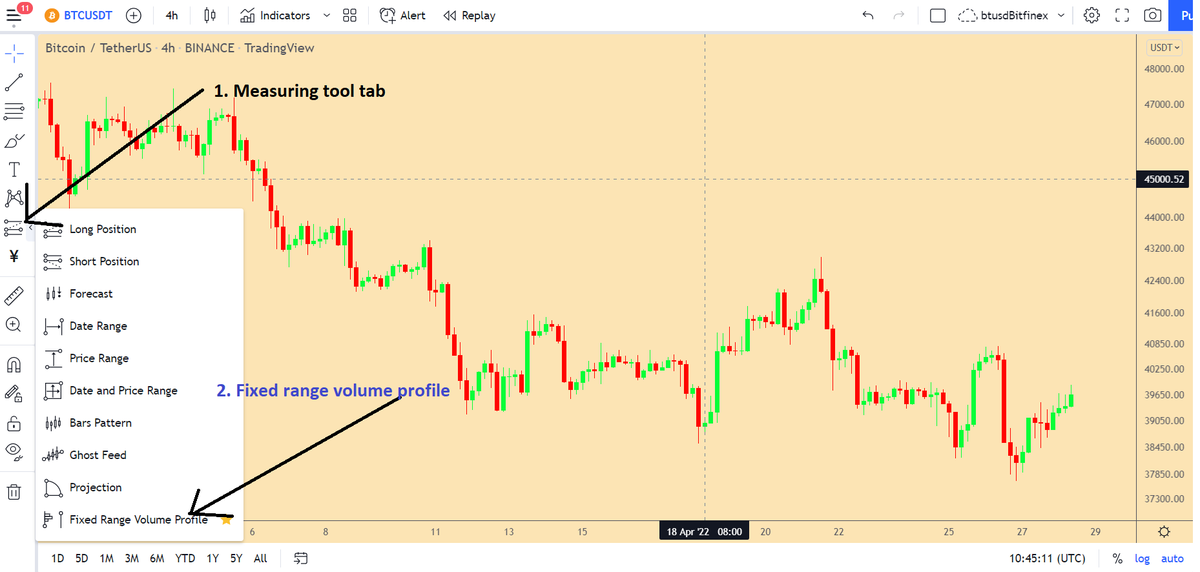
Click on Measuring tool tab.
Select Fixed range volume profile.
FRVP will be activated.
Select Fixed range volume profile.
FRVP will be activated.
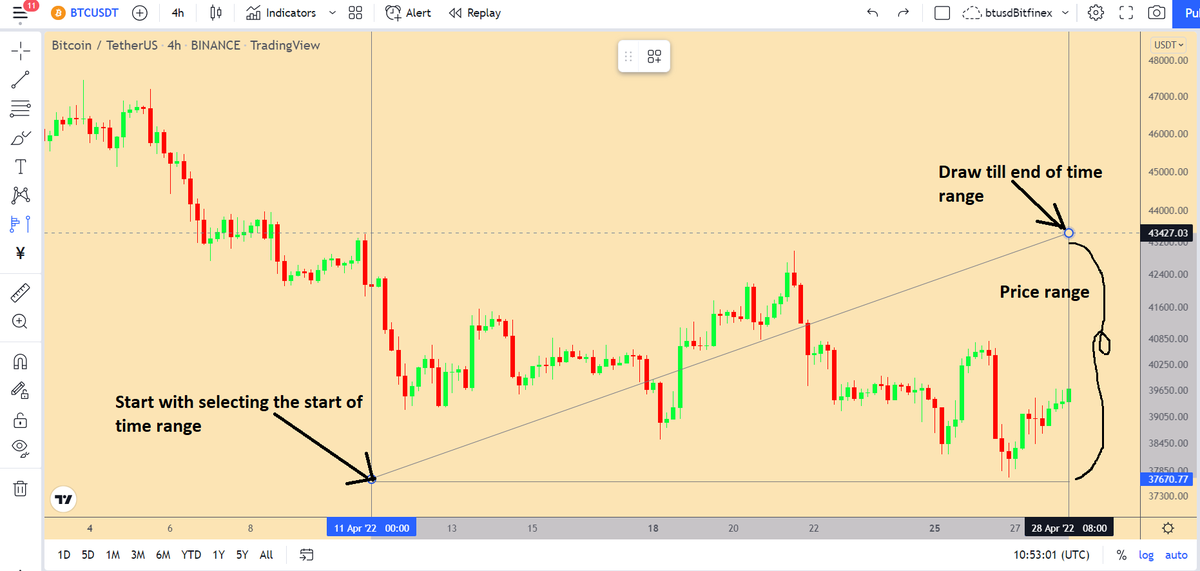
Click on the starting point from where you want to see the volume profile.
Second click till the place (time range) till which you want to see the volume profile.
The tool will automatically choose the price range, you don't have to worry about it.
Second click till the place (time range) till which you want to see the volume profile.
The tool will automatically choose the price range, you don't have to worry about it.
The VP will automatically appear once you make the time range selection.
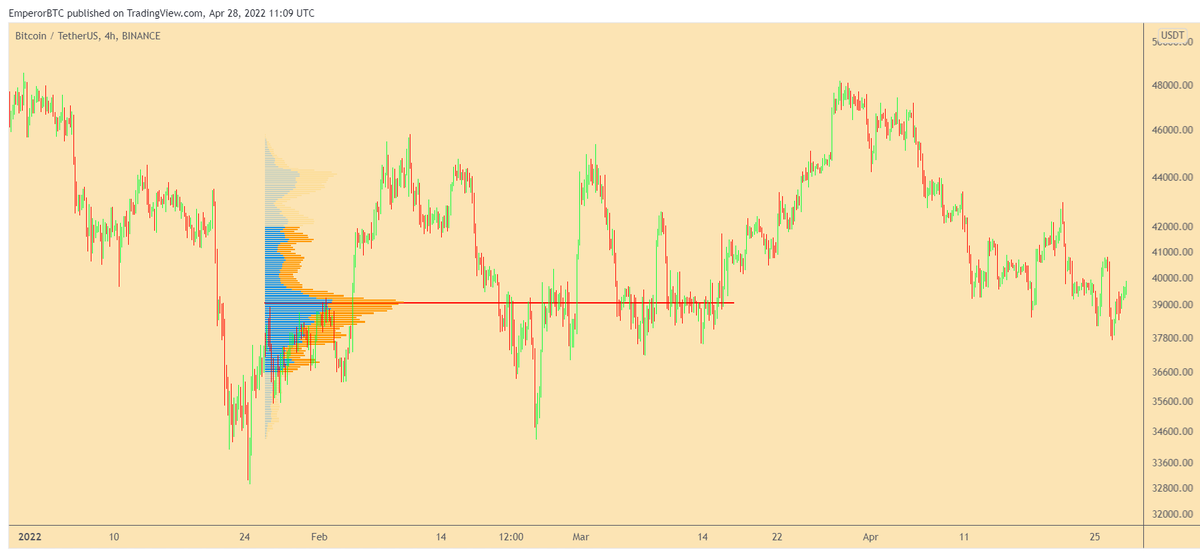
You can draw multiple FRVPs for a chart and find the area of interest for each range that you are interested in.
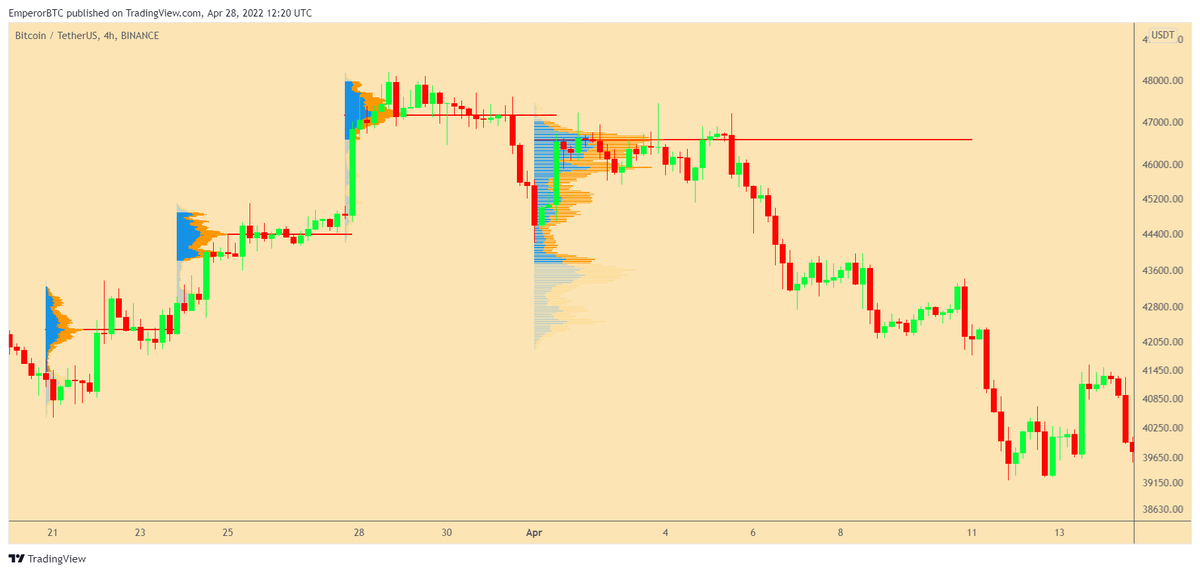
This is how to draw FRVP tutorial.
Will release FRVP master-class next where we will learn how to take trades based on them and learn the terminologies and use-cases.
Link to the Telegram account to be updated with the trading materials. Yes it's free.
t.me
Will release FRVP master-class next where we will learn how to take trades based on them and learn the terminologies and use-cases.
Link to the Telegram account to be updated with the trading materials. Yes it's free.
t.me

Loading suggestions...