

These 7 Google Sheets tips will 10x your marketing productivity and save you hours each week:
1. Verify emails
Stop paying for expensive email verification tools.
Paste an email into an empty cell. Hover over it. You'll instantly be able to tell if it's an active email:
Stop paying for expensive email verification tools.
Paste an email into an empty cell. Hover over it. You'll instantly be able to tell if it's an active email:

2. Track and build UTM links at scale
UTM codes are bits of text added at the end of a URL to track where website traffic comes from if users click your link.
Google's UTM builder is too slow.
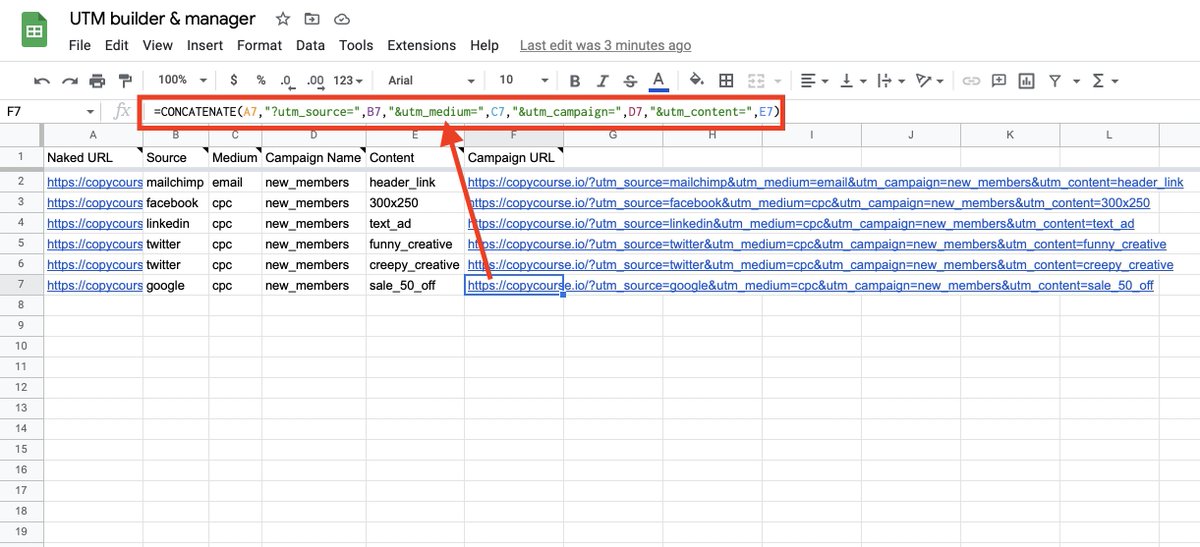
Use CONCATENATE to build UTMs instnatly at scale, and track them for easy sharing:
UTM codes are bits of text added at the end of a URL to track where website traffic comes from if users click your link.
Google's UTM builder is too slow.
Use CONCATENATE to build UTMs instnatly at scale, and track them for easy sharing:
3. Connect Google Analytics data
GA is a nightmare. It's confusing, and there are SO many reports.
Go to extensions -> add-ons -> install Google Analytics.
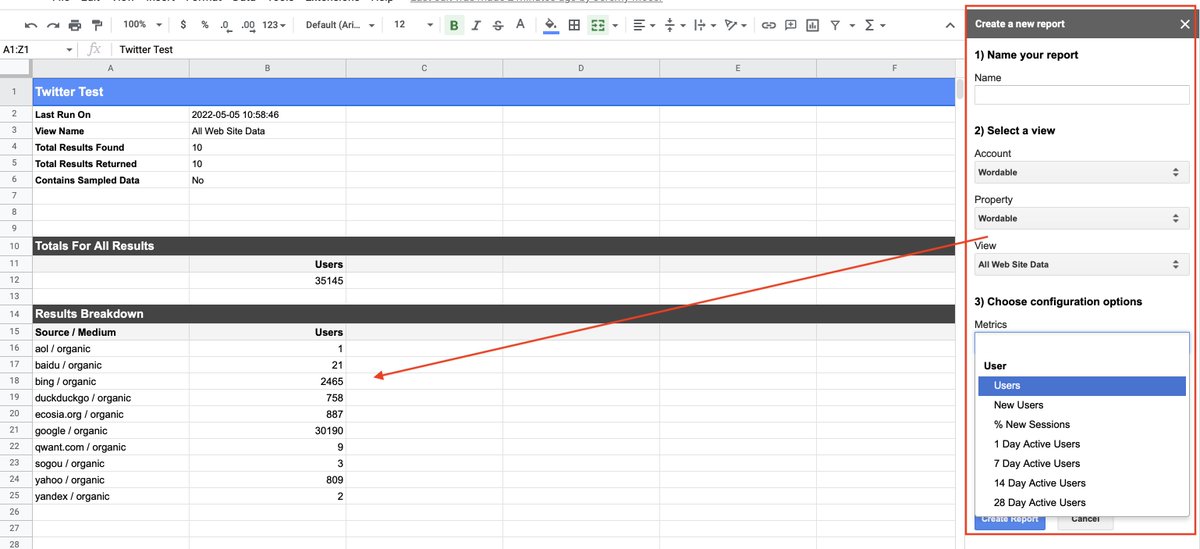
Now you can add JUST the reports you care about, in seconds, and click "run" to update them instantly:
GA is a nightmare. It's confusing, and there are SO many reports.
Go to extensions -> add-ons -> install Google Analytics.
Now you can add JUST the reports you care about, in seconds, and click "run" to update them instantly:
4. Visualize your data
Cool, you just imported data in seconds.
Now you can visualize it in a graph with SPARKLINE:
=sparkline(A1:F1)
Cool, you just imported data in seconds.
Now you can visualize it in a graph with SPARKLINE:
=sparkline(A1:F1)

5. Blog title length checker
Writing SEO blog titles for tons of new keywords? Your title tag shouldn't exceed 60 characters.
Use this easy formula to track length and highlight when you exceed character limits:
LEN(B8), then add conditional formatting for colors.
Writing SEO blog titles for tons of new keywords? Your title tag shouldn't exceed 60 characters.
Use this easy formula to track length and highlight when you exceed character limits:
LEN(B8), then add conditional formatting for colors.

6. Track and respond to brand mentions
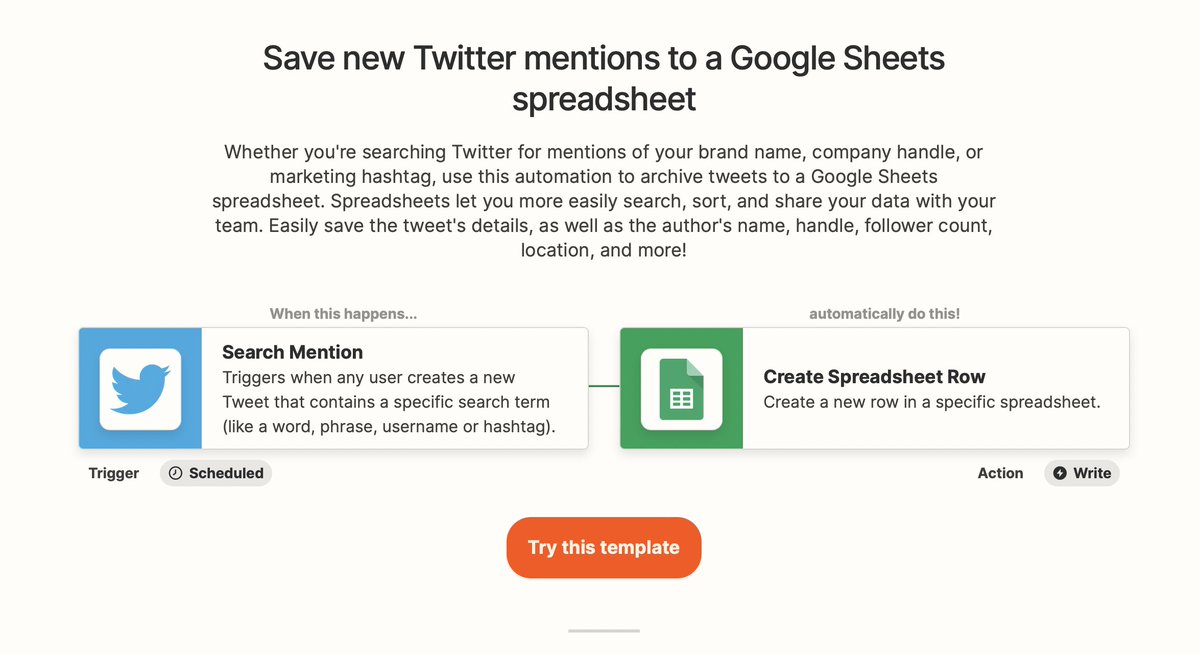
Using Zapier, you can automatically save mentions of your brand on Twitter into a Google Sheet.
Every time your brand (or name) is mentioned without being tagged, you'll see the exact tweet to respond to:
Using Zapier, you can automatically save mentions of your brand on Twitter into a Google Sheet.
Every time your brand (or name) is mentioned without being tagged, you'll see the exact tweet to respond to:
7. Steal competitor blog post titles and topics
Want to see all of the topics and blog posts your competition is publishing?
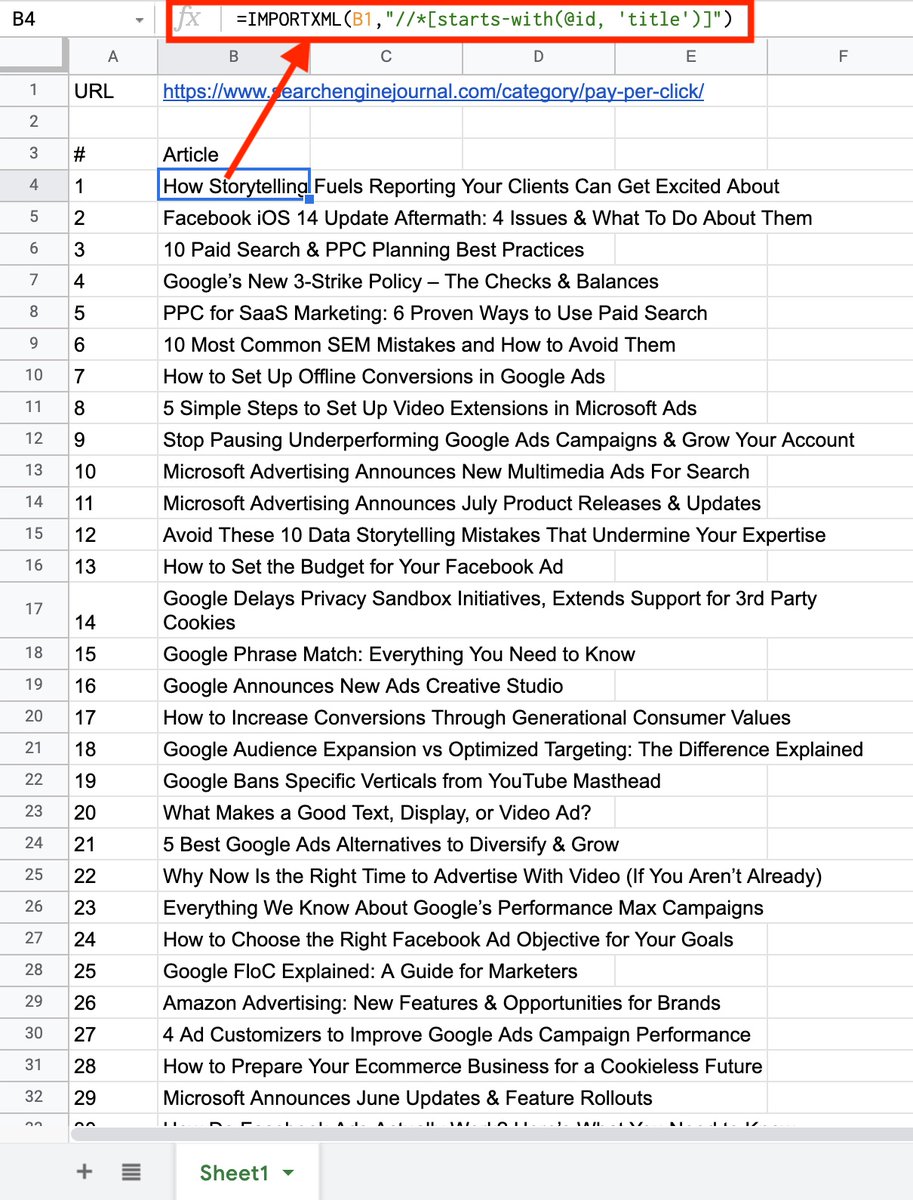
Use IMPORTXML to scrape all of their blog post titles and unlock 100s of new content ideas to iterate from:
Want to see all of the topics and blog posts your competition is publishing?
Use IMPORTXML to scrape all of their blog post titles and unlock 100s of new content ideas to iterate from:
That's it! If you found this useful, please:
1. RT and share with others!
2. Give me a follow @jmoserr for more weekly threads and tips!
1. RT and share with others!
2. Give me a follow @jmoserr for more weekly threads and tips!
Loading suggestions...