

🧵HOW TO SAFELY BURN UNWANTED SOL NFTs/TOKENs using SOL-INCINERATOR
sol-incinerator.com
Solincinerator is my fav tool for burning unwanted NFTs/Tokens because of its perks over other tools i.e it automatically closes token accounts and returns the sol used to store the token
sol-incinerator.com
Solincinerator is my fav tool for burning unwanted NFTs/Tokens because of its perks over other tools i.e it automatically closes token accounts and returns the sol used to store the token
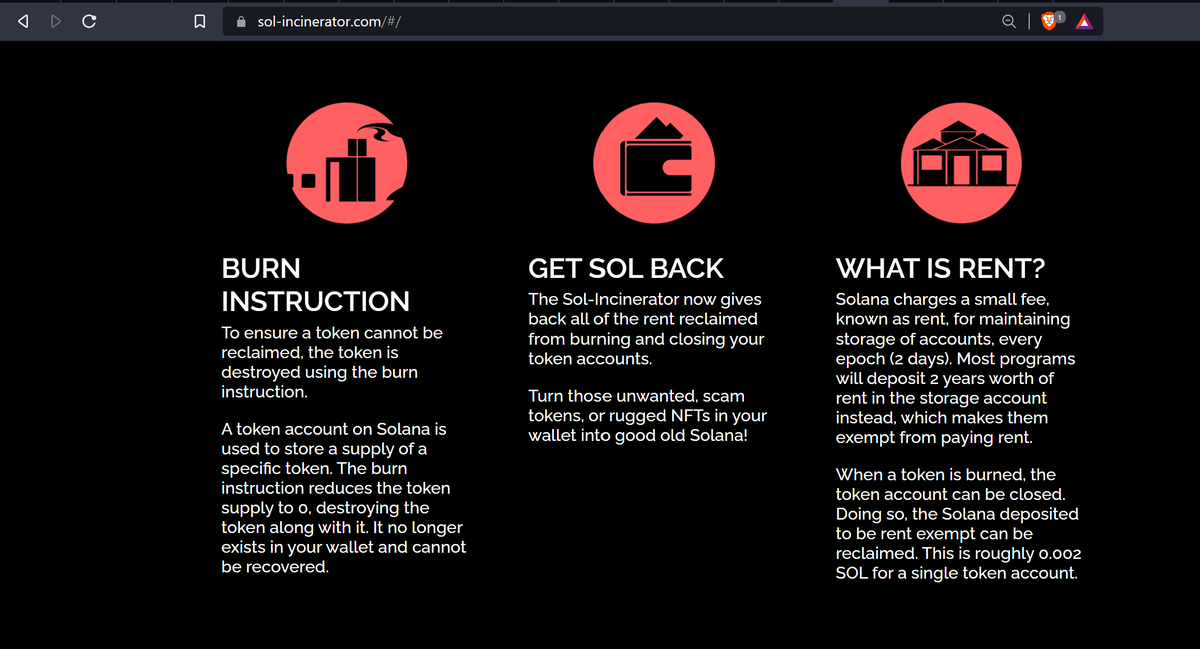

To burn, connect your wallet to the website. It will display all the tokens and NFTs in your wallet in 3 groups:
1. NFTs,
2. Tokens - these are tokens that have been named and verified on Solana, and
3. Unknown Tokens - these are most times whitelist tokens that are not named.
1. NFTs,
2. Tokens - these are tokens that have been named and verified on Solana, and
3. Unknown Tokens - these are most times whitelist tokens that are not named.
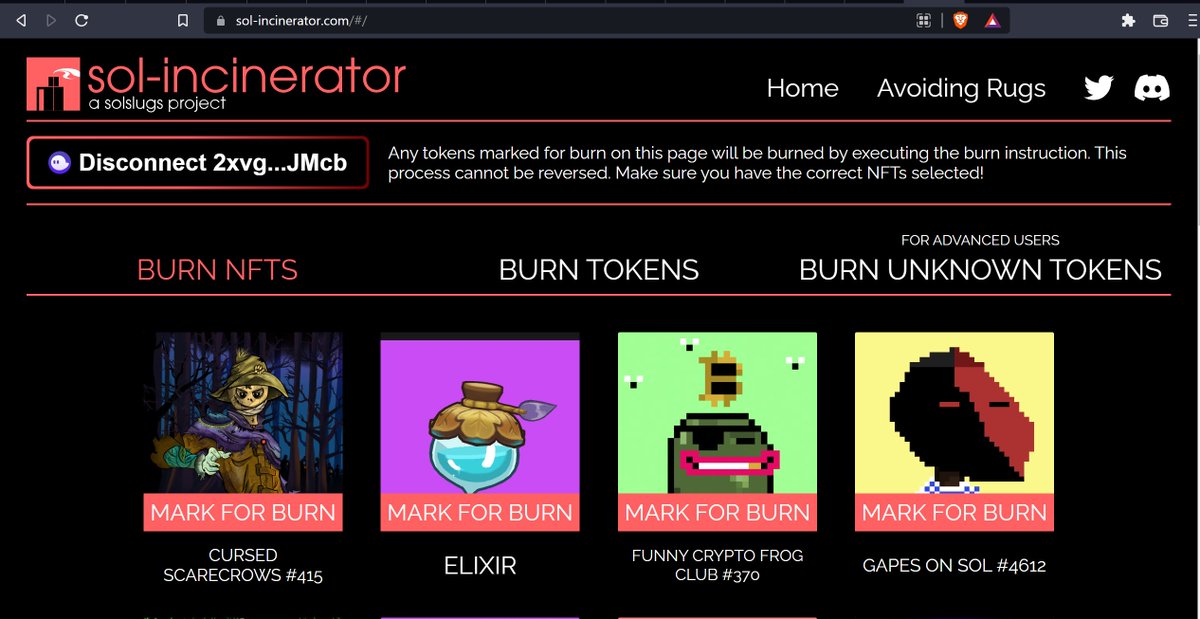
Burning unknown tokens can be tricky which is why the sol incinerator would display it as "for advanced users"
But I am going to show you how to easily go about this without messing up anything, keep reading!
But I am going to show you how to easily go about this without messing up anything, keep reading!
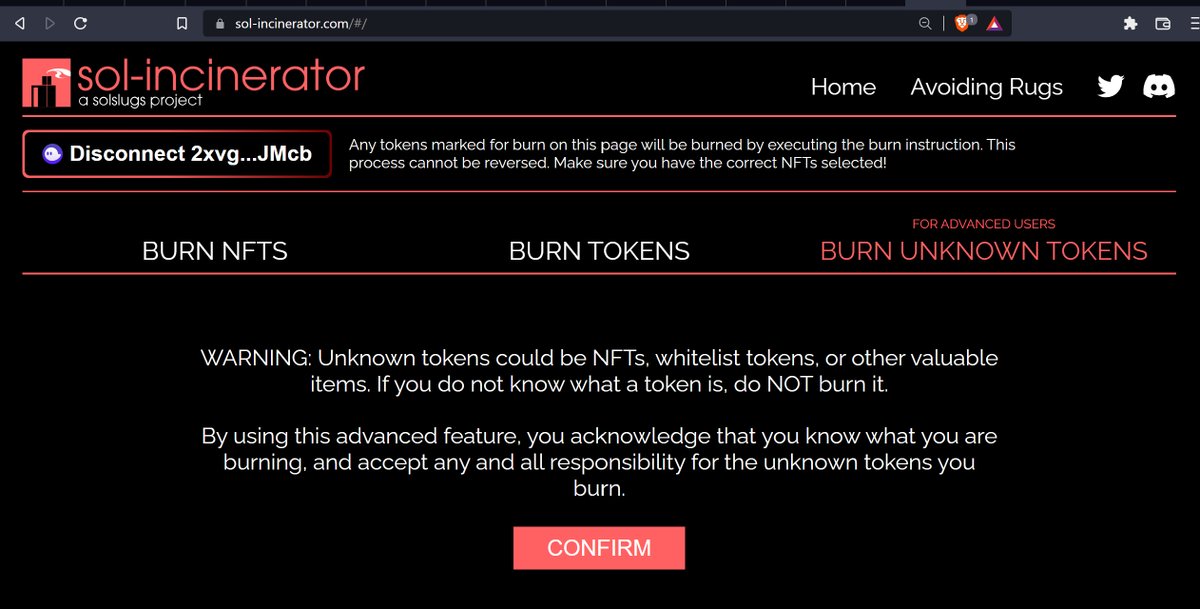
To burn NFTs, simply mark the NFT for burn. You can burn up to 10 NFTs in a single burn transaction but if you are doing it when sol tps is down, you may need to reduce it to just 4.
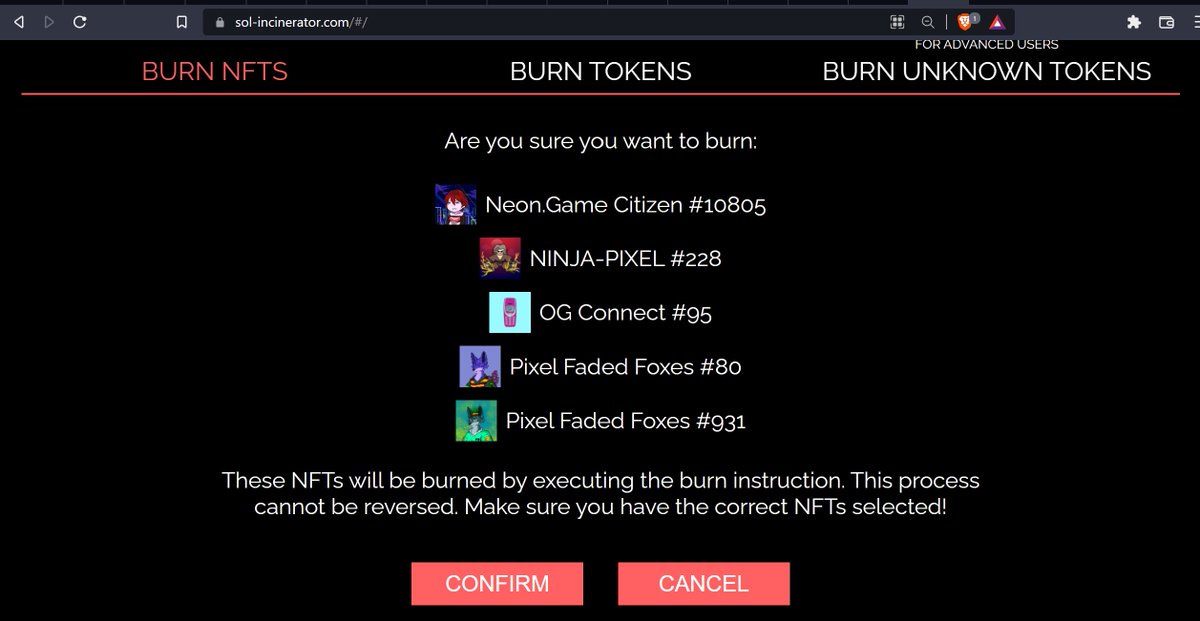
Click on Burn NFTs, you will be redirected to a page to confirm what you are trying to burn.
Click on Burn NFTs, you will be redirected to a page to confirm what you are trying to burn.
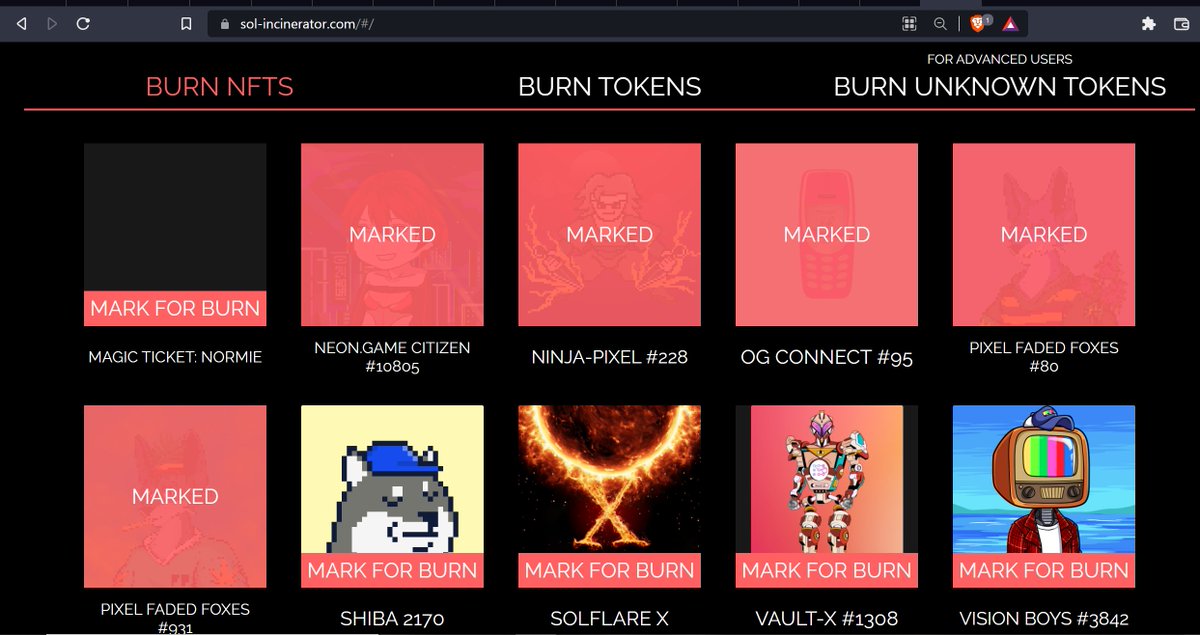
This is the final chance to confirm that you have selected the right NFTs. Click on confirm and approve the transaction in your wallet. From the slide 2 below, you can see phantom displayed +0.00204; this is because as the incinerator is burning the NFT,
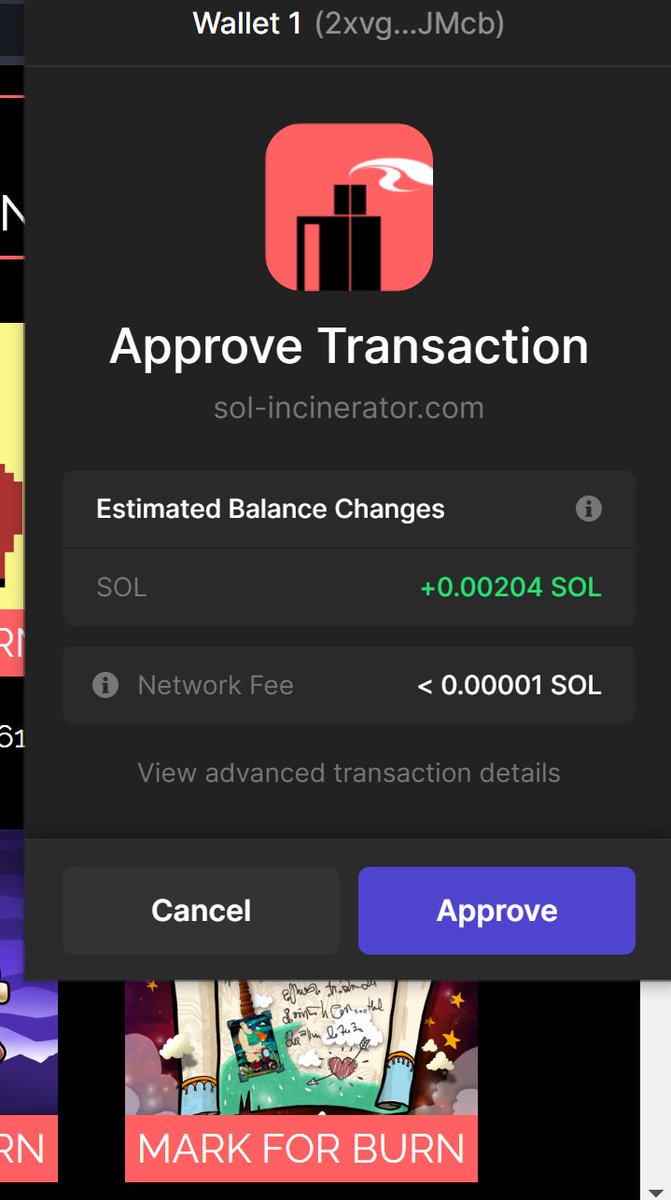
it is automatically closing its token account in your wallet and returning the sol used to store it.
About 0.002sol is used to rent a space in your wallet to store each tokens or NFTs.
Imagine the amount of #sol you will get back if you burn the 100 unwanted NFTs in your wallet!
About 0.002sol is used to rent a space in your wallet to store each tokens or NFTs.
Imagine the amount of #sol you will get back if you burn the 100 unwanted NFTs in your wallet!
To burn Tokens, it is the same method as burning NFTs.
The difference between tokens and unknown tokens on the sol incinerator website is that tokens are named and you can easily identify the one you want to burn.
The difference between tokens and unknown tokens on the sol incinerator website is that tokens are named and you can easily identify the one you want to burn.
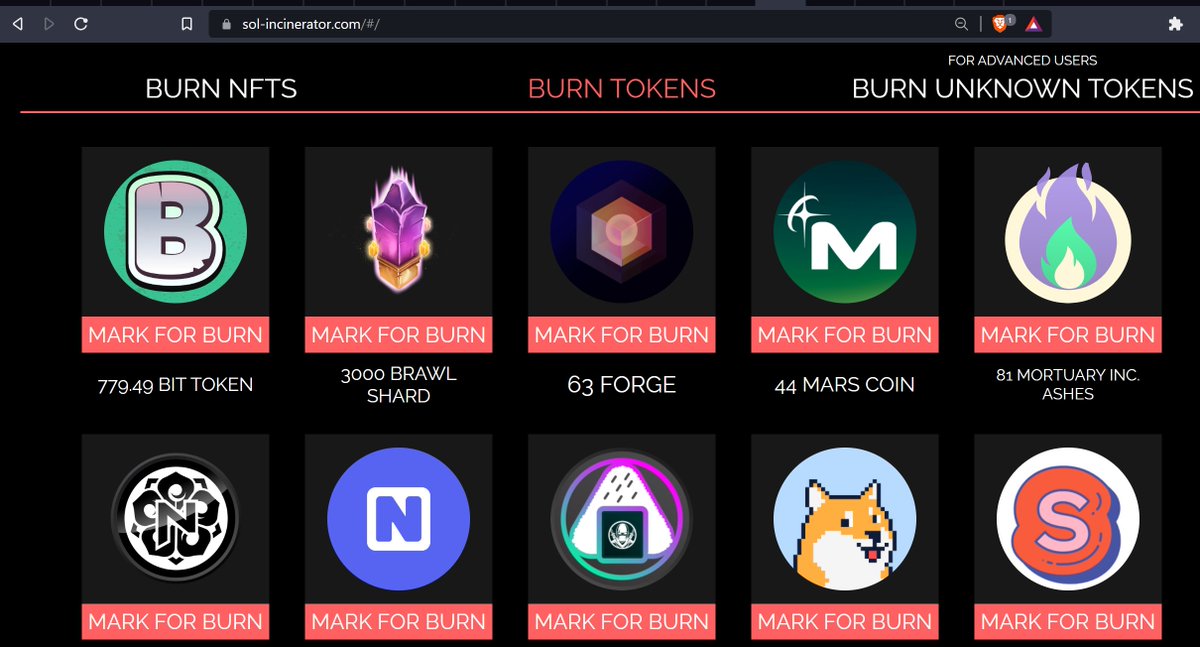
For unknown tokens, you need to do an extra action to be sure of what you are burning.
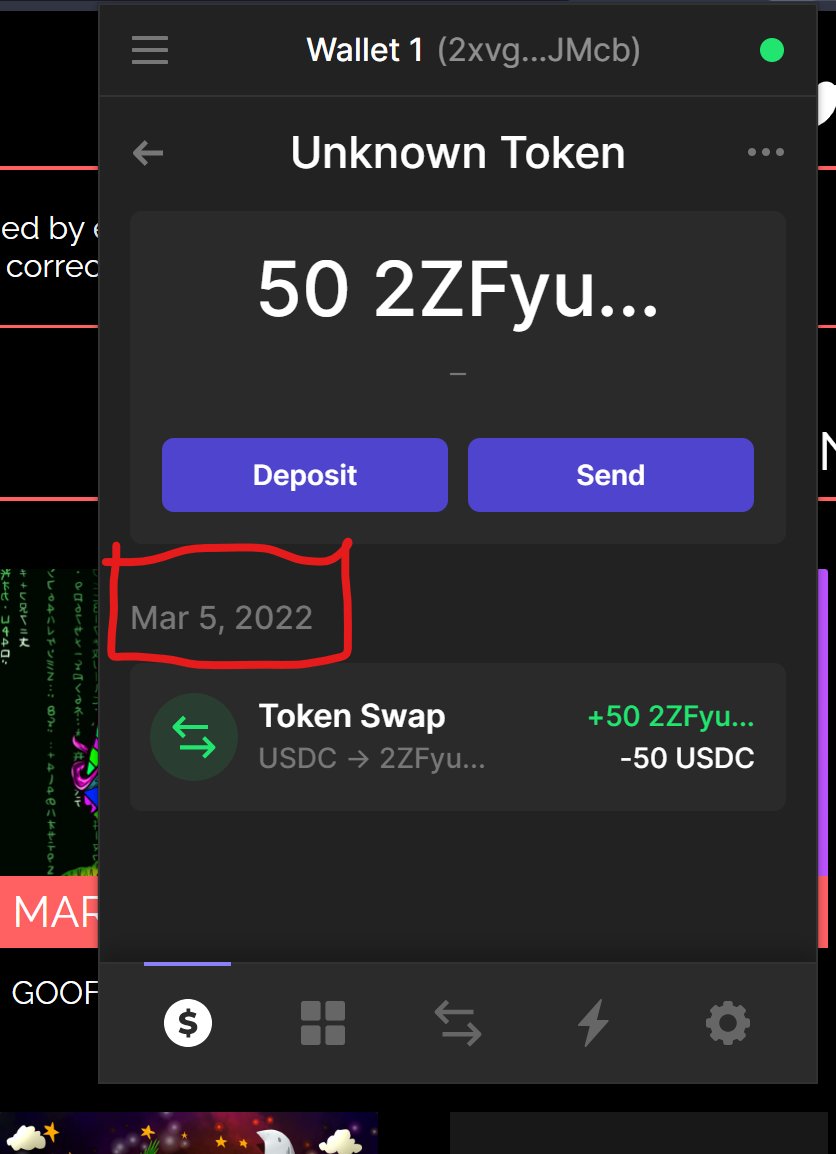
Simply go to your phantom wallet, find and click on an unknown token. The phantom wallet would show you the date the token enters your account.
Simply go to your phantom wallet, find and click on an unknown token. The phantom wallet would show you the date the token enters your account.
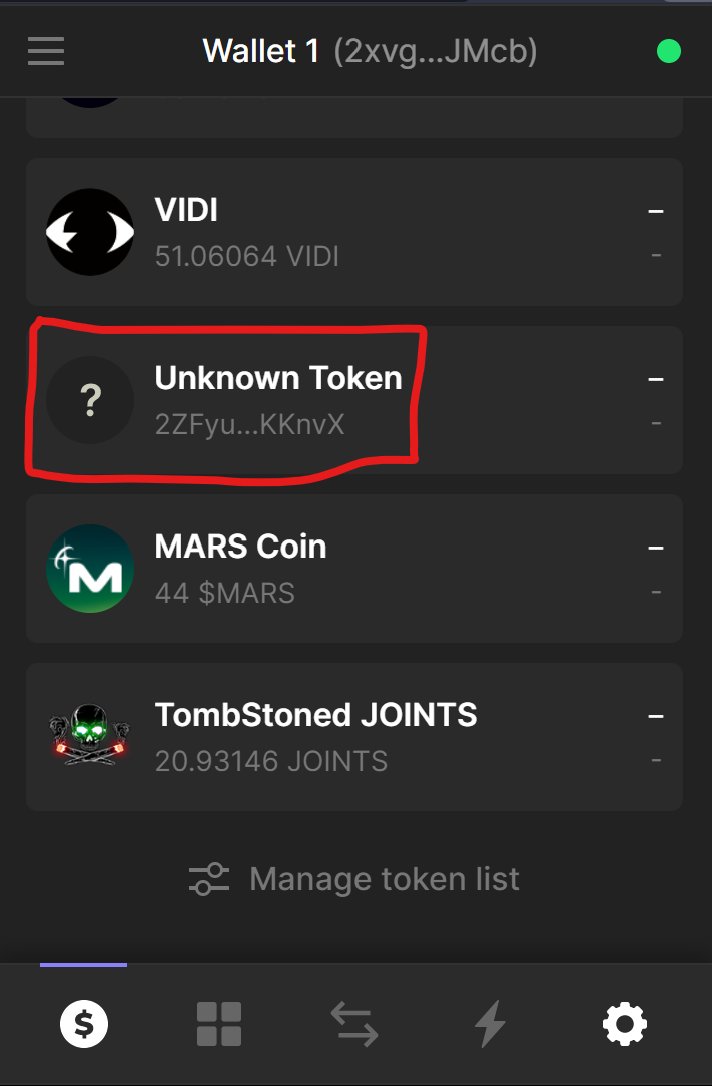
Depending on how long, you can be sure that you are not trying to burn a whitelist token that has just been airdropped to you.
For me, I only burn unknown tokens that have been in my wallet for more than a week.
For me, I only burn unknown tokens that have been in my wallet for more than a week.
With these steps, you can safely burn unwanted and scam NFTs/Tokens in your wallet and also recover $SOL.
This tool is completely safe and owned by a reputable project on Solana [@SolSlugsNFT] and I have been using it since October 2021 without any concern.
This tool is completely safe and owned by a reputable project on Solana [@SolSlugsNFT] and I have been using it since October 2021 without any concern.
But if you are unsure, you can always try it on your burner wallets first.
This thread might make this process seems long, but trust me it is the fastest thing ever and fun to do. I have once burned 78 NFTs in less than 5 minutes and recovered enough sol to fund degen plays.😊
This thread might make this process seems long, but trust me it is the fastest thing ever and fun to do. I have once burned 78 NFTs in less than 5 minutes and recovered enough sol to fund degen plays.😊
So friends, if you like keeping your wallet tidy like me; then get to work! You can leave any questions or concerns in the comment section, I will gladly come to your aid.
Thanks for reading. Share and retweet for your friends.
Thanks for reading. Share and retweet for your friends.
You can read my other useful threads here:
HOW TO GET RID OF SCAM NFTs on SOL
How to win Twitter whitelist raffles
HOW TO GET RID OF SCAM NFTs on SOL
How to win Twitter whitelist raffles
Loading suggestions...