

Here's The Easiest Way to Maximize Shopping & Performance Max Campaigns Revenue
7 Tips on Data Feed Optimization
/Google Ads Thread/
7 Tips on Data Feed Optimization
/Google Ads Thread/
Log into Google Merchant Center
Go to your products
Go to your products
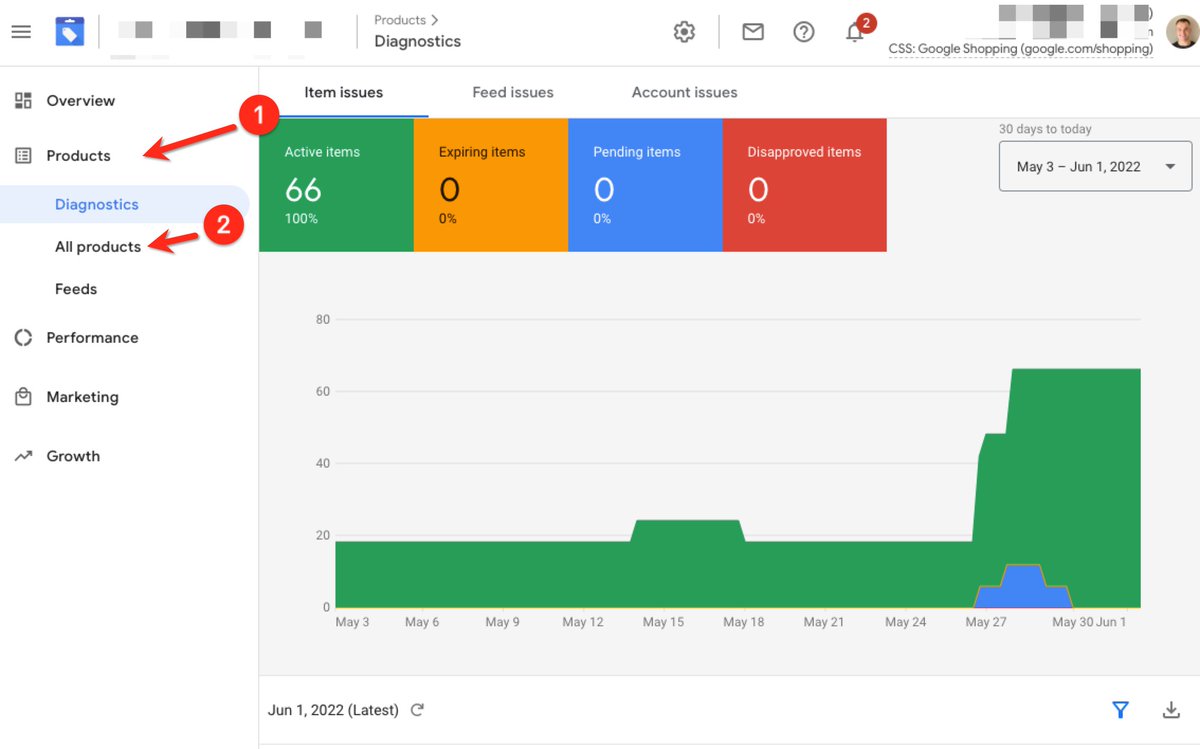
Sort Products by Most Clicks
You want to optimize your winner's first
You want to optimize your winner's first
Edit Product (✏️ icon)
Follow this checklist
Follow this checklist
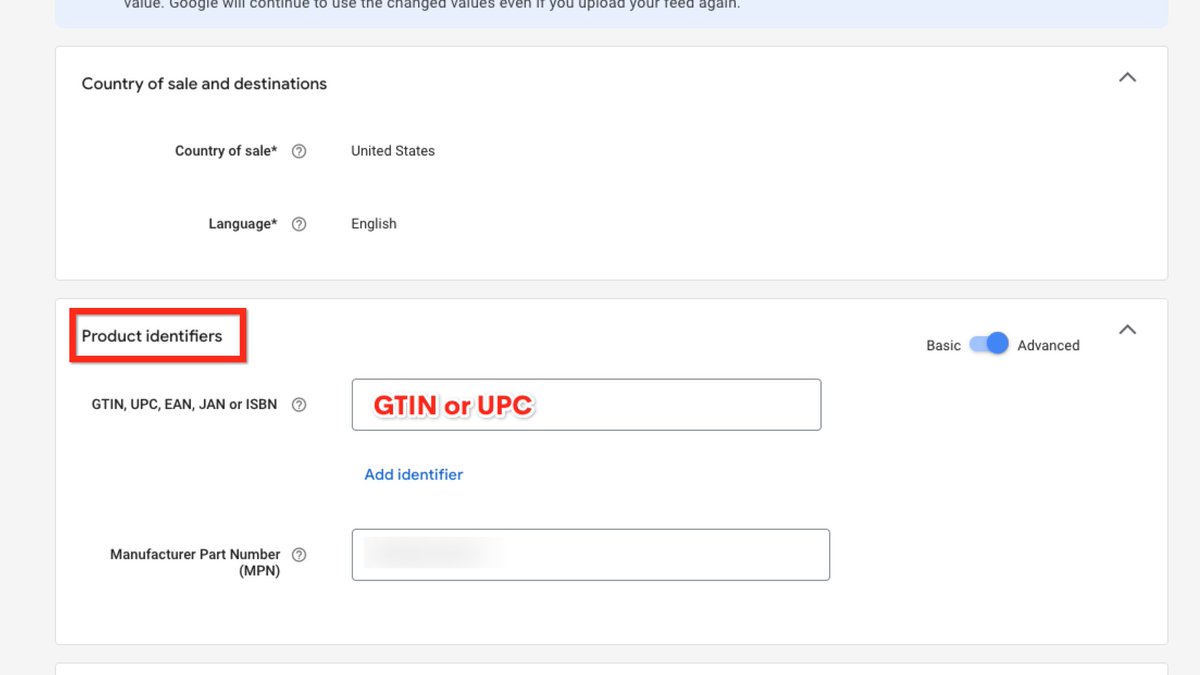
#1 -- Product Identifiers
This is required for all products
If you have them --> you give Google backend access to all other advertisers who have the same product (and all the data that comes with it)
If not --> mark it as unique
This is required for all products
If you have them --> you give Google backend access to all other advertisers who have the same product (and all the data that comes with it)
If not --> mark it as unique
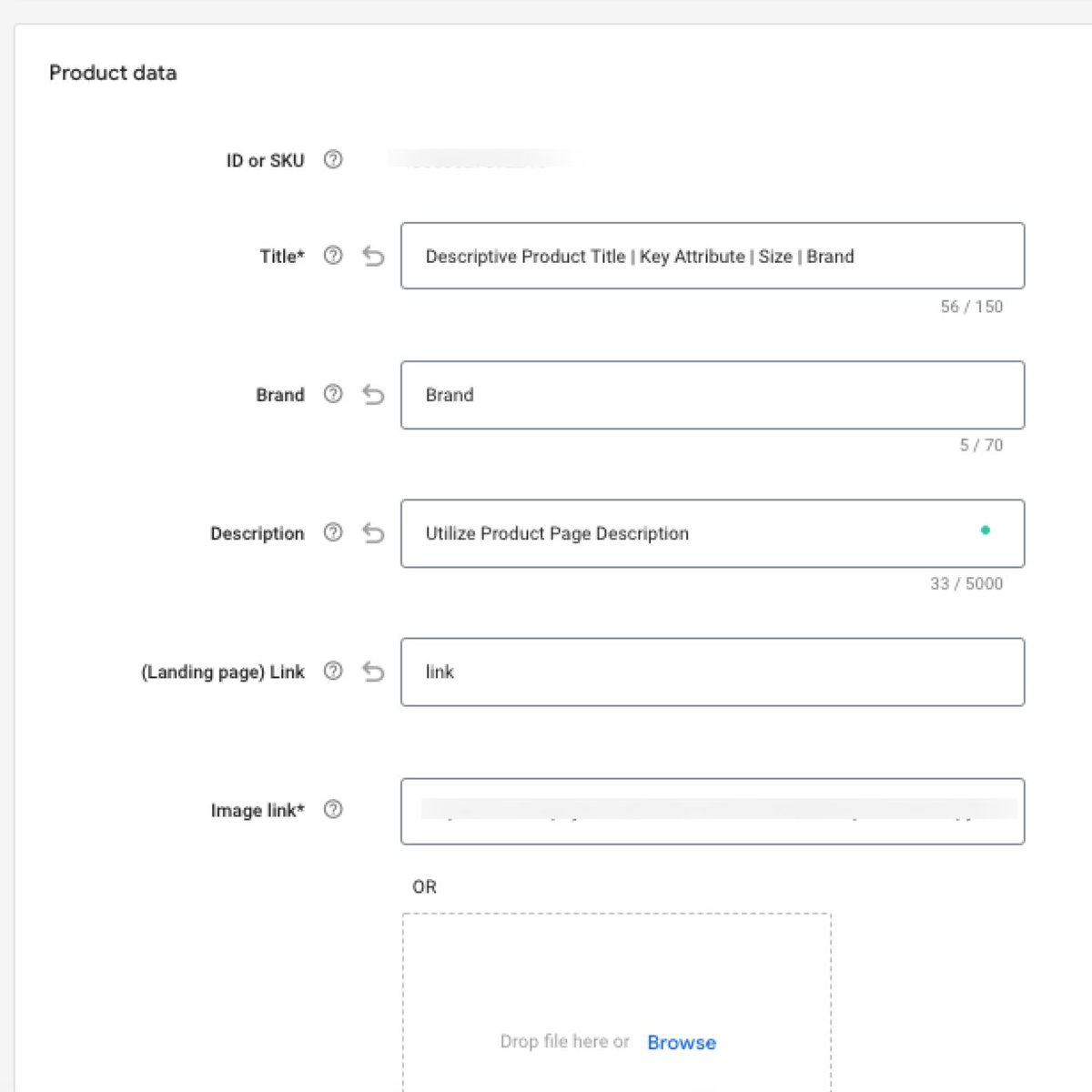
#2 -- Product Data
Title
> this is your best chance at improving your shopping performance
> make sure you're keyword & attribute specific + including brand (front if major, back if small)
Brand
> brand
Description
> product page
Image
> another area to test creatives
Title
> this is your best chance at improving your shopping performance
> make sure you're keyword & attribute specific + including brand (front if major, back if small)
Brand
> brand
Description
> product page
Image
> another area to test creatives
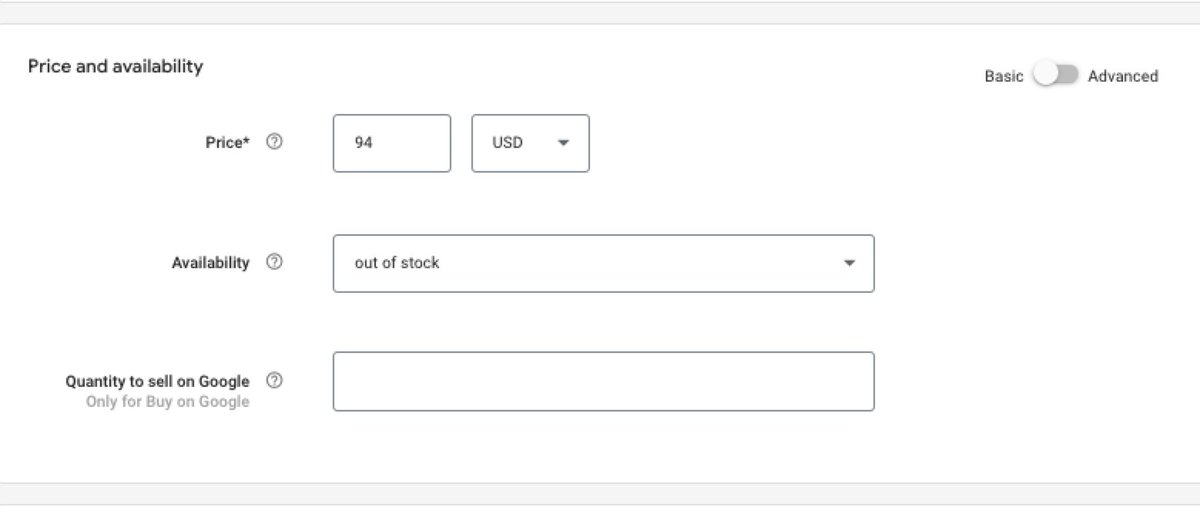
#3 -- Price & Availability
> Personally I don't mess with this unless I have to, should be pulled from Shopify directly or your feed application
> Personally I don't mess with this unless I have to, should be pulled from Shopify directly or your feed application
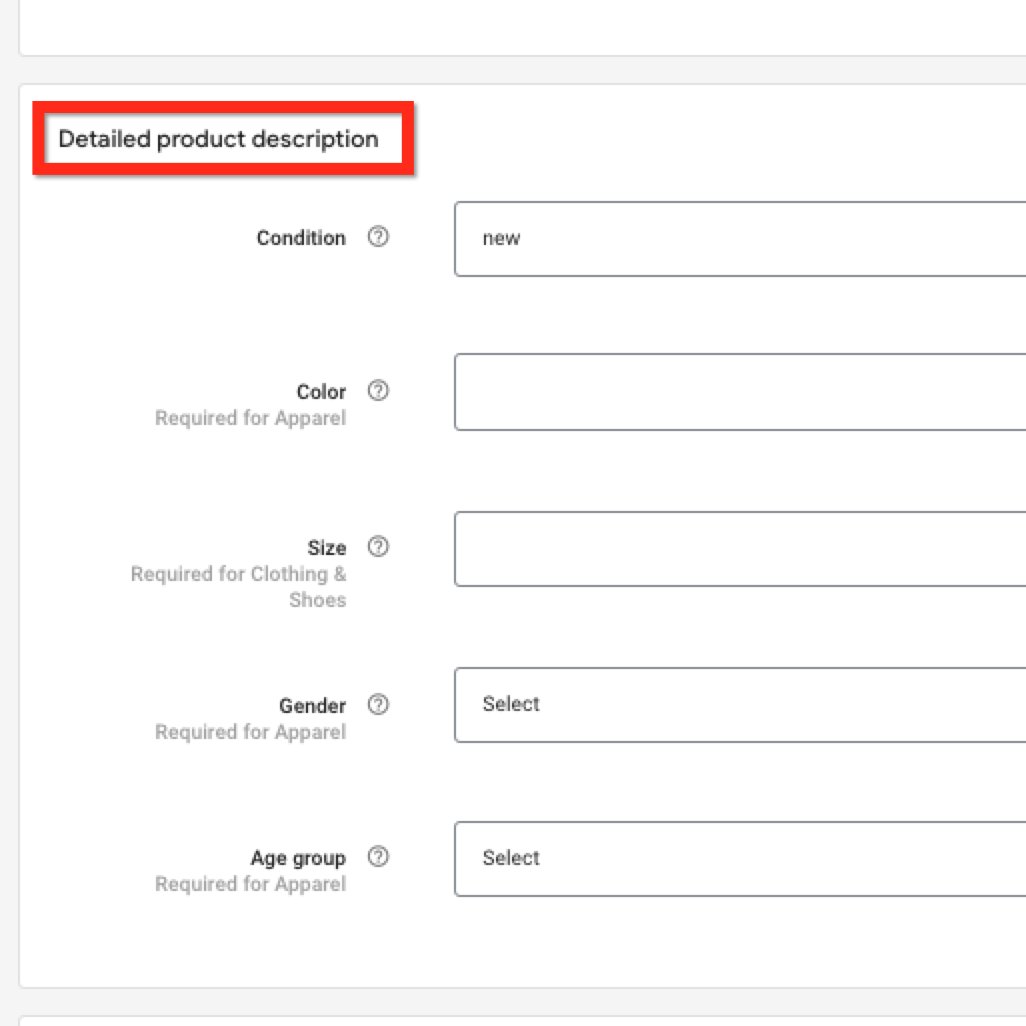
#4 -- Product Description
Condition
> New or Used
Color
> required for apparel
Size
> required for clothing/shoes
Gender
> unisex in most cases
Age Group
> easy way to tell Google audience
Condition
> New or Used
Color
> required for apparel
Size
> required for clothing/shoes
Gender
> unisex in most cases
Age Group
> easy way to tell Google audience
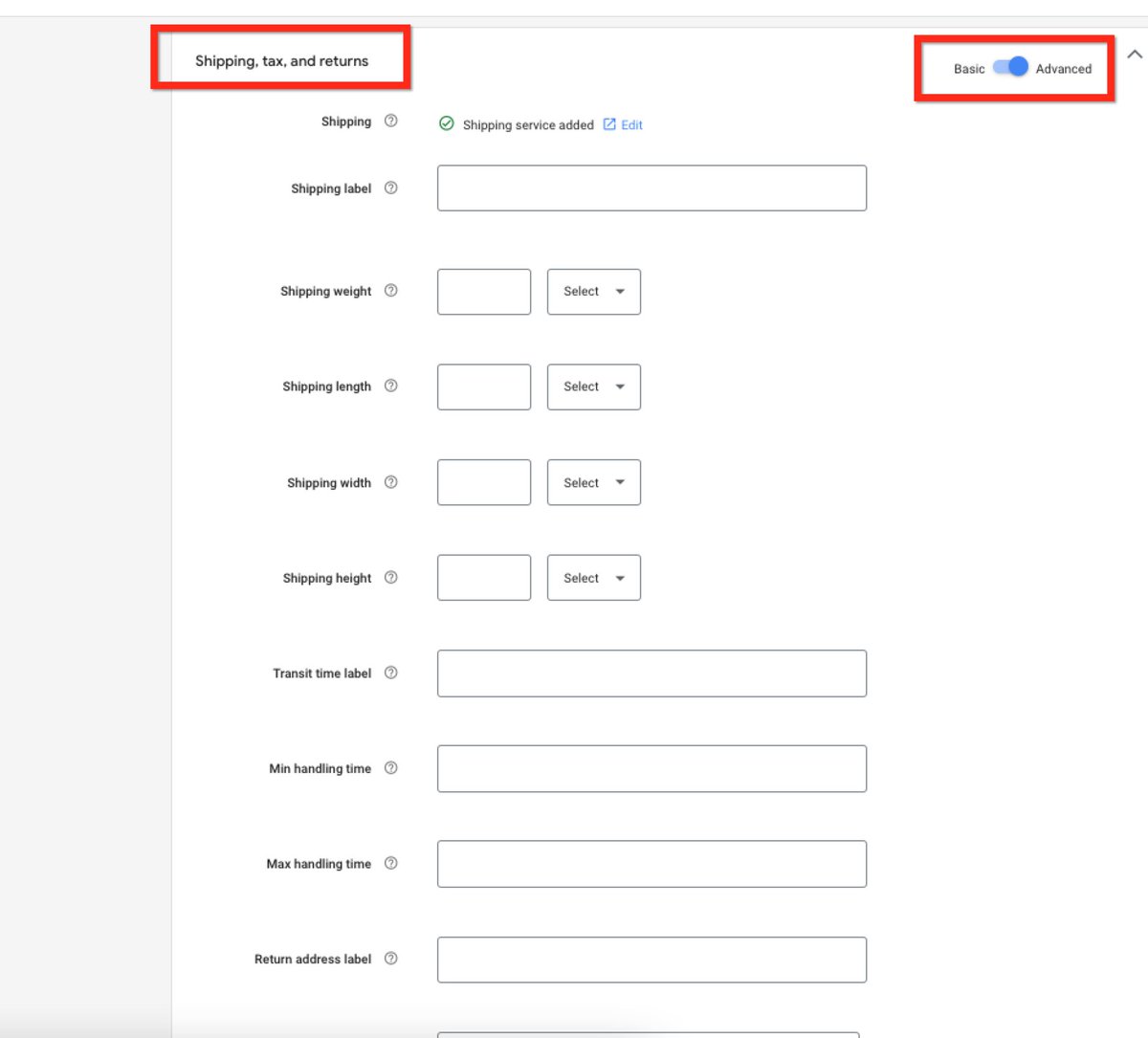
#5 -- Shipping, Tax, and Returns
This should be set up from your main feed
if you need to go deeper
--> turn it to 'advanced' mode and don't freak out
This should be set up from your main feed
if you need to go deeper
--> turn it to 'advanced' mode and don't freak out
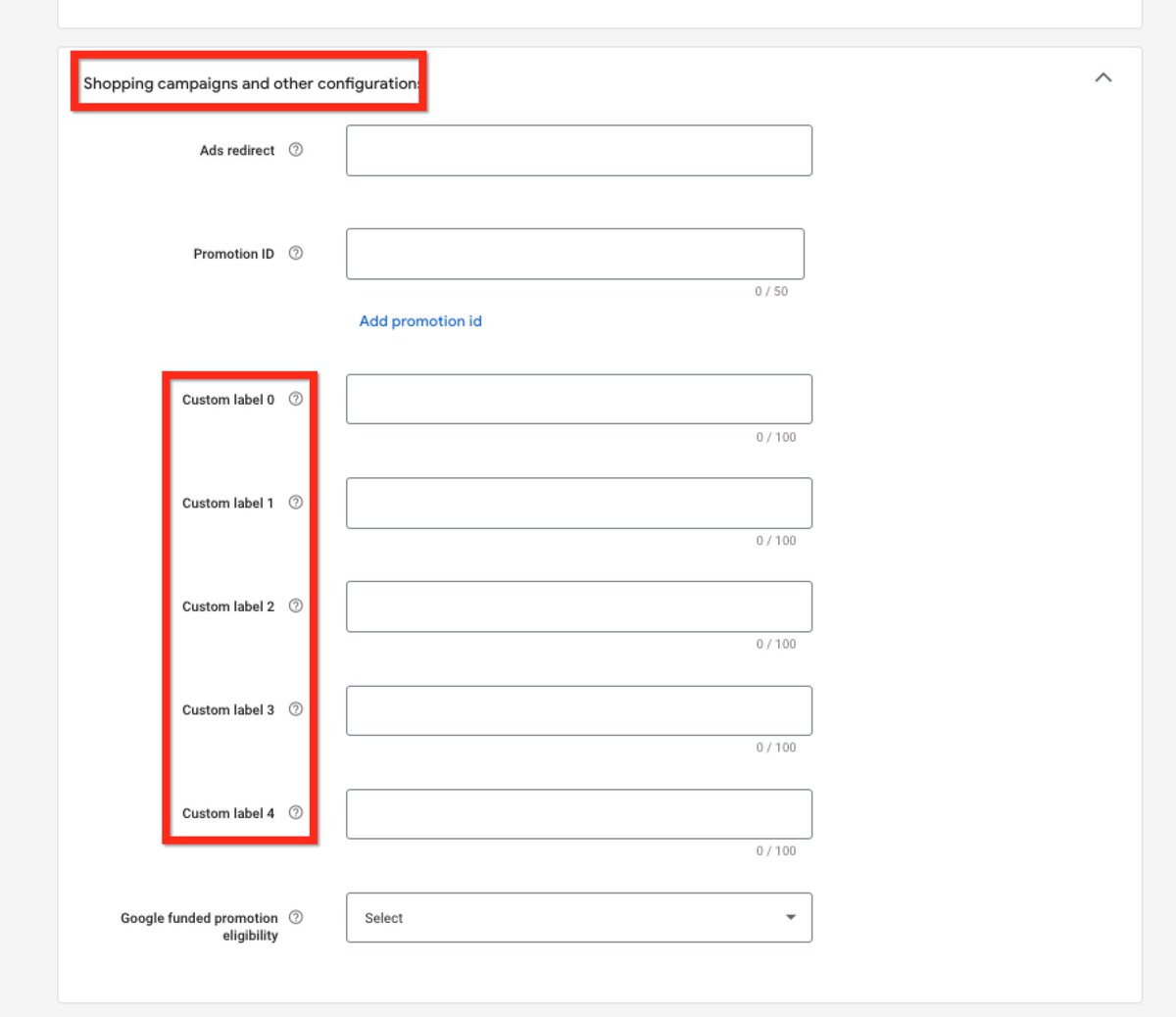
#6 -- Shopping Campaign Attributes
If you have more than 10 SKUs you're going to want to start using Custom Labels
I would create custom labels on the following (as needed)
*Collection
*Category
*Product Type (Bundle/Single)
*Profit Margin
*Seasonality/Holiday
If you have more than 10 SKUs you're going to want to start using Custom Labels
I would create custom labels on the following (as needed)
*Collection
*Category
*Product Type (Bundle/Single)
*Profit Margin
*Seasonality/Holiday
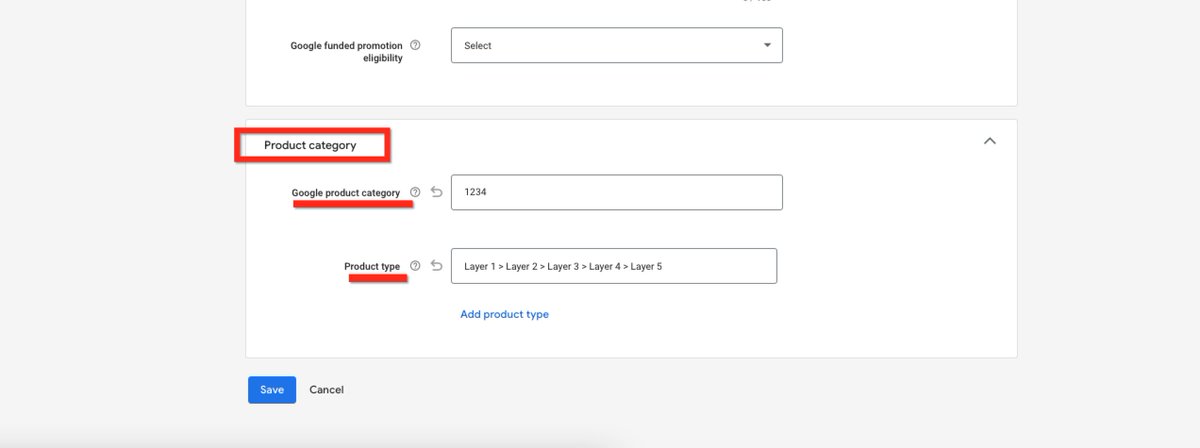
#7 -- Product Category
SUPER important for the algo when you have a wide arrange of products & target audiences
Google Product Category --> Google defined taxonomy
> text or # category
Product Type --> Personally defined taxonomy
Use both and be as descriptive as possible
SUPER important for the algo when you have a wide arrange of products & target audiences
Google Product Category --> Google defined taxonomy
> text or # category
Product Type --> Personally defined taxonomy
Use both and be as descriptive as possible
Now that you have optimized the feed itself
--> make sure your products are getting the right searches with standard shopping campaigns
then move to Smart Shopping (or Performance Max)
--> make sure your products are getting the right searches with standard shopping campaigns
then move to Smart Shopping (or Performance Max)
Loading suggestions...