

Changing style of the bullet/number marker of list item is made very easy now in CSS.
How?
Using ::marker pseudo-element ✨
Learn all about ::marker in this graphical thread covering 7 use cases of it.
🧵 ↓
#CSS3 #webdev #DEVCommunity #100DaysOfCode
How?
Using ::marker pseudo-element ✨
Learn all about ::marker in this graphical thread covering 7 use cases of it.
🧵 ↓
#CSS3 #webdev #DEVCommunity #100DaysOfCode

What is ::marker pseudo-element?
::marker pseudo-element selector selects marker box of the list-item and thus helps in styling bullet/number of the list-item.
Let's learn about different use cases of ::marker.
::marker pseudo-element selector selects marker box of the list-item and thus helps in styling bullet/number of the list-item.
Let's learn about different use cases of ::marker.

1. Change color of the bullet/number of the list item

2. Use a different marker for each list item

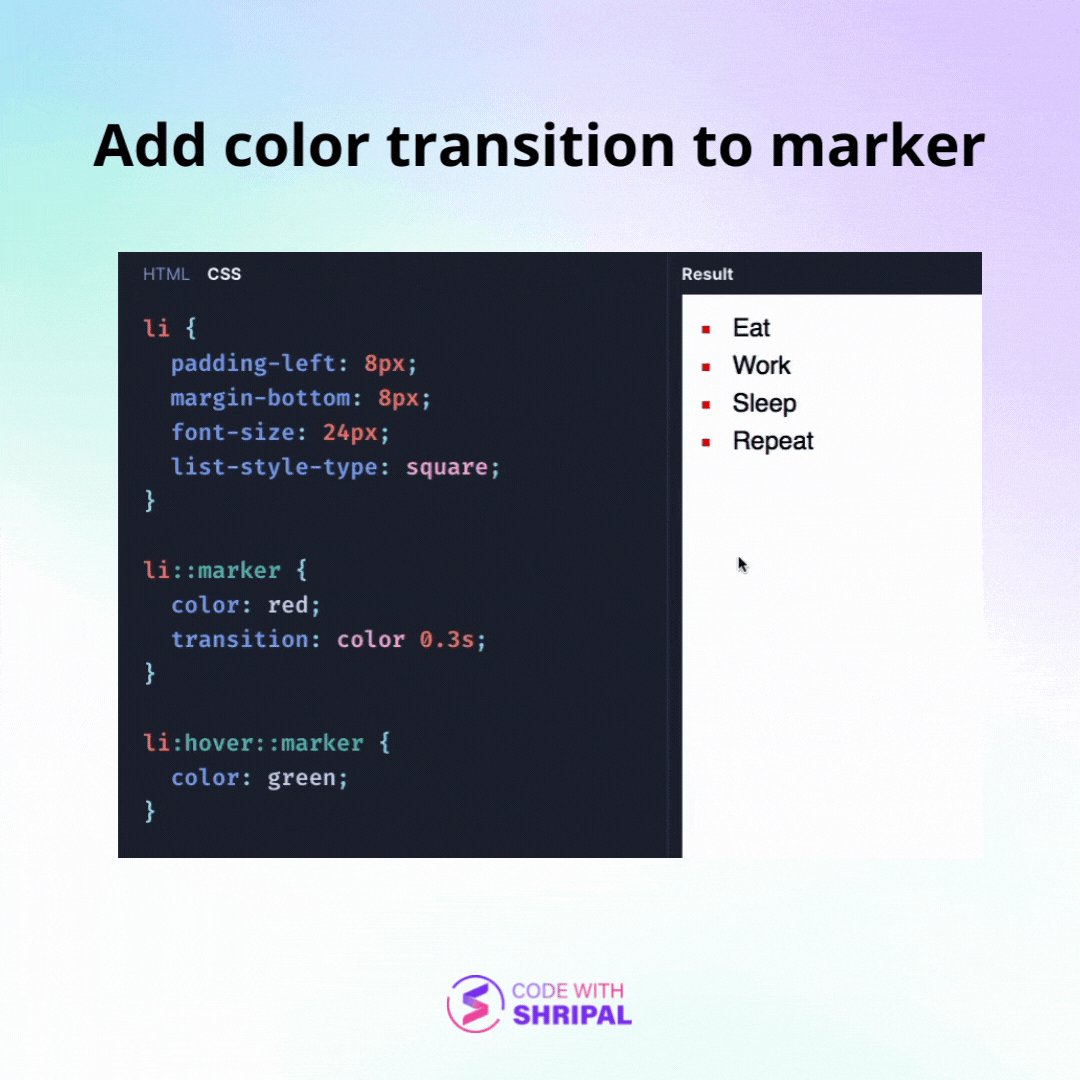
3. Add color transition to marker on hover
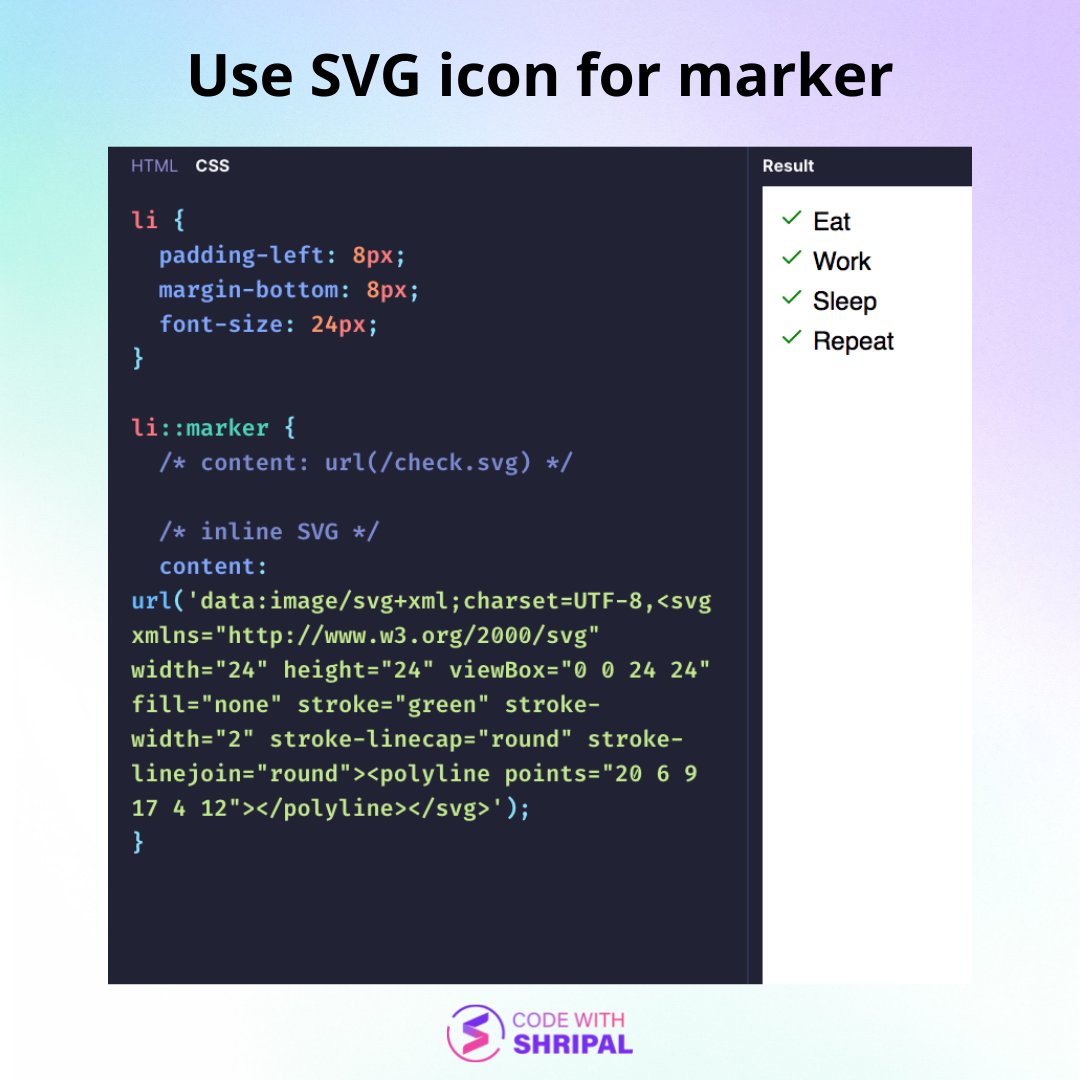
4. Use SVG icon for marker
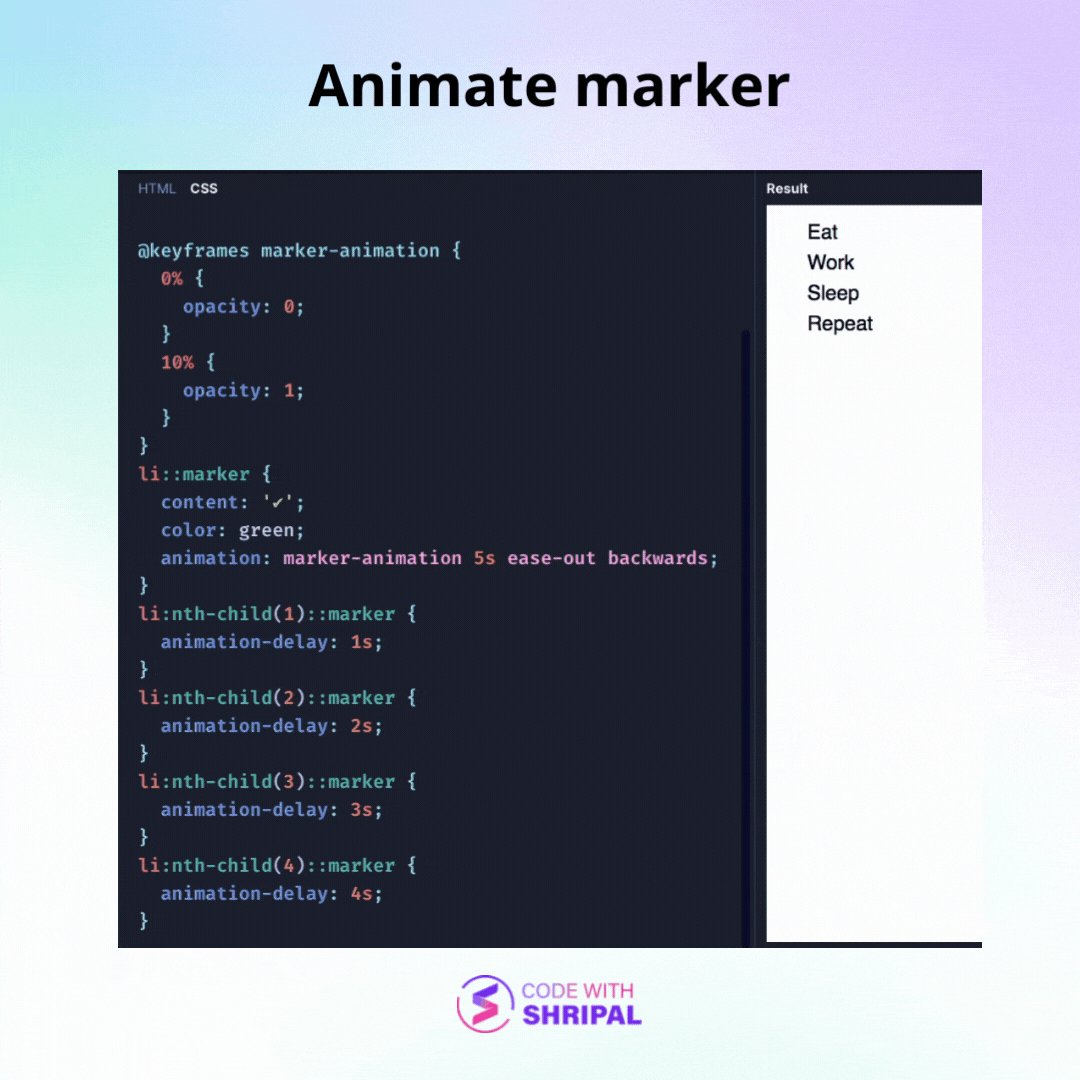
5. Animate marker of list-items
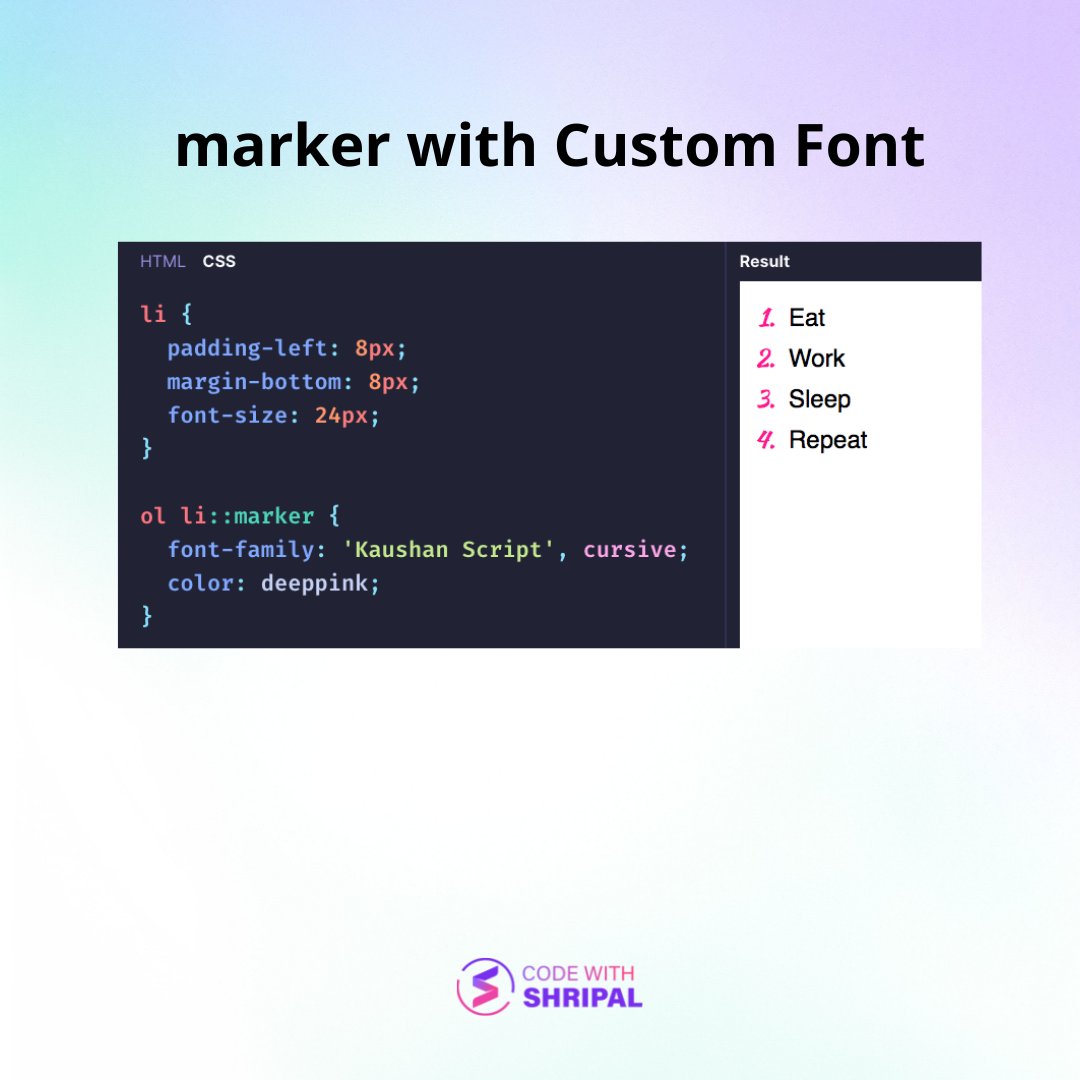
6. Use custom font for marker
7. Custom number presentation using ::marker

Bonus:
Use of ::marker is not limited to just <ul> and <ol> lists. We can use it with any element by setting display: list-item to it.
Use of ::marker is not limited to just <ul> and <ol> lists. We can use it with any element by setting display: list-item to it.
Debugging:
Chrome dev tools shows ::marker in Elements panel. We can select it to quickly check or change style of the marker.
Chrome dev tools shows ::marker in Elements panel. We can select it to quickly check or change style of the marker.

You can play with the sample code mentioned in the above use cases at this playground: codewithshripal.com
Thanks for checking this out.
Follow @codewithshripal for more such threads on web development.
Retweet and like the first tweet of the thread to help spread the word.
Follow @codewithshripal for more such threads on web development.
Retweet and like the first tweet of the thread to help spread the word.
Loading suggestions...