

Ultimate HTML cheat sheet. 💯
Everything you want to know about HTML in one tweet👇
Everything you want to know about HTML in one tweet👇
What is HTML?
- HTML - Hyper Text Markup Language
- Standard Language for creating webpages
- Defines structure of webpage
- Consists of content enclosed inside tags.
- HTML - Hyper Text Markup Language
- Standard Language for creating webpages
- Defines structure of webpage
- Consists of content enclosed inside tags.
Tags in HTML
- HTML tags are keywords which define how the
browser should format and display the content
inside the tag.
- Tags that don’t end are called standalone tags.
- HTML tags are keywords which define how the
browser should format and display the content
inside the tag.
- Tags that don’t end are called standalone tags.

Elements in HTML
- Everything starting from the start of a tag to the end
is called HTML element.
- Everything starting from the start of a tag to the end
is called HTML element.

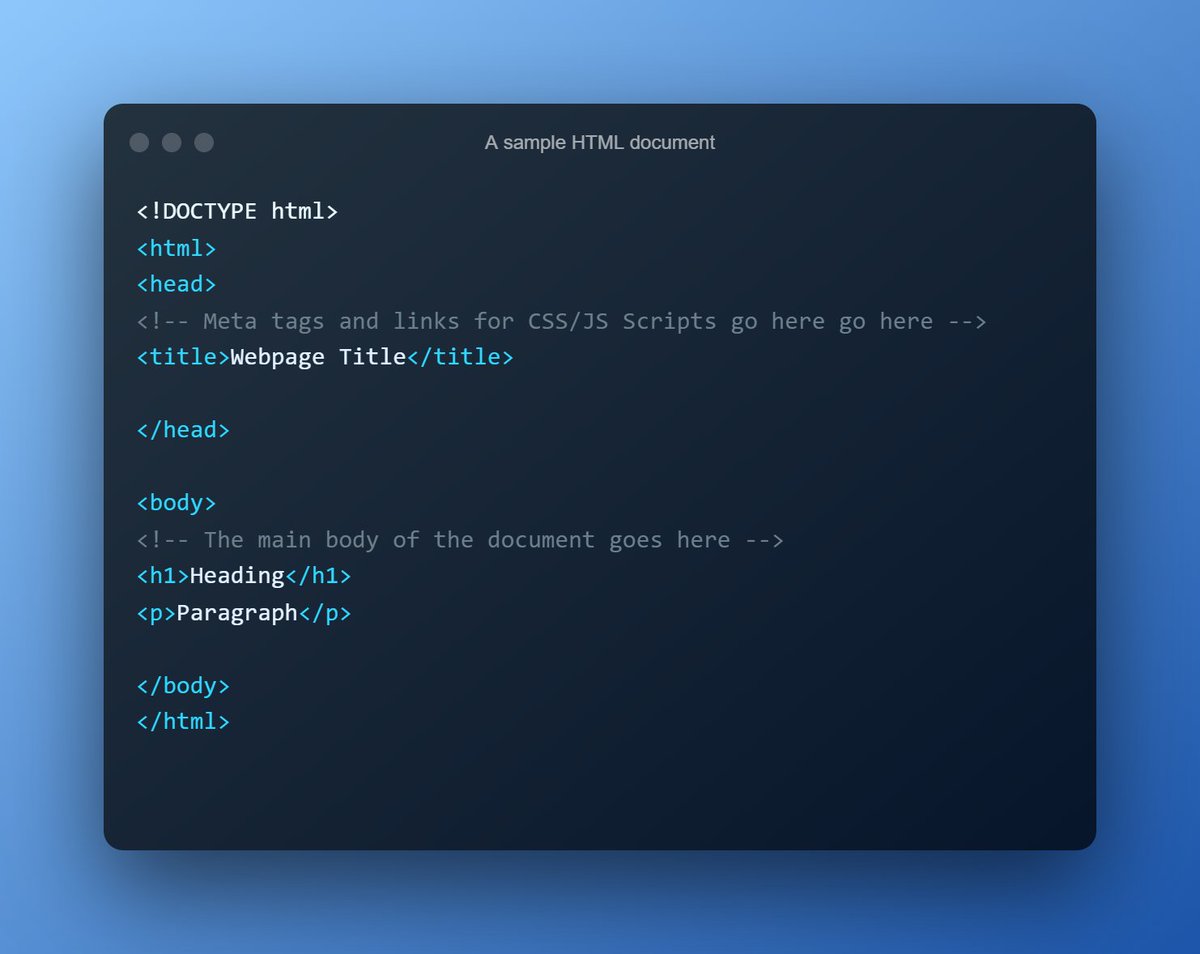
A structure of a HTML document
- <!Doctype html> Defines that this is HTML5 document.
- <html> Root element of page
- <head> Meta data
- <body> Document’s body
- <title> Title tag of the document
- <!Doctype html> Defines that this is HTML5 document.
- <html> Root element of page
- <head> Meta data
- <body> Document’s body
- <title> Title tag of the document
Comment in HTML
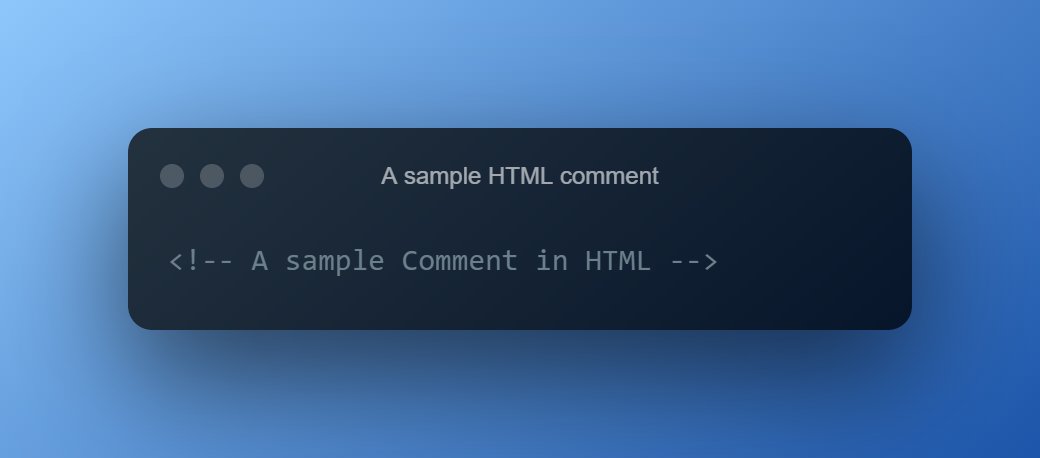
- A comment in HTML starts with “<! - -” and ends with “- - >”
- A comment in HTML starts with “<! - -” and ends with “- - >”
Semantic Tags in HTML
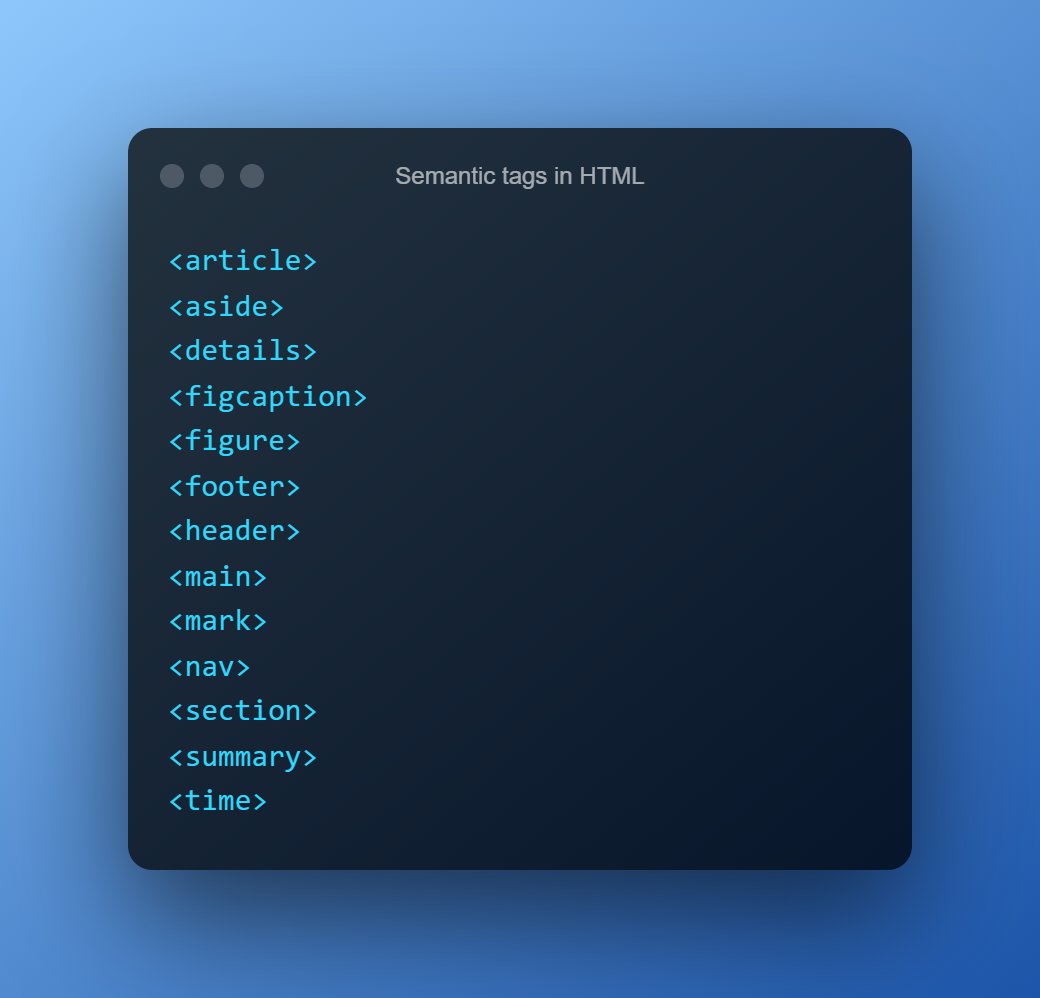
- Semantic Elements describe meaning to the browser and the developer.
- Semantic Elements describe meaning to the browser and the developer.
Structure/Section tags in HTML
- These tags provide structure in your HTML document.
- You add texts, images and all types of context inside this tags.
- All semantic tags are included in structure tags.
- These tags provide structure in your HTML document.
- You add texts, images and all types of context inside this tags.
- All semantic tags are included in structure tags.

Text tags in HTML
- These tags are used to display text on the webpage.
- These tags are used to display text on the webpage.

Images in HTML
- An image in HTML is displayed with either a “<img/>” tag of “<picture/>” tag.
- Picture tag lets you display multiple images for various screen conditions.
- An image in HTML is displayed with either a “<img/>” tag of “<picture/>” tag.
- Picture tag lets you display multiple images for various screen conditions.

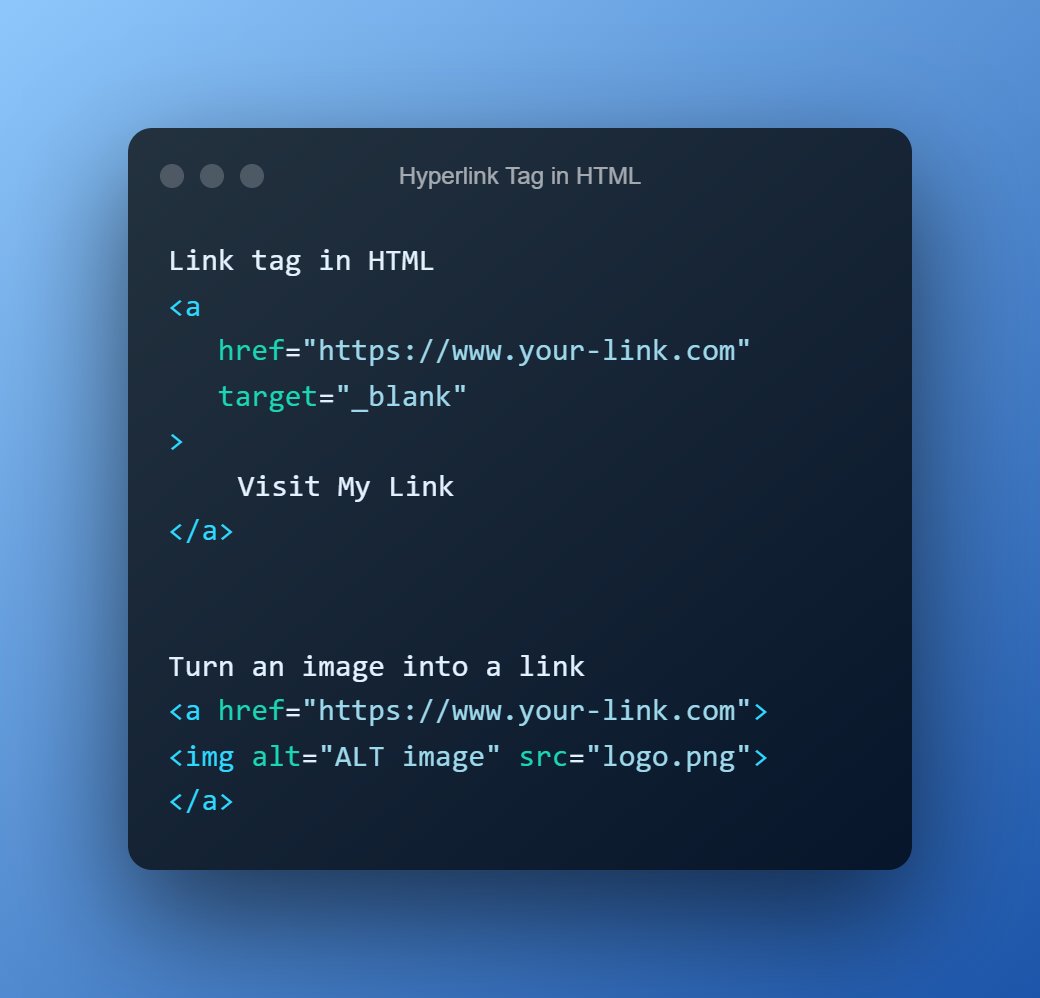
Links in HTML
- Link tag in HTML lets you link one page to another.
- Using Link tag you can create external as well as internal links.
- Link tag is also known as anchor tag.
- Link tag in HTML lets you link one page to another.
- Using Link tag you can create external as well as internal links.
- Link tag is also known as anchor tag.
Text formatting tags in HTML
- These tags are used to format the text on the webpage.
- These tags are used to format the text on the webpage.
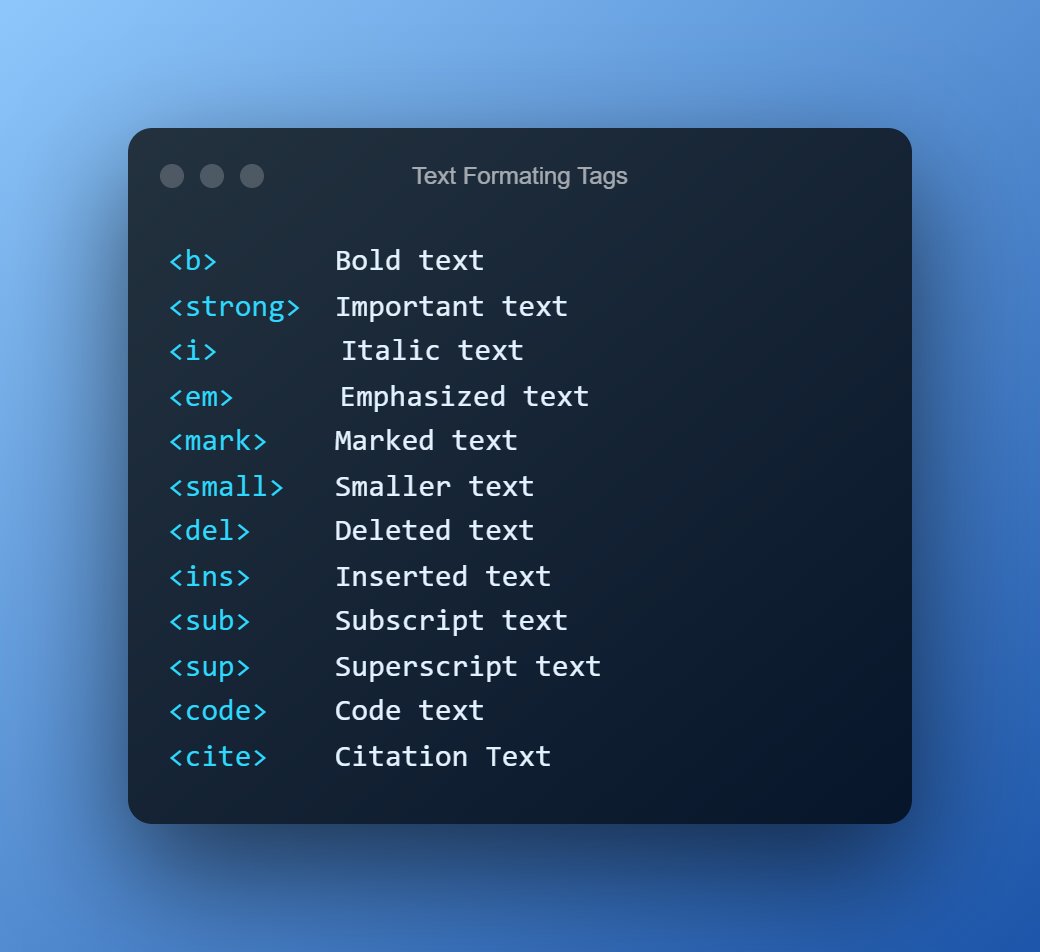
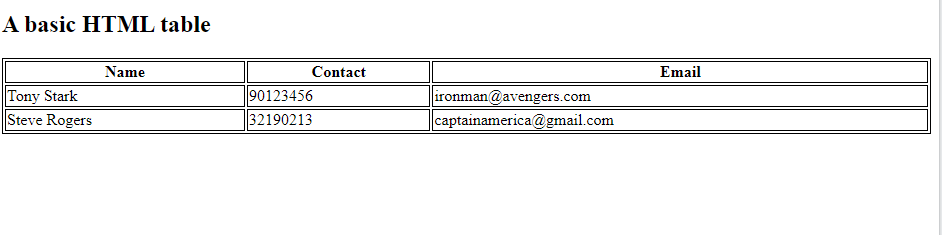
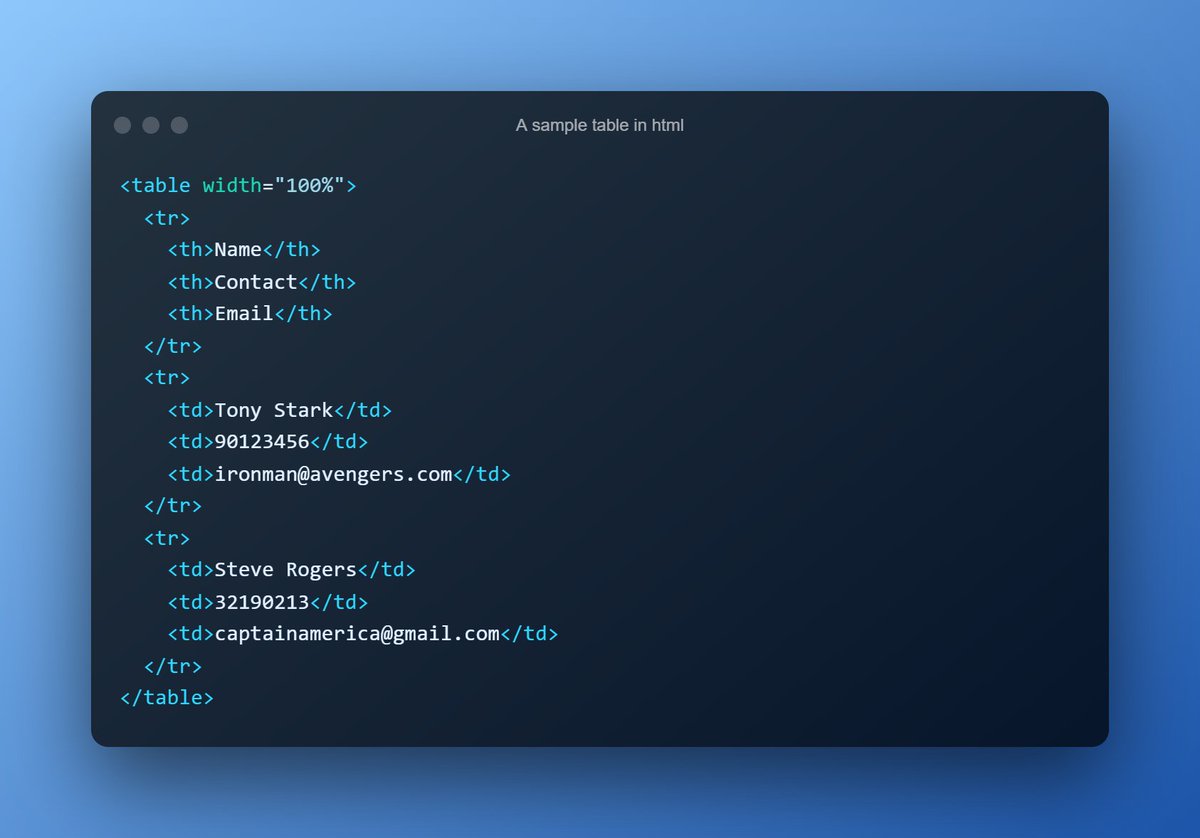
Table in HTML
- <table> tag in HTML is used to display tabular data.
- <table> tag in HTML is used to display tabular data.

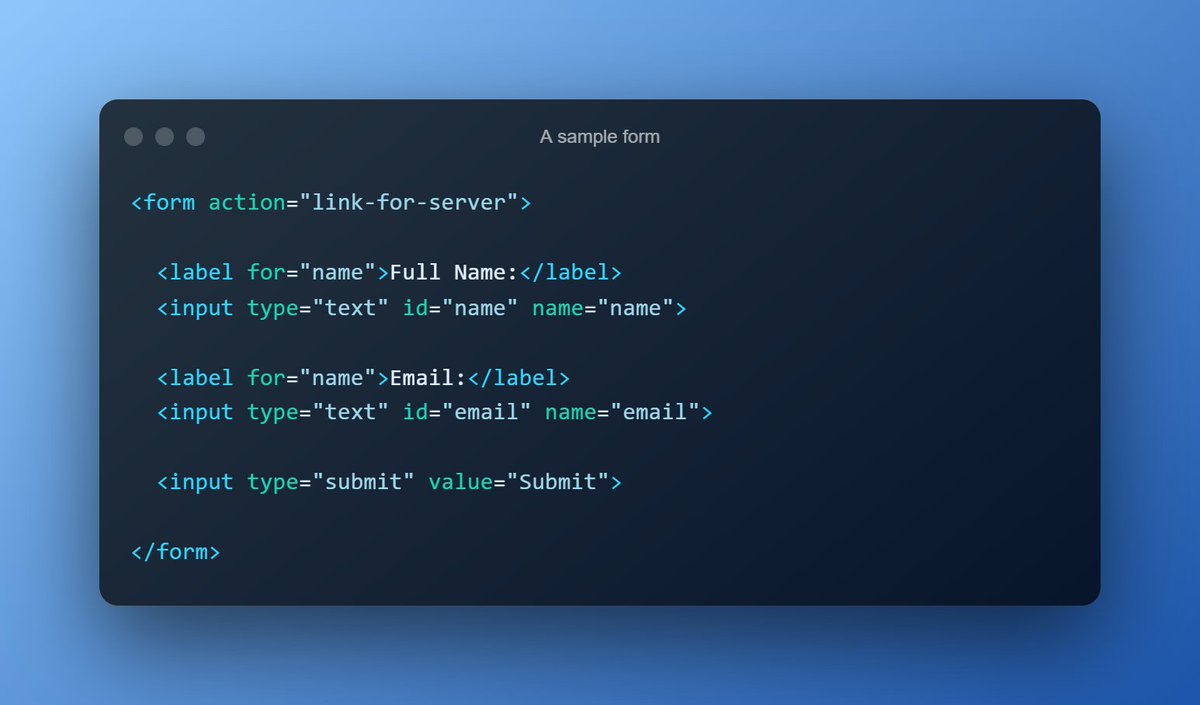
Forms in HTML
- Forms allows to capture user input on a webpage.
- Forms allows to capture user input on a webpage.

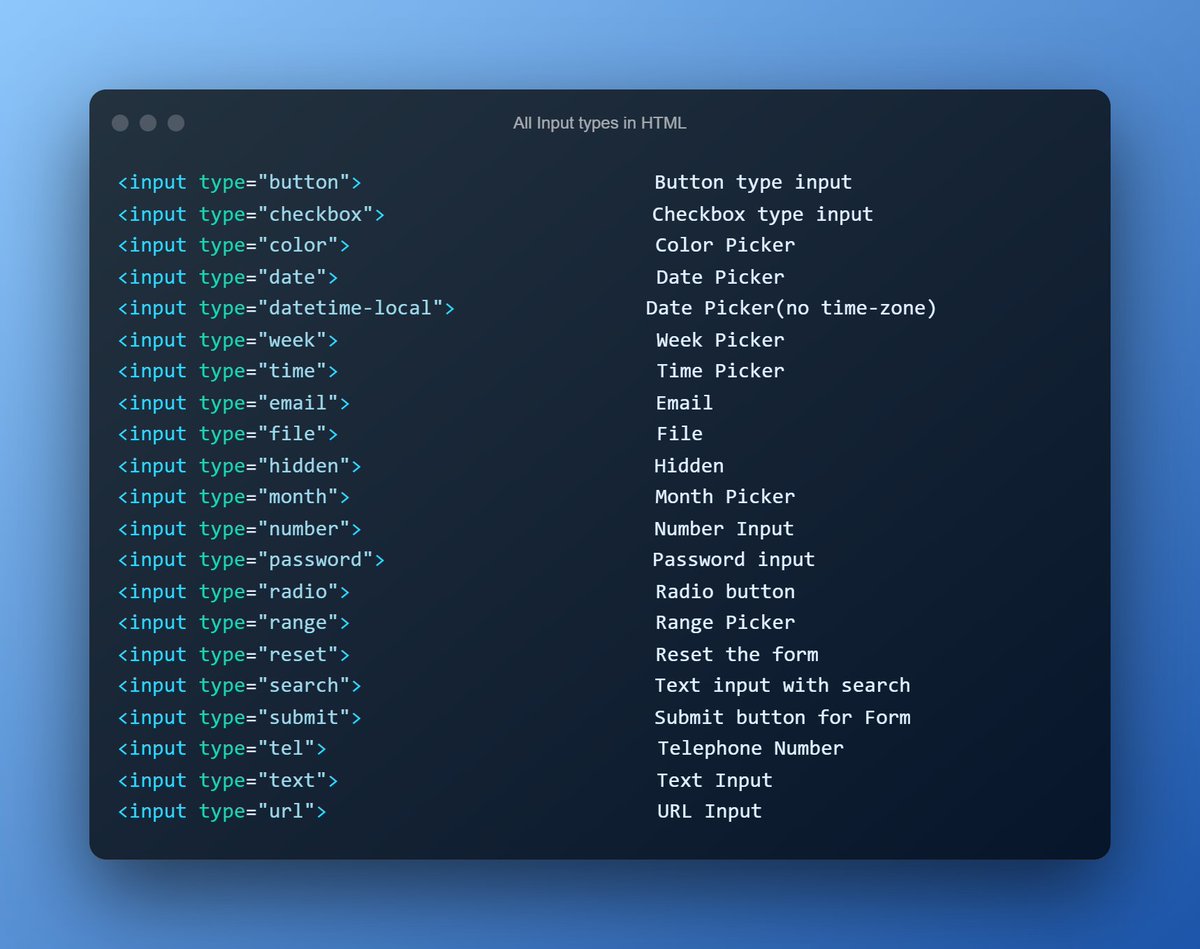
Input tag in HTML
- Apart from text type of input, we have these many input types in HTML.
- Just add the type attribute for the input tag
- Apart from text type of input, we have these many input types in HTML.
- Just add the type attribute for the input tag
Buttons in HTML
- Button tag in HTML is used to represent a clickable button.
- Buttons can be created using <button> and <input type=”submit” > tags.
- You can put <p>,<img> tag inside a button tag but not <input> tag.
- Button tag in HTML is used to represent a clickable button.
- Buttons can be created using <button> and <input type=”submit” > tags.
- You can put <p>,<img> tag inside a button tag but not <input> tag.

Lists in HTML
- HTML consists of two types of list to show related list of items.
- Ordered list is marked by numbers.
- Unordered list is marked by bullets.
- HTML consists of two types of list to show related list of items.
- Ordered list is marked by numbers.
- Unordered list is marked by bullets.

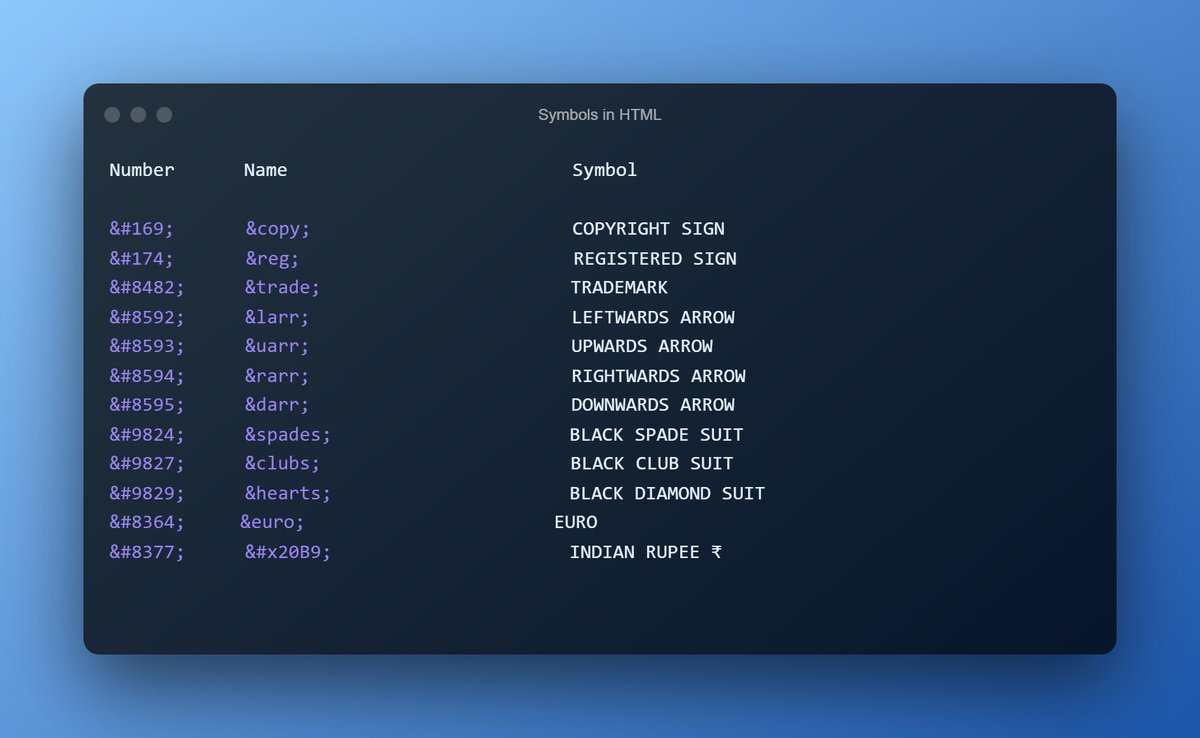
Symbols in HTML
- You can show Mathematical, Technical and Currency symbols using HTML.
- The symbols can be represented using a number or text.
- Full list of symbols here
w3schools.com
- You can show Mathematical, Technical and Currency symbols using HTML.
- The symbols can be represented using a number or text.
- Full list of symbols here
w3schools.com
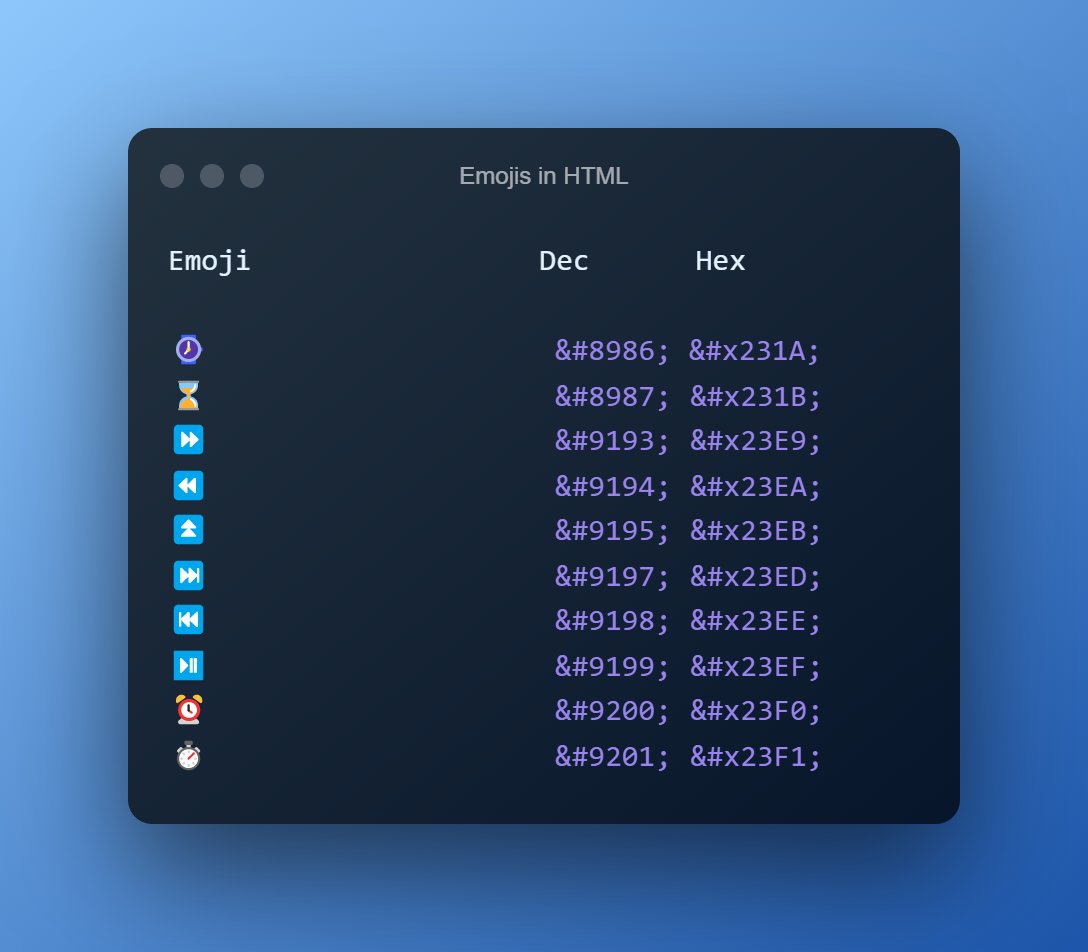
Emojis in HTML
- HTML can be used to represent Emojis on the webpage.
- You can use Decimal as well as Hex code to display emojis.
Full list of emojis here
w3schools.com
- HTML can be used to represent Emojis on the webpage.
- You can use Decimal as well as Hex code to display emojis.
Full list of emojis here
w3schools.com
Thank you for reading❤️
I am Anurag, a Full Stack Developer from India.
I post content about:-
🔸HTML
🔸CSS
🔸JavaScript
🔸React
🔸Web Development tips & Resources
🔸Programming
If you love such content, follow me
@anurag_gharat
I am Anurag, a Full Stack Developer from India.
I post content about:-
🔸HTML
🔸CSS
🔸JavaScript
🔸React
🔸Web Development tips & Resources
🔸Programming
If you love such content, follow me
@anurag_gharat
Loading suggestions...