

⚡ Do you want to know 𝗵𝗼𝘄 𝘁𝗼 𝗰𝘂𝘀𝘁𝗼𝗺𝗶𝘇𝗲 𝘆𝗼𝘂𝗿 𝗚𝗶𝘁𝗛𝘂𝗯 𝗽𝗿𝗼𝗳𝗶𝗹𝗲?
😍 You can do it effortlessly!
A Thread🧵↓
😍 You can do it effortlessly!
A Thread🧵↓
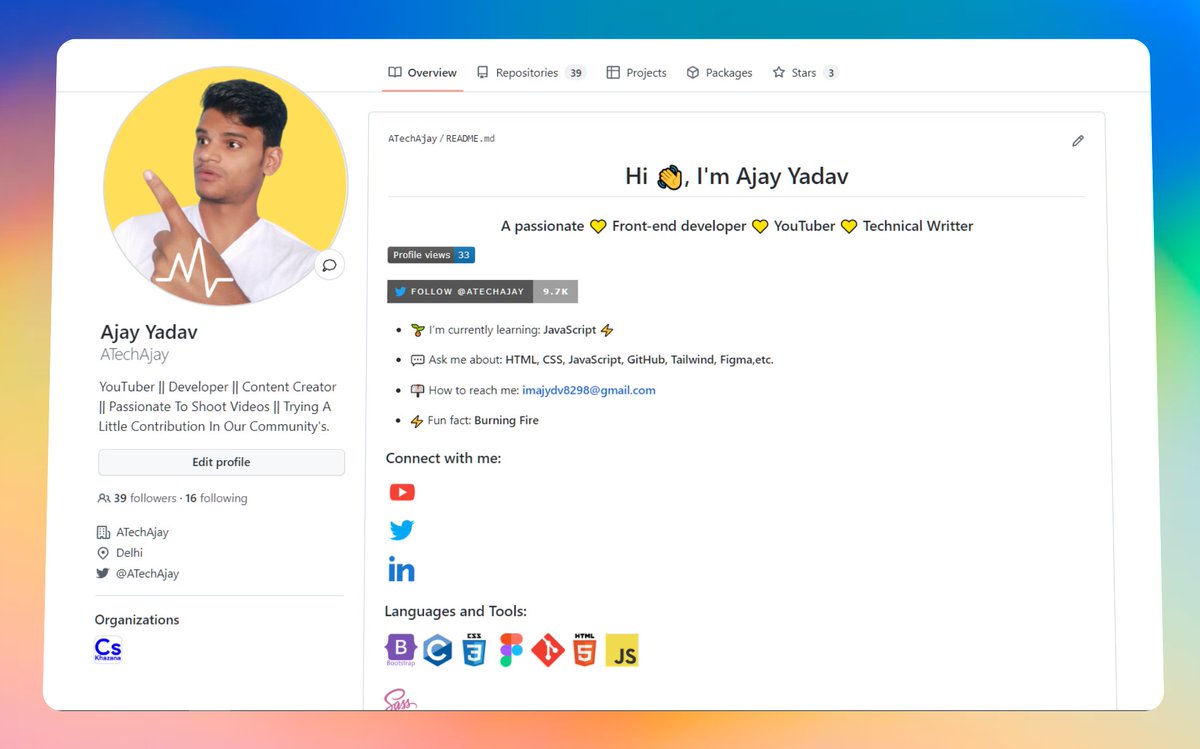
😍 Recently I know about it and looks interesting, that's why I've also customized my GitHub profile.
👀 Have a look:
github.com
👀 Have a look:
github.com
🔔 So, you have to follow these steps:
1️⃣ First of all, you have to create a new repository on GitHub, Name of the repo should be the same as your GitHub user name.
👀 For example:
⛔ My GitHub user name - "ATechAjay"
⛔ So repository name should be - "ATechAjay"
1️⃣ First of all, you have to create a new repository on GitHub, Name of the repo should be the same as your GitHub user name.
👀 For example:
⛔ My GitHub user name - "ATechAjay"
⛔ So repository name should be - "ATechAjay"
2️⃣ This repository should be public.
3️⃣ Also you have to check to "Add a README file"
4️⃣ Then click on the "Create repository" button.
3️⃣ Also you have to check to "Add a README file"
4️⃣ Then click on the "Create repository" button.
5️⃣ Visit this website now.
- And fill in the required input field, you must have to fill in all your data on this website.
rahuldkjain.github.io
- And fill in the required input field, you must have to fill in all your data on this website.
rahuldkjain.github.io
6️⃣ Then click on this "Generate README" button.
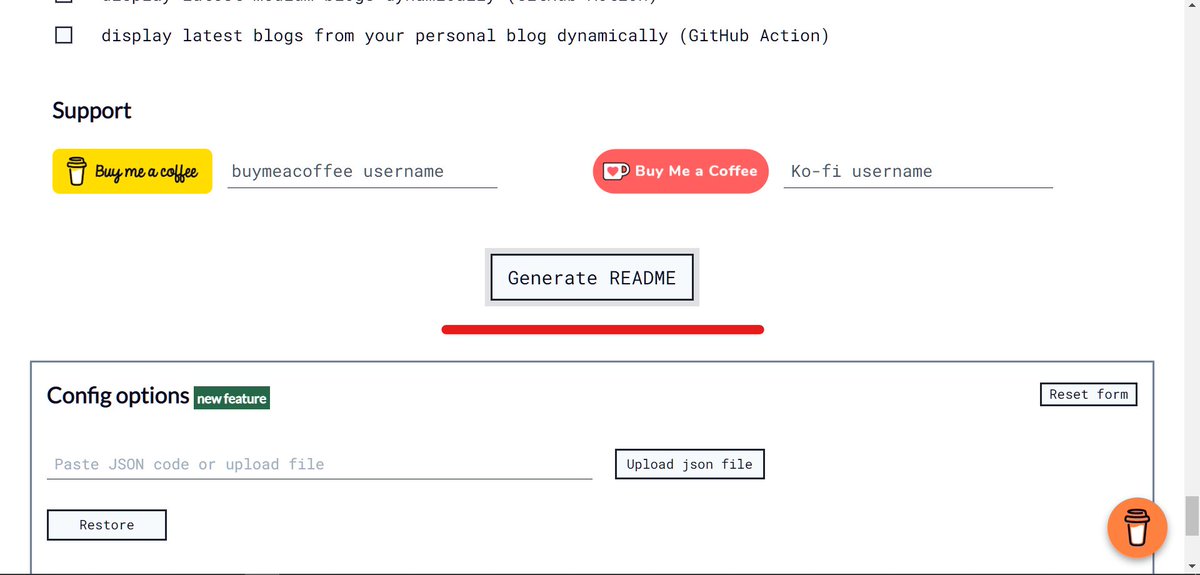
7️⃣ Copy all code from this page.

8️⃣ Then goto on GitHub and paste the above code into the GitHub README repo.

9️⃣ And finally, commit these changes, and boom 💥 your GitHub profile has been changed.
⛔ There are many more websites available on the internet to create this README file, you can choose that as your requirement.
⛔ There are many more websites available on the internet to create this README file, you can choose that as your requirement.
That's all for now, we will meet in the next thread😍
🔔 Follow Me @ATechAjay
For:
🌐 Web Development
✨ JavaScript
📝 Writing Skill
🔥 Motivation
💹 Growth
⛔ But Not For Only Resources & Shitpost 😁
Thank you so much for staying to the end of this thread💚
🔔 Follow Me @ATechAjay
For:
🌐 Web Development
✨ JavaScript
📝 Writing Skill
🔥 Motivation
💹 Growth
⛔ But Not For Only Resources & Shitpost 😁
Thank you so much for staying to the end of this thread💚
Loading suggestions...