

I've been using Mendeley Desktop daily for years, & have an annotated library of thousands of pdfs. Today, I switched to Zotero. Here's a 🧵of tips on how to do this, if you're also tired of Elsevier's BS and want to make the switch w/minimal effort while maintaining workflow.
First off, why switch? In short, Mendeley has been in a severe decline for years. Elsevier already discarded the mobile app, & there hasn't been a feature update in living memory. The straw that broke the camel's back for me is that they're discontinuing the desktop app on 9/1.
Instead of the desktop app we're apparently supposed to use some BS online featureless tool that's completely reliant on storing your library and all its metadata on Elsevier's servers. The game here is clear: create long-run lock-in by ensuring that Elseveier owns all your data.
This is also why they've been throwing up more and more barriers to exporting the data. It's the journal game all over again, but with citation managers. Better get out now, before the frog-boiling is complete.

Zotero is the clear alternative. It's free, open-source, and has continuously improving functionality through plug-ins. I was concerned about missing workflow features from Mendeley, but so far it's actually been a significant improvement.
Ok, so first things first: you'll want to download Zotero. Next, sync Mendeley Desktop with Mendeley online.
IMPORTANT: make sure that you tell Mendeley desktop to sync attached files for your *entire* library BEFORE importing to Zotero. You can do this by clicking the Edit Settings button by All Documents in the main desktop window, and clicking Synchronize attached files.
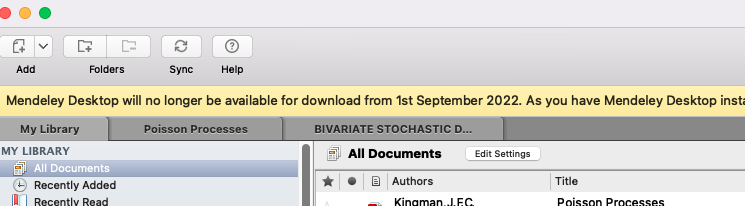
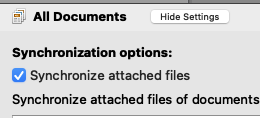
This is key, b/c only pdfs that are up on Mendeley's servers will be exported, and the app sometimes doesn't sync attachments, even if it says it's synced in Mendeley online. Adding these back in to Zotero manually later can be tedious, and you will lose your annotations.
Once you've got Mendeley fully synced, you can follow the instructions here on how to import the library into Zotero. It's *very* straightforward, though the download might take a little while if you have a large library.
zotero.org
zotero.org
Aaaand, that's basically it. Zotero does a great job of simply replicating your library from Mendeley.
Here are a few more tips I've picked up in a couple hours of playing with the program. Caveat: I'm by no means an expert, and this is just for my workflow.
Here are a few more tips I've picked up in a couple hours of playing with the program. Caveat: I'm by no means an expert, and this is just for my workflow.
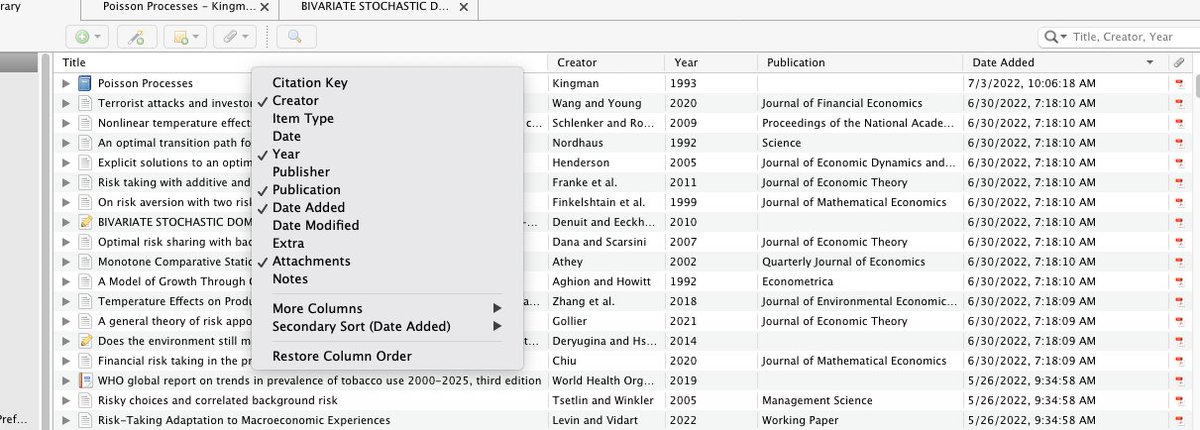
You can adjust the categories that are displayed for each paper in the main window by right-clicking the title bar and selecting categories to include. Very handy if, like me, you're always sorting papers by when they were added.
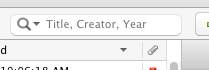
The search menu defaults to "Title, Creator, Year". That can also be changed in the drop-down, but it's super convenient if you're tired of typing "author: ..." every time you search for a paper in Mendeley.
Zotero has plug-ins that add usability. Here's a list of all of them: zotero.org.
Two that I've found handy so far:
(1) Better BibTex (adjusts some functionality for bibtex files + pins citations in the right panel for easy reference), and
Two that I've found handy so far:
(1) Better BibTex (adjusts some functionality for bibtex files + pins citations in the right panel for easy reference), and
(2) Zotfile, which replicates the Mendeley functionality of automatically renaming the paper pdfs, which is key for me for sharing papers.
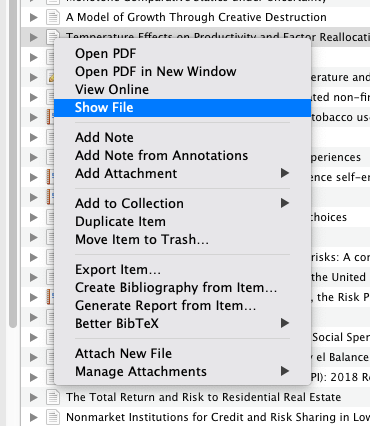
Speaking of sharing, in Mendeley I would have a separate folder of renamed pdfs for easy access. I can't see how to create one in Zotero, but that need is obviated by the fact that you can right-click on the paper logo within the app and get taken to the paper folder.
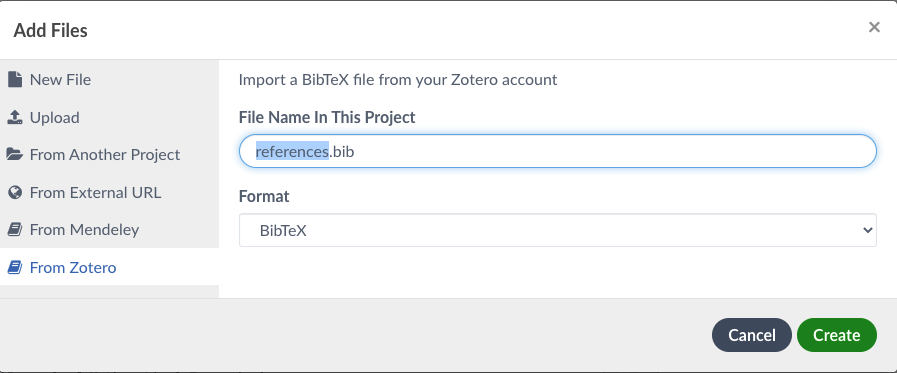
Zotero has pretty seamless integration with Overleaf. Once you've linked them, in any project, just click the upload button-> upload from Zotero, and you can create a .bib file from the library. Any time you want to update it, you click on the file and press "refresh". Very handy

Oh, and remember how Mendeley discarded its mobile app? Zotero has an iOS app for iPhone and iPads. So you can take notes on a paper on the iPad, and they automatically sync across all devices. Game changer.
One caveat: if you have a large library you'll probably have to pay Zotero for online storage to make the mobile apps work. It's worth it for me but ymmv.
Zotero also has a chrome plug-in to make adding in papers while browsing easier. Haven't used it yet, but I've seen some rave reviews.
One more small thing: in the process of uploading my library in Zotero flagged a paper as retracted (with data on why). That was nice.
Anyway, that's what I've found so far. A lot to like about Zotero, and the transition was much easier than expected. Looking forward to learning about new features in the coming days - if there are any that you know and really like please share.
I'd especially like to figure out how to share libraries of papers between accounts for collaboration, which has always been a pain in Mendeley.
🧵\fin
🧵\fin
PS - shout-out to @raulpacheco. Your tweet and the responses prompted me to make the switch. Thanks for the nudge!
Adding some useful tips as they come in. First:
Exporting papers to a separate folder using zotfile:
Zotero has a Word plugin, which apparently works well
Loading suggestions...