
Technology
Web Development
Web Browsing
Web Browsers
Internet Security
Internet Safety
Web Security
Browser Settings

Chrome is the most popular web browser.
It’s not always safe to use.
Here are 7 Chrome settings you need to change immediately:
It’s not always safe to use.
Here are 7 Chrome settings you need to change immediately:
1) Site Permissions
Some websites can access your location, camera, or microphone.
Control that:
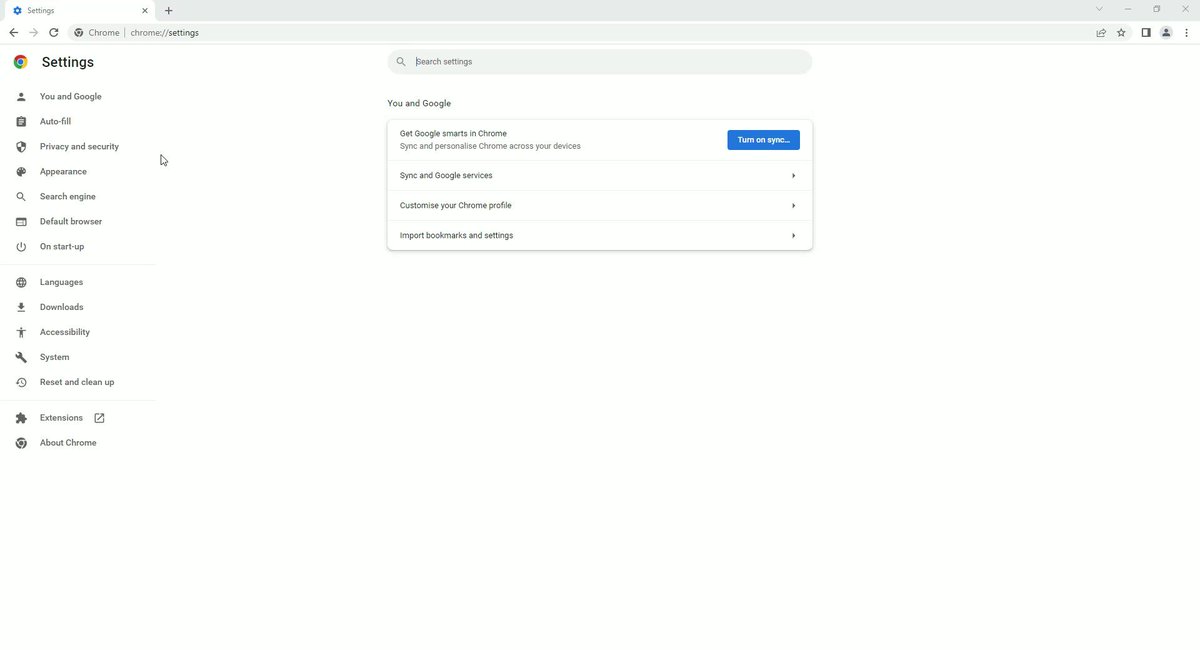
• Settings>Privacy and security>Site settings
• Disable access for Location, Camera, and Microphone.
Some websites can access your location, camera, or microphone.
Control that:
• Settings>Privacy and security>Site settings
• Disable access for Location, Camera, and Microphone.

2) Secure DNS and Connections
There are some websites that don’t have secure connections.
Safely visit any:
• Settings>Privacy and security>Security
• Turn on ‘Always use secure connections’
• Turn on ‘Use secure DNS’
There are some websites that don’t have secure connections.
Safely visit any:
• Settings>Privacy and security>Security
• Turn on ‘Always use secure connections’
• Turn on ‘Use secure DNS’

3) Pop-ups and Redirects
Many websites have annoying pop-ups and redirect you to other pages.
Block that:
• Settings>Privacy and security>Site settings>Pop-ups and redirects
• Disable ‘Pop-ups and redirects’
Many websites have annoying pop-ups and redirect you to other pages.
Block that:
• Settings>Privacy and security>Site settings>Pop-ups and redirects
• Disable ‘Pop-ups and redirects’

4) Third-party Cookies
Chrome enables third-party cookies when it’s installed.
Disable it:
• Settings>Privacy and security>Cookies and other site data
• Select ‘Block third-party cookies’
Chrome enables third-party cookies when it’s installed.
Disable it:
• Settings>Privacy and security>Cookies and other site data
• Select ‘Block third-party cookies’

5) Enhanced Protection
Utilize all of Chrome’s protection features.
Here’s how:
• Settings>Privacy and security>Security
• Turn on ‘Enhanced protection’
Utilize all of Chrome’s protection features.
Here’s how:
• Settings>Privacy and security>Security
• Turn on ‘Enhanced protection’

6) Background Apps
By default Chrome runs all its apps in the background even when its closed.
Disable it:
• Settings>System
• Turn off ‘Continue running background apps’
By default Chrome runs all its apps in the background even when its closed.
Disable it:
• Settings>System
• Turn off ‘Continue running background apps’

7) Safety Check
Check for bad extensions and password breaches from your dashboard.
Here’s how:
• Settings>Privacy and security
• Click ‘Check now’
Check for bad extensions and password breaches from your dashboard.
Here’s how:
• Settings>Privacy and security
• Click ‘Check now’
I help people sign more clients through Twitter.
I'll keep working for free until you get the clients.
DM me for more information.
I'll keep working for free until you get the clients.
DM me for more information.
Loading suggestions...