

Introduction & Installation to Tailwind CSS⚡
A Thread 🧵↓
A Thread 🧵↓
💡 Tailwind CSS?
◓ Tailwind CSS is a utility-first CSS framework, it provides low-level utility classes to build custom web pages.
◓ Utility classes are the name of the class according to their purpose such that a developer can easily understand.
◓ Tailwind CSS is a utility-first CSS framework, it provides low-level utility classes to build custom web pages.
◓ Utility classes are the name of the class according to their purpose such that a developer can easily understand.
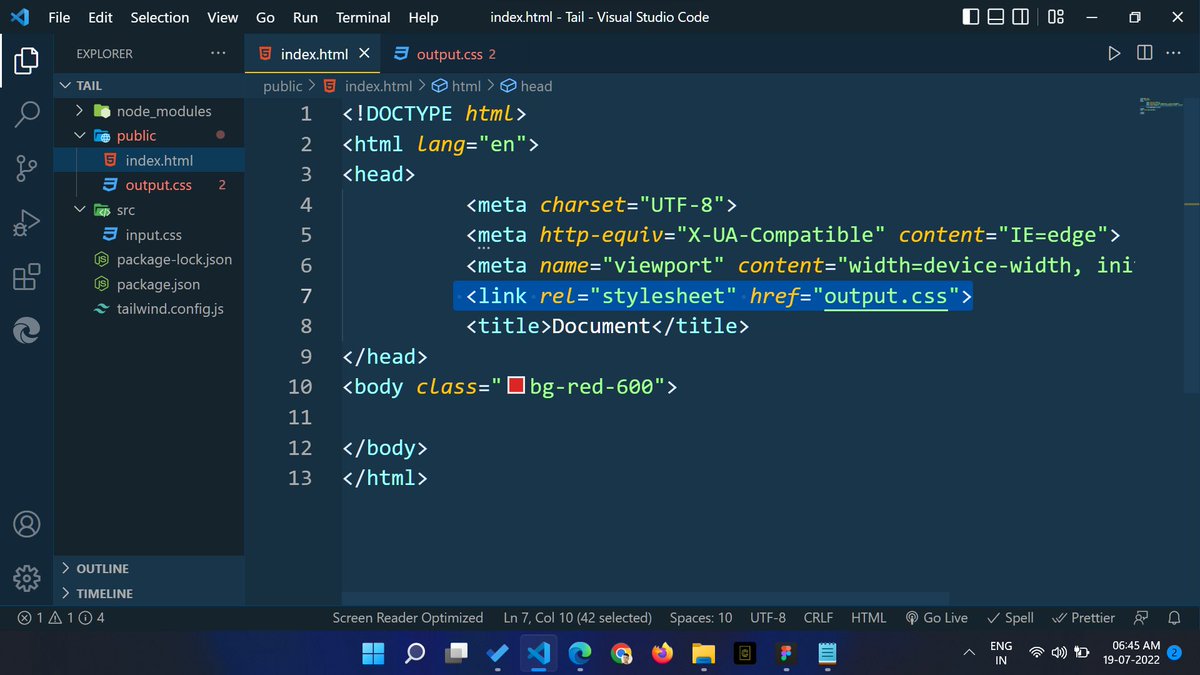
◓ Like: 𝗯𝗴-𝗿𝗲𝗱-𝟱𝟬𝟬 is the name of the utility class.
- The primary purpose of the 𝗯𝗴-𝗿𝗲𝗱-𝟱𝟬𝟬 class is to add a background color of red, and many more utility classes are available in the Tailwind CSS.
- The primary purpose of the 𝗯𝗴-𝗿𝗲𝗱-𝟱𝟬𝟬 class is to add a background color of red, and many more utility classes are available in the Tailwind CSS.
◓ We do not need to leave the HTML file for designing the web page.
◓ That's why if we want to build a web page the fastest and the easiest way then we should give a try to Tailwind CSS.
◓ That's why if we want to build a web page the fastest and the easiest way then we should give a try to Tailwind CSS.
💡 Installation of Tailwind CSS using CLI?
◓ You can install it by following these steps, but you can be stuck during installing it.
◓ So you should follow these key points during installing Tailwind CSS into your machine.
tailwindcss.com
◓ You can install it by following these steps, but you can be stuck during installing it.
◓ So you should follow these key points during installing Tailwind CSS into your machine.
tailwindcss.com
⛔ First of all, we have to install node JS into our system then we will be able to install Tailwind CSS.
1️⃣ Open a folder in VS Code and run the "npm init -y" command in the VS Code terminal.
1️⃣ Open a folder in VS Code and run the "npm init -y" command in the VS Code terminal.
2️⃣ Create 2 folders in that project folder, I've also created 2 folders named "src" and "public" inside that existing folder.
◓ Now we have to create some files in both folders.
◓ The "public" folder has 2 files that are "index.html" and "output.css"
◓ Now we have to create some files in both folders.
◓ The "public" folder has 2 files that are "index.html" and "output.css"
◓ And the "src" folder has only one file that is "input.css"
3️⃣ Now we have to download Tailwind CSS using "npm install -D tailwindcss" command.
4️⃣ Then we have to create a config file using the "npx tailwindcss init" command.
3️⃣ Now we have to download Tailwind CSS using "npm install -D tailwindcss" command.
4️⃣ Then we have to create a config file using the "npx tailwindcss init" command.
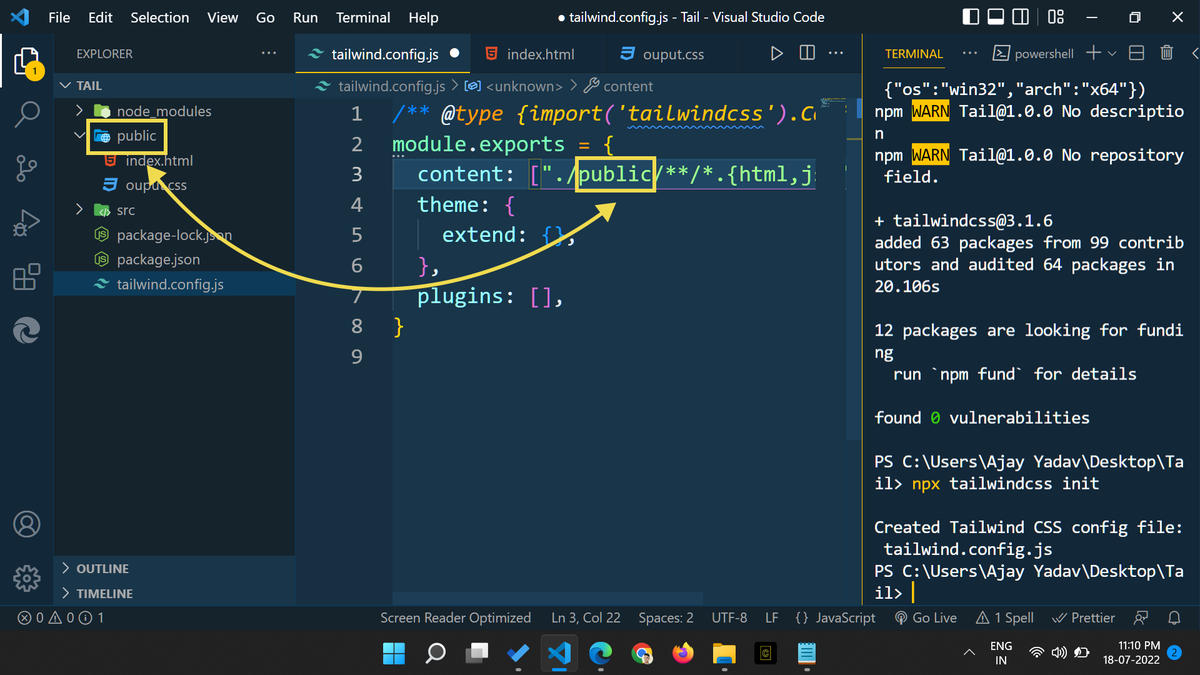
5️⃣ Now we have to add the path as the value of the content property inside the "tailwind.config.js" file.
𝗰𝗼𝗻𝘁𝗲𝗻𝘁: ["./𝘀𝗿𝗰/*/.{𝗵𝘁𝗺𝗹,𝗷𝘀}"],
💡 One thing kept in mind is that we have to specify the actual path of the" index.html" or " .js " files.
𝗰𝗼𝗻𝘁𝗲𝗻𝘁: ["./𝘀𝗿𝗰/*/.{𝗵𝘁𝗺𝗹,𝗷𝘀}"],
💡 One thing kept in mind is that we have to specify the actual path of the" index.html" or " .js " files.
◓ My index.html file is kept inside the public folder that's why I have to change path "src" to the "public" in the "tailwind.config.js" file.
◓ Both are must be the same otherwise it does not work.
◓ Both are must be the same otherwise it does not work.
7️⃣ Now we have to write our code into the "index.html" file and the "output.css" file will be linked to it.
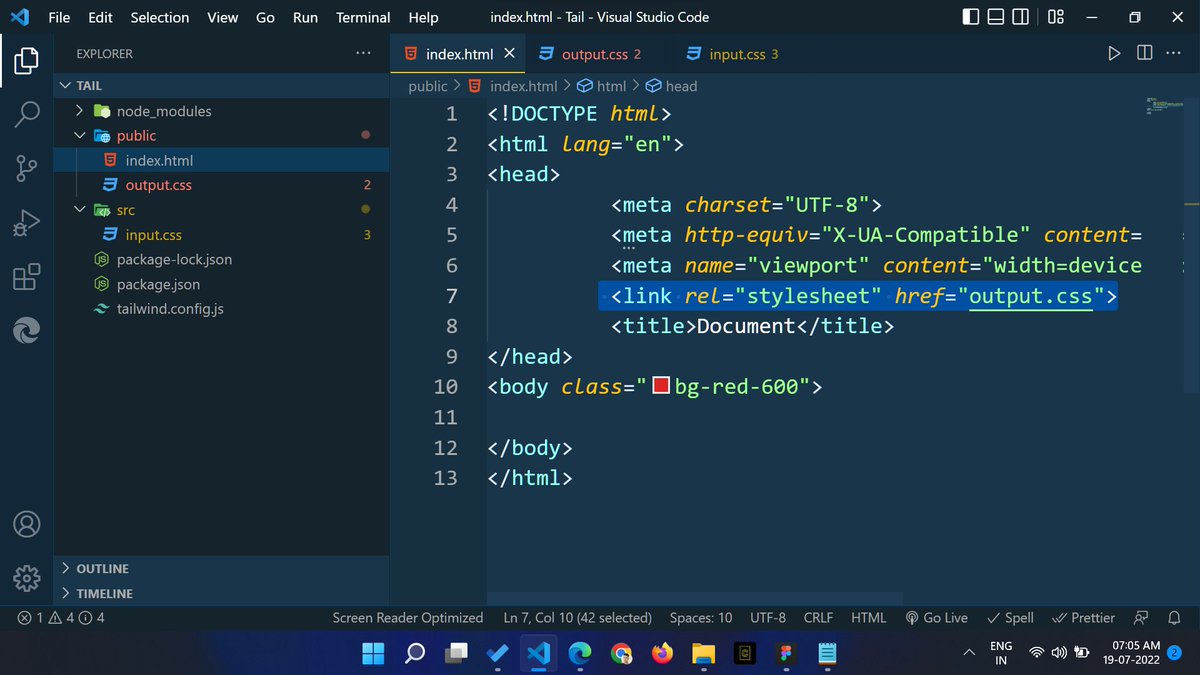
8️⃣ Finally, we have to run "npx tailwindcss -i ./src/input.css -o ./public/output.css --watch" command into the terminal.
◓ It's a path of those files that are kept inside both folders.
◓ It's a path of those files that are kept inside both folders.
◓ The output.css file is kept inside the public folder and the input.css file is kept inside the src folder.
◓ After running this command Tailwind CSS is installed successfully into your machine.
👀 Finale file structure:
◓ After running this command Tailwind CSS is installed successfully into your machine.
👀 Finale file structure:
🔔 One more thing, you can download this VS Code extension for the code suggestion.
😍 Tailwind CSS IntelliSense:-
marketplace.visualstudio.com
😍 Tailwind CSS IntelliSense:-
marketplace.visualstudio.com
That's all for now, we will meet in the next thread😍
🔔 Follow Me @ATechAjay
For:
🌐 Web Development
✨ JavaScript
📝 Writing Skill
🔥 Motivation
💹 Growth
⛔ But Not For Only Resources & Shitpost 😁
Thank you so much for staying to the end of this thread💚
🔔 Follow Me @ATechAjay
For:
🌐 Web Development
✨ JavaScript
📝 Writing Skill
🔥 Motivation
💹 Growth
⛔ But Not For Only Resources & Shitpost 😁
Thank you so much for staying to the end of this thread💚
Loading suggestions...