

💠 Importing other files in Solidity
Importing a file in Solidity is similar to JavaScript, to import a file you can simply write
Importing a file in Solidity is similar to JavaScript, to import a file you can simply write
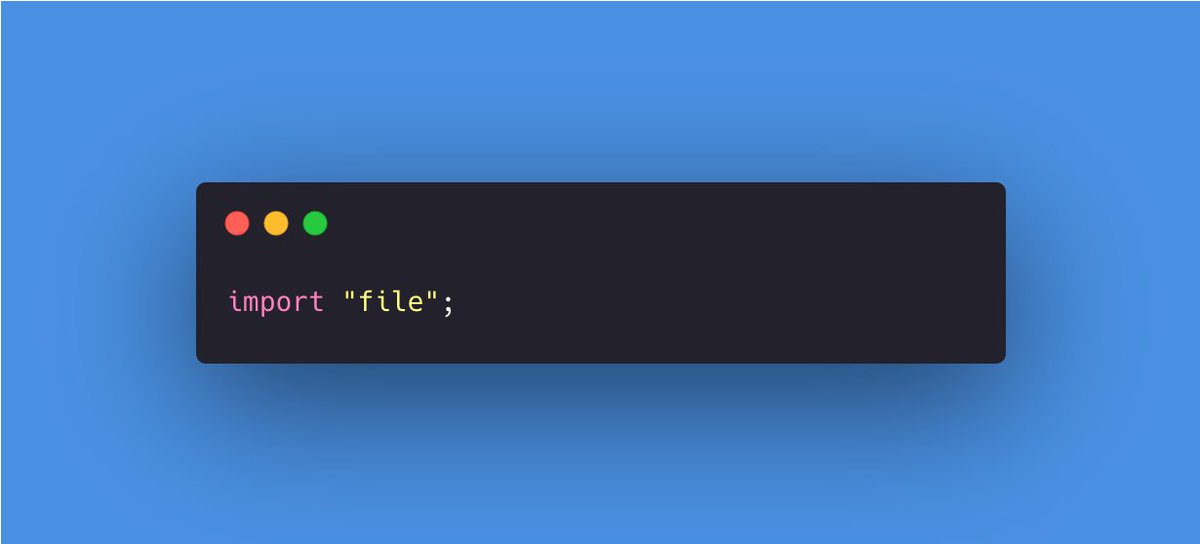
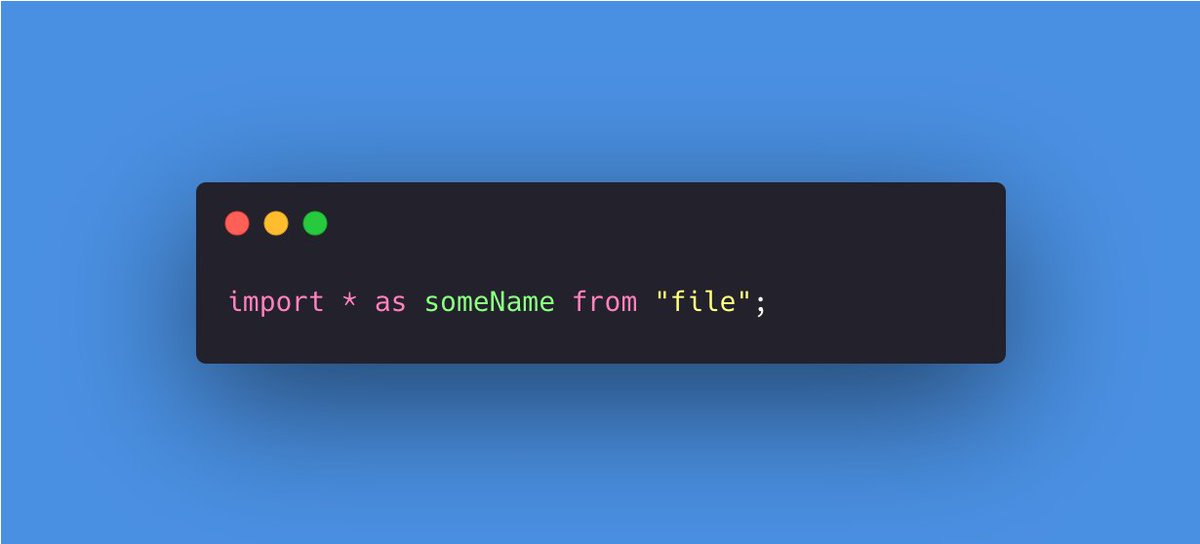
All global symbols from the "file" are imported into the current global scope by the above statement. But if you want to create a new global symbol someName with all the global symbols from "file" as members, you can write
💠 Comments in Solidity
Just like other programming languages, Solidity support both single-line and multi-line comments.
- Start the line with // to include a single-line comment.
- Start with /* and end with */ to include a multi-line comment.
Just like other programming languages, Solidity support both single-line and multi-line comments.
- Start the line with // to include a single-line comment.
- Start with /* and end with */ to include a multi-line comment.

💠 Variables in Solidity
There are mainly two types of variables available in Solidity.
Local Variables: Variables with values that will persist till the function is completed
State Variables: Variables whose values are kept in a contract storage system permanently
There are mainly two types of variables available in Solidity.
Local Variables: Variables with values that will persist till the function is completed
State Variables: Variables whose values are kept in a contract storage system permanently
🔹 State variable
State variables store the value permanently in the contract storage. Each method should have its own scope, and state variables should be declared outside of any defined functions.
State variables store the value permanently in the contract storage. Each method should have its own scope, and state variables should be declared outside of any defined functions.
🔹 Local Variable
A local variable's context is contained within the function, and it cannot be retrieved from outside of it. These variables are typically used to store temporary values.
A local variable's context is contained within the function, and it cannot be retrieved from outside of it. These variables are typically used to store temporary values.
💠 Operators in Solidity
Operators are important in every programming language because they establish the groundwork for the programming. Similarly, the functionality of Solidity is also incomplete without the use of operators.
Operators are important in every programming language because they establish the groundwork for the programming. Similarly, the functionality of Solidity is also incomplete without the use of operators.
Solidity supports the following types of operators:
- Arithmetic Operators
- Relational Operators
- Logical Operators
- Bitwise Operators
- Assignment operators
- Conditional Operators
- Arithmetic Operators
- Relational Operators
- Logical Operators
- Bitwise Operators
- Assignment operators
- Conditional Operators
However, in this thread, we are going to study only 2 of them but in future threads, I will try to explain all of them :)
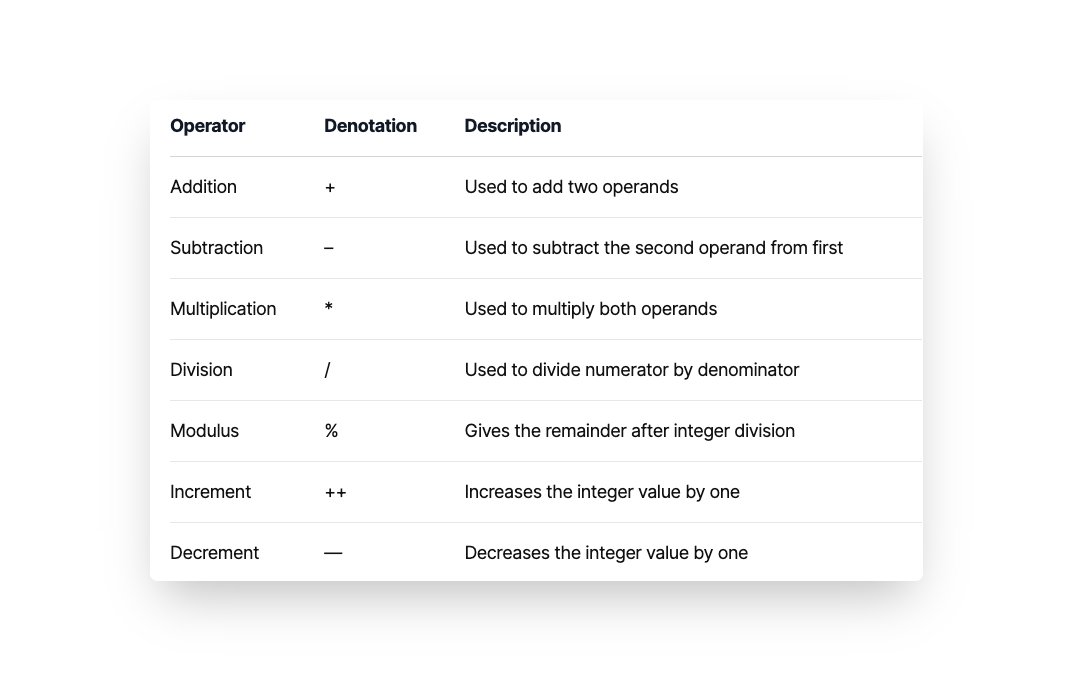
💠 Arithmetic Operators
These operators are used to perform mathematical operations.
These operators are used to perform mathematical operations.
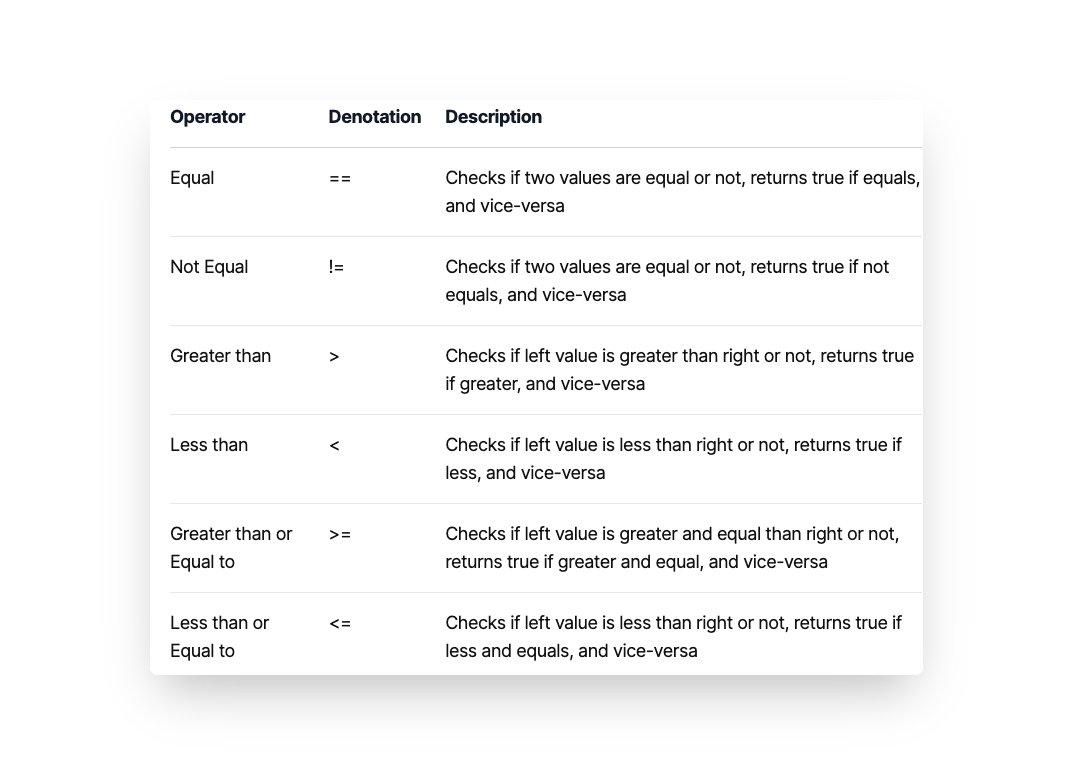
💠 Relational Operators
These operators are used to compare two values
These operators are used to compare two values
Loading suggestions...