

var, let & const in JavaScript.
Detailed Explanation:
Thread 🧵
Detailed Explanation:
Thread 🧵
📌JavaScript Variables:-
A variable is a container (storage area) to hold data.
# Four Ways to Declare a JavaScript Variable:
- Using `var`
- Using `let`
- Using `const`
JavaScript Variables:
A variable is a container (storage area) to hold data.
# Four Ways to Declare a JavaScript Variable:
- Using `var`
- Using `let`
- Using `const`
JavaScript Variables:
📌Using `var`
The `var` keyword is used in all JavaScript code from 1995 to 2015.
If you want your code to run in an older browser, you must use `var`
The `var` keyword is used in all JavaScript code from 1995 to 2015.
If you want your code to run in an older browser, you must use `var`

In this example, num1, num2, and sum are variables, declared with the `var`
keyword.
There are some rules to creating a variable
1. The variable's name cannot begin with a number.
keyword.
There are some rules to creating a variable
1. The variable's name cannot begin with a number.

The name of the variables can start with a letter, underscore ( _ ) or, dollar sign ( $ ).

3 . The variable names are case-sensitive.

Variable names cannot contain spaces.

📌Let:
The `let` keyword was introduced in [ES6 (2015)]
Variables defined with `let` cannot be Redeclared.
The `let` keyword was introduced in [ES6 (2015)]
Variables defined with `let` cannot be Redeclared.
![📌Let:
The `let` keyword was introduced in [ES6 (2015)]
Variables defined with `let` cannot be Rede...](https://pbs.twimg.com/media/FZtL0k8X0AEpxsK.jpg)
Variables defined with let must be Declared before use.

Variables defined with let have Block Scope.

let Doesn't Allow Hoisting: -
The variables declared with 'var' hoisted to the top of the scope of the program.
The keyword `let`does do not allow hoisting.
The variables declared with 'var' hoisted to the top of the scope of the program.
The keyword `let`does do not allow hoisting.

📌Const:-
Once a constant is initialized, we cannot change its value.
eg:-
`const x = 5;`
Once a constant is initialized, we cannot change its value.
const x = 5;
x = 10; // Error!
console.log(x) Simply, a constant is a type of variable whose value cannot be changed.
Once a constant is initialized, we cannot change its value.
eg:-
`const x = 5;`
Once a constant is initialized, we cannot change its value.
const x = 5;
x = 10; // Error!
console.log(x) Simply, a constant is a type of variable whose value cannot be changed.
Variables defined with const cannot be Redeclared.
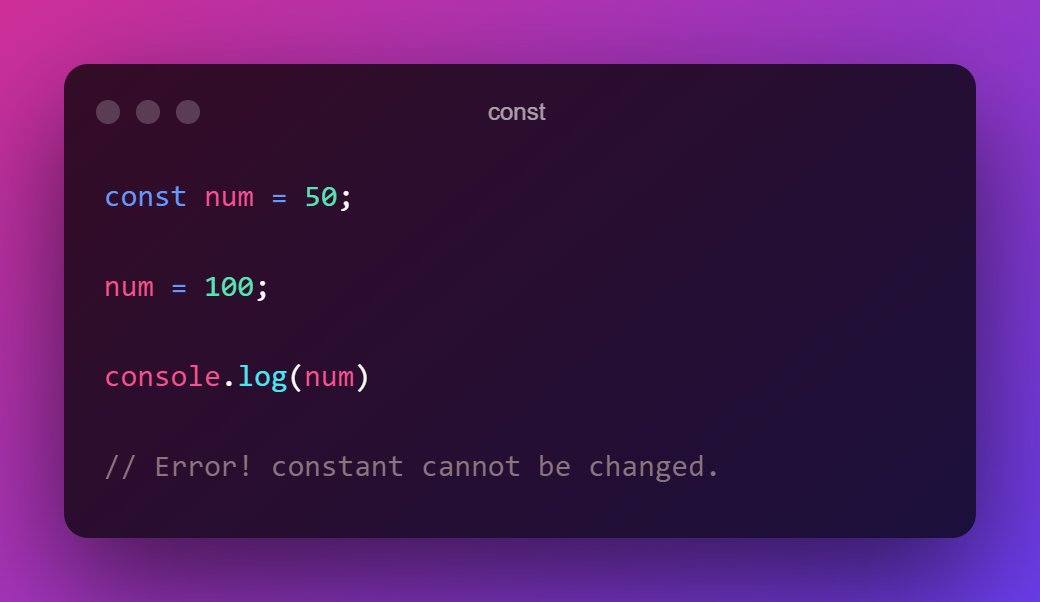
Variables defined with const cannot be Reassigned. Also, you cannot declare a constant without initializing it.

📌Constant Arrays
You can change the elements of a constant array.
You can change the elements of a constant array.

If you enjoyed reading this thread, please do the following:
1. Like the thread❤️
2. Retweet the first tweet.🔃
3. Follow me and enable notifications: ✅
@CodeMarch
Thank you for reading all the way through.
1. Like the thread❤️
2. Retweet the first tweet.🔃
3. Follow me and enable notifications: ✅
@CodeMarch
Thank you for reading all the way through.
Loading suggestions...