

Want to analyze the on-page SEO elements of any page and find potential issues?
Use Ahrefs' SEO Toolbar, a free extension for Chrome and Firefox.
Our on-page report has several sections:
- Content
- Indexability
- Social
- Images
Let's take a look at what each one covers 👀
Use Ahrefs' SEO Toolbar, a free extension for Chrome and Firefox.
Our on-page report has several sections:
- Content
- Indexability
- Social
- Images
Let's take a look at what each one covers 👀
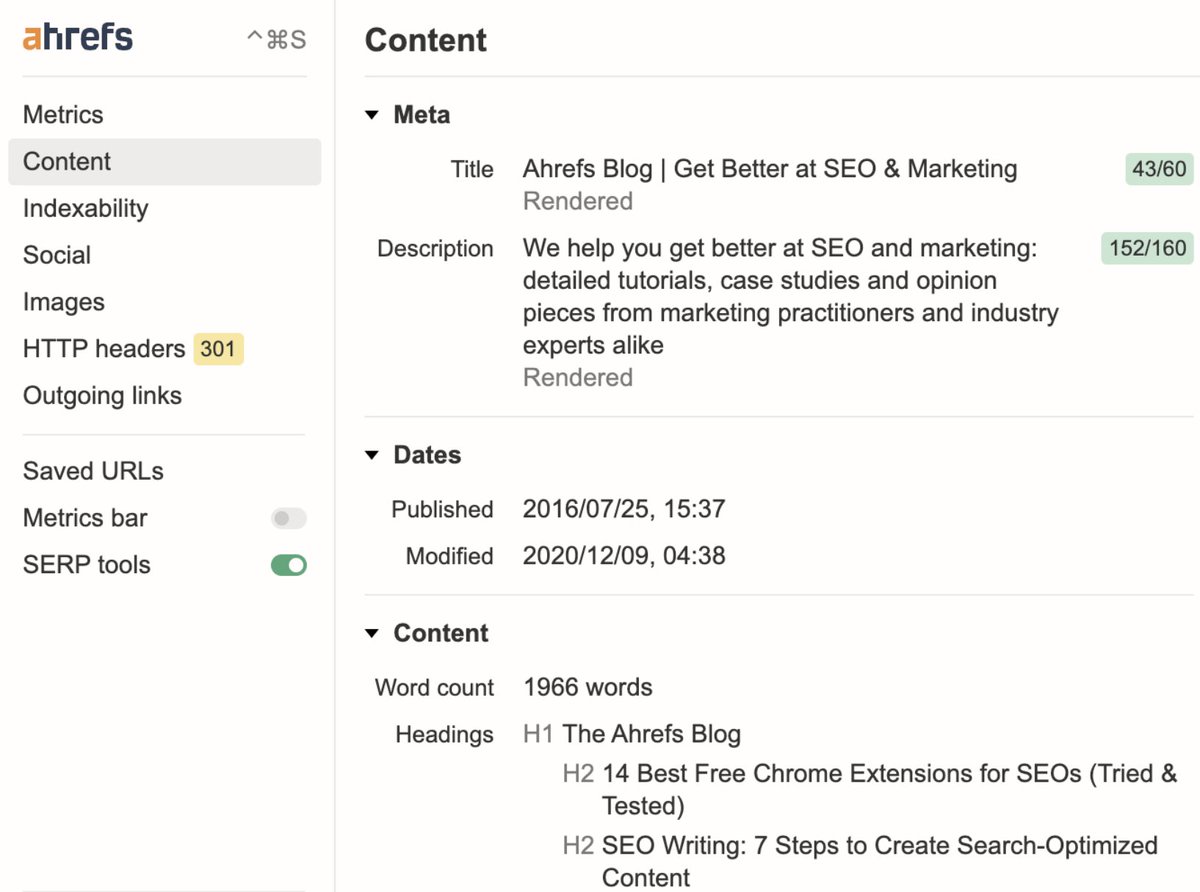
The Content section includes:
▶️ Title and description (including JS rendered) and their character lengths
▶️ Subheaders structure (H1–H6)
▶️ Page word count
▶️ Published and modified dates
▶️ Title and description (including JS rendered) and their character lengths
▶️ Subheaders structure (H1–H6)
▶️ Page word count
▶️ Published and modified dates
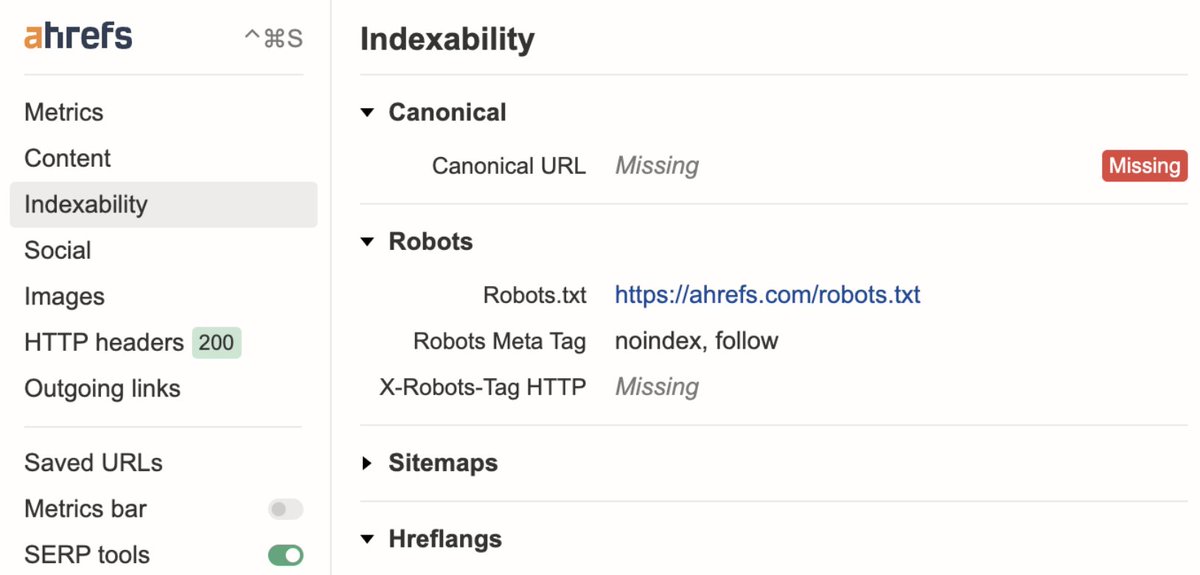
Over in Indexability, you'll find:
▶️ Canonical URL check
▶️ Pagewide noindex/nofollow directives for crawlers (in meta tags and HTTP headers)
▶️ Hreflang links
▶️ Sitemaps and robots.txt files
▶️ Canonical URL check
▶️ Pagewide noindex/nofollow directives for crawlers (in meta tags and HTTP headers)
▶️ Hreflang links
▶️ Sitemaps and robots.txt files
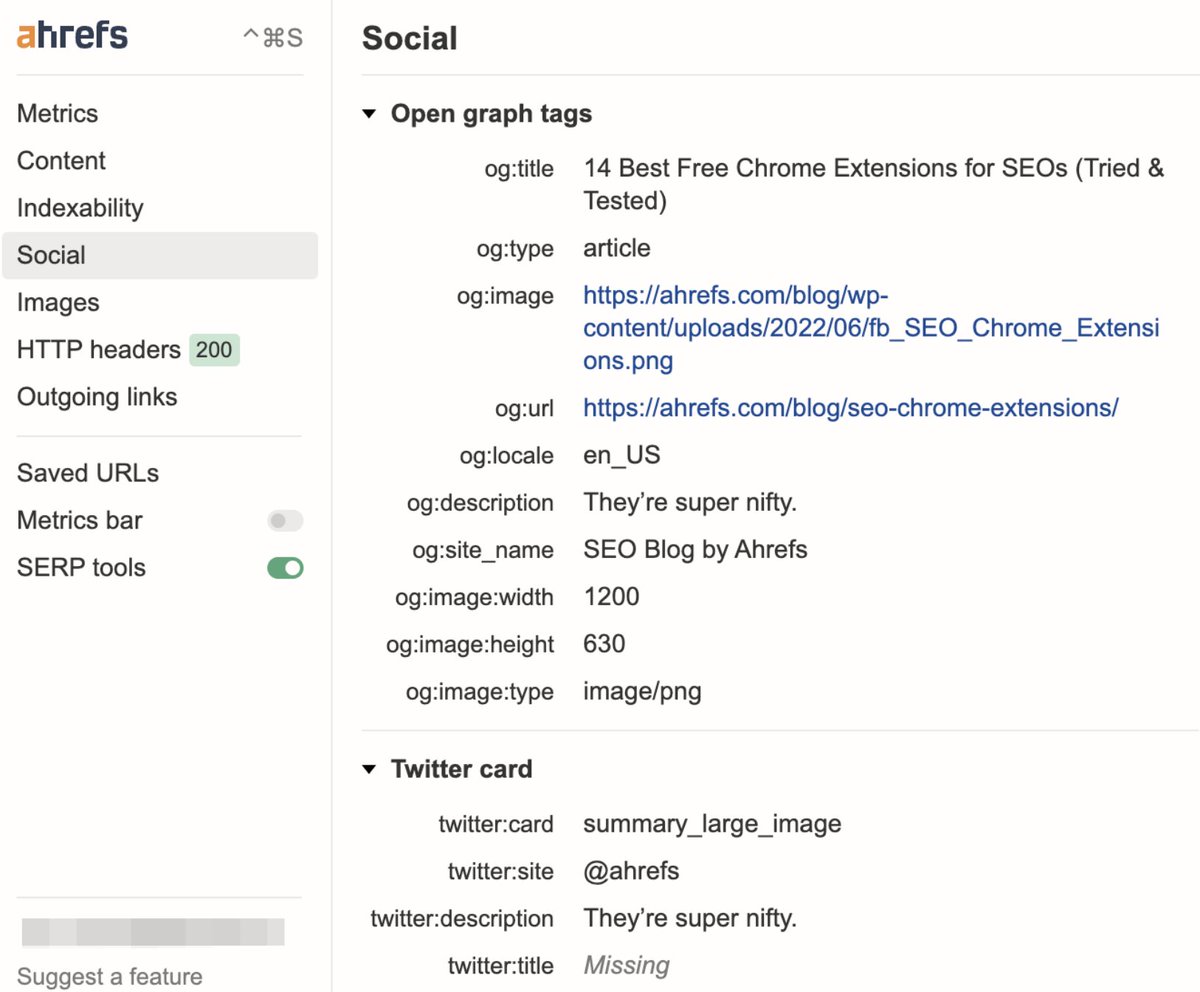
Meanwhile, the Social section includes:
▶️ Open graph tags
▶️ Twitter cards
▶️ Open graph tags
▶️ Twitter cards
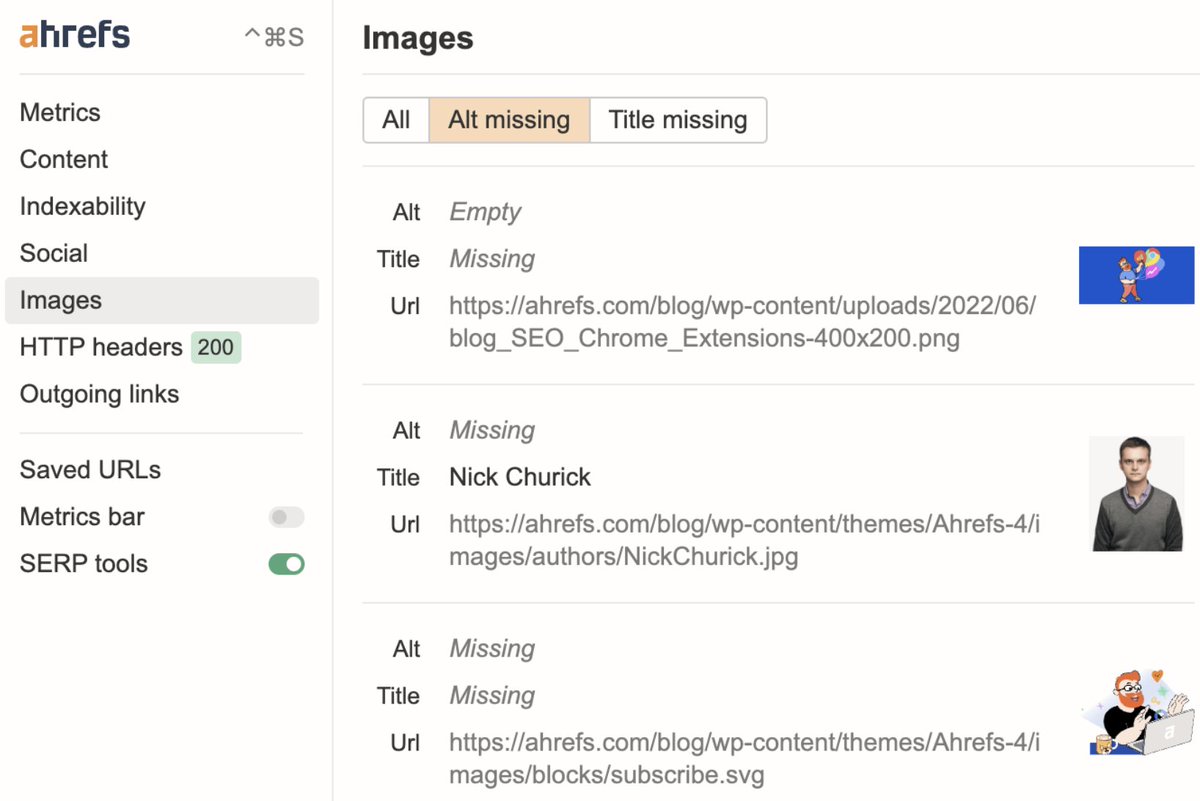
And the Image section covers:
▶️ Alt text
▶️ Titles
▶️ Alt text
▶️ Titles
Once you've installed the extension, you can access the on-page report in the SEO Toolbar by either:
- Clicking on the extension icon, or
- Using this keyboard shortcut:
▶️ Cmd+Ctrl+S (MacOS)
▶️ Alt+S (Windows)
Alternatively, edit this shortcut in the settings menu.
- Clicking on the extension icon, or
- Using this keyboard shortcut:
▶️ Cmd+Ctrl+S (MacOS)
▶️ Alt+S (Windows)
Alternatively, edit this shortcut in the settings menu.
Found this useful? @NickChurick shares more on how to get the most out of Ahrefs' SEO Toolbar.
ahrefs.com
ahrefs.com
Loading suggestions...