

Objects in JavaScript.
Detailed Explanation:
Thread 🧵
Detailed Explanation:
Thread 🧵
➡️Objects
The Object class represents one of JavaScript's data types. It is used to store various keyed collections and more complex entities. Objects can be created using the Object() constructor or the object initializer / literal syntax.
The Object class represents one of JavaScript's data types. It is used to store various keyed collections and more complex entities. Objects can be created using the Object() constructor or the object initializer / literal syntax.
➡️Creating a JavaScript Object
With JavaScript, you can define and create your objects.
There are different ways to create new objects:
1. Create a single object, using an object literal.
2. Create a single object, with the keyword new.
With JavaScript, you can define and create your objects.
There are different ways to create new objects:
1. Create a single object, using an object literal.
2. Create a single object, with the keyword new.
3. Define an object constructor, and then create objects of the constructed type.
4. Create an object using Object.create().
4. Create an object using Object.create().
➡️Using an Object Literal
This is the easiest way to create a JavaScript Object.
Using an object literal, you both define and create an object in one statement.
An object literal is a list of name: value pairs (like name : "mujeeb") inside curly braces {}.
This is the easiest way to create a JavaScript Object.
Using an object literal, you both define and create an object in one statement.
An object literal is a list of name: value pairs (like name : "mujeeb") inside curly braces {}.
The following example creates a new JavaScript object with three properties:
Example:
Example:
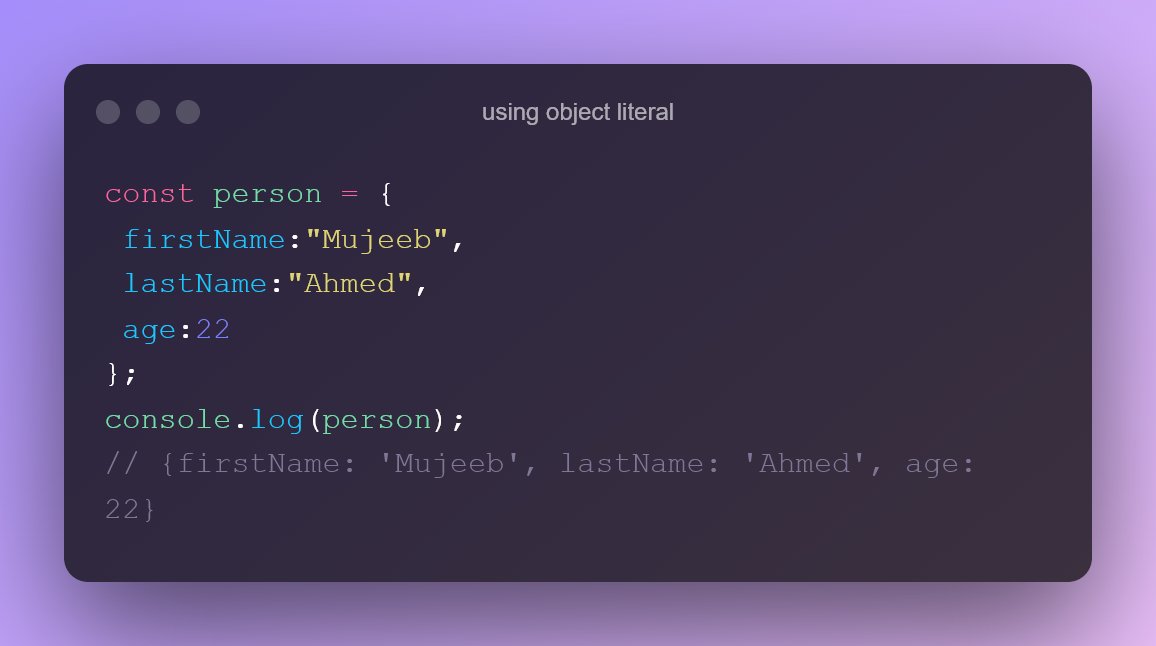
In the above example,
The first property of the object person is firstName:"Mujeeb" , the second property of the object person is lastName:"Ahmed" and the third property is age:22.
🔷Using new keyword.
Example:
The first property of the object person is firstName:"Mujeeb" , the second property of the object person is lastName:"Ahmed" and the third property is age:22.
🔷Using new keyword.
Example:

🔷Using Object.create().
Example:
Example:

➡️Accessing Properties of an Object.
The syntax for accessing the property of an object is:
The syntax for accessing the property of an object is:

Example:

➡️Object Methods:
1. Keys.
2. values.
3. delete.
4. freeze.
1. Keys.
2. values.
3. delete.
4. freeze.
1. Keys
The Object.keys() method produces an array of enumerable property names for a given object, iterated in the same way as a normal loop.
Example:
The Object.keys() method produces an array of enumerable property names for a given object, iterated in the same way as a normal loop.
Example:
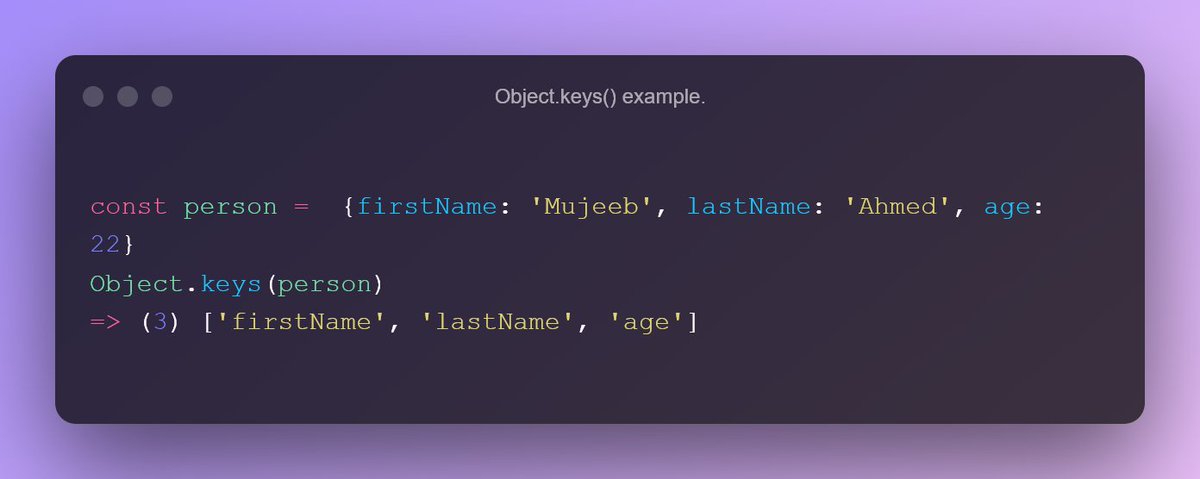
2. values:
The Object.values() method returns an array of enumerable property values for a given object in the same order as a for...in loop.
Example:
The Object.values() method returns an array of enumerable property values for a given object in the same order as a for...in loop.
Example:

3. delete:
This method will remove the whole property from an array.
Example:
This method will remove the whole property from an array.
Example:

4. freeze:
An object is frozen using the Object.freeze() method. An object that has been frozen cannot be changed; freezing an object prevents new properties from being added to it, existing properties from being removed, changing the enumerability, configurability, or
An object is frozen using the Object.freeze() method. An object that has been frozen cannot be changed; freezing an object prevents new properties from being added to it, existing properties from being removed, changing the enumerability, configurability, or
writability of existing properties, and changing the values of existing properties. Moreover, freezing an object prevents its prototype from being changed. freeze() returns the same object that was passed in as an argument.
Example:
Example:

If you enjoyed reading this thread, please do the following:
1. Like the thread❤️
2. Retweet the first tweet.🔃
3. Follow me and enable notifications: ✅
@CodeMarch
Thank you for reading all the way through.
1. Like the thread❤️
2. Retweet the first tweet.🔃
3. Follow me and enable notifications: ✅
@CodeMarch
Thank you for reading all the way through.
Loading suggestions...