

How to approach the Design Handoff?
Read the following tips if you're confused about this topic.
(Thread)👇
Read the following tips if you're confused about this topic.
(Thread)👇
1️⃣ Intro
Design handoff between design and development is essential but not given enough attention in the design process.
It's important to know which elements the development team needs from the design team. Let's talk about some of them 👇
Design handoff between design and development is essential but not given enough attention in the design process.
It's important to know which elements the development team needs from the design team. Let's talk about some of them 👇
2️⃣ Typography guide
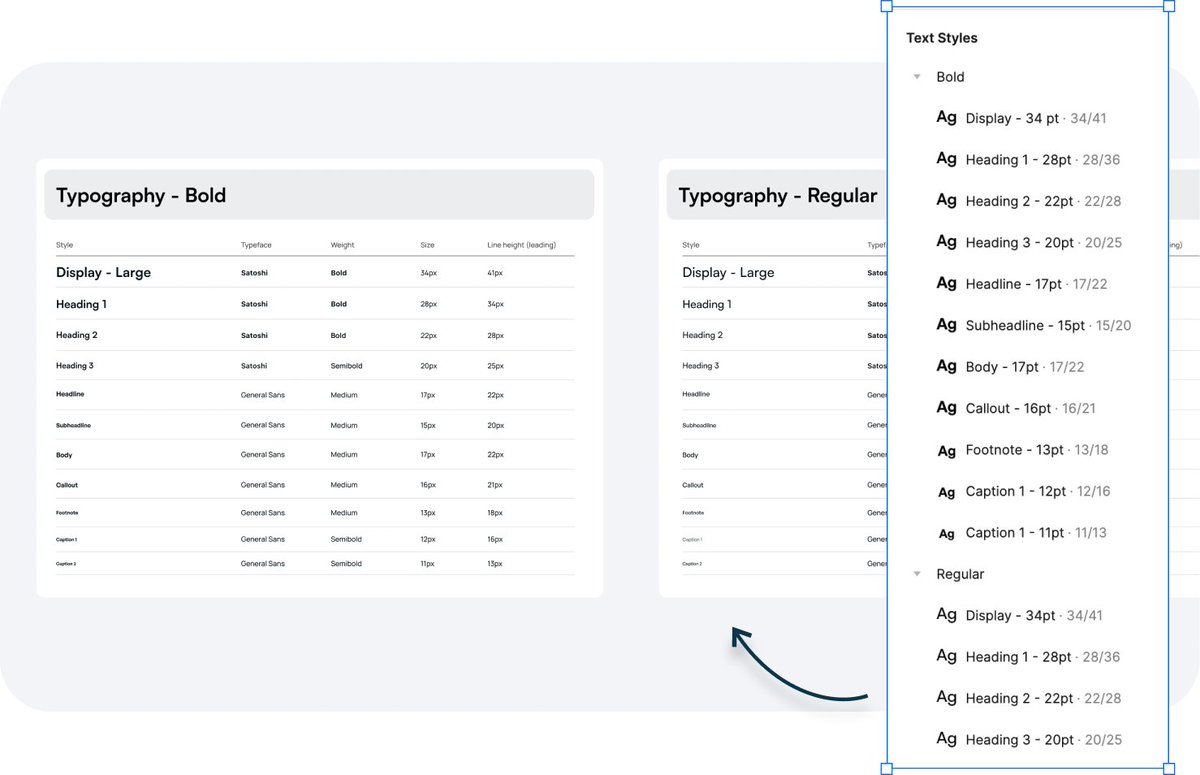
We need a type scale to explain our fonts, size, leading, spacing, and their specific uses.
We might also need a set of Regular and Bold types for each specific purpose. Remember about convenient and logical naming structure.
We need a type scale to explain our fonts, size, leading, spacing, and their specific uses.
We might also need a set of Regular and Bold types for each specific purpose. Remember about convenient and logical naming structure.
3️⃣ Style guide/design system
You should document your styling in a style guide or a design system.
That includes colors, typography, imagery, iconography, grids, shadows, blurs, and graphics used across your entire app.
Name them appropriately.
You should document your styling in a style guide or a design system.
That includes colors, typography, imagery, iconography, grids, shadows, blurs, and graphics used across your entire app.
Name them appropriately.

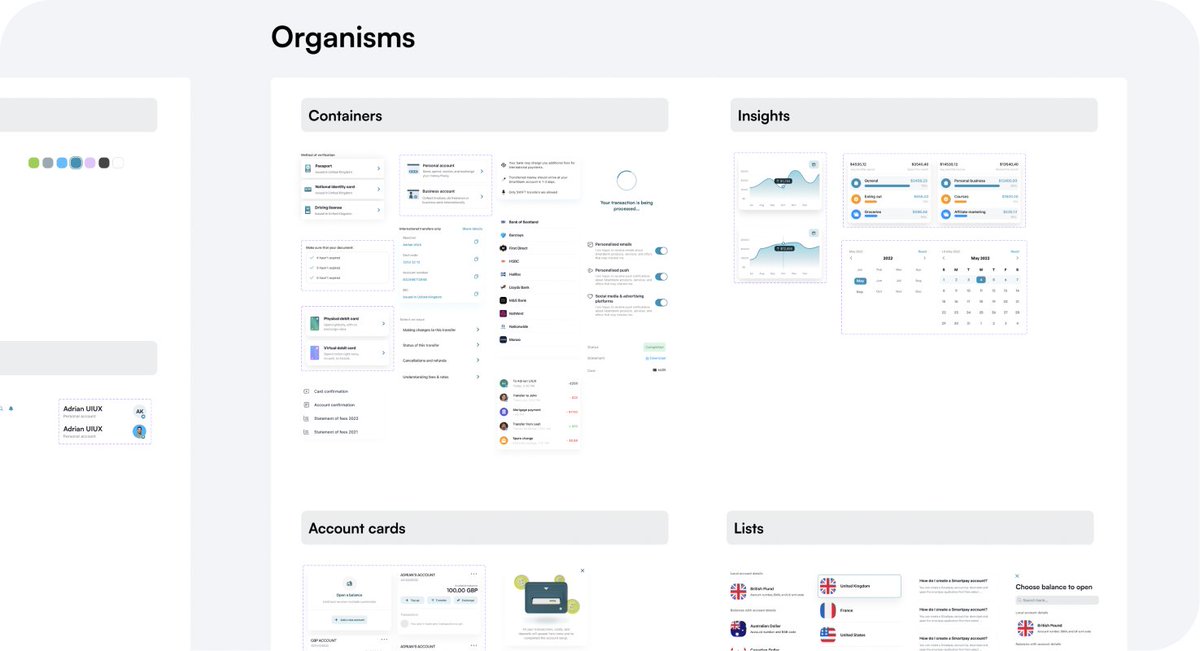
4️⃣ Components library
I create a component out of every element and build a components library.
It's super helpful when you need to change the properties of a single component - you do it once on the master component, and it's reflected everywhere. Pretty neat!
I create a component out of every element and build a components library.
It's super helpful when you need to change the properties of a single component - you do it once on the master component, and it's reflected everywhere. Pretty neat!
5️⃣ Naming conventions
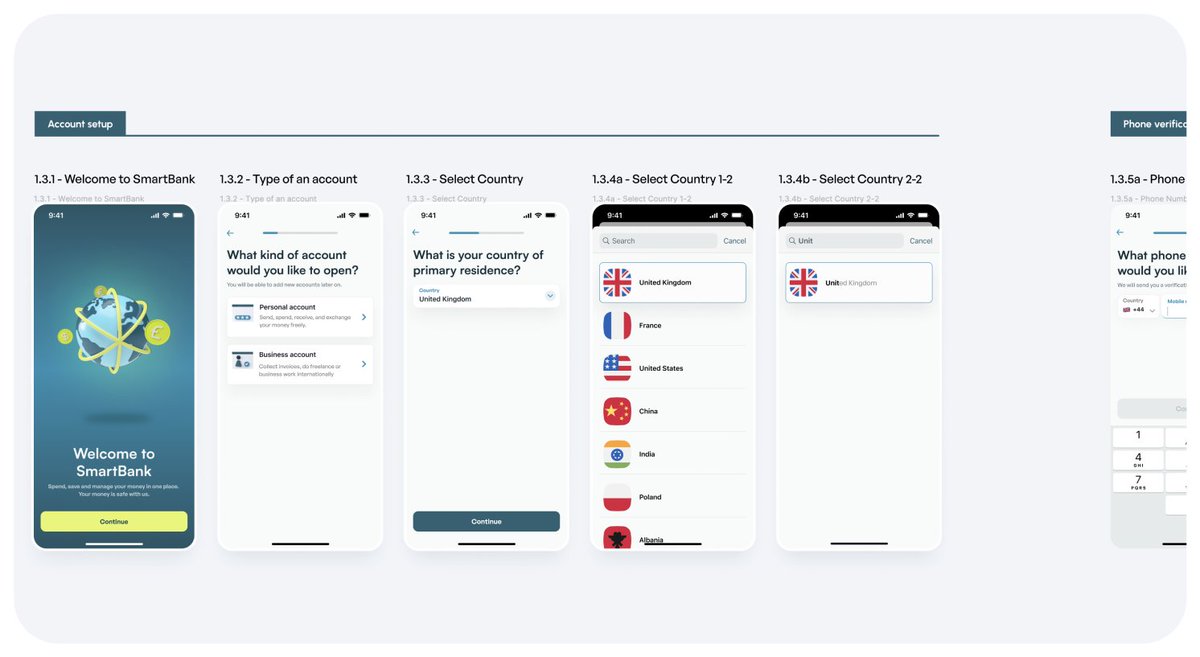
Name your frames with a logical pattern based on your iterations, numbers of flows, steps in the flow, and micro-flows in a single step.
Group these frames up on your "Layers" panel and add labels so your devs can easily find what they need.
Name your frames with a logical pattern based on your iterations, numbers of flows, steps in the flow, and micro-flows in a single step.
Group these frames up on your "Layers" panel and add labels so your devs can easily find what they need.
6️⃣ Page naming/Changelog
Page naming is super important also. When multiple people are working on a file, it gets super messy super quick, and you need an easy way to track your changes and progress.
Date your changes on a page and add a changelog for bigger projects!
Page naming is super important also. When multiple people are working on a file, it gets super messy super quick, and you need an easy way to track your changes and progress.
Date your changes on a page and add a changelog for bigger projects!
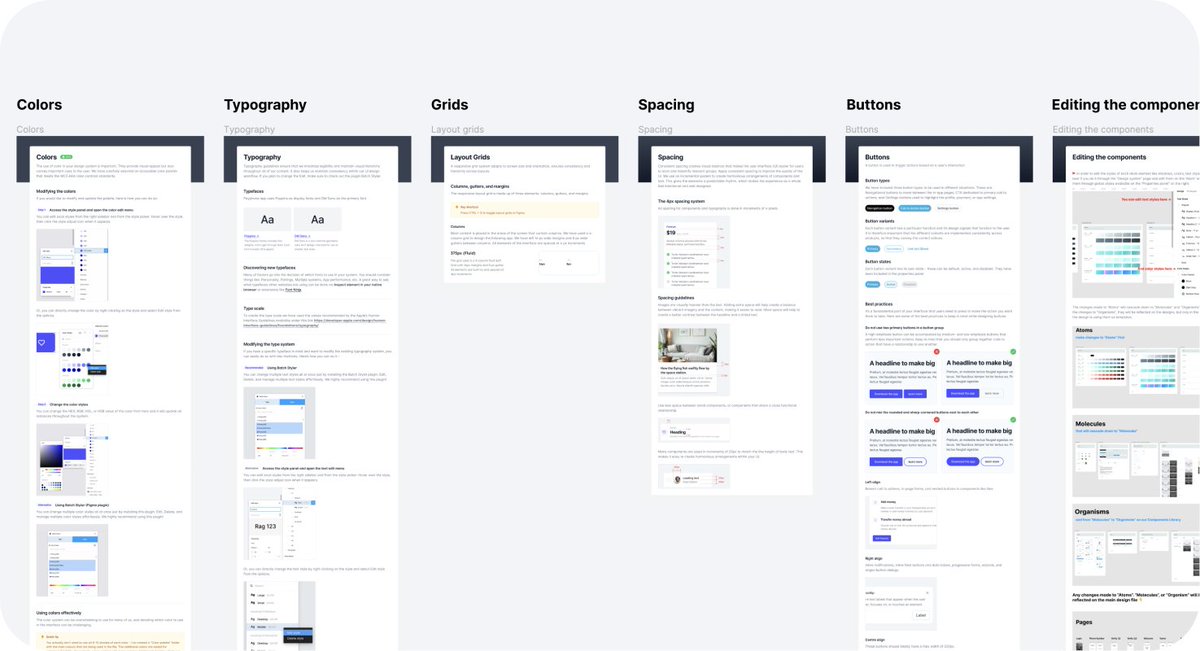
7️⃣ Documentation/annotations
Some devs will need full documentation on how they should approach each color, type size, what is the spacing between the elements, and what styles of buttons they should use for each action.
Document it and add annotations where needed.
Some devs will need full documentation on how they should approach each color, type size, what is the spacing between the elements, and what styles of buttons they should use for each action.
Document it and add annotations where needed.
8️⃣ Grids & safe areas
Your devs will need to know what grid you used to design the app, what safe space you left for the tab bar, the toolbar, the gutters, and the spacing between the elements.
Add a grid guide documentation and explain everything!
Your devs will need to know what grid you used to design the app, what safe space you left for the tab bar, the toolbar, the gutters, and the spacing between the elements.
Add a grid guide documentation and explain everything!

This is it from me, guys! 🙌
If you've enjoyed this little thread, feel free to retweet it to help more people!
Thank you 💙
Also, follow @uiuxadrian for more practical design tips, guides, resources, and design freebies.
Thanks for reading 🙏🏼
If you've enjoyed this little thread, feel free to retweet it to help more people!
Thank you 💙
Also, follow @uiuxadrian for more practical design tips, guides, resources, and design freebies.
Thanks for reading 🙏🏼
P.S. This is a shortened excerpt of the design handoff chapter from my Design Manual eBook where I explain how to design an app from start to finish.
Learn more about it by downloading the FREE Sample (54 pages)👇
uiadrian.gumroad.com
Learn more about it by downloading the FREE Sample (54 pages)👇
uiadrian.gumroad.com
Loading suggestions...