

Google's Search Console "Crawl Stats" report is probably the most underrated tool you're not using
Probably because Google hid the reports in the interface
To find it, you need to navigate to "Settings" > Crawl Stats
A few tips🧵1/6
Probably because Google hid the reports in the interface
To find it, you need to navigate to "Settings" > Crawl Stats
A few tips🧵1/6

Google improved this report A LOT from past years
While not perfect, it can provide a ton of information about how Google crawls your site
Helpful for SEO auditing—because, while not a replacement—many of us don't have access to crawl logs 🧵2/6
While not perfect, it can provide a ton of information about how Google crawls your site
Helpful for SEO auditing—because, while not a replacement—many of us don't have access to crawl logs 🧵2/6

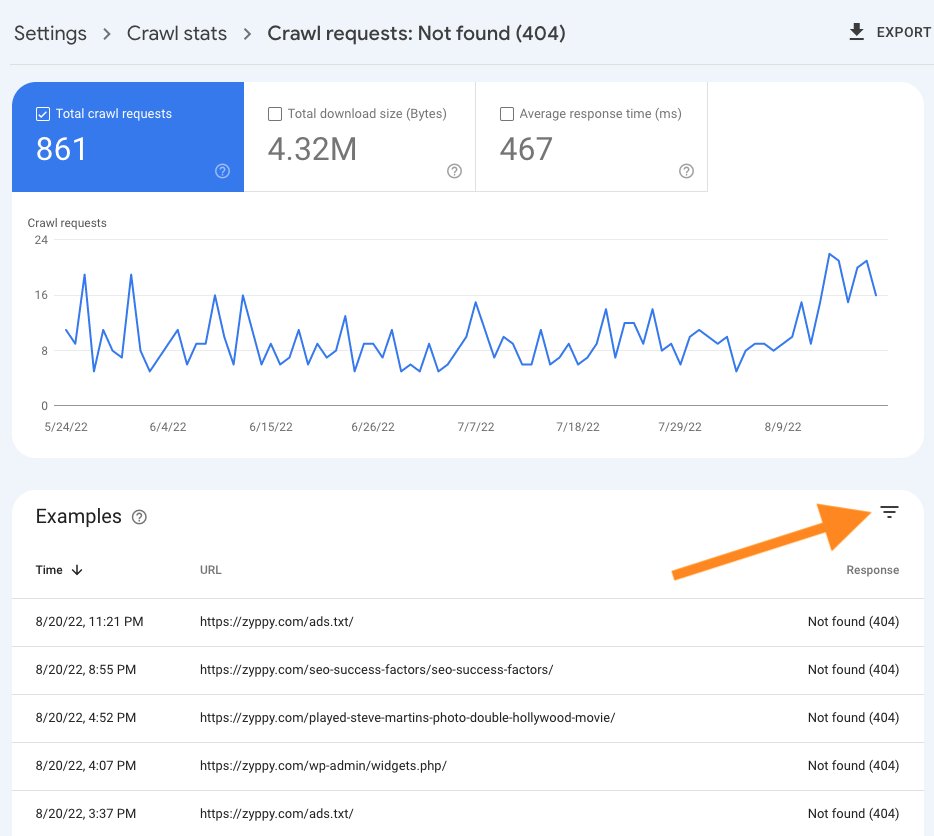
Example: See how often googlebot encountered 301 redirects or 404 error pages on your site
Google will show you a list of most recent URLs along w/ timestamps
The data only goes back so far, but it's still useful!
You want to download this data 🧵3/6
Google will show you a list of most recent URLs along w/ timestamps
The data only goes back so far, but it's still useful!
You want to download this data 🧵3/6

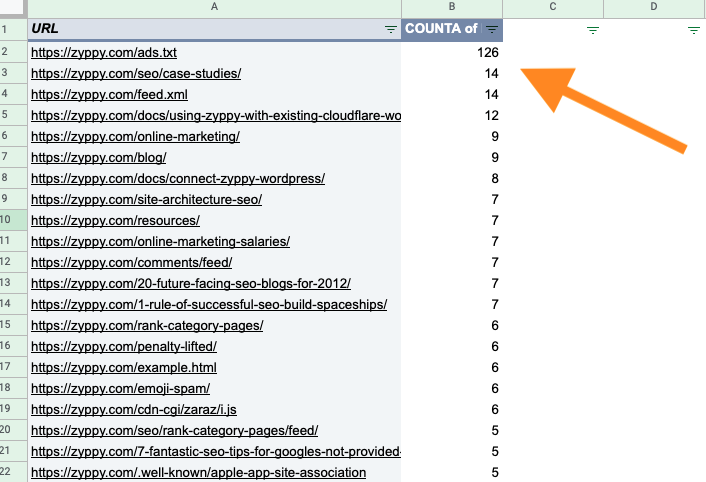
In this example, I've downloaded the 404 error pages googlebot keeps hitting
Turn this data into a pivot table
This way, you can see the error pages Google keeps trying to crawl the most, to prioritize fixes
looks like Google keeps looking for an ads.txt file on my site 🧵4/6
Turn this data into a pivot table
This way, you can see the error pages Google keeps trying to crawl the most, to prioritize fixes
looks like Google keeps looking for an ads.txt file on my site 🧵4/6
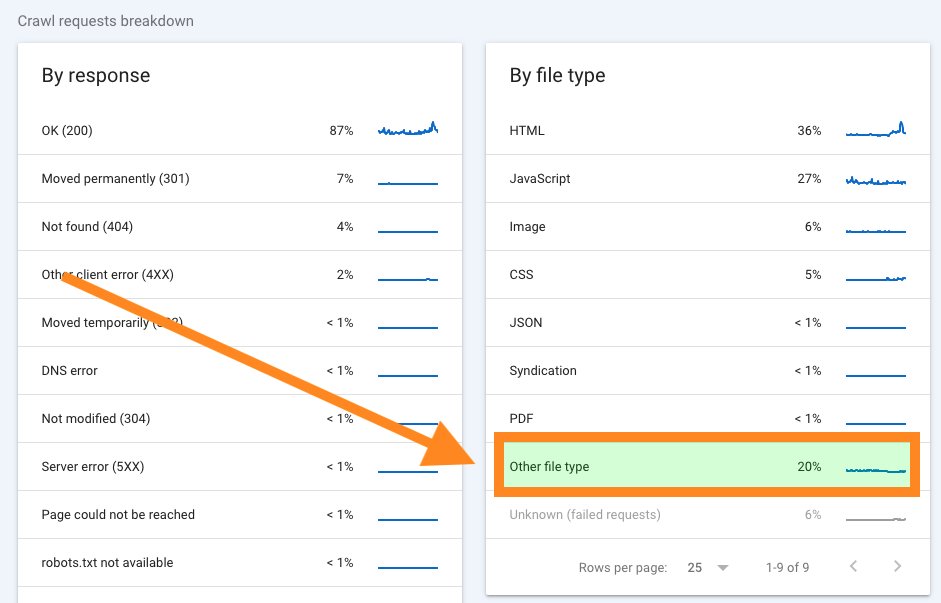
Also helpful, see what types of files Google spends energy crawling under the "File Type" report
If you see Google disproportionally crawling a large number of odd filetypes, it may be worth investigating
(in this case, signed exchange certifications) 🧵5/6
If you see Google disproportionally crawling a large number of odd filetypes, it may be worth investigating
(in this case, signed exchange certifications) 🧵5/6
Give it a spin
Oh, if you want to jump directly to the report, here's the link: search.google.com
🧵6/6 fin
Oh, if you want to jump directly to the report, here's the link: search.google.com
🧵6/6 fin
Loading suggestions...