

Build a REST API in four simple steps.
Thread 🧵
Thread 🧵
Step 1: Install Node.js
We are assuming you have Node.js installed on your machine. If you haven't installed it, click on the following link and install it simply.
nodejs.org
We are assuming you have Node.js installed on your machine. If you haven't installed it, click on the following link and install it simply.
nodejs.org

Step 2: Initialize the project
Let's start; create an empty directory and initialize your project by running the following command.
Let's start; create an empty directory and initialize your project by running the following command.

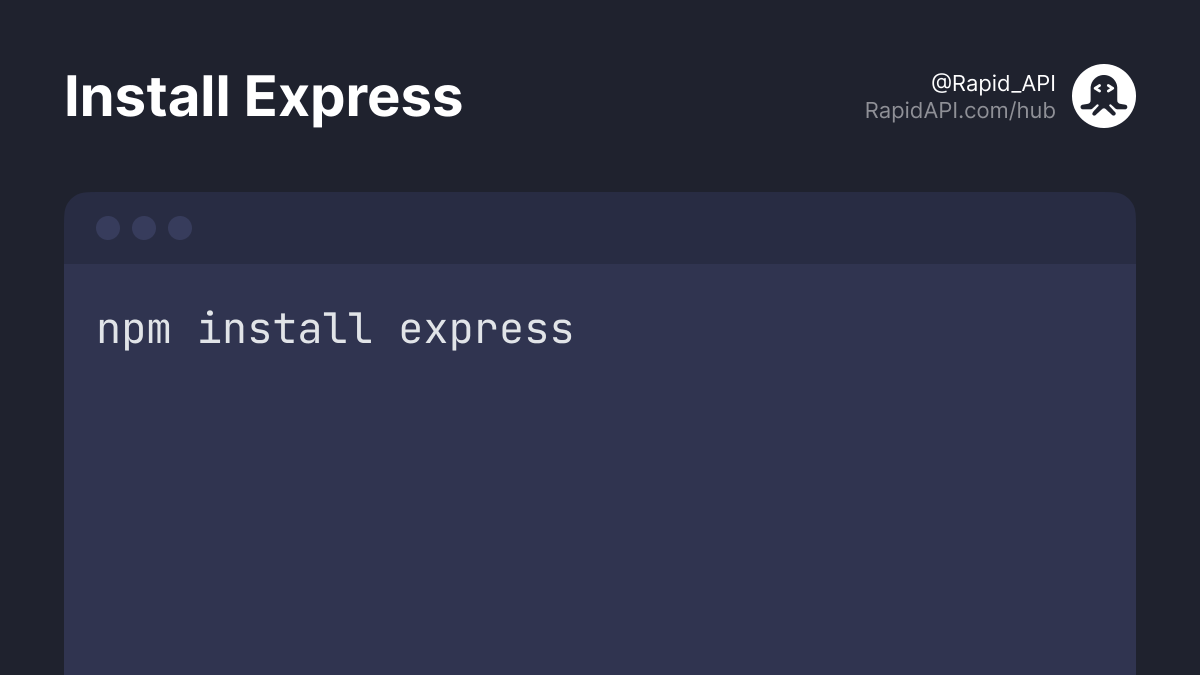
The next step is to create an empty JavaScript file (File name could be anything, in this case, it's index.js) and install Express.
🔗 npmjs.com
Express is a minimal and easy-to-learn framework for Node.
🔗 npmjs.com
Express is a minimal and easy-to-learn framework for Node.
Step 3: Starting the server
Now that everything is ready, it's time to code our actual API.
Let's start the server first.
In the below code snippet, we are initializing our `app` and starting the local server at port 3000.
Run `node index.js` to start the server.
Now that everything is ready, it's time to code our actual API.
Let's start the server first.
In the below code snippet, we are initializing our `app` and starting the local server at port 3000.
Run `node index.js` to start the server.

For more context, listen() function is used to establish the connection on specified host and port.
It takes two params:
- The first is the port number or host.
- The second (optional) is a callback function that runs after listening to a specified host or value.
It takes two params:
- The first is the port number or host.
- The second (optional) is a callback function that runs after listening to a specified host or value.
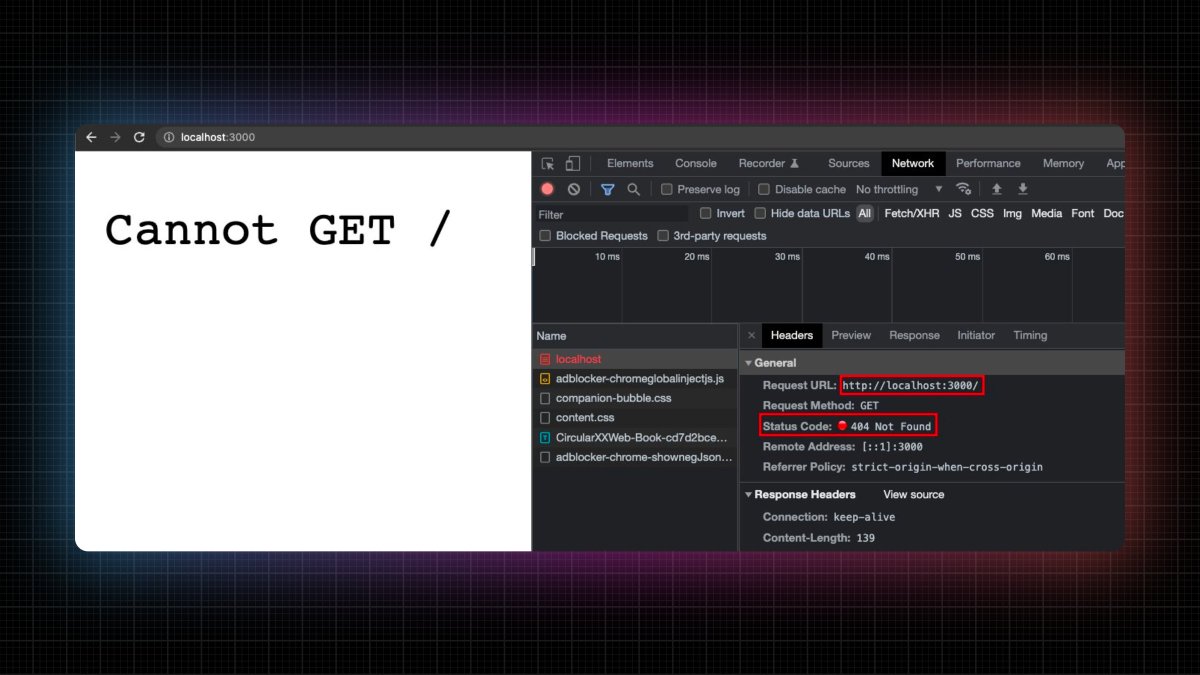
Moving forward, let's try to access "localhost:3000" in the browser and see what we are getting.
We are getting a "404 Not Found" response which is correct as we haven't defined any endpoints yet.
We are getting a "404 Not Found" response which is correct as we haven't defined any endpoints yet.
I prefer RapidAPI Client for VS Code extension to test and build API in VS Code.
It saves me from context switching and boosts my productivity.
Go ahead and install it.
🔗 marketplace.visualstudio.com
It saves me from context switching and boosts my productivity.
Go ahead and install it.
🔗 marketplace.visualstudio.com
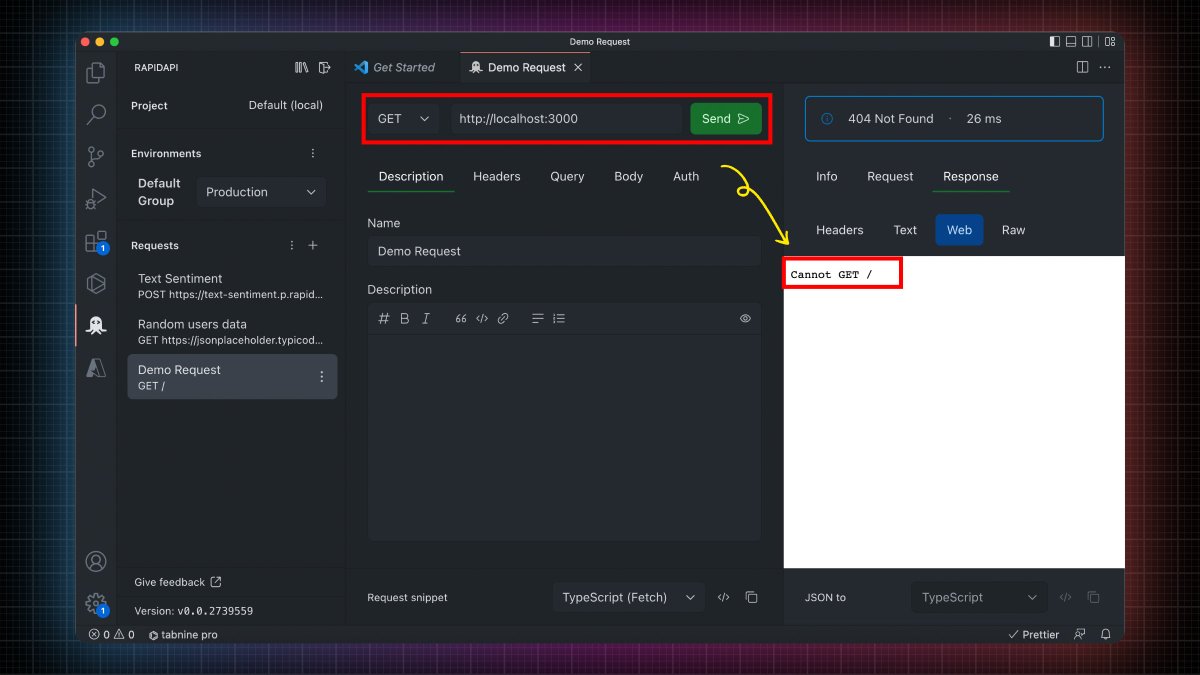

As now our server is running successfully at port 3000, let's create an endpoint. 👇
Step 4: Create Endpoints
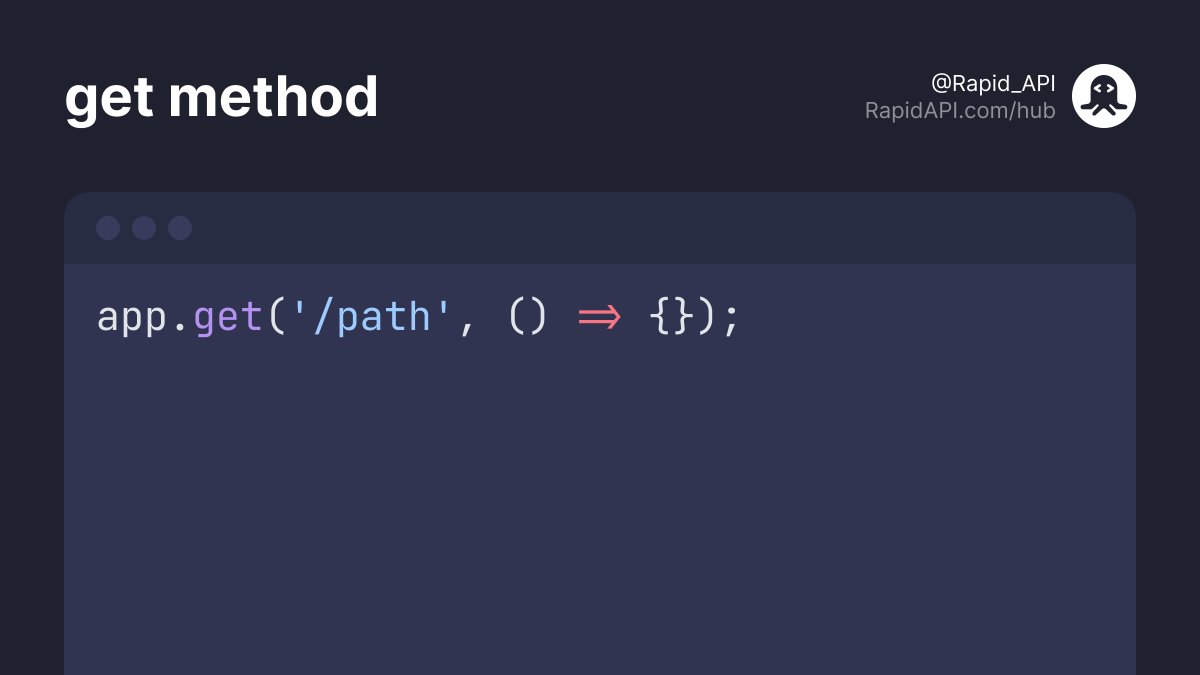
The `get` method allows us to create HTTP GET requests.
It accepts two params:
- The first is path/route.
- The second is a callback function that handles the request to the specified route.
The `get` method allows us to create HTTP GET requests.
It accepts two params:
- The first is path/route.
- The second is a callback function that handles the request to the specified route.
The callback function itself accepts two arguments:
- The first is the request which is the data to the server.
- The second is the response which is the data to the client.
- The first is the request which is the data to the server.
- The second is the response which is the data to the client.

Suppose you want to display all the users whenever the client requests the "/users" endpoint.
To return the data from the server to the client, we have the `send` method.
In the code snippet below, we send an array of objects with `name` and `id` fields.
To return the data from the server to the client, we have the `send` method.
In the code snippet below, we send an array of objects with `name` and `id` fields.

Perfect!
Let's restart the server by running the `node index.js` command and see what we are getting.
Let's restart the server by running the `node index.js` command and see what we are getting.
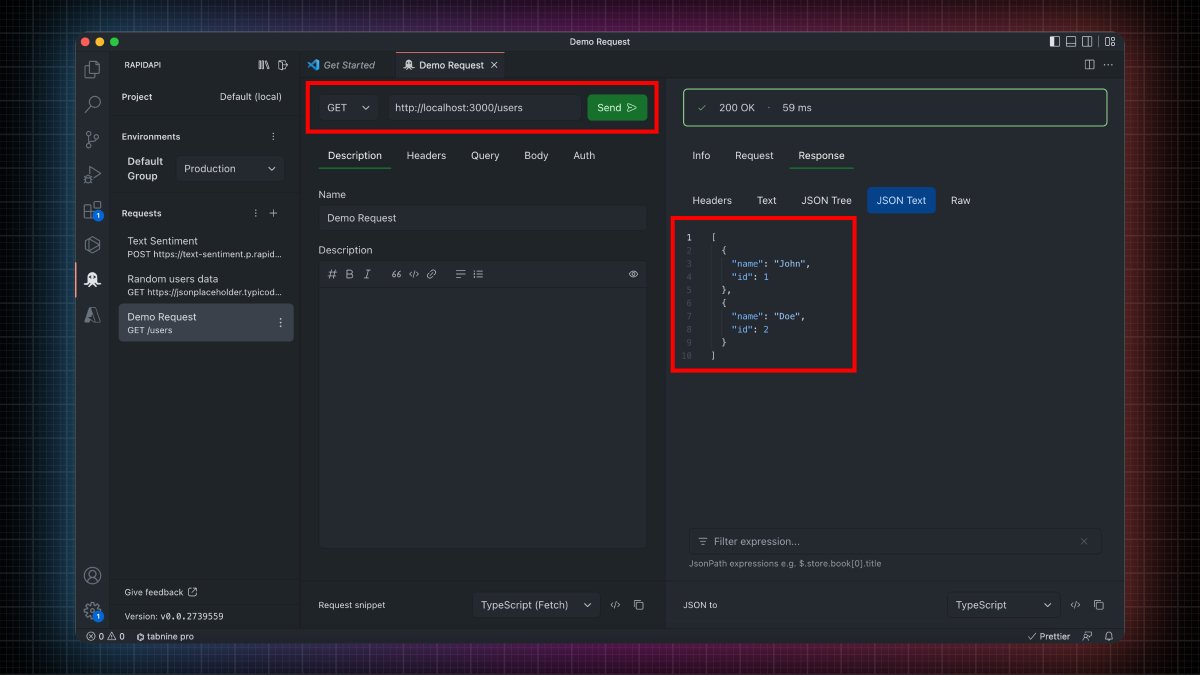
You can make as many endpoints as you want using the same technique.
For demonstration purposes, let's quickly create a POST request endpoint. 👇
For demonstration purposes, let's quickly create a POST request endpoint. 👇
As POST request is to create or add new data to the server. We first need to add middleware so that we can parse the JSON body.

We are defining a POST endpoint at the "/user/3" route.
We implemented the logic of throwing a "400 Bad Request" status code if the user forgets to pass the name value in the request body. 👇🏻
We implemented the logic of throwing a "400 Bad Request" status code if the user forgets to pass the name value in the request body. 👇🏻
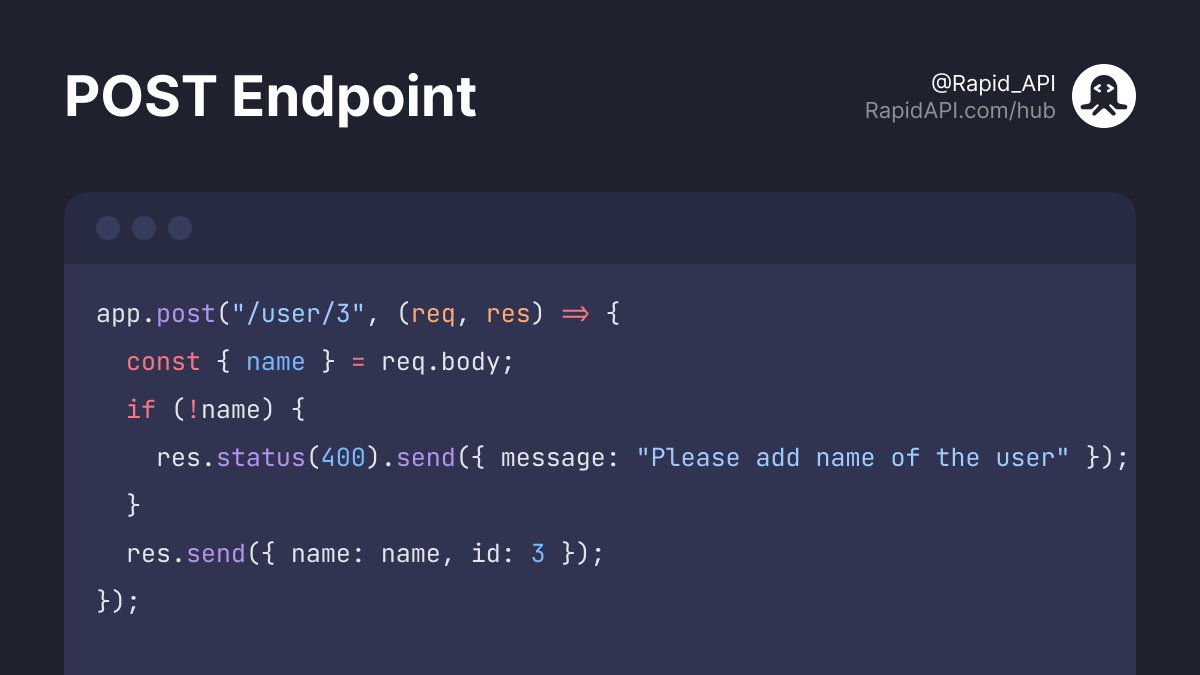
Let's try to access this endpoint now. 👇
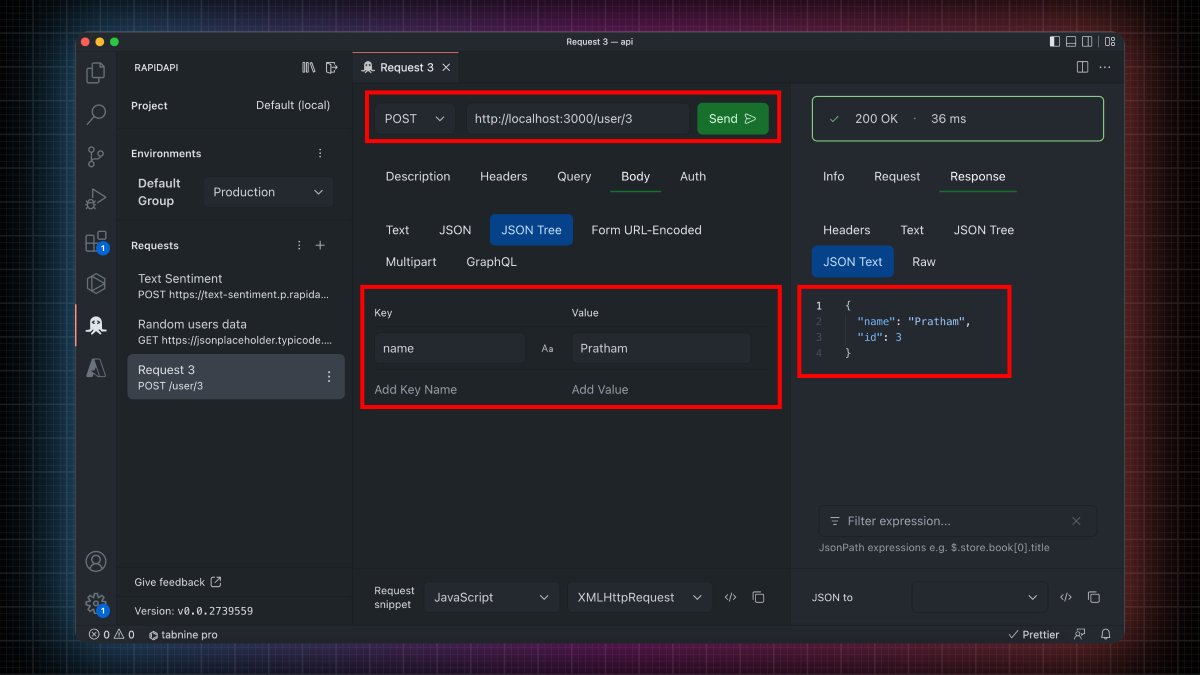
As you can see, we are getting a response. 🎉
Great! You just built a REST API.
Great! You just built a REST API.
The DevRel team at @Rapid_API originally wrote this thread. I'm working as a developer advocate there.
@Rapid_API With that said, that's pretty much it for this thread.
Follow @PrathKum for more exciting content such as this one. 😉
Follow @PrathKum for more exciting content such as this one. 😉
Loading suggestions...