

💡Figma Tip: Stop wasting time, just steal from better color palettes.
Don’t reinvent the wheel. Instead, steal your color palette from a popular, well-tested, framework or design system. Then make customizations to match your branding and needs.
Here's how..
Don’t reinvent the wheel. Instead, steal your color palette from a popular, well-tested, framework or design system. Then make customizations to match your branding and needs.
Here's how..

1) Copy the HEX codes from a well-tested framework or design system. And paste them into your Figma file. Creating a color key matrix.
Some solid options include Material Design, Ant Design, and Tailwind.
Some solid options include Material Design, Ant Design, and Tailwind.

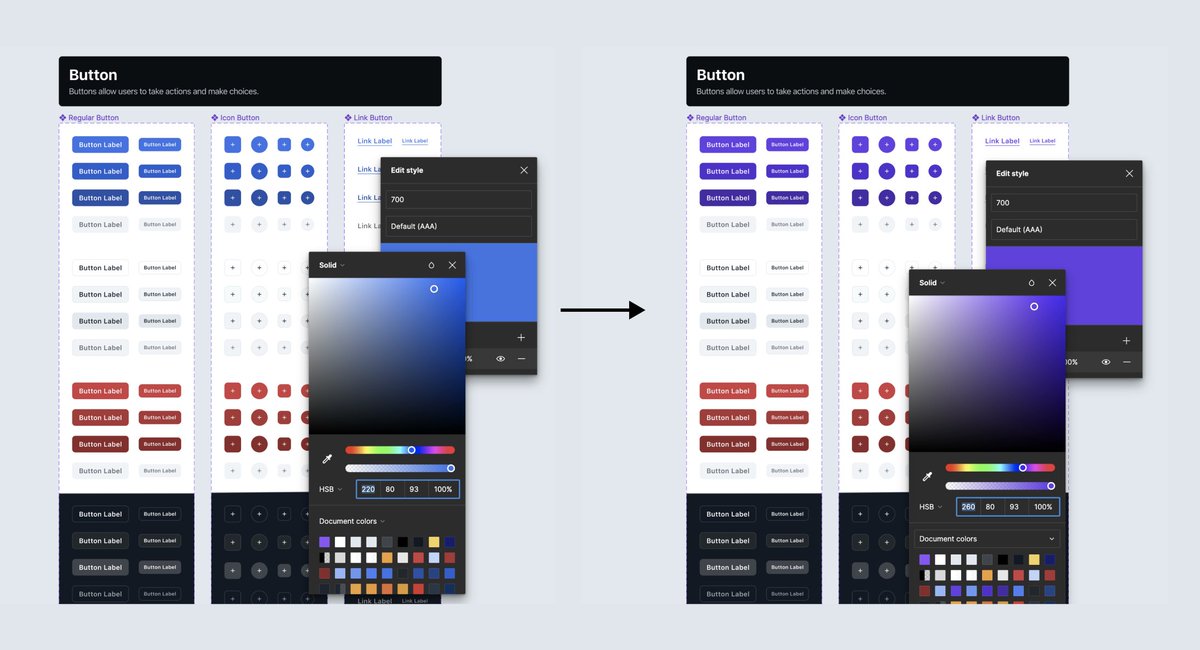
2) Customize the colors by changing the HUE value for each tint/shade. While keeping the brightness and saturation values as they are.
For example, make the hue value for all 10 primary colors “220”.
For example, make the hue value for all 10 primary colors “220”.

3) Make sure every color is accessible by testing its contrast ratio. Test colors 100-600 with black text on top. And colors 700-900 with white text on top.
If a color does not pass, adjust the brightness and saturation values until it does.
If a color does not pass, adjust the brightness and saturation values until it does.
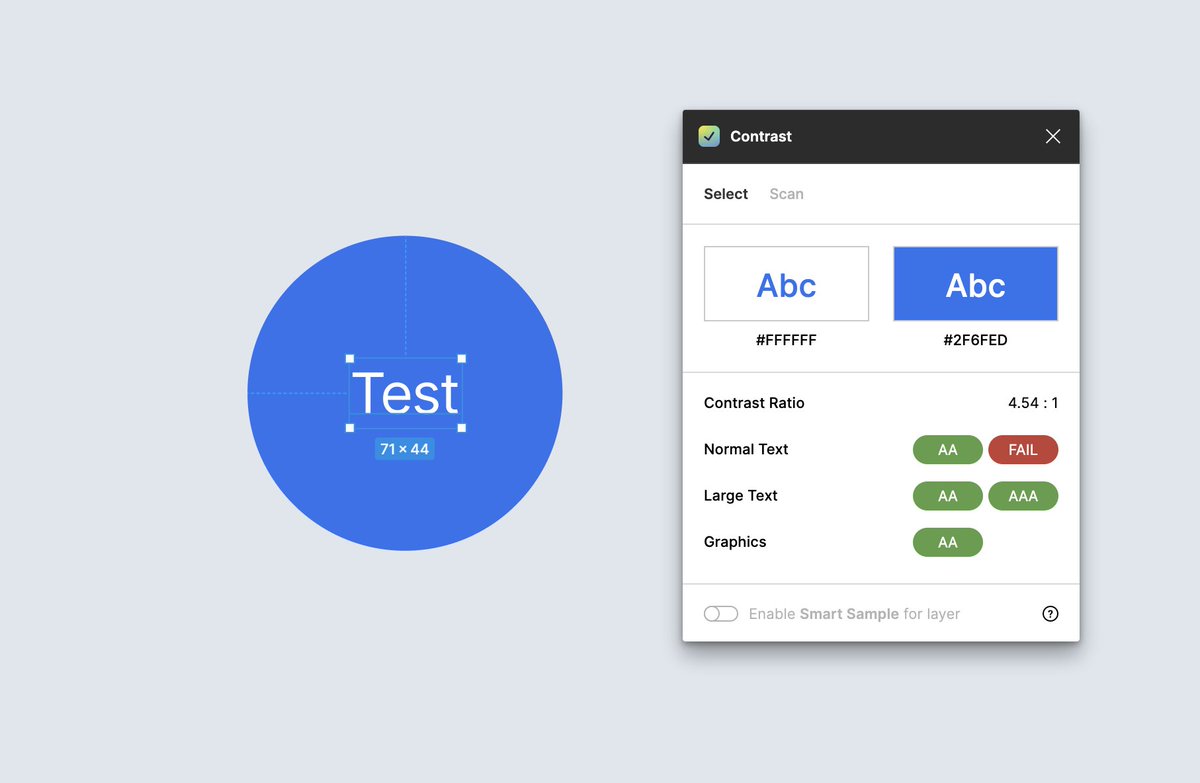
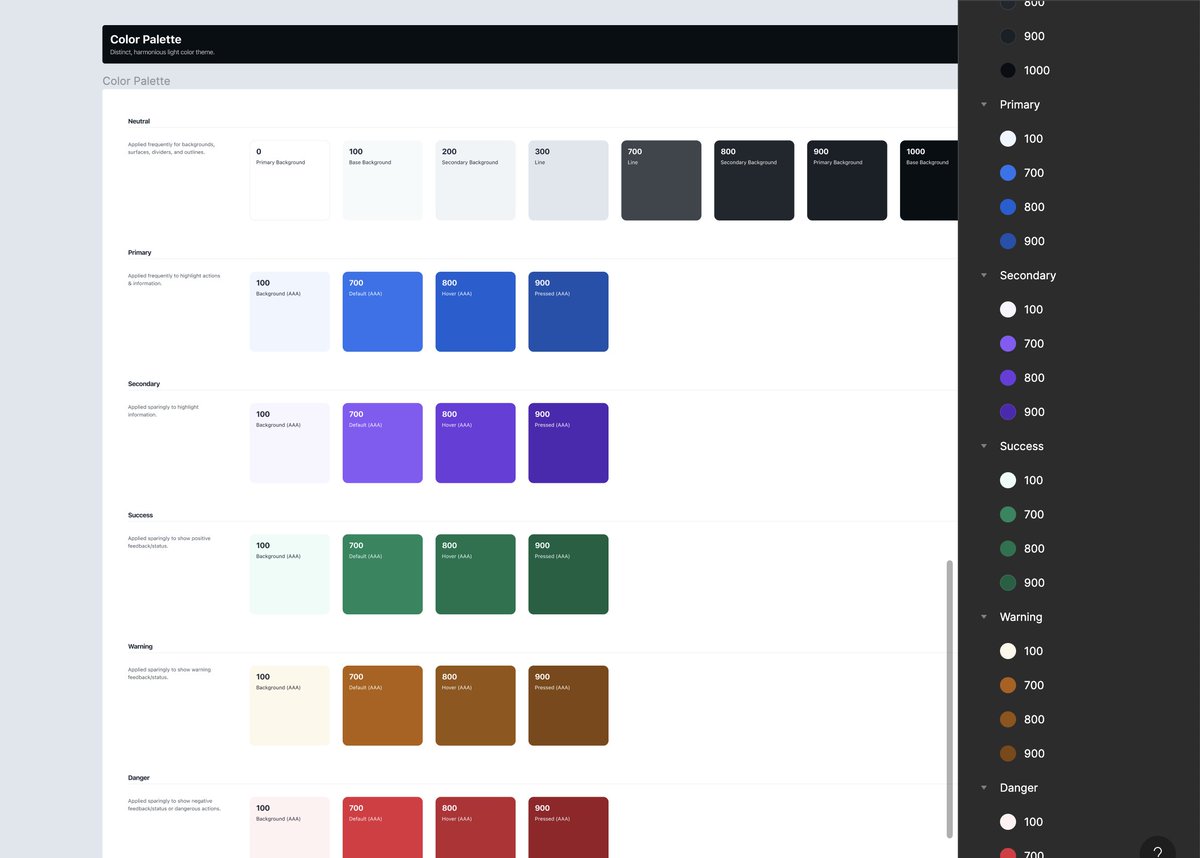
4) Identify the base + tints/shades needed for your product. A good starting point is ~4 for each color to support backgrounds and different interaction states (Default, Hover, Pressed). Then, turn them into styles.
5) Tweak or completely change the branding in seconds by changing the standardized hue value for every color in a category. The different levels of brightness and saturation will maintain the range of tints/shades.
Read the full article here 👇
uiprep.com
uiprep.com
Try this on your own or skip steps 1-4 by using the (free) UI Prep Style Guide 6.0 👇
uiprep.gumroad.com
uiprep.gumroad.com
Loading suggestions...