

🐍⚙️ Python Tricks — Running code from a string input
Python’s built-in exec() function allows you to execute any piece of Python code. With this function, you can execute dynamically generated code. Usually, it’s a string.
A few considerations about Exec() 👇
Python’s built-in exec() function allows you to execute any piece of Python code. With this function, you can execute dynamically generated code. Usually, it’s a string.
A few considerations about Exec() 👇
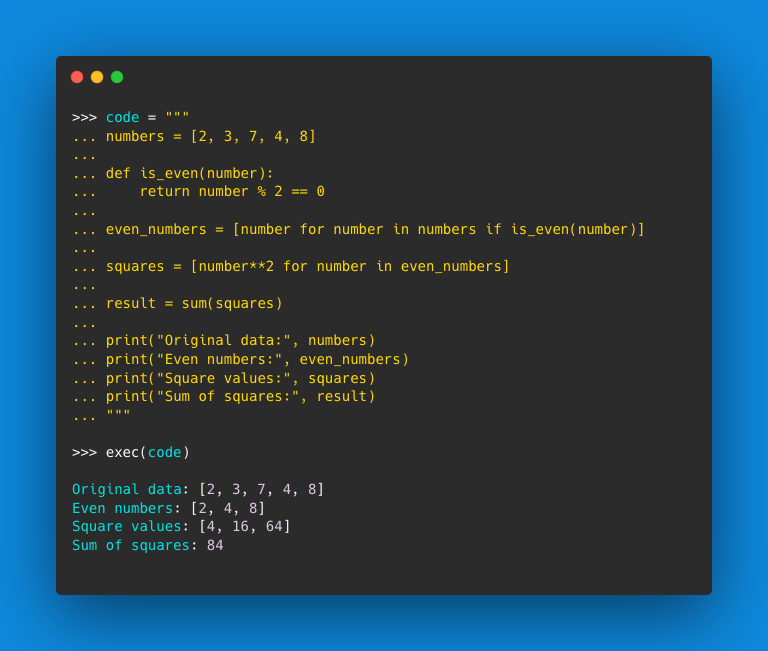
The string-based input Exec() supports
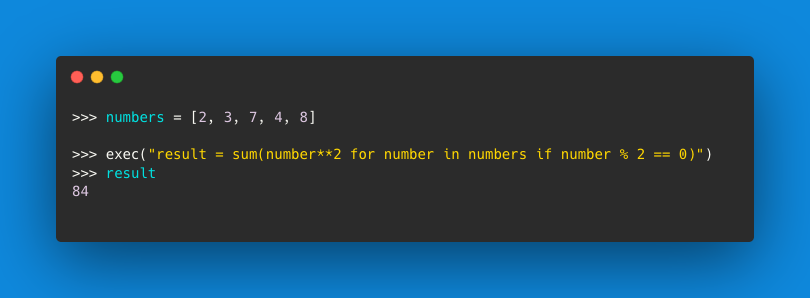
👉Single lines of code or one-liner code snippets
👉Multiple lines of code separated by semicolons
👉Multiple lines of code separated by newline characters
👉Multiple lines of code within triple-quoted strings and with proper indentation
👉Single lines of code or one-liner code snippets
👉Multiple lines of code separated by semicolons
👉Multiple lines of code separated by newline characters
👉Multiple lines of code within triple-quoted strings and with proper indentation
⚠️Important!
In practice, exec() can be quite slow when used to process strings containing code
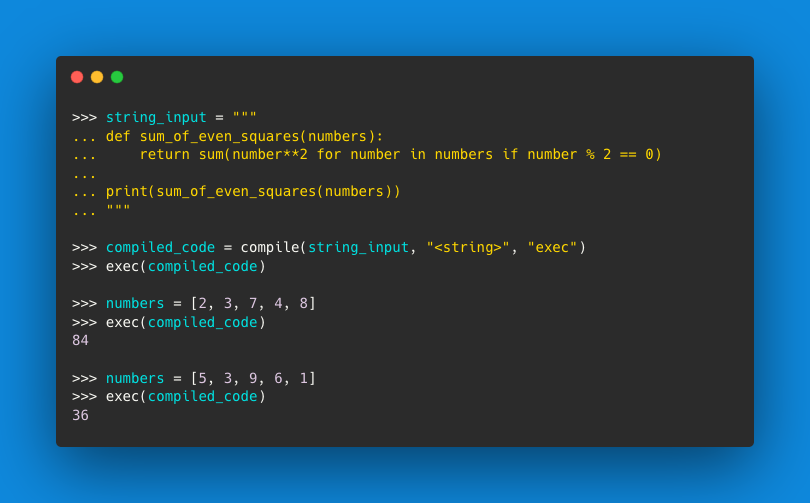
Compiling it beforehand will be the most performant and recommended approach if you ever need to dynamically run a given piece of code more than once
To do so, you can use compile()
In practice, exec() can be quite slow when used to process strings containing code
Compiling it beforehand will be the most performant and recommended approach if you ever need to dynamically run a given piece of code more than once
To do so, you can use compile()
🐍 Load from File
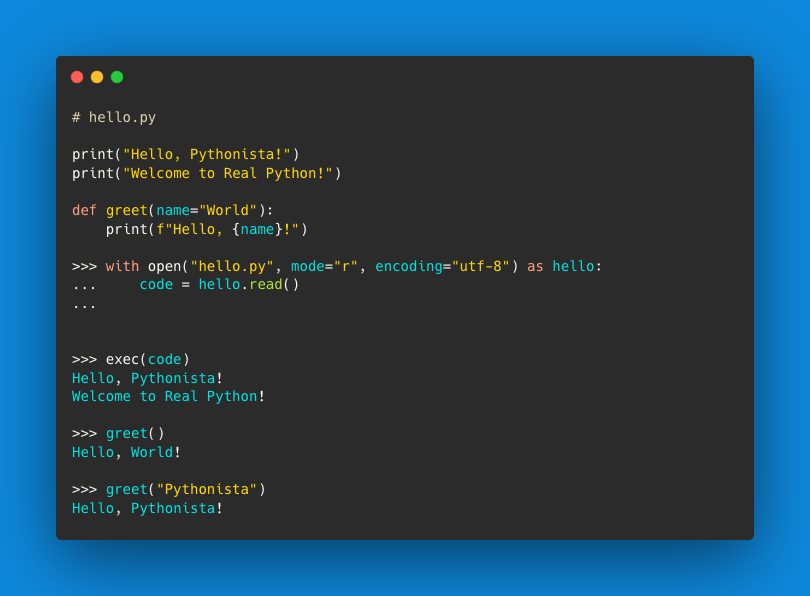
You can also use exec() to run code that you’ve read from a reliable .py file in your file system or somewhere else.
To do this, you can use the built-in open() function to read the file’s content as a string, which you can then pass as an argument to exec()
You can also use exec() to run code that you’ve read from a reliable .py file in your file system or somewhere else.
To do this, you can use the built-in open() function to read the file’s content as a string, which you can then pass as an argument to exec()
Use the link below to learn more about the Exec() built-in function and possible use cases: realpython.com.
Loading suggestions...