

9 Zerodha hacks that'll get you free Tradingview, multiple charts layouts, and more:🧵
Collaborated with @niki_poojary
Collaborated with @niki_poojary
Many traders adore the @tradingview charting tool, but:
1. Do not have a premium version or
2. Too lazy to use the hacks we offered.
Traders who use @zerodhaonline as their broker platform are entitled to FREE usage of the @tradingview charting tool.
Read the complete thread:
1. Do not have a premium version or
2. Too lazy to use the hacks we offered.
Traders who use @zerodhaonline as their broker platform are entitled to FREE usage of the @tradingview charting tool.
Read the complete thread:
Hack 1:
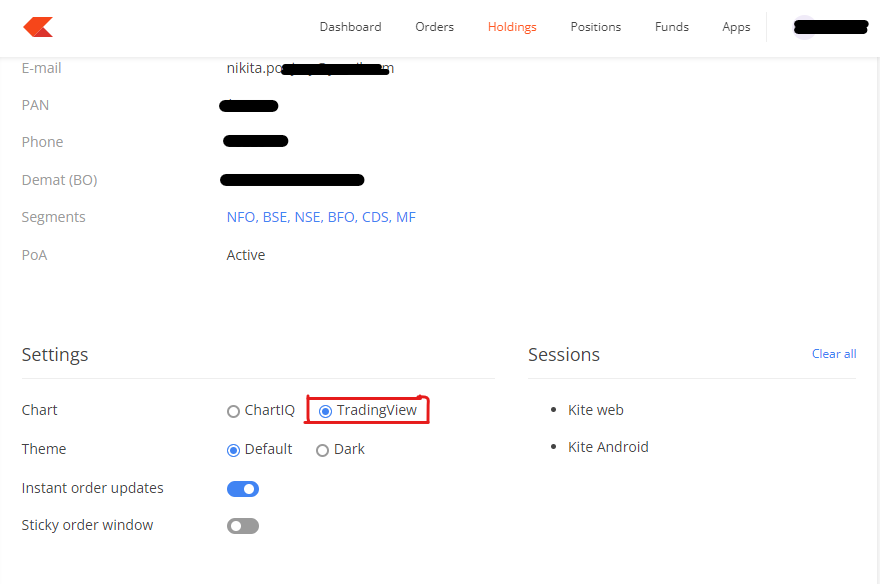
First and foremost, ChartIQ is the default charting tool in Zerodha.
By clicking on the profile settings, you may change that to @tradingview.
First and foremost, ChartIQ is the default charting tool in Zerodha.
By clicking on the profile settings, you may change that to @tradingview.
Hack 2:
How do I add indicators?
Open a new chart and then click on indicators to add whichever indicators you like.
How do I add indicators?
Open a new chart and then click on indicators to add whichever indicators you like.

Hack 3:
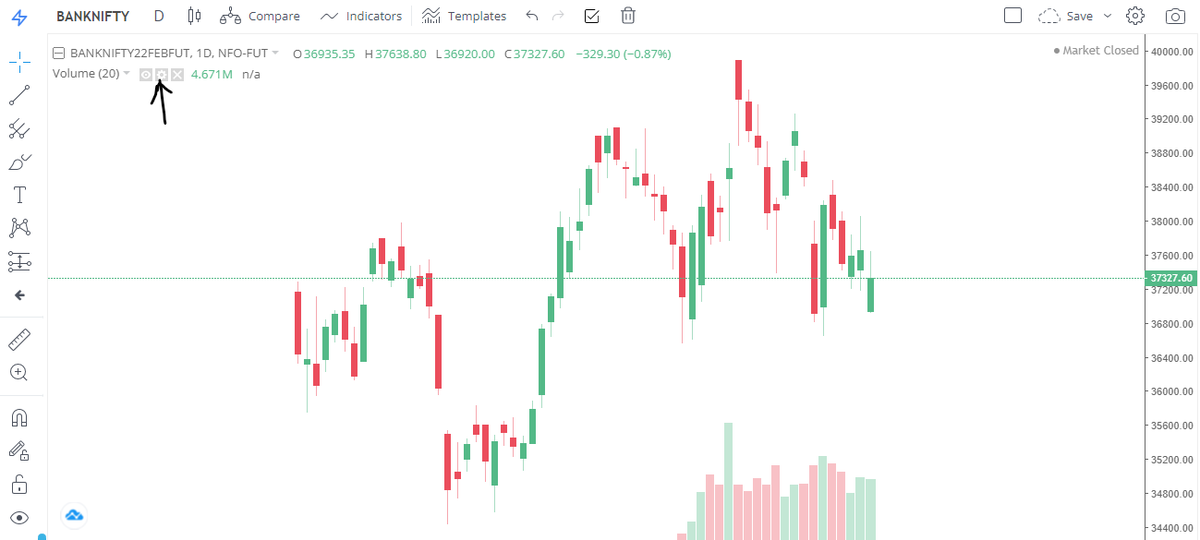
How can I further tweak an indicator?
Simply pick the tool settings icon to access further options inside any indicator.
How can I further tweak an indicator?
Simply pick the tool settings icon to access further options inside any indicator.
Hack 4:
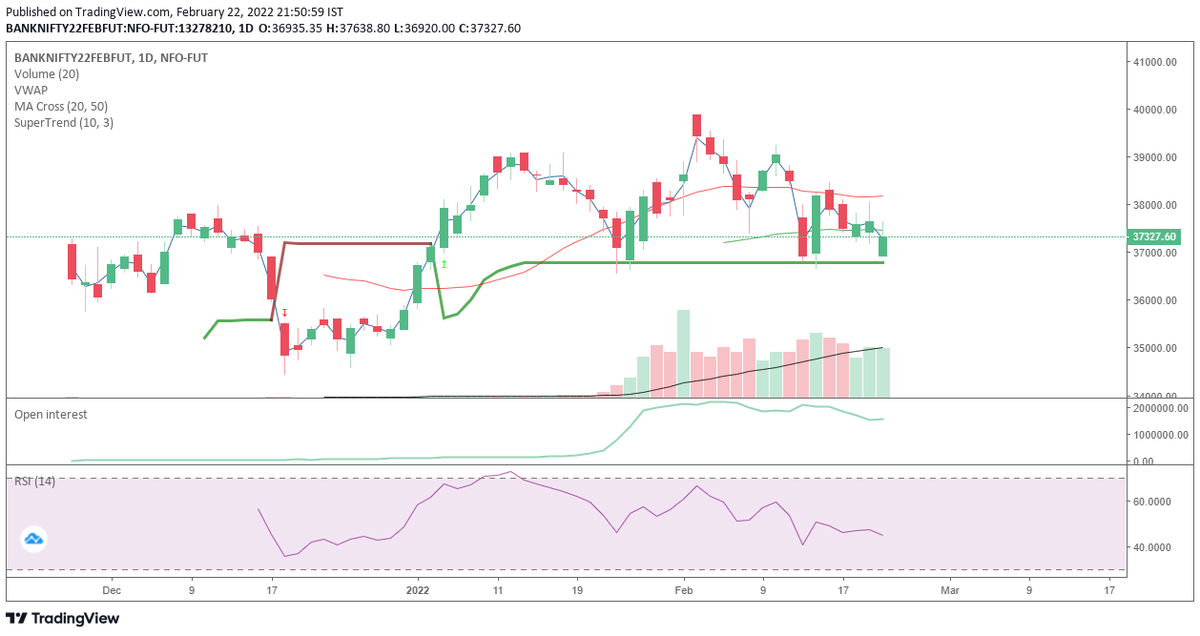
How many maximum indicators are there?
Bonus: There is no limit to the number of indicators you may add.
How many maximum indicators are there?
Bonus: There is no limit to the number of indicators you may add.
Hack 5:
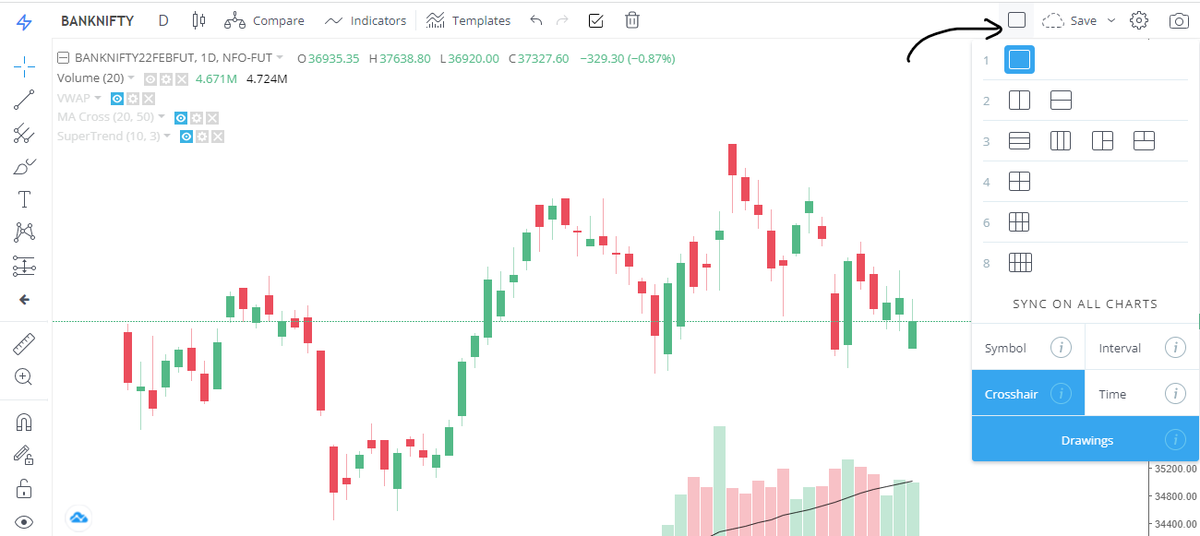
How can I view numerous charts on the same screen?
Choose a layout and a grid based on the number of charts you wish to display.
How can I view numerous charts on the same screen?
Choose a layout and a grid based on the number of charts you wish to display.
Hack 6:
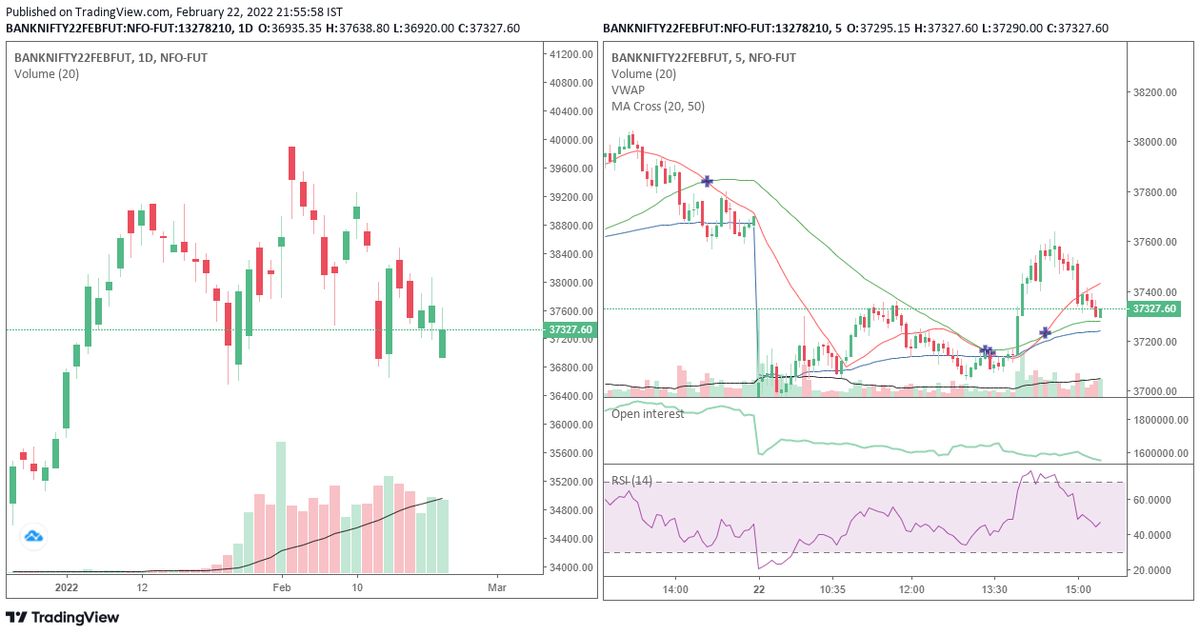
How can I see the same chart in multiple time frames?
Using the grid layout, you may perform multi-timeframe analysis.
How can I see the same chart in multiple time frames?
Using the grid layout, you may perform multi-timeframe analysis.
Hack 7:
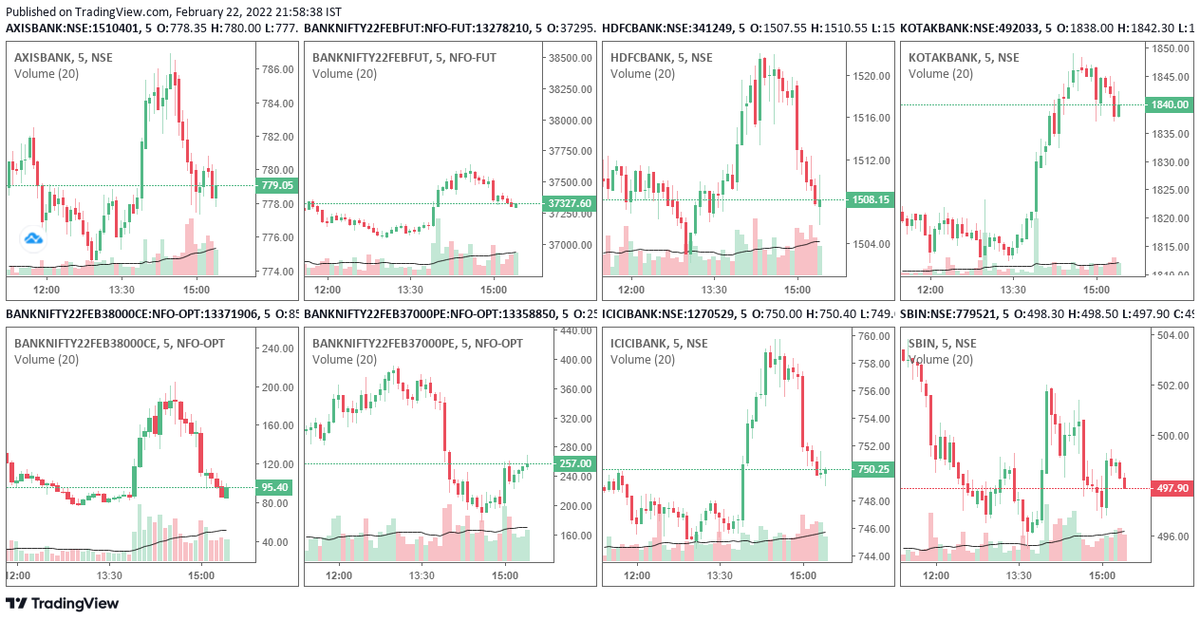
How can I monitor numerous stocks at once?
Multiple charts in an 8-grid structure, for example.
How can I monitor numerous stocks at once?
Multiple charts in an 8-grid structure, for example.
Hack 8:
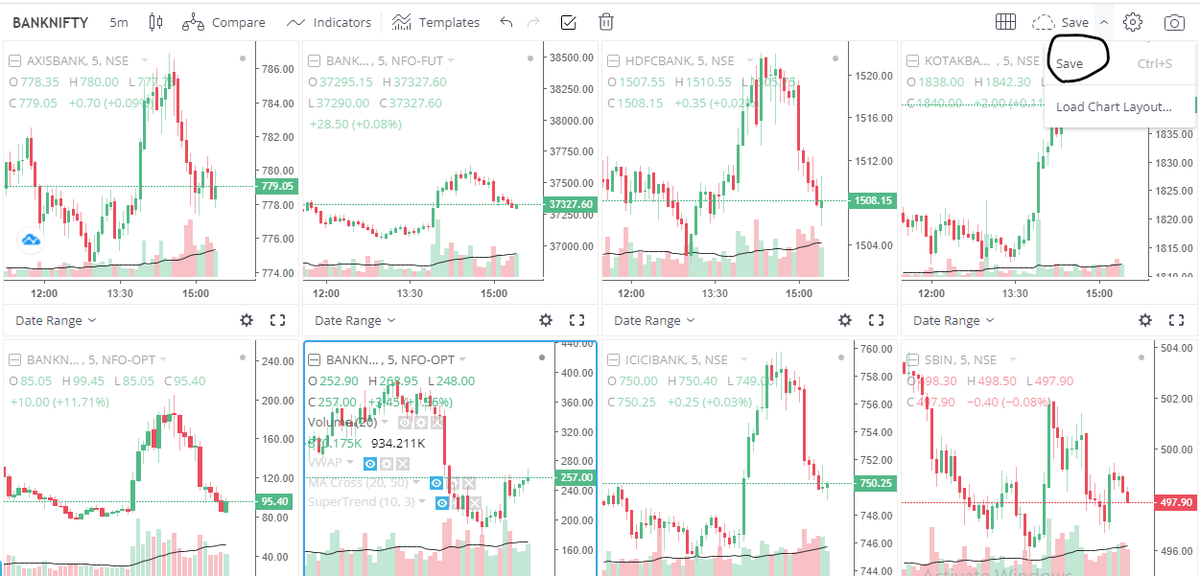
How do I keep my layouts?
Finally, if you use your layout on a regular basis, remember to save it.
How do I keep my layouts?
Finally, if you use your layout on a regular basis, remember to save it.
Hack 9:
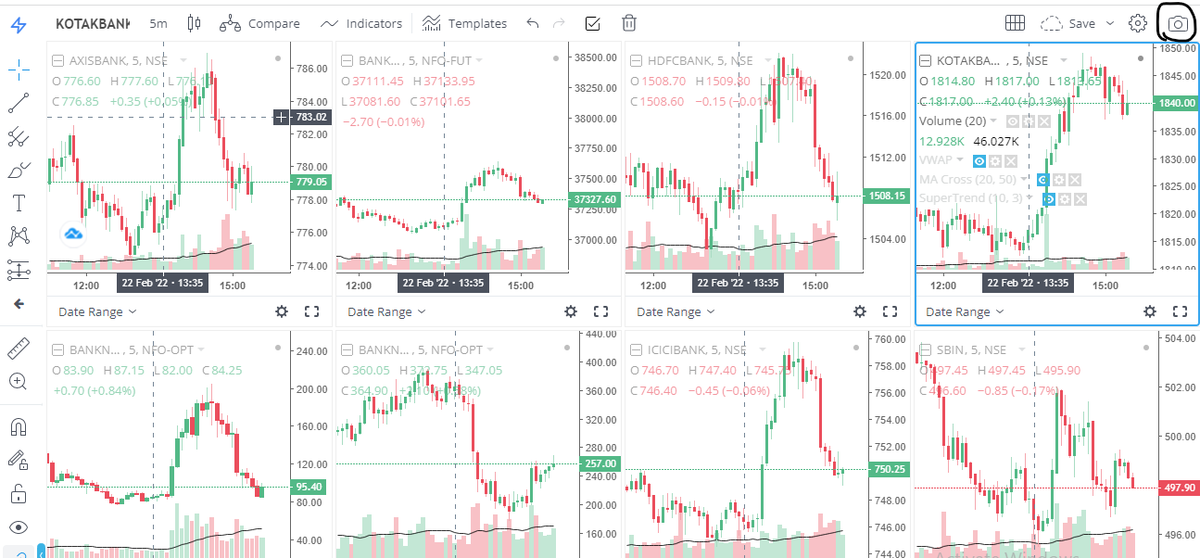
How can I snap the charts?
Simply click on the camera button to capture a screenshot of your screen and post it on your social media networks.
How can I snap the charts?
Simply click on the camera button to capture a screenshot of your screen and post it on your social media networks.
This is how you can have access to all of the @tradingview features for free using the @zerodhaonline Platform.
Take advantage of it!
Take advantage of it!
Hope you discovered something new (because that's the point!)
If you did, share the thread
Hop back up to retweet the first tweet
See past threads here: @AdityaTodmal &
@niki_poojary
If you enjoyed this, here's another one:
If you did, share the thread
Hop back up to retweet the first tweet
See past threads here: @AdityaTodmal &
@niki_poojary
If you enjoyed this, here's another one:
Loading suggestions...