

Hey, niche site builder/blogger!
Are you finding Google Analytics 4 a bit too complex?
Can't find stuff like the # of page views/month?
You get you.
Here's how you check your # of page views, most visited pages & # of sessions/month on GA4. 🧵👇
Are you finding Google Analytics 4 a bit too complex?
Can't find stuff like the # of page views/month?
You get you.
Here's how you check your # of page views, most visited pages & # of sessions/month on GA4. 🧵👇
1. After selecting you GA4 property on Google Analytics, click "Reports" in the left-side menu.
2. Then, click "Engagement" to expand it.
3. Now select the "Engagement Overview" option.
2. Then, click "Engagement" to expand it.
3. Now select the "Engagement Overview" option.
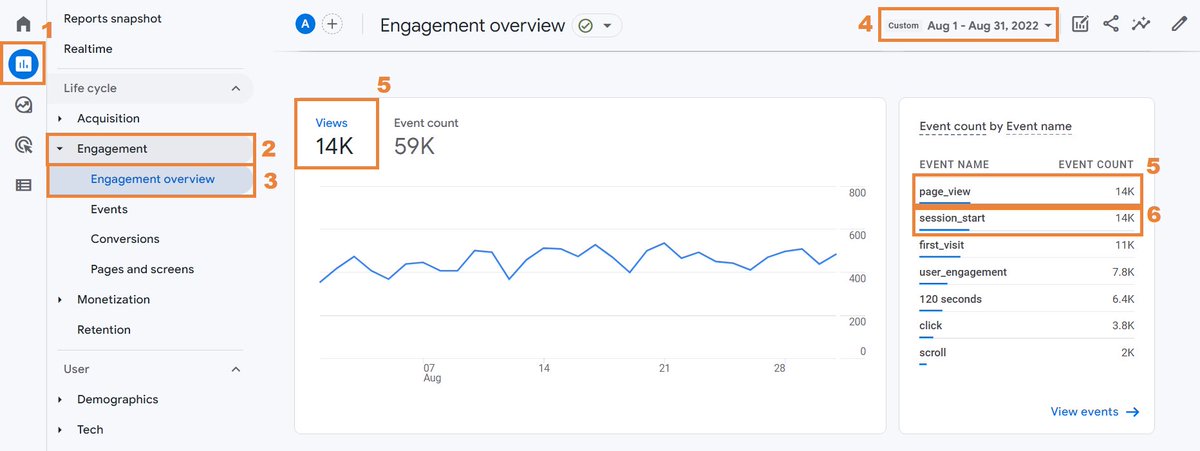
4. Next, click the Date Interval to open that menu. Click "Custom" and select your desired date range.
(I selected the entire month of August to see the stats for that month.)
(I selected the entire month of August to see the stats for that month.)
5. Scroll down the page and the stats for your page views will show. (There is a cool graph in the center and a summary on the right.)
6. In the summary, you'll find the number of sessions for the selected time period (date range).
6. In the summary, you'll find the number of sessions for the selected time period (date range).
Here's how you check your most visited pages during the previous month:
1. Repeat steps 1, 2, and 4 above.
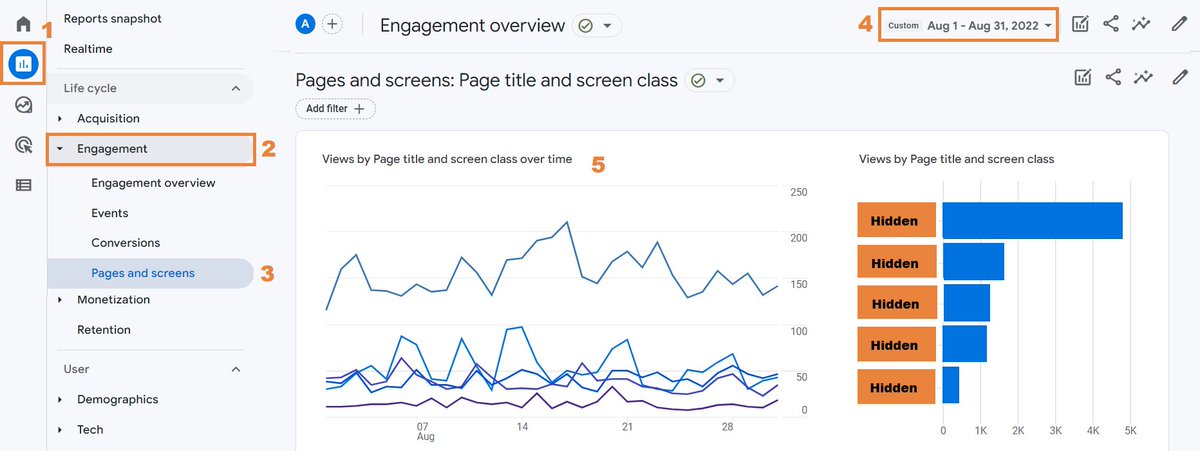
3. From the left-side menu, click on "Pages and screens".
5. In the center of the page, you'll find what you're looking for (pages with the highest number of page views).
1. Repeat steps 1, 2, and 4 above.
3. From the left-side menu, click on "Pages and screens".
5. In the center of the page, you'll find what you're looking for (pages with the highest number of page views).
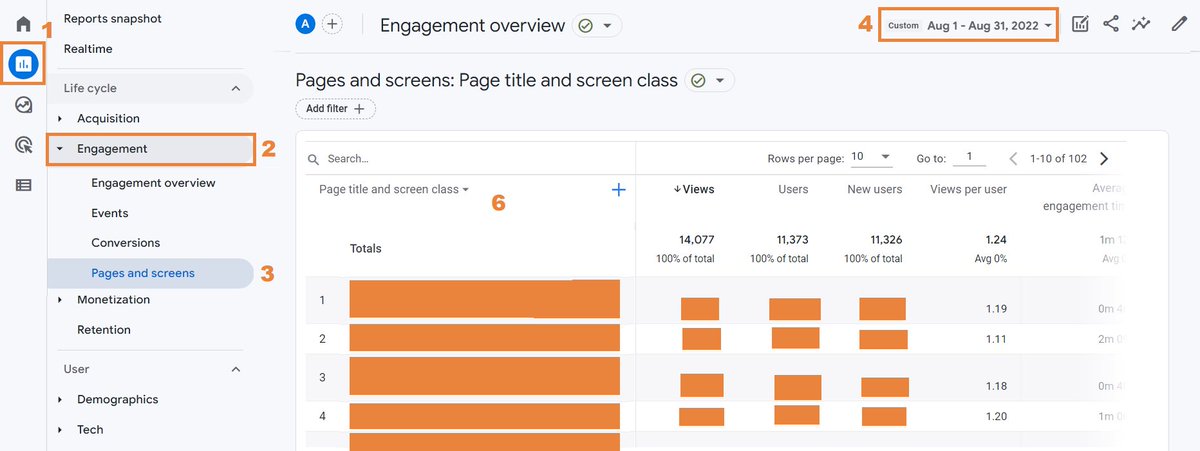
6. If you scroll down a bit more, you'll see a table listing all of your pages ordered by their number of page views.
(You can even use the search feature to find a particular page and check its stats.)
(You can even use the search feature to find a particular page and check its stats.)
That's it! Enjoy!
If you want more threads like this and others about niche site building, affiliate marketing, making money online... consider following me here!
Also, give this a❤️or a retweed if it helped you! Thanks!
If you want more threads like this and others about niche site building, affiliate marketing, making money online... consider following me here!
Also, give this a❤️or a retweed if it helped you! Thanks!
Loading suggestions...