
Technology
Finance
Cryptocurrency
Data Analysis
Blockchain
Financial Education
Blockchain Technology

Now that the merge has gone through successfully, it's time to level up your research skills.
One way to do that?
Directly investigating the chain with block explorer Etherscan.
Here are some powerful features on the platform that can help you generate your own alpha:
One way to do that?
Directly investigating the chain with block explorer Etherscan.
Here are some powerful features on the platform that can help you generate your own alpha:
Etherscan is a block explorer: it allows you to explore the depths of the Ethereum chain.
It's not as user-friendly as products like Nansen and DeBanked but it has all of the information they have and more.
Every transaction, contract, and wallet can be examined on Etherscan.
It's not as user-friendly as products like Nansen and DeBanked but it has all of the information they have and more.
Every transaction, contract, and wallet can be examined on Etherscan.
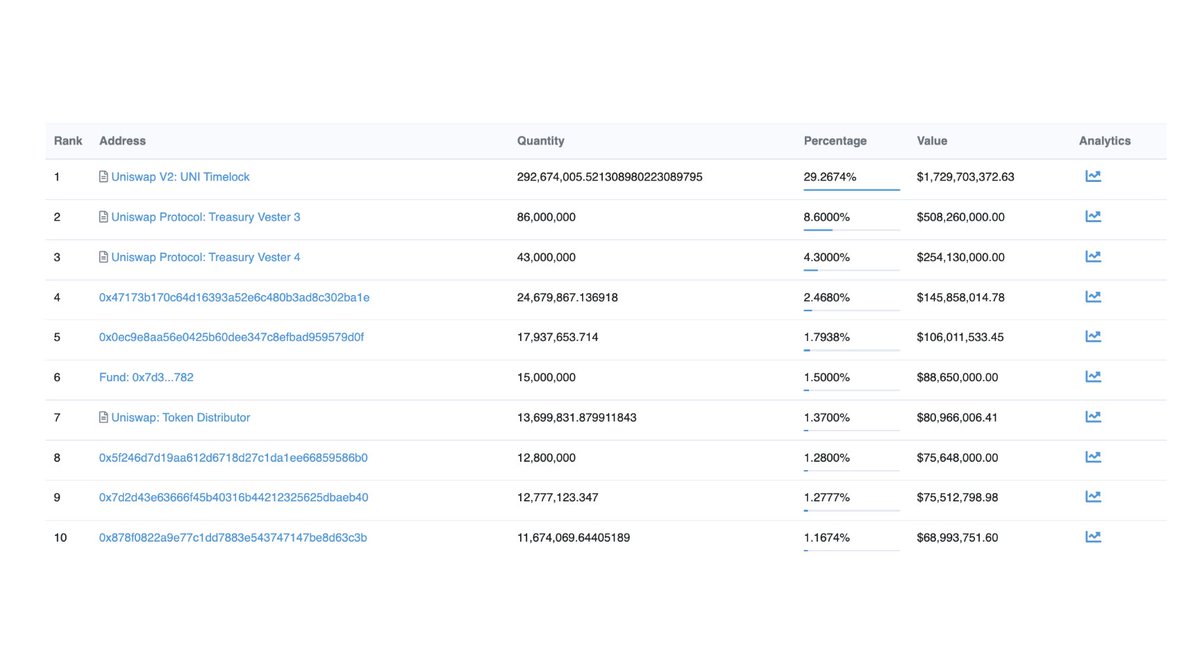
1. Finding Whale Wallets
If it's an ERC-20/ERC-721 token, you can track the biggest holders by searching for the token contract, then click on holders.
Below, the biggest Uniswap holders-if it's got that little book icon next to it, it's a contract, not an individual wallet.
If it's an ERC-20/ERC-721 token, you can track the biggest holders by searching for the token contract, then click on holders.
Below, the biggest Uniswap holders-if it's got that little book icon next to it, it's a contract, not an individual wallet.
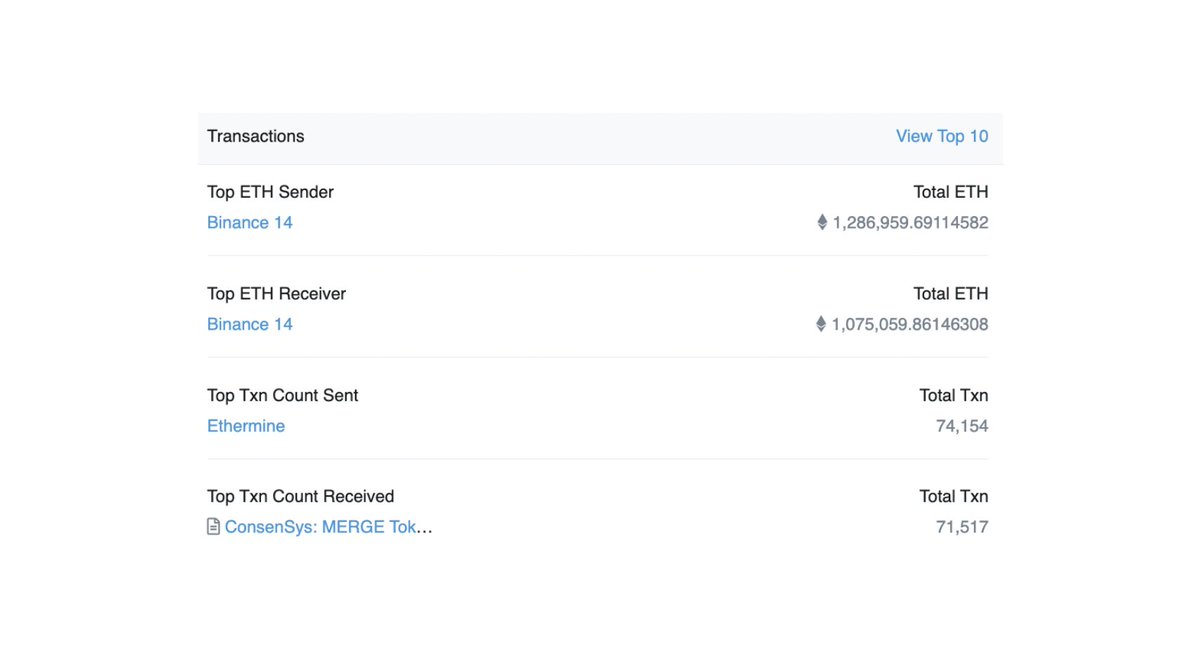
2. Track Exchange Activity
The Etherscan 'Top Statistics' dashboard will show you the biggest movements on the blockchain over a particular time period.
Over the last day, there were huge inflows and outflows of ETH into Binance, probably positioning for the PoWETH fork.
The Etherscan 'Top Statistics' dashboard will show you the biggest movements on the blockchain over a particular time period.
Over the last day, there were huge inflows and outflows of ETH into Binance, probably positioning for the PoWETH fork.
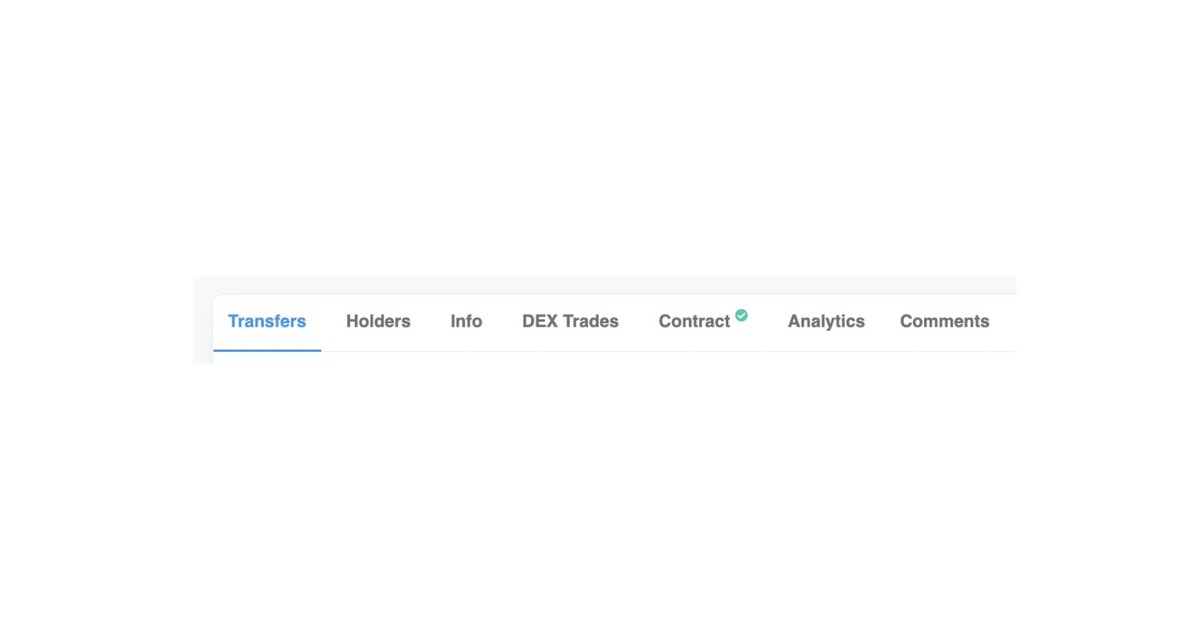
3. Check for Verified Contracts
If a contract is verified on Etherscan, it means that the contract code you see is the same code deployed on the blockchain.
So make sure you check for that green arrow--there are plenty other ways to get rekt, but this is a bear minimum.
If a contract is verified on Etherscan, it means that the contract code you see is the same code deployed on the blockchain.
So make sure you check for that green arrow--there are plenty other ways to get rekt, but this is a bear minimum.
4. See Top Wallet Activity
The biggest holders can tell us a lot about a token:
• When they buy
• How they're buying
• Who holds a token
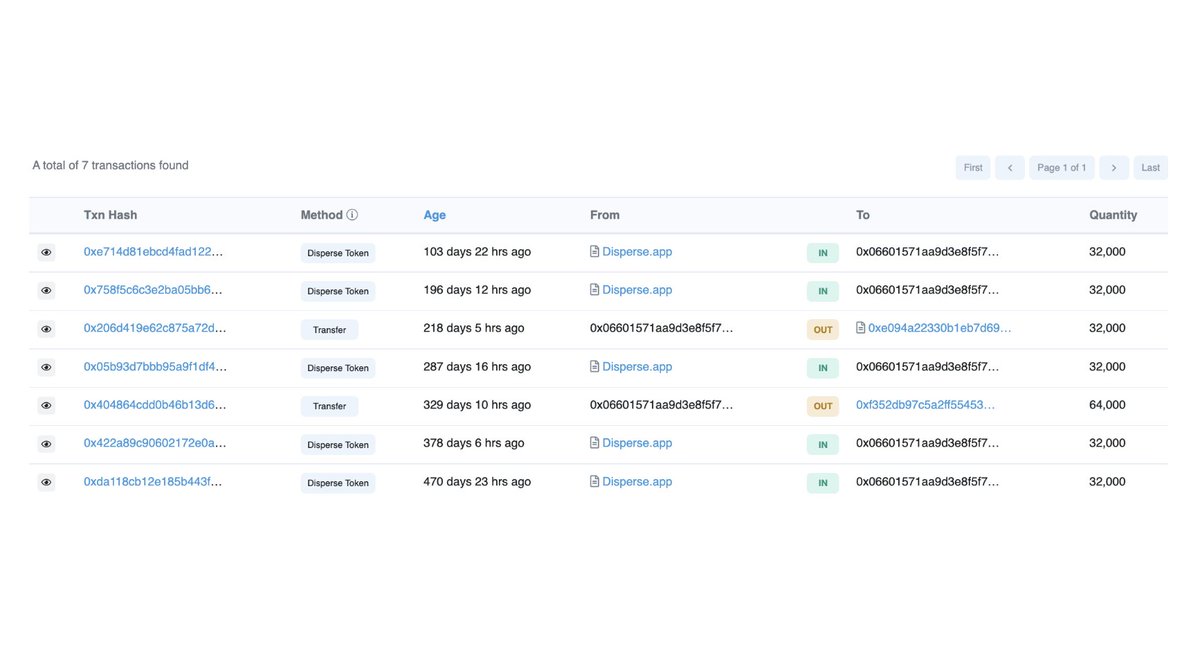
Below, we can see the distributions (via disperse.app) of $FOLD to VCs/Angels. Perhaps its worth it to look into those wallets
The biggest holders can tell us a lot about a token:
• When they buy
• How they're buying
• Who holds a token
Below, we can see the distributions (via disperse.app) of $FOLD to VCs/Angels. Perhaps its worth it to look into those wallets
Enjoying the thread?
Check out our newsletter for more alpha. You can sign up below:
CryptoPragmatist.com
Check out our newsletter for more alpha. You can sign up below:
CryptoPragmatist.com
5. Mint NFTs directly
Have you ever seen a website frontend crash when you're trying to mint? You can actually directly mint from the contract using Etherscan.
1. Find the contract address (it should be in the project discord, be careful)
2. 'Write Contract'
3. Connect wallet
Have you ever seen a website frontend crash when you're trying to mint? You can actually directly mint from the contract using Etherscan.
1. Find the contract address (it should be in the project discord, be careful)
2. 'Write Contract'
3. Connect wallet
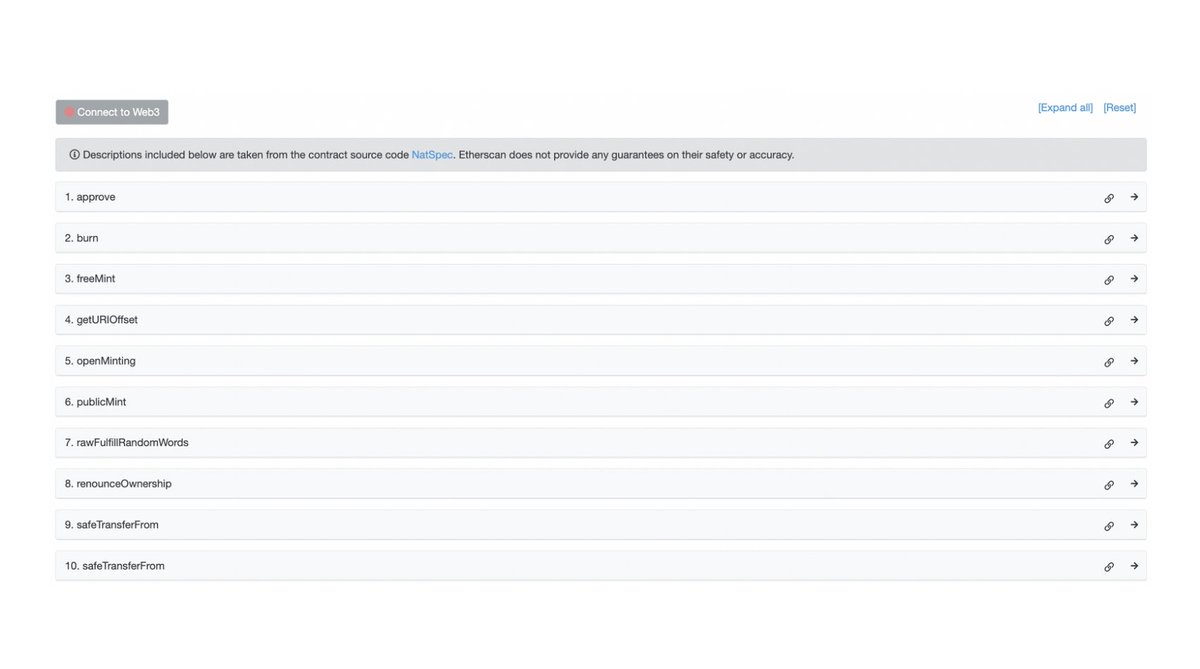
Then, you put in the proper info--this won't work if you don't follow the mint parameters.
1. Put in the mint price
2. Put in the amount of tokens you want to mint (there will likely be a limit built into the contract)
3. Click 'Write'
After the TX confirms, you're set.
1. Put in the mint price
2. Put in the amount of tokens you want to mint (there will likely be a limit built into the contract)
3. Click 'Write'
After the TX confirms, you're set.
6. Interact with Protocols
In the wake of the Tornado Cash sanctions, the front end is gone. But you can still interact with the backend by interacting directly with the contracts on Etherscan.
This applies for any protocol, although it does take a bit of technical skill.
In the wake of the Tornado Cash sanctions, the front end is gone. But you can still interact with the backend by interacting directly with the contracts on Etherscan.
This applies for any protocol, although it does take a bit of technical skill.

7. Check # of Token Holders
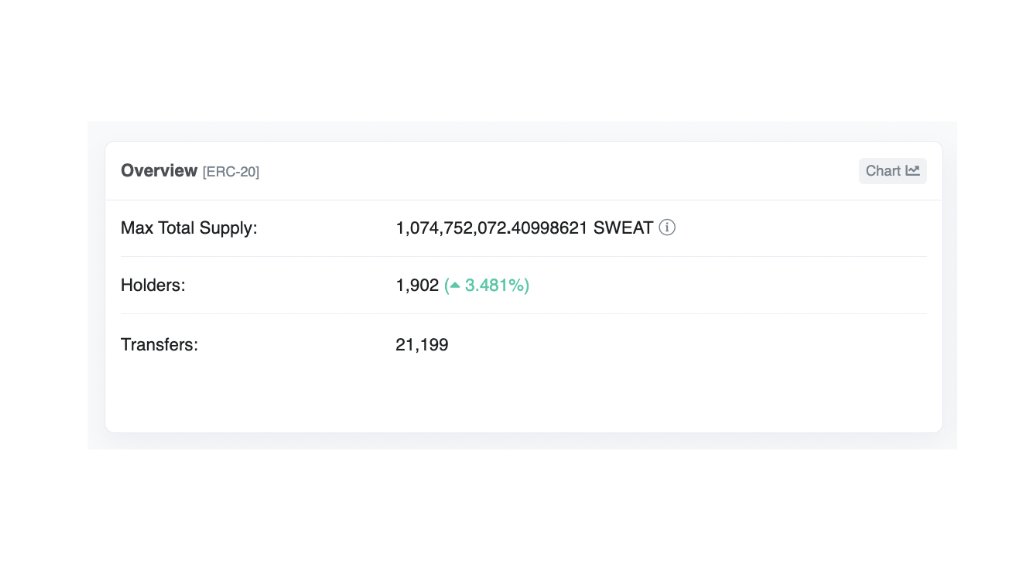
This is useful for measuring how big a specific community is--head to a token page, look at 'overview' and it will tell you how many wallets hold a specific token.
Sweatcoin, for example, has about 2k holders, and has grown about 3% over the last day
This is useful for measuring how big a specific community is--head to a token page, look at 'overview' and it will tell you how many wallets hold a specific token.
Sweatcoin, for example, has about 2k holders, and has grown about 3% over the last day
8. Find official frontends
Have you ever come across a spoofed frontend or fake social profile for a project?
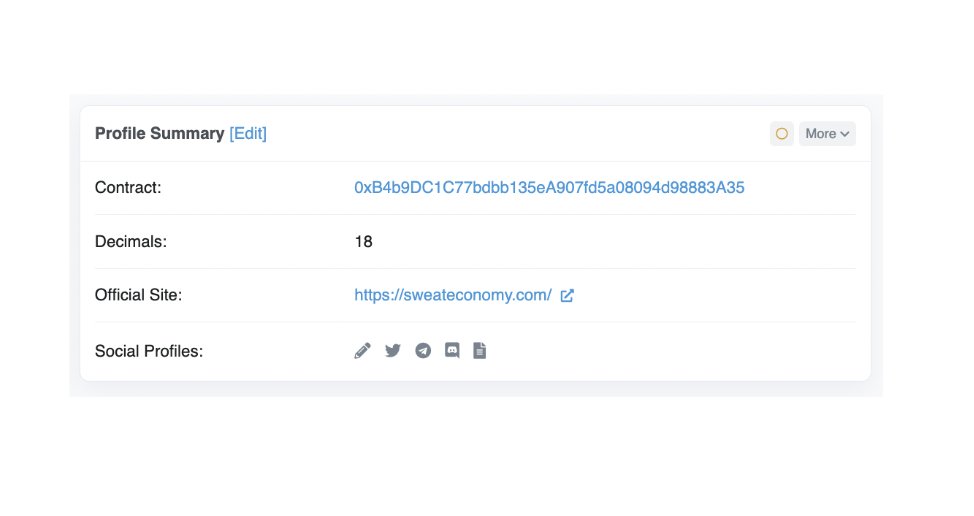
Etherscan, under it's 'Overview' section has accurate links to Whitepapers, sites, Discord, and social media.
Don't get rekt. Find your links through Etherscan.
Have you ever come across a spoofed frontend or fake social profile for a project?
Etherscan, under it's 'Overview' section has accurate links to Whitepapers, sites, Discord, and social media.
Don't get rekt. Find your links through Etherscan.
This barely scratches the surface of what Etherscan can do. Maybe I'll write another thread on Etherscan black magic if there's interest.
Want more threads like this?
1. Drop a follow: @JackNiewold
2. Give a RT to the first tweet, linked below:
Want more threads like this?
1. Drop a follow: @JackNiewold
2. Give a RT to the first tweet, linked below:
Loading suggestions...