

📌Still using “…..” manually to truncate text ??
Learn CSS text-overflow to truncate text in this thread 🧵
👇👇👇
Learn CSS text-overflow to truncate text in this thread 🧵
👇👇👇

=> This property specifies how overflowed content that is not displayed should be signaled to the user.
=> It can be clipped, display an ellipsis (...), or display a custom string.
=> It can be clipped, display an ellipsis (...), or display a custom string.
=> Following properties are required for text-overflow:
- white-space: nowrap;
- overflow: hidden;
- white-space: nowrap;
- overflow: hidden;
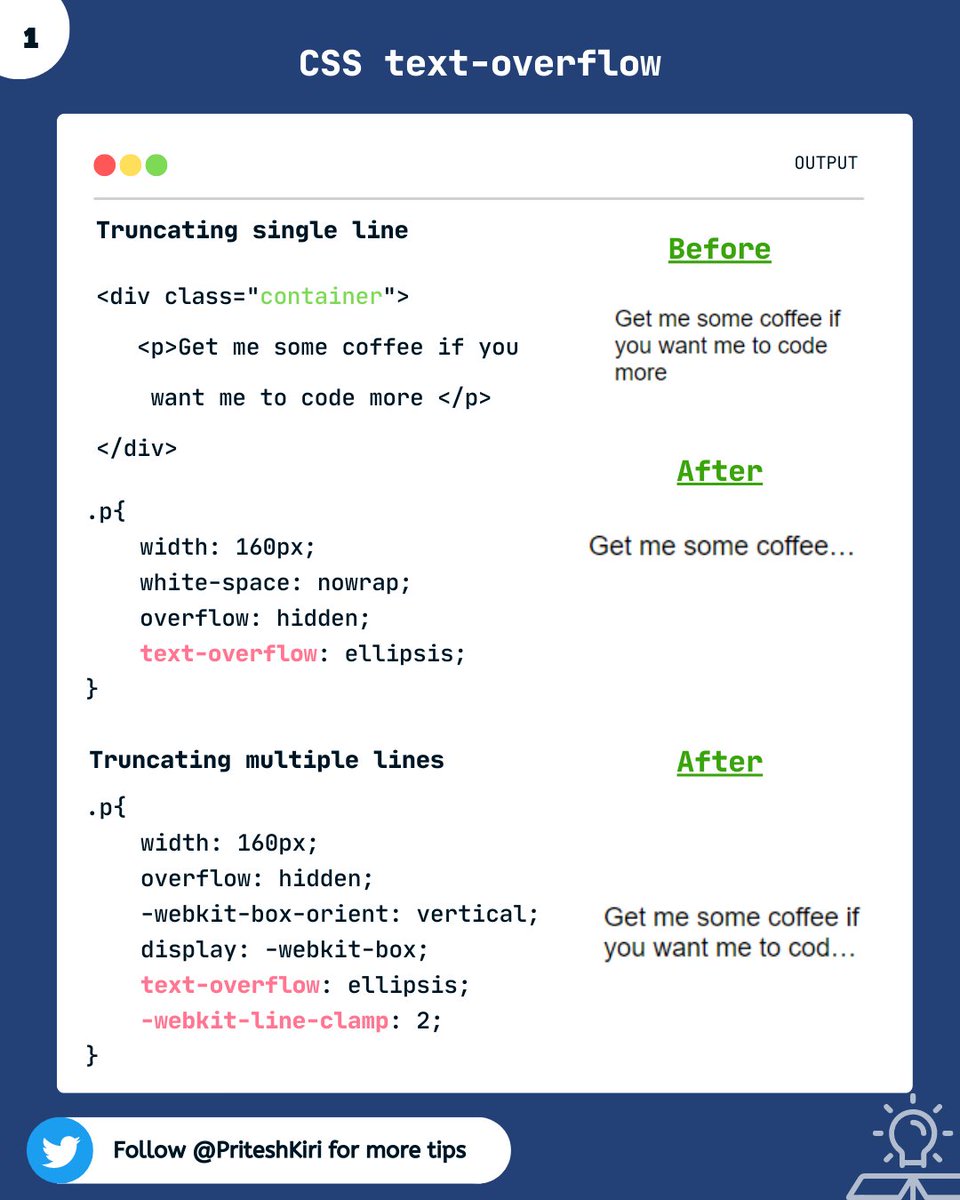
1️⃣ Truncating single line:
⇒ Set the width of the text element and add the mandatory properties.
2️⃣ Truncating multiple lines:
⇒ We use “-webkit-line-clamp” to truncate multiple lines.
⇒ Set the width of the text element and add the mandatory properties.
2️⃣ Truncating multiple lines:
⇒ We use “-webkit-line-clamp” to truncate multiple lines.
That's a wrap! 🎁
Thanks for reading this thread till the end 😃
🔖 Bookmark this thread for the future
🔃 Retweet the first tweet
🚀 Follow @PriteshKiri for more daily web development tips and tricks.
#codewithcoffee #codewithcoffeeindia
Thanks for reading this thread till the end 😃
🔖 Bookmark this thread for the future
🔃 Retweet the first tweet
🚀 Follow @PriteshKiri for more daily web development tips and tricks.
#codewithcoffee #codewithcoffeeindia
Loading suggestions...