

Upload and transcribe audio files in three simple steps with AI and NoCode.
(A thread) 👇
(A thread) 👇
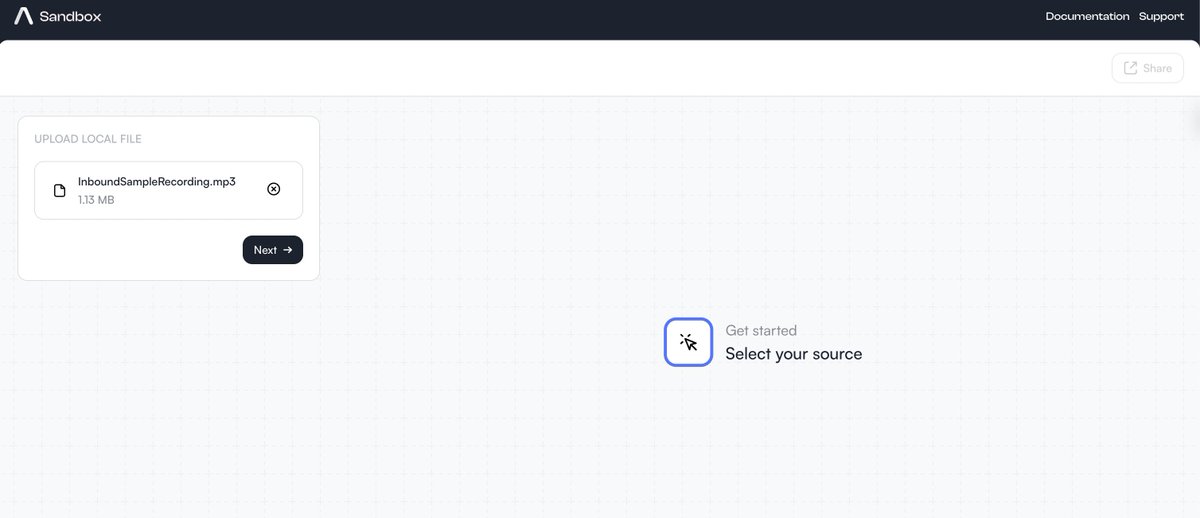
1. Open the @AssemblyAI NoCode studio and simply upload your audio file.
See the screenshot below 👇
See the screenshot below 👇
@AssemblyAI 2. Once you upload the audio file, you will get the option to select the core transcription features. Here are some of them:
- Speaker Labels
- Dual Channels
- Quick Transcribe
- Speaker Labels
- Dual Channels
- Quick Transcribe

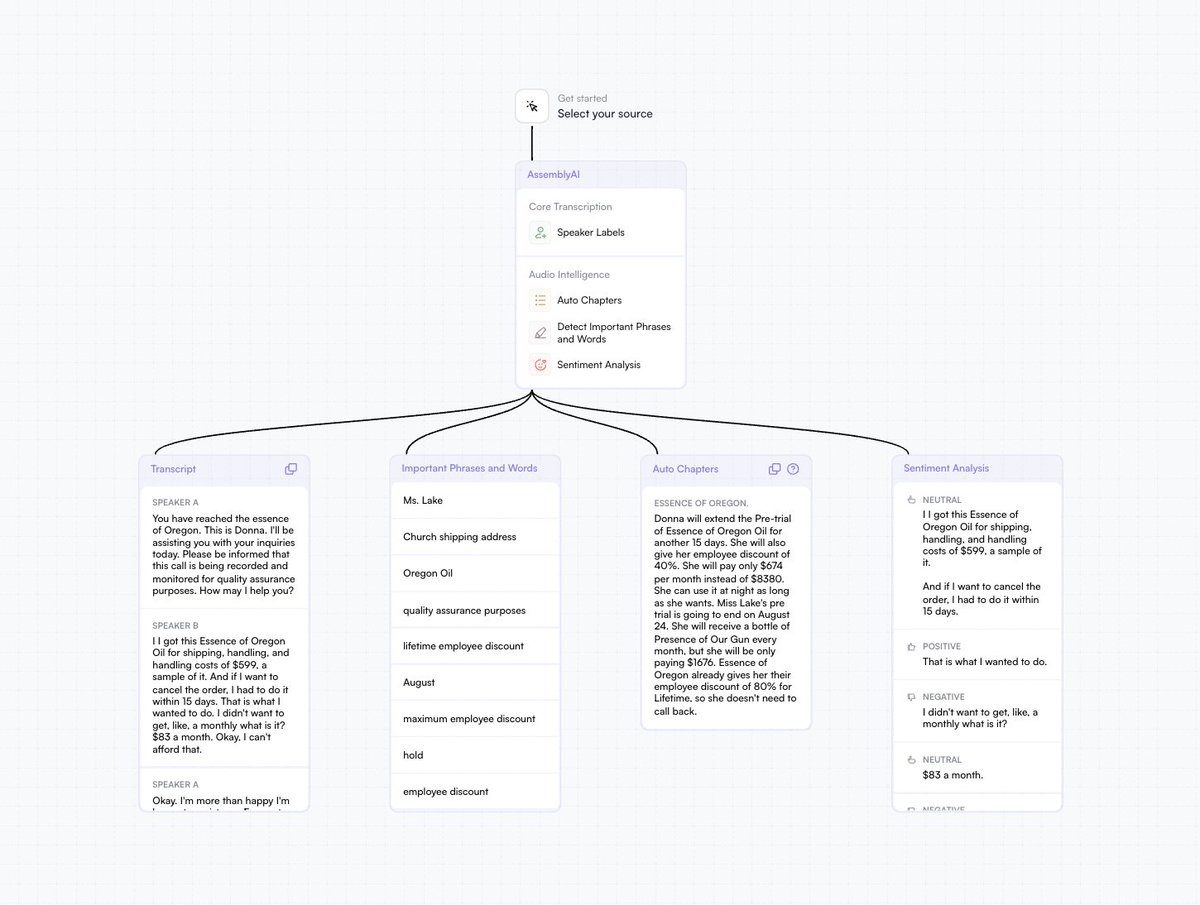
@AssemblyAI 3. In the next and final step, you will get the option to select the audio intelligence features to add to your transcription. Here are some of them:
- Sentiment Analysis
- Auto summarization
- Phrases and Words detection
- Many more!
- Sentiment Analysis
- Auto summarization
- Phrases and Words detection
- Many more!
@AssemblyAI You can abstract this entire process in an API and add it to your use case. Here is how you can do it in Python 👇
assemblyai.com
assemblyai.com
@AssemblyAI Here are some of the interesting use cases of audio transcription using the AssemblyAI API 👇
@AssemblyAI Auto Transcribe Zoom calls in Real-time
This tutorial will teach you how to transcribe a Zoom call using an AI bot automatically.
The bot will use API to handle every step of the transcription process while you focus on your meeting.
assemblyai.com
This tutorial will teach you how to transcribe a Zoom call using an AI bot automatically.
The bot will use API to handle every step of the transcription process while you focus on your meeting.
assemblyai.com
@AssemblyAI Auto Transcribe YouTube Videos
Check out this tutorial to learn how you can transcribe YouTube videos from their URL by just using Python and AssemblyAI API.
youtube.com
Check out this tutorial to learn how you can transcribe YouTube videos from their URL by just using Python and AssemblyAI API.
youtube.com
If you enjoyed this thread:
1. Follow me @Saboo_Shubham_ for more such content
2. Like and RT the tweet below to share it with your audience
1. Follow me @Saboo_Shubham_ for more such content
2. Like and RT the tweet below to share it with your audience
Loading suggestions...