

Writing gets you paid.
But systems make you rich.
Here are 10 *must-have* no-code tools to automate your business (and buy-back your time):
But systems make you rich.
Here are 10 *must-have* no-code tools to automate your business (and buy-back your time):
1. @zapier
Most important task automations:
• Add revue subscribers → convertkit
• New purchase → assign discord role
• New purchase → trigger Notion task
Works in the background – so I don't have to.
Most important task automations:
• Add revue subscribers → convertkit
• New purchase → assign discord role
• New purchase → trigger Notion task
Works in the background – so I don't have to.

@zapier 2. @ConvertKit
Why I use it:
• Grow email list
• Thorough analytics
• Robust sales sequences
• Welcome sequence automation
Email = profit
Why I use it:
• Grow email list
• Thorough analytics
• Robust sales sequences
• Welcome sequence automation
Email = profit

@zapier @ConvertKit 3. @testimonialto
It automatically:
• Sends review requests to students
• Adds testimonials to landing page
• Creates text or video testimonials
And I sync the requests with Convertkit
It automatically:
• Sends review requests to students
• Adds testimonials to landing page
• Creates text or video testimonials
And I sync the requests with Convertkit

@zapier @ConvertKit @testimonialto 4. @LumaHQ
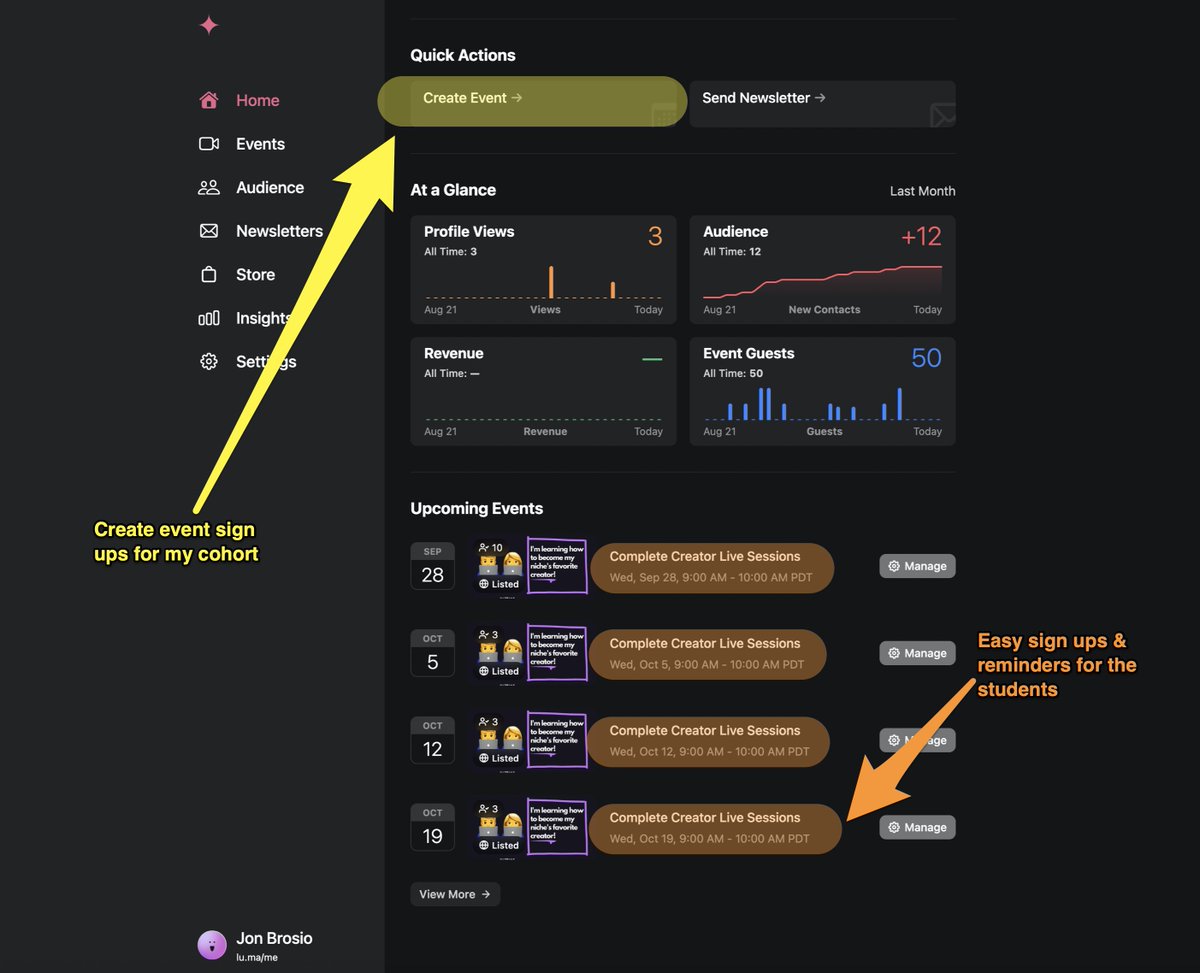
Luma is an event registration tool that:
• Helps register cohort students with ease
• Provides one-click event creation
• Track student signup/click rates
If I change a Zoom link – the Calendar updates as well!
Luma is an event registration tool that:
• Helps register cohort students with ease
• Provides one-click event creation
• Track student signup/click rates
If I change a Zoom link – the Calendar updates as well!
@zapier @ConvertKit @testimonialto @LumaHQ 5. @Calendly
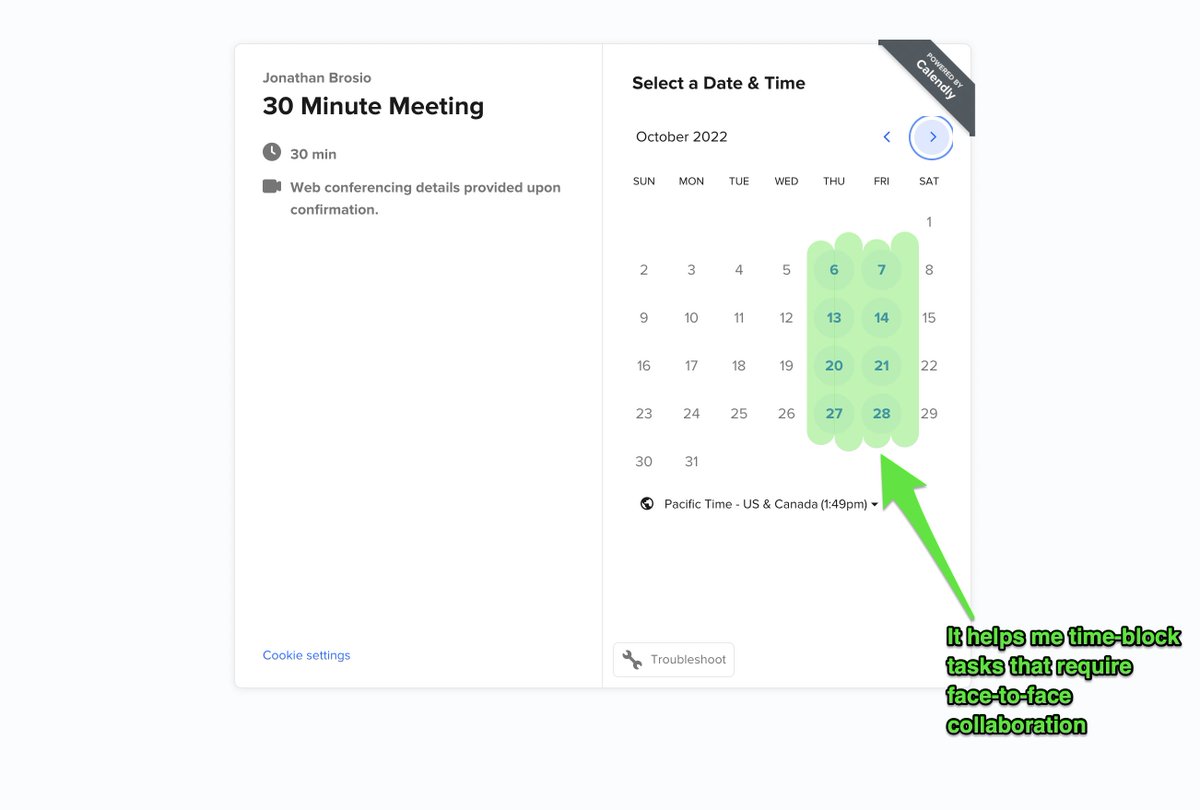
I use this to:
• Collaborate with creators
• Time block availability
• Coach students
It allows me to say "yes" or "no" to commitments and schedule them:
I use this to:
• Collaborate with creators
• Time block availability
• Coach students
It allows me to say "yes" or "no" to commitments and schedule them:
@zapier @ConvertKit @testimonialto @LumaHQ @Calendly 6. @NotionHQ
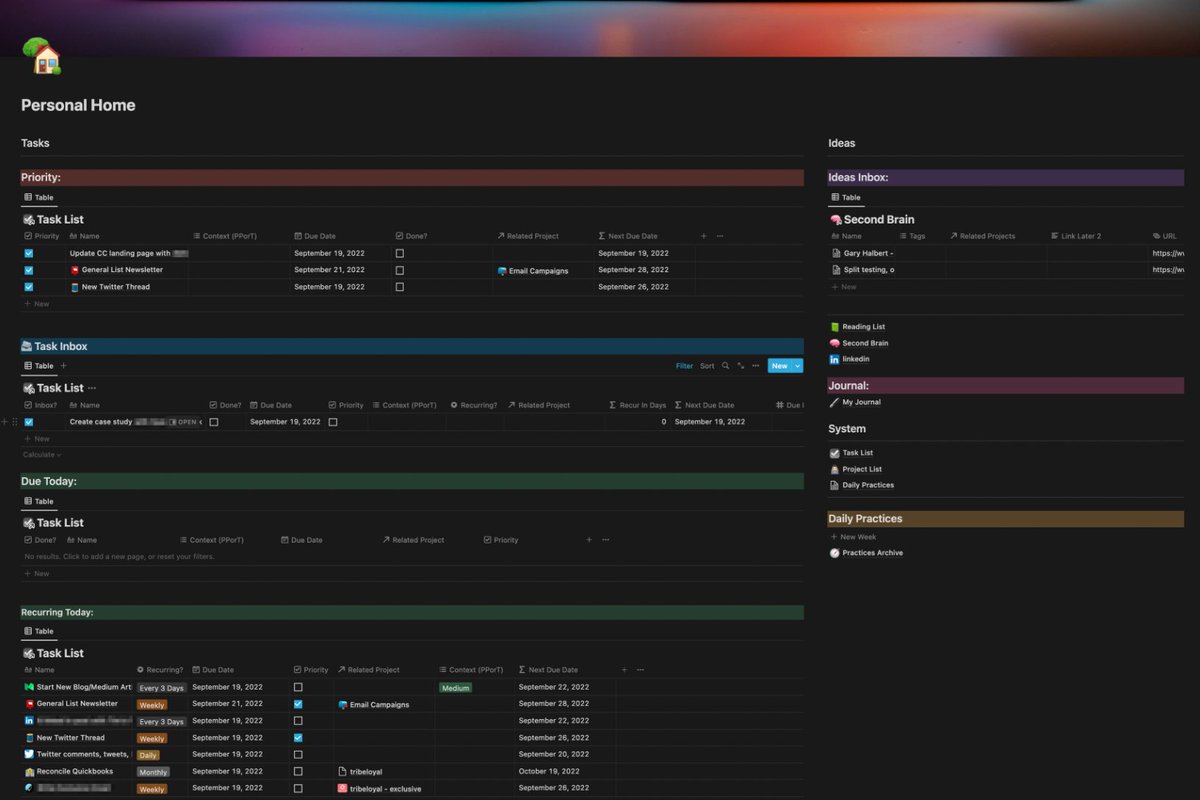
I use this as a "Creator Hub" to:
• Track tasks for business
• Track personal habits & goals
• Collect and categorize new ideas
Taks are automated into:
• Daily
• Weekly
• Monthly
I use this as a "Creator Hub" to:
• Track tasks for business
• Track personal habits & goals
• Collect and categorize new ideas
Taks are automated into:
• Daily
• Weekly
• Monthly
@zapier @ConvertKit @testimonialto @LumaHQ @Calendly @NotionHQ 7. @TweetHunterIO
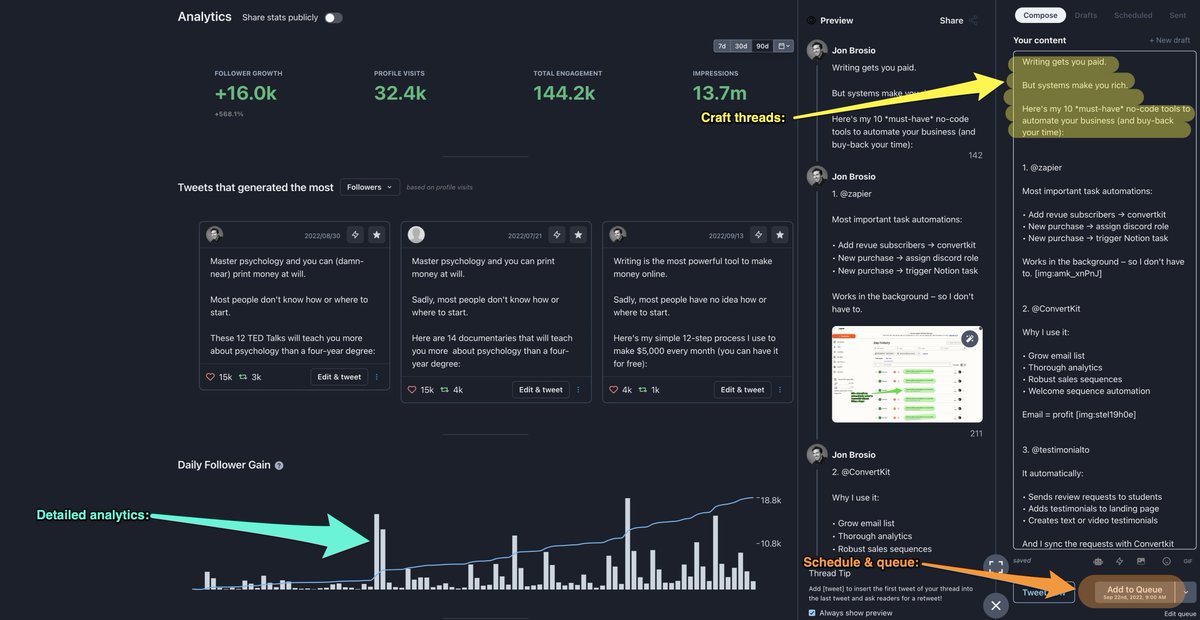
This helps me:
• Track platform analytics
• Engage with audience & others
• Draft and schedule threads/tweets
Without the clutter and distractions of Twitter:
This helps me:
• Track platform analytics
• Engage with audience & others
• Draft and schedule threads/tweets
Without the clutter and distractions of Twitter:
@zapier @ConvertKit @testimonialto @LumaHQ @Calendly @NotionHQ @TweetHunterIO 8. Skitch (by @evernote)
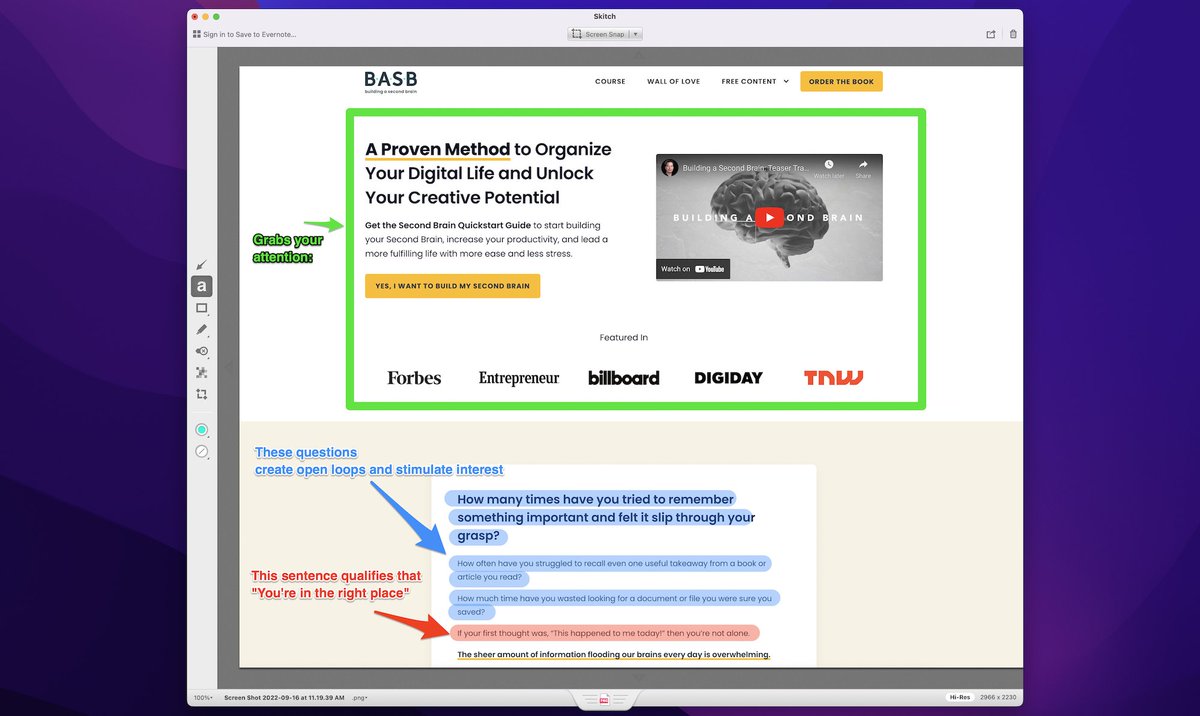
I use this to create the graphics in my threads:
• Upload screenshots for editing
• Highlight various elements
• Seamlessly add text
So I can effectively teach with my content:
I use this to create the graphics in my threads:
• Upload screenshots for editing
• Highlight various elements
• Seamlessly add text
So I can effectively teach with my content:
@zapier @ConvertKit @testimonialto @LumaHQ @Calendly @NotionHQ @TweetHunterIO @evernote 9. @ThriveThemes
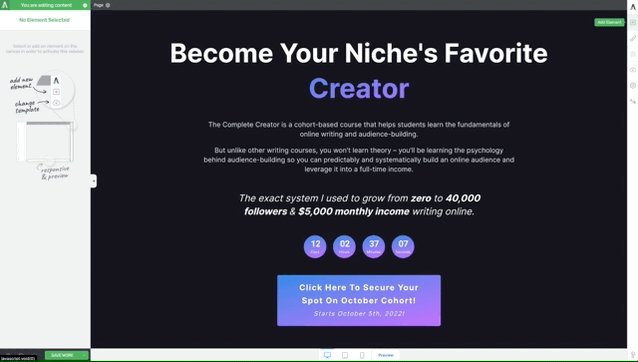
This is my entire site builder:
• Lockdown campaigns
• Landing pages
• Form builder
Everything I need to build persuasive offers:
This is my entire site builder:
• Lockdown campaigns
• Landing pages
• Form builder
Everything I need to build persuasive offers:
@zapier @ConvertKit @testimonialto @LumaHQ @Calendly @NotionHQ @TweetHunterIO @evernote @ThriveThemes 10. @loom
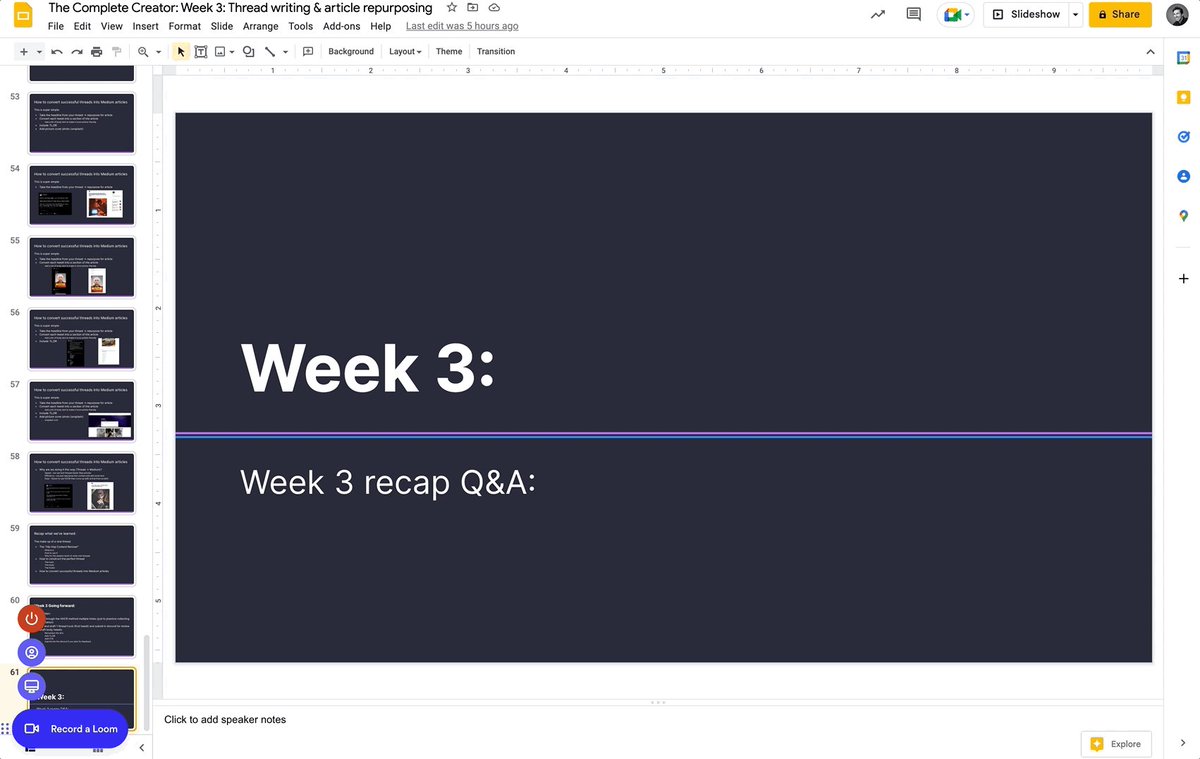
I use this to:
• Teach students (on-demand video)
• Collaborate with other creators
• Onboard & teach VAs
One recording → unlimited usage
I use this to:
• Teach students (on-demand video)
• Collaborate with other creators
• Onboard & teach VAs
One recording → unlimited usage
@zapier @ConvertKit @testimonialto @LumaHQ @Calendly @NotionHQ @TweetHunterIO @evernote @ThriveThemes @loom You now have the systems.
But you still need the audience.
Join us in The Complete Creator and build your audience (in just 30 days):
Completecreator.co
But you still need the audience.
Join us in The Complete Creator and build your audience (in just 30 days):
Completecreator.co
@zapier @ConvertKit @testimonialto @LumaHQ @Calendly @NotionHQ @TweetHunterIO @evernote @ThriveThemes @loom And that's it!
If you enjoyed this and you're into the creator economy and digital writing:
1. Follow me @jonbrosio for more badass threads like this
2. Retweet the 1st tweet of this thread to help inspire others
If you enjoyed this and you're into the creator economy and digital writing:
1. Follow me @jonbrosio for more badass threads like this
2. Retweet the 1st tweet of this thread to help inspire others
@zapier @ConvertKit @testimonialto @LumaHQ @Calendly @NotionHQ @TweetHunterIO @evernote @ThriveThemes @loom TL;DR
10 no-code tools to build your business (and buy-back your freedom):
• ThriveThemes
• Tweethunter
• Testimonial
• Convertkit
• Calendly
• Notion
• Zapier
• Skitch
• Loom
• Luma
10 no-code tools to build your business (and buy-back your freedom):
• ThriveThemes
• Tweethunter
• Testimonial
• Convertkit
• Calendly
• Notion
• Zapier
• Skitch
• Loom
• Luma
@zapier @ConvertKit @testimonialto @LumaHQ @Calendly @NotionHQ @TweetHunterIO @evernote @ThriveThemes @loom If you want to get started creating your own money-making online business
Check out this free resource that walks you step-by-step towards making your first $3,000 writing online
tribeloyal.com
Check out this free resource that walks you step-by-step towards making your first $3,000 writing online
tribeloyal.com
Loading suggestions...