

3 Quick Excel Tips To Start Your Week: 📊
Subtotal & Filtered Values:
The Subtotal function allows you to SUM data (or other commands) and have it update based on filters you have applied.
• =Subtotal
• Select "9" (SUM)
• Choose Range
The total will now update based on filters.
Like this:
The Subtotal function allows you to SUM data (or other commands) and have it update based on filters you have applied.
• =Subtotal
• Select "9" (SUM)
• Choose Range
The total will now update based on filters.
Like this:

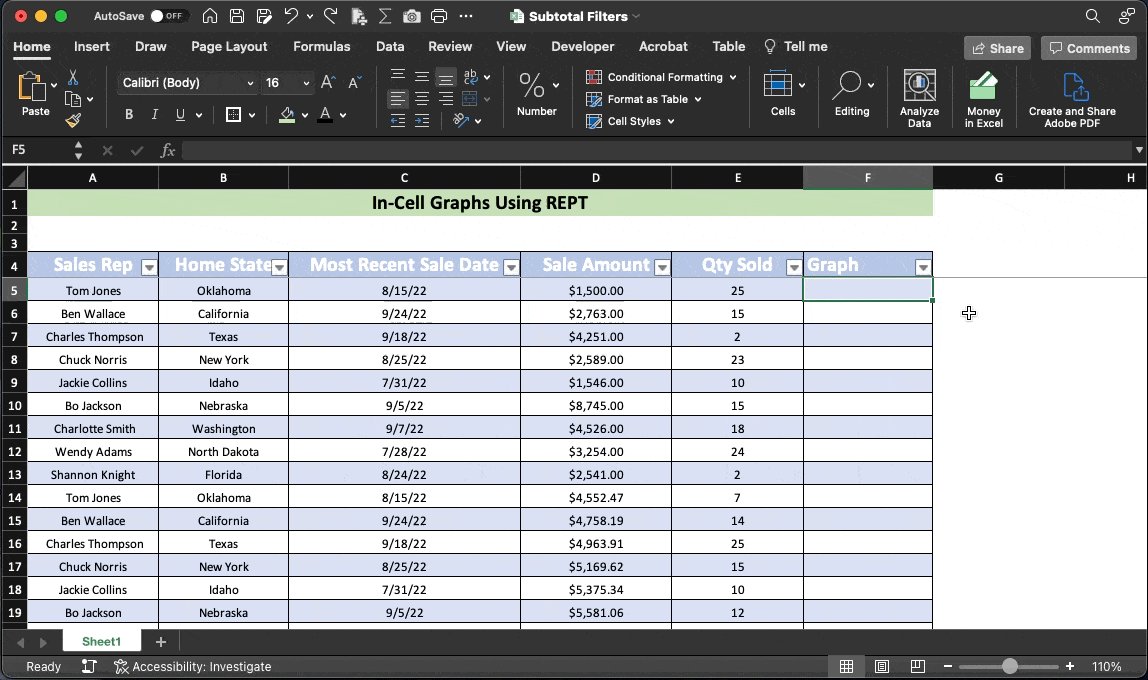
Cell Graphs Using REPT:
Here's an easy way to make miniature graphs that live inside cells:
• =REPT
• Input "|",
• Select Reference Cell
• Change font to "Playbill"
Since each "graph" is based on a formula, it will update as your numbers change.
See here:
Here's an easy way to make miniature graphs that live inside cells:
• =REPT
• Input "|",
• Select Reference Cell
• Change font to "Playbill"
Since each "graph" is based on a formula, it will update as your numbers change.
See here:
Connect Slicers:
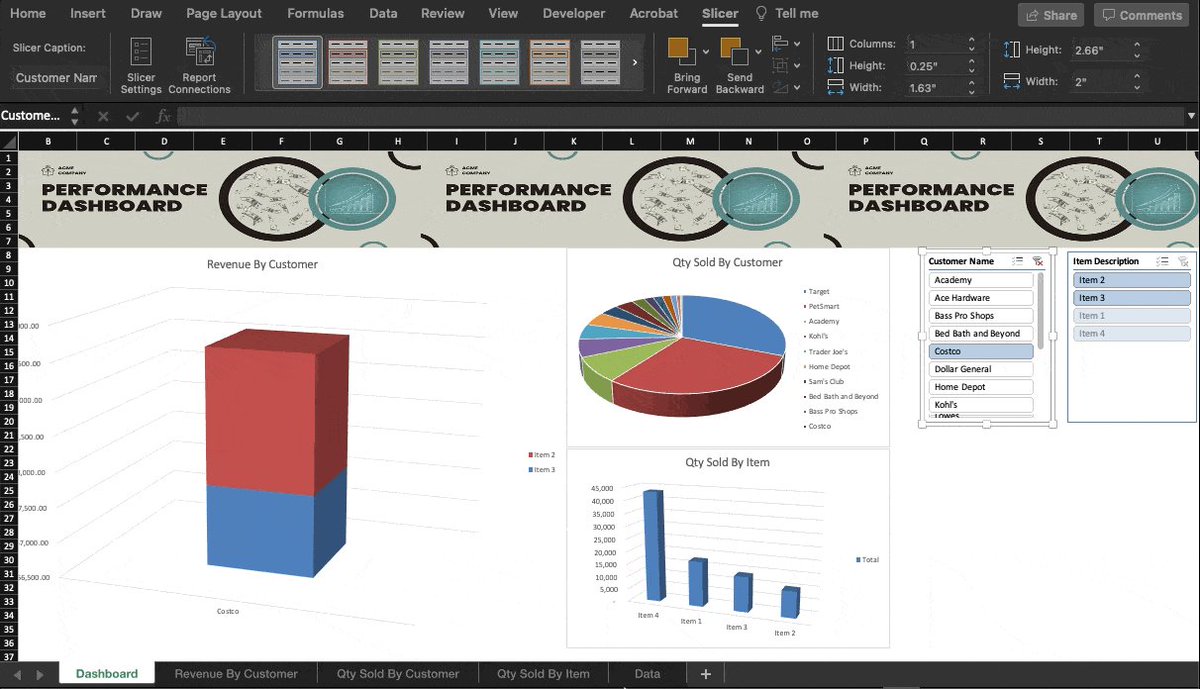
Did you know you can connect a single slicer to more than one Pivot Table?
In our example, I have multiple charts tied to different pivots & I want them all to update based on a single slicer.
• Right-click a slicer
• Report connections
• Select PivotTables
Did you know you can connect a single slicer to more than one Pivot Table?
In our example, I have multiple charts tied to different pivots & I want them all to update based on a single slicer.
• Right-click a slicer
• Report connections
• Select PivotTables
That's all for today!
If you like free stuff (who doesn't) sign up for my newsletter below.
• Software tips
• Video tutorials
• Spreadsheet templates
You can bail out at any time if you don't like it and I won't bug ya.
Promise.
blakeburge.com
If you like free stuff (who doesn't) sign up for my newsletter below.
• Software tips
• Video tutorials
• Spreadsheet templates
You can bail out at any time if you don't like it and I won't bug ya.
Promise.
blakeburge.com
Loading suggestions...