

Create this beautiful card using HTML and CSS
now, let's understand how we can create this
A 🧵
now, let's understand how we can create this
A 🧵

let's create the html structure first

now, let's style every element one by one
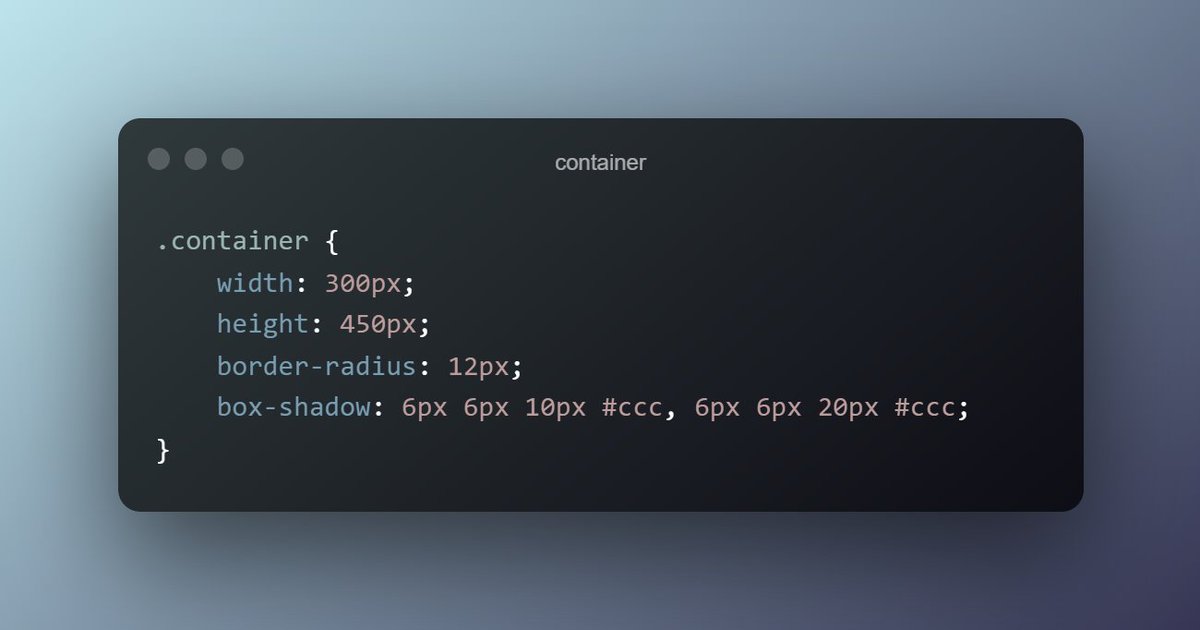
first styling the container as how much height and width we need
adding box shadow will give a shadow to the container
adding border-radius will give a beautiful round edge
first styling the container as how much height and width we need
adding box shadow will give a shadow to the container
adding border-radius will give a beautiful round edge
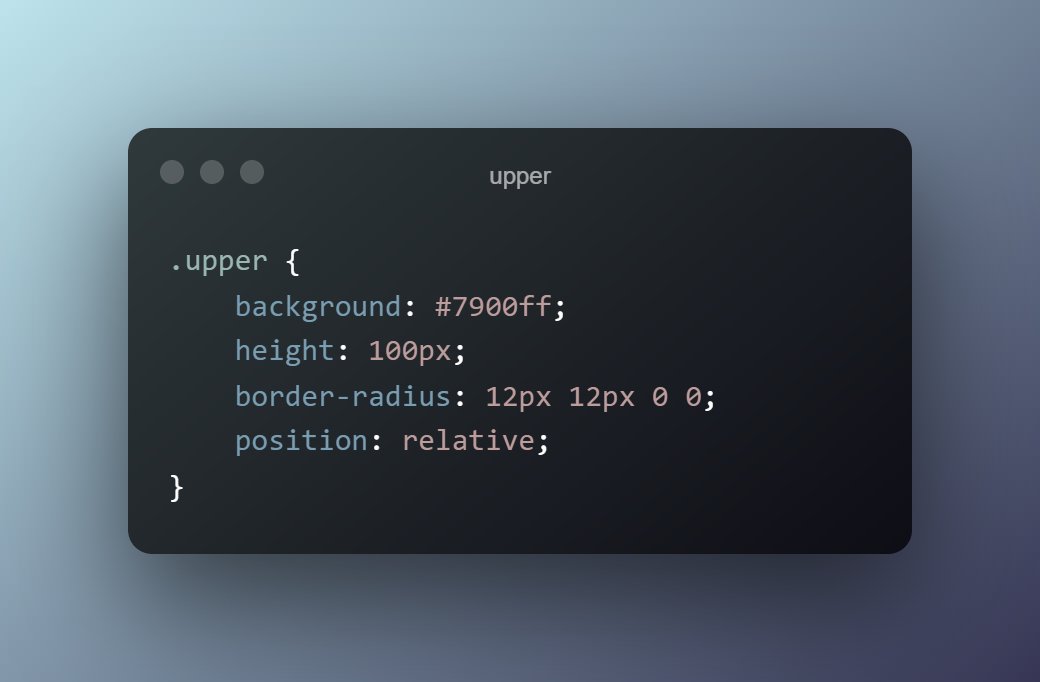
now we will style our upper section of the container
I have given the class name as upper too
I have given the class name as upper too
now, let's style our image which have to rounded and center to the container
to do this I have kept img to position absolute and parent to position relative
so that the image can be move relative to the parent element
to do this I have kept img to position absolute and parent to position relative
so that the image can be move relative to the parent element

now the upper part of the container is styled it's time to style our lower part of container
I have also given the class name as lower
there is some basic property such as margin and padding
and I have also added text-align property center as I want each child to be in center
I have also given the class name as lower
there is some basic property such as margin and padding
and I have also added text-align property center as I want each child to be in center

Now, style all the basic text element one by one
as the parent is already text-align to center all text will be aligned to center only.
as the parent is already text-align to center all text will be aligned to center only.

we only have to style our button property
I have added some basic property of the button and a transition property
transition property is when we add some time of animation to it it will do the animation smoothly
in this case I have added a hover effect to the button
I have added some basic property of the button and a transition property
transition property is when we add some time of animation to it it will do the animation smoothly
in this case I have added a hover effect to the button

last thing, you can add hover psuedo class property to the button element or any other element to do some kind of transition effect
In this case I have added it to the button element.
In this case I have added it to the button element.
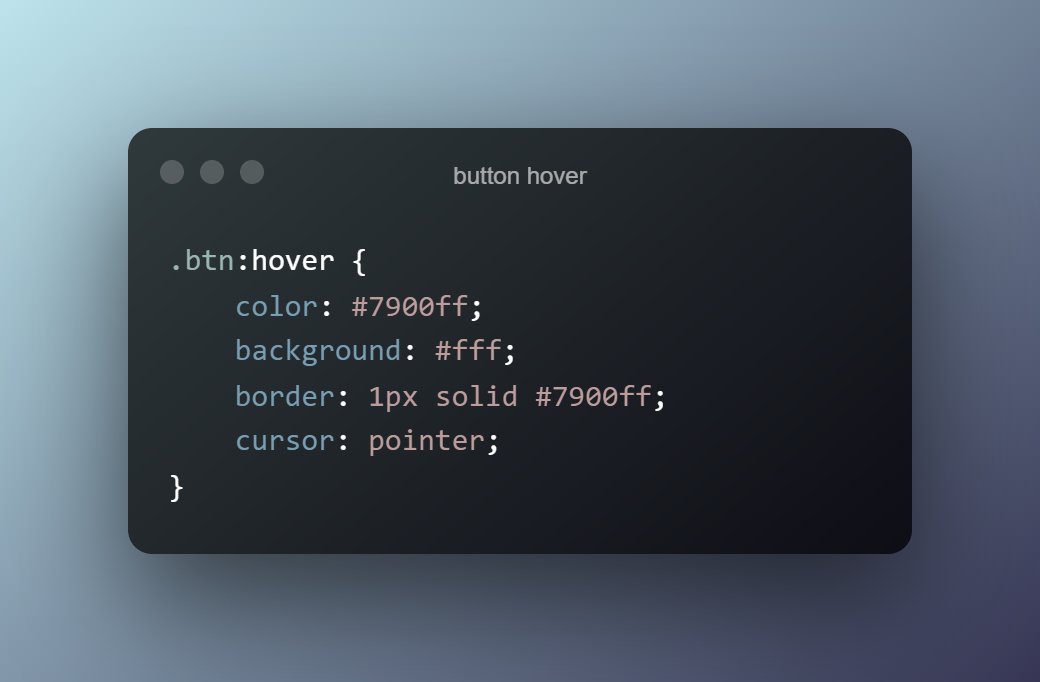
checkout this codepen for the full code and hover effect 👇
codepen.io
codepen.io
Hey 👋
I am a Web Developer from India 🇮🇳
Here, I am sharing information on HTML, CSS, JavaScript, React, and other programming languages.
To never miss anything,
➜ Follow ✅ me
➜ Keep 🔔 ON
I am a Web Developer from India 🇮🇳
Here, I am sharing information on HTML, CSS, JavaScript, React, and other programming languages.
To never miss anything,
➜ Follow ✅ me
➜ Keep 🔔 ON
Loading suggestions...