

100+ tools can help you generate Content Ideas.
But the most powerful one is: Twitter Advanced Search
In 3 mins, I'll show you how to use it and boost your followers in 15 days:
But the most powerful one is: Twitter Advanced Search
In 3 mins, I'll show you how to use it and boost your followers in 15 days:
500 Million Tweets are shared everyday.
Only a few are worth your time.
After reading 10+ stupid threads that taught you nothing, you find one thread that is actually a Goldmine.
You read it and you learn a lot.
But you forgot to bookmark it.
Now that thread is LOST forever.
Only a few are worth your time.
After reading 10+ stupid threads that taught you nothing, you find one thread that is actually a Goldmine.
You read it and you learn a lot.
But you forgot to bookmark it.
Now that thread is LOST forever.
Well, not if you learn how to use Advanced Search.
Twitter Advanced Search is the best tool for finding the best tweets on your favorite topics from your favorite accounts on Twitter.
I'll show you how to use Advanced Search with the help of 7 Small Missions:
Twitter Advanced Search is the best tool for finding the best tweets on your favorite topics from your favorite accounts on Twitter.
I'll show you how to use Advanced Search with the help of 7 Small Missions:
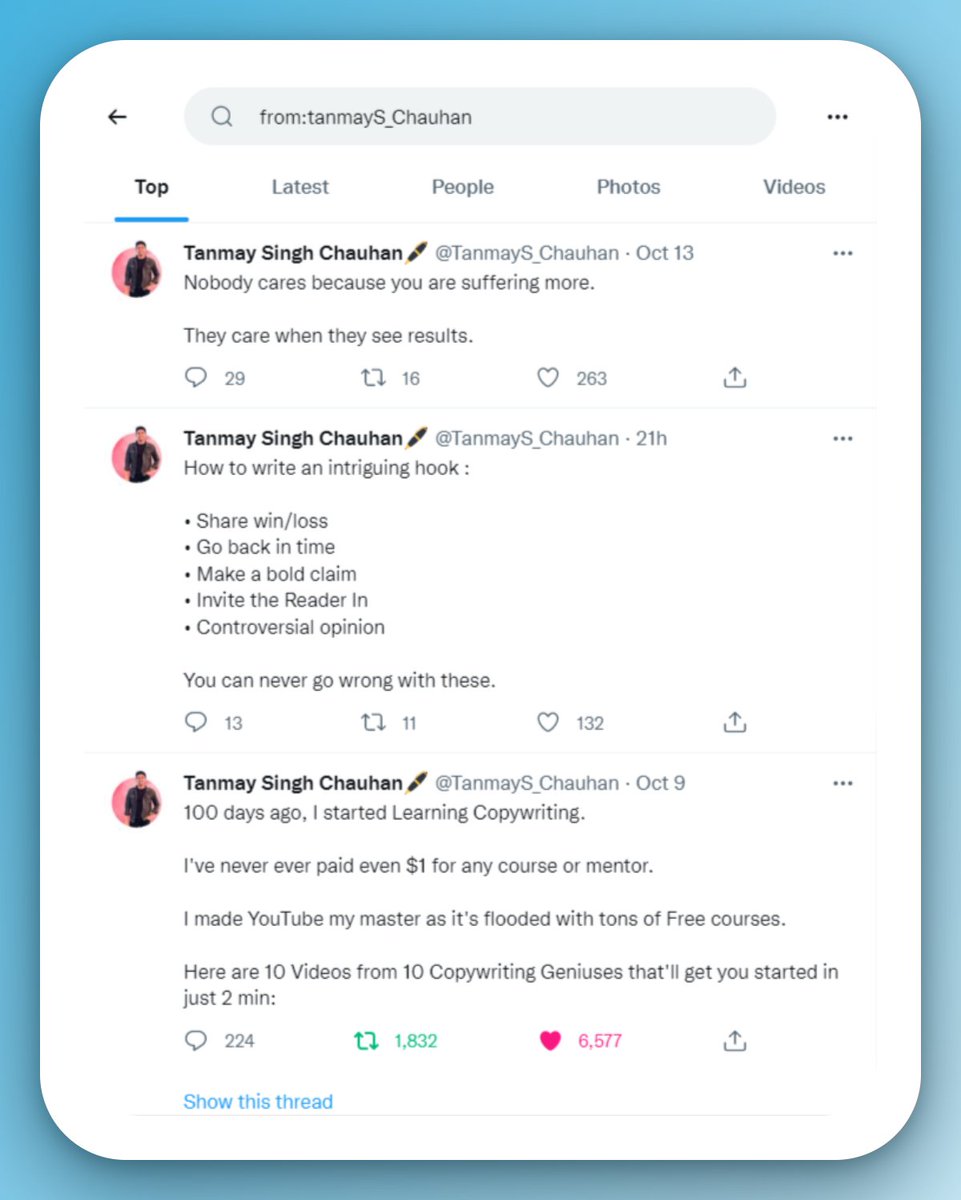
Mission 1: Read all the tweets from @TanmayS_Chauhan
Here's how I'll search it in the Search bar:
* from:tanmayS_Chauhan *
I've found the most actionable Copywriting guide ever.
Just need to scroll and take notes.
Here's how I'll search it in the Search bar:
* from:tanmayS_Chauhan *
I've found the most actionable Copywriting guide ever.
Just need to scroll and take notes.
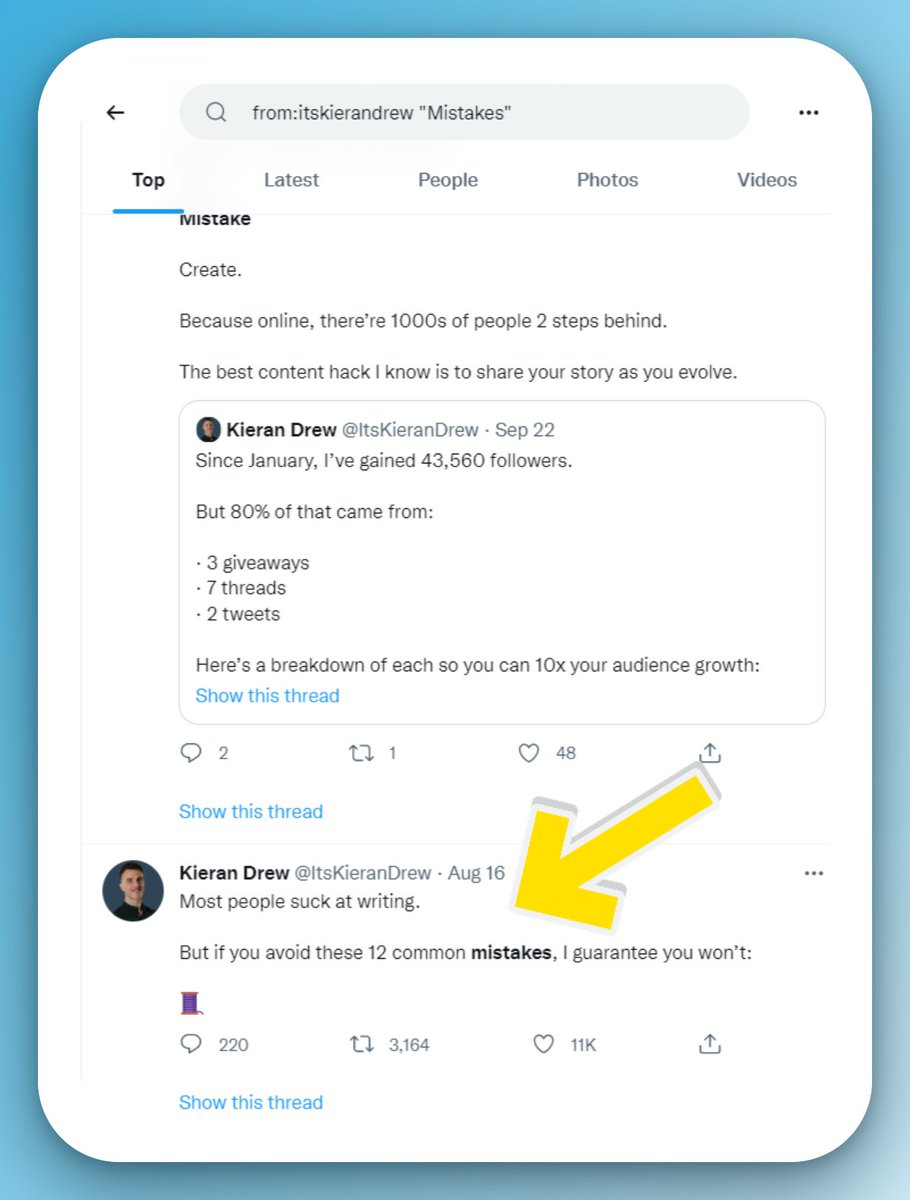
Mission 2: Find @ItsKieranDrew 's thread on Writing Mistakes.
I'll search:
* from:itskierandrew "Mistakes" *
and I've got the thread I was looking for.
I'll search:
* from:itskierandrew "Mistakes" *
and I've got the thread I was looking for.
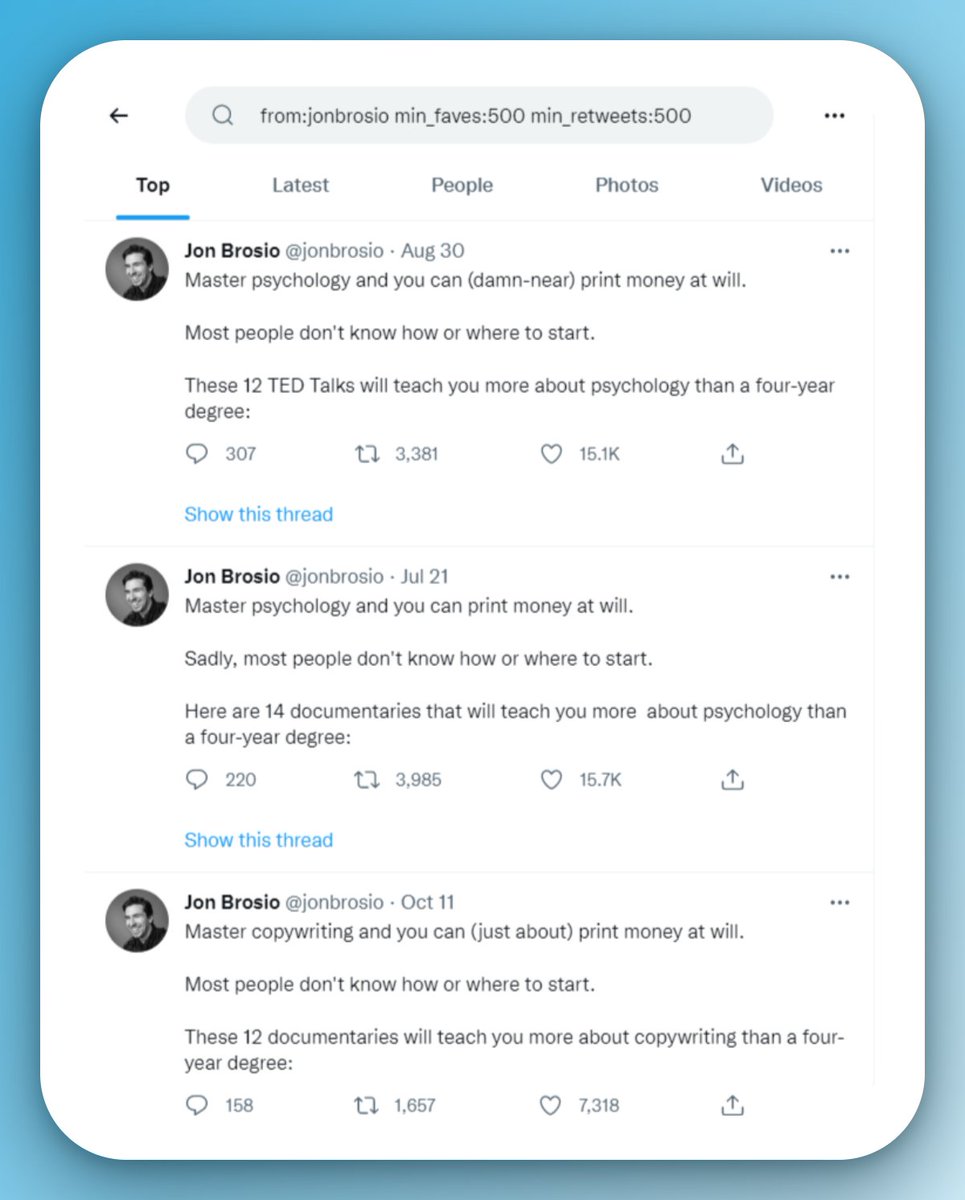
Mission 3: Find the most popular tweets from @jonbrosio
I'll search :
* from:jonbrosio min_faves:500 min_retweets:500 *
I've got a list of the most popular tweets from him in decreasing order.
I'll search :
* from:jonbrosio min_faves:500 min_retweets:500 *
I've got a list of the most popular tweets from him in decreasing order.
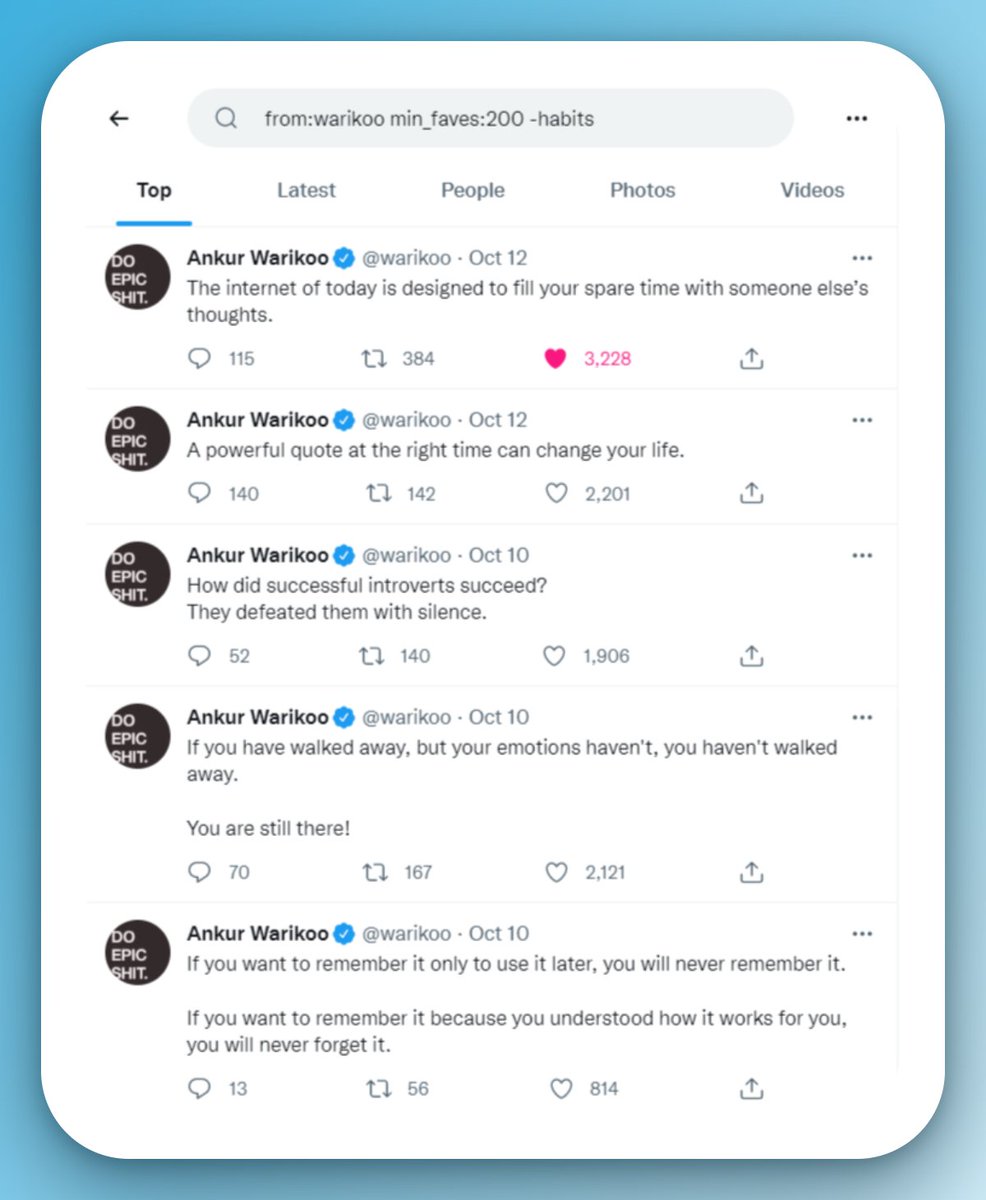
Mission 4: Find all tweets from @warikoo except his tweets on habits.
I'll search:
* from:warikoo min_faves:200 -habits *
I've got a list of all his tweets without the term "habits"
I'll search:
* from:warikoo min_faves:200 -habits *
I've got a list of all his tweets without the term "habits"
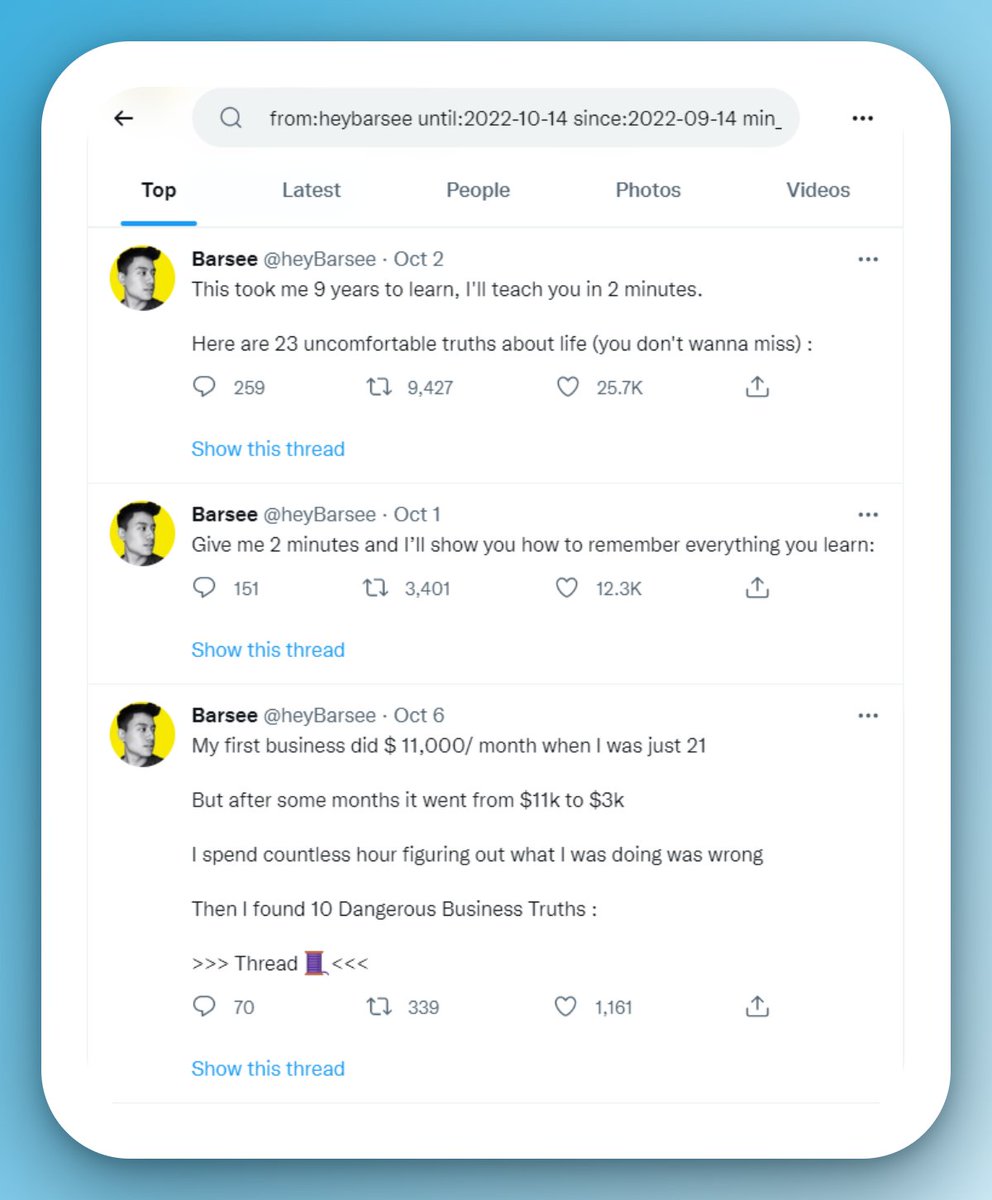
Mission 5: @heyBarsee added 21,582 followers to his audience in the last 30 days. Find the most popular tweets in this time period.
I'll search:
* from:heybarsee since:2022-09-14 until:2022-10-14 min_faves:500 min_retweets:200 *
I've got the perfect recipe to go viral:
I'll search:
* from:heybarsee since:2022-09-14 until:2022-10-14 min_faves:500 min_retweets:200 *
I've got the perfect recipe to go viral:
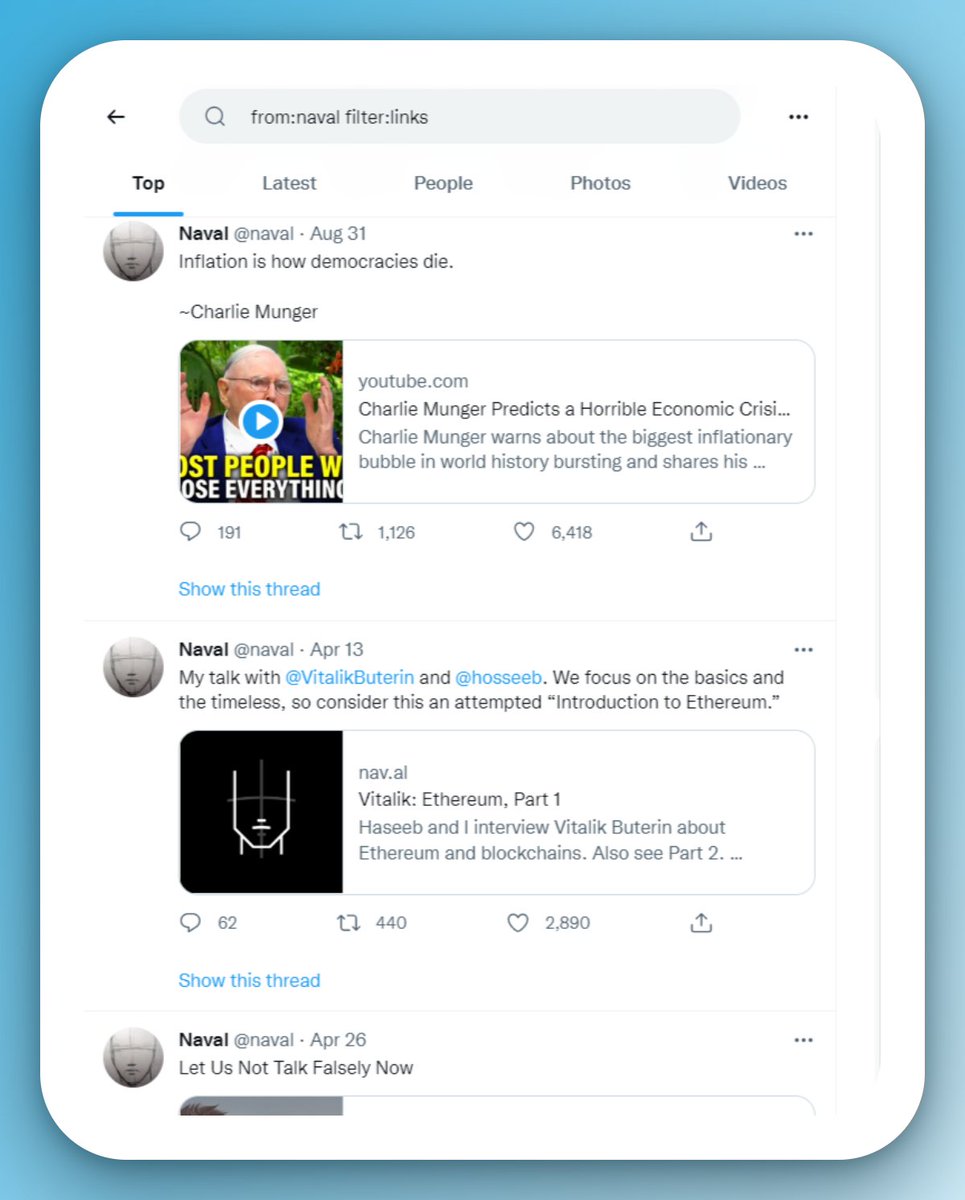
Mission 6: Find all the links shared by @naval
I'll search:
* from:naval filter:links *
I've got a list of the most insightful content on Internet.
I'll search:
* from:naval filter:links *
I've got a list of the most insightful content on Internet.
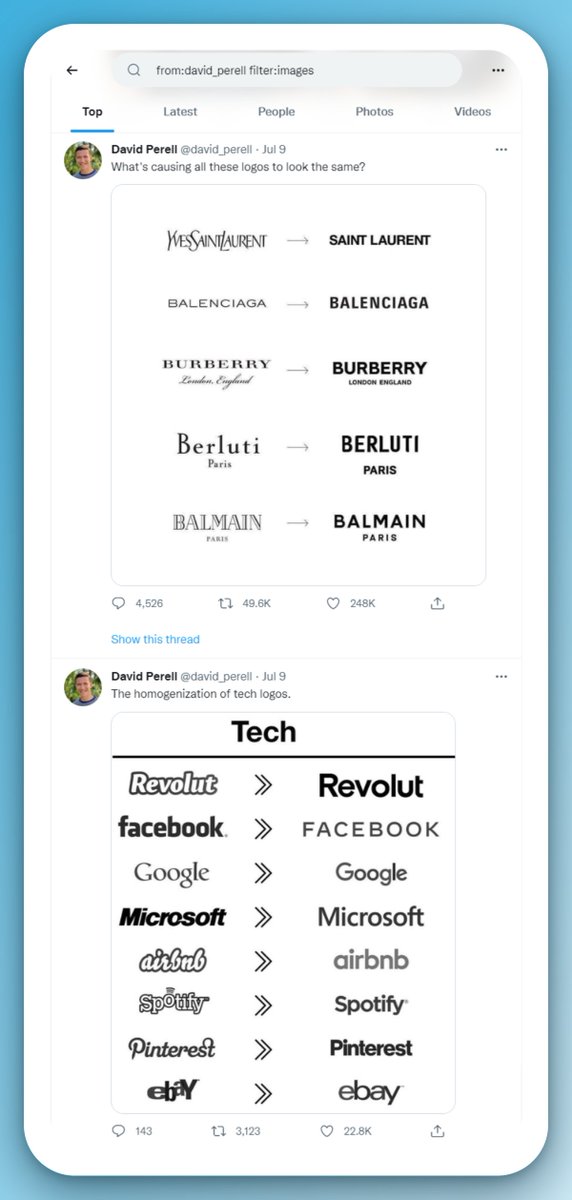
Mission 7: Find all the writing-related images posted by @david_perell
I'll search:
* from:david_perell filter:images *
I've got a list of images that will make me a better writer.
I'll search:
* from:david_perell filter:images *
I've got a list of images that will make me a better writer.
I've successfully completed all the missions.
So here's a recap of How to use Advance Search:
• To find all tweets from one account- from:twitterusername
• Find popular Tweets from an account- min_faves:number min_retweets:number
So here's a recap of How to use Advance Search:
• To find all tweets from one account- from:twitterusername
• Find popular Tweets from an account- min_faves:number min_retweets:number
• To find specific content- filter:links filter:images
• To find content in a particular timeframe - until:YYYY-MM-DD since:YYYY-MM-DD
BONUS:
• To find content from a particular location- near:location within:10mi
• To find content in a particular timeframe - until:YYYY-MM-DD since:YYYY-MM-DD
BONUS:
• To find content from a particular location- near:location within:10mi
That's a wrap!
Use Advanced Search -> Learn new strategies -> Apply them -> Enjoy your growth.
For more content like this, follow @yakshitshh
Also, don't forget to retweet the first tweet. Here's the link:
Use Advanced Search -> Learn new strategies -> Apply them -> Enjoy your growth.
For more content like this, follow @yakshitshh
Also, don't forget to retweet the first tweet. Here's the link:
Loading suggestions...