

Now, ROUND 1 and 2 have been concluded some weeks ago, and remember vividly, when we were doing ROUND 1 and 2, we created a TESTNET & MAINNET wallet, now make sure you use the same Wallet for this ROUND 3.0, and as usual, we are using the Chrome web browser.
Yes I know we have some new Kings and Queens here, I welcome you guys and I'm happy you're here now, give me 6 months to a year and I will make you thousands to millions of dollars, definitely by Gods grace, but that depends on your consistency and your aim.
With all that being said, let's get to business.
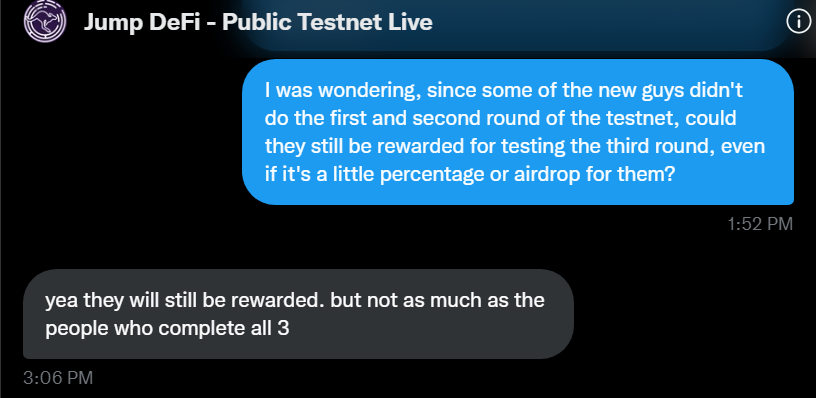
I spoke to @JumpDeFi and yes there will be rewards for everyone who tests, the quantity of your rewards just depends on how many ROUNDS you participated in.
Good news actually.
I spoke to @JumpDeFi and yes there will be rewards for everyone who tests, the quantity of your rewards just depends on how many ROUNDS you participated in.
Good news actually.
Now you might be wondering how to create a $NEAR MAINNET and TESTNET wallet, don't worry I got you.
To assess or create your wallets.
Frame 1: MAINNET: wallet.near.org
Frame 2: TESTNET: wallet.testnet.near.org
To assess or create your wallets.
Frame 1: MAINNET: wallet.near.org
Frame 2: TESTNET: wallet.testnet.near.org
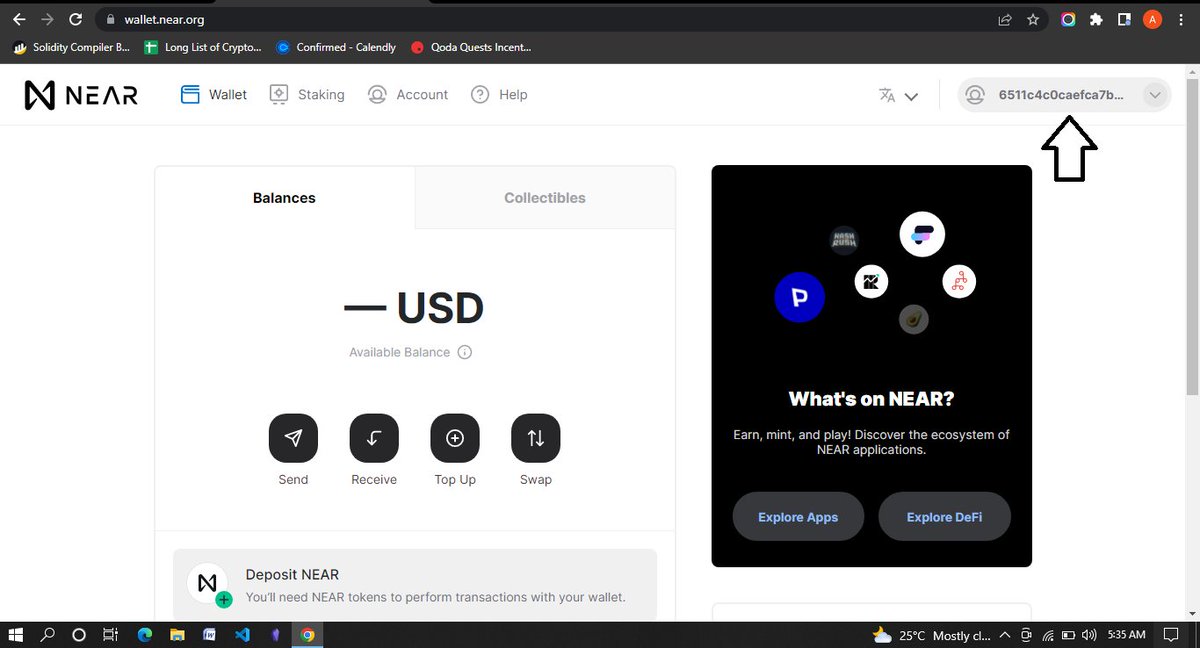
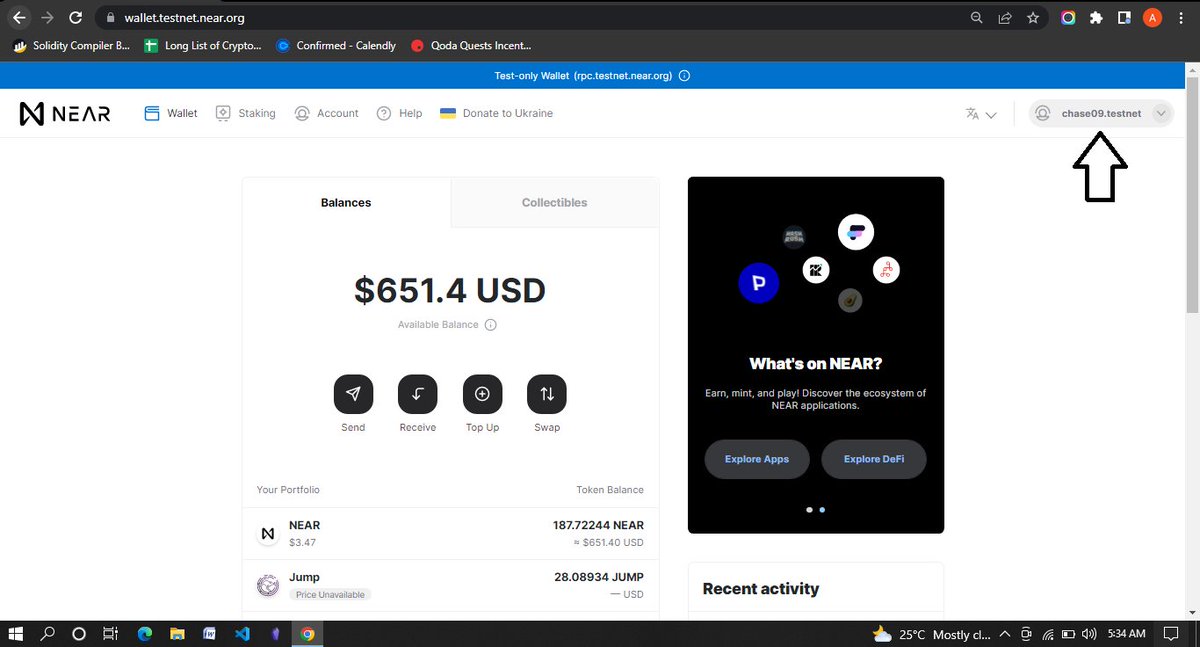
For the new guys visit those sites above and create a wallet, and as usual, keep your phrases well and secret, now if you look at the images above you will notice some arrows pointing there, they are pointing to your wallet address for MAINNET & TESTNET, take note of them.
Now, in case you are new here, join the @JumpDeFi server using the link in the tweet I tagged below.
Next go to: docs.google.com
And fill in your details accordingly, including your discord ID, and submit
Note: make sure you're using the same details you used in ROUND 1 & 2 and for the new guys just use your normal details.
And fill in your details accordingly, including your discord ID, and submit
Note: make sure you're using the same details you used in ROUND 1 & 2 and for the new guys just use your normal details.
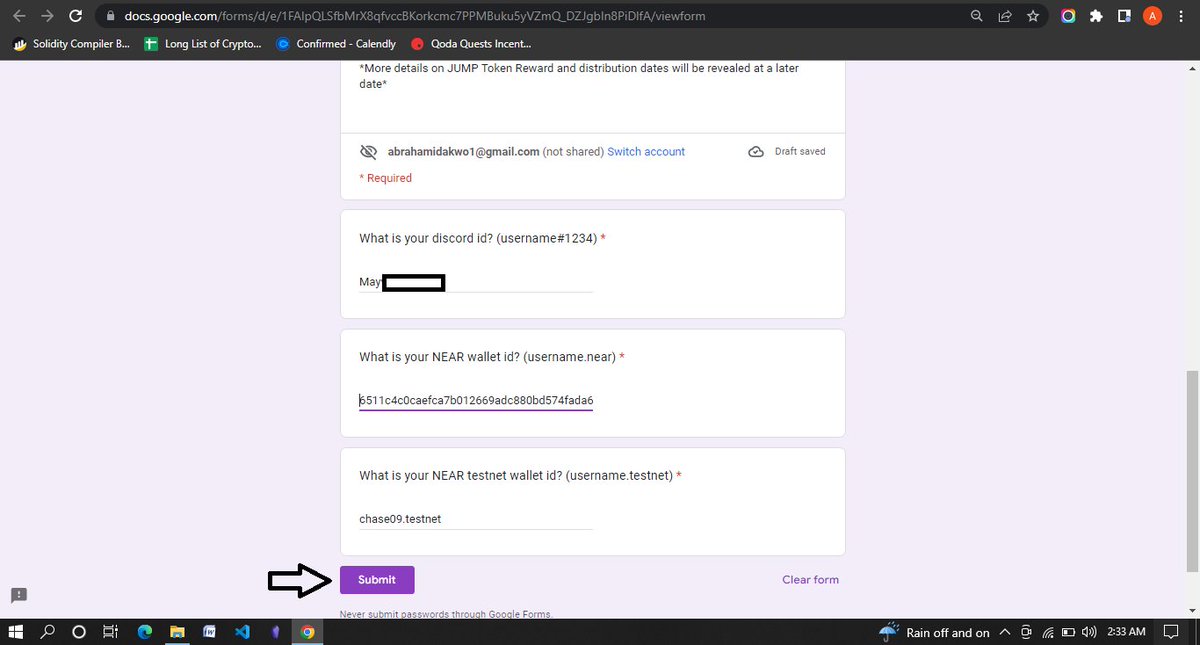

Now, you are done with the registration stage.
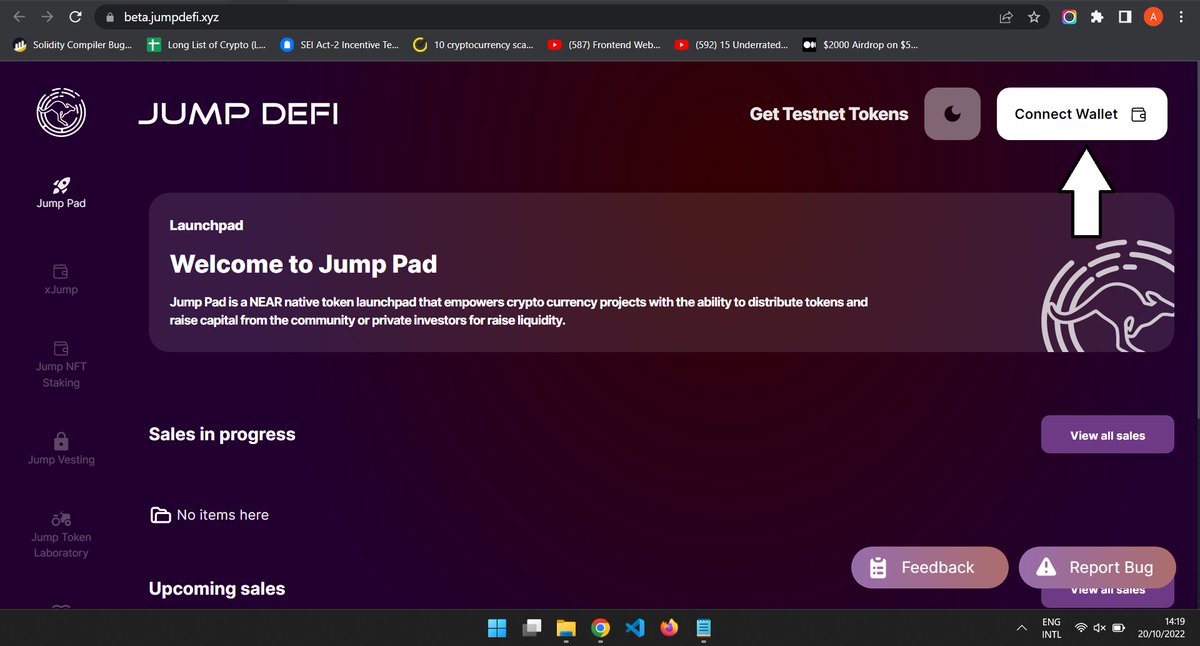
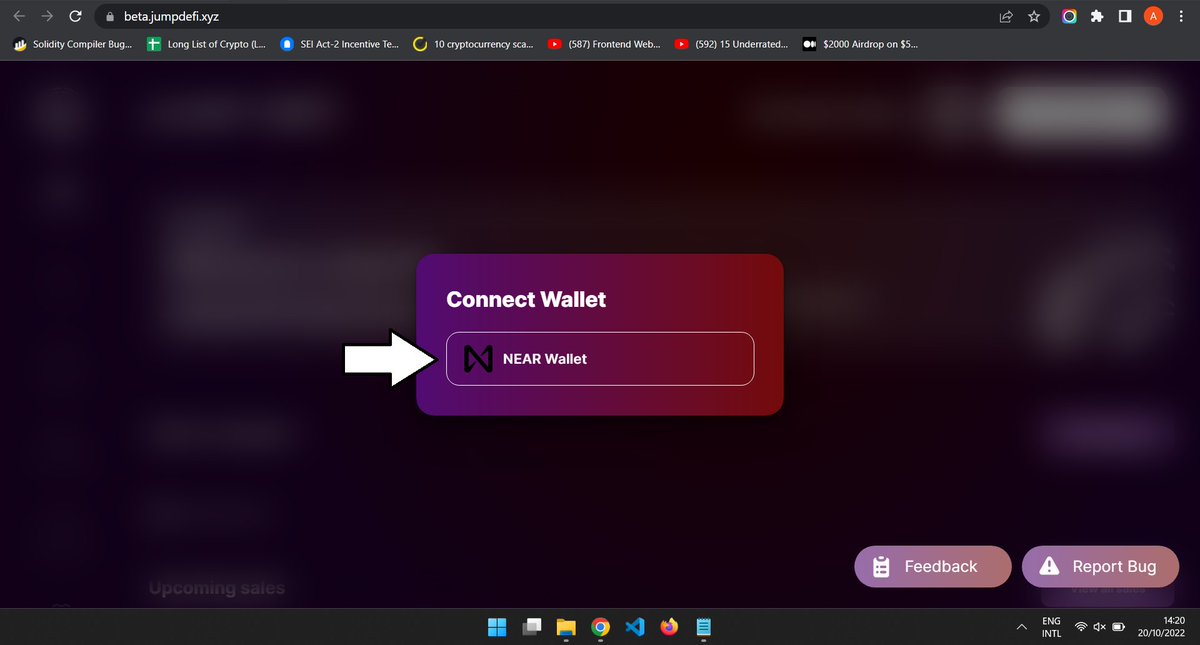
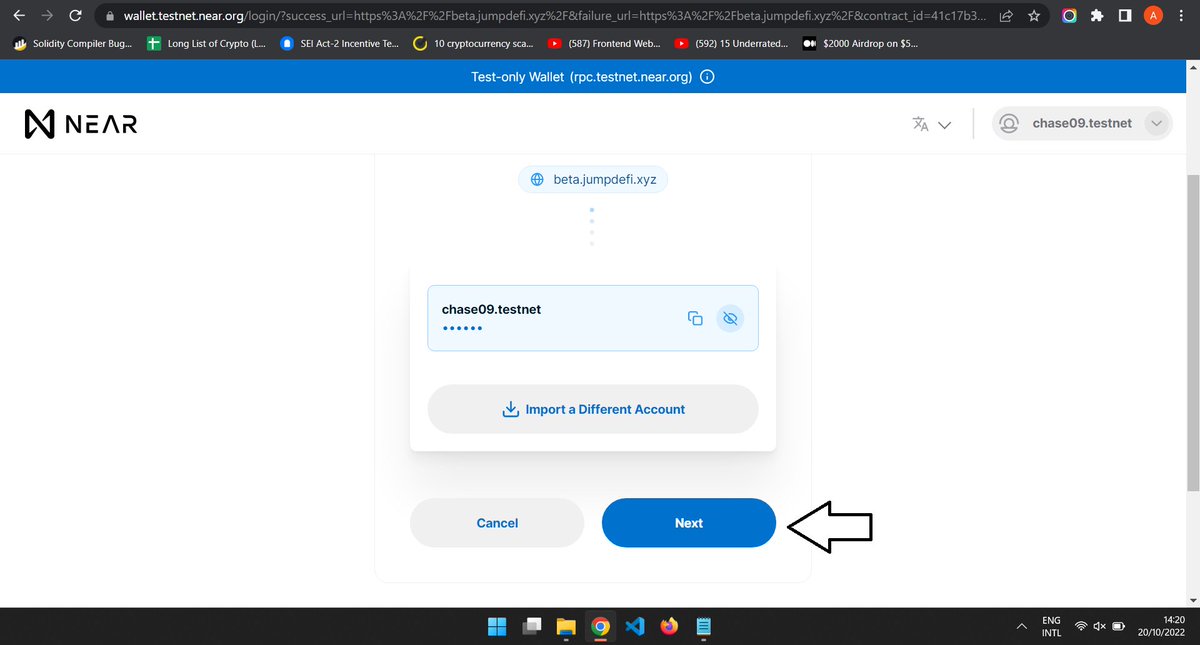
visit beta.jumpdefi.xyz remember we are using our chrome browser, you don't need KIWI or YANDEX browser for this testnet. at the top tap on CONNECT WALLET, choose NEAR WALLET, Then approve the transactions that come up.
visit beta.jumpdefi.xyz remember we are using our chrome browser, you don't need KIWI or YANDEX browser for this testnet. at the top tap on CONNECT WALLET, choose NEAR WALLET, Then approve the transactions that come up.
Next at the Top just tap on "GET TESTNET TOKENS" and choose the first tab [Tokens], then approve the transaction that comes up, now repeat the same process for the second tab [NFTs] & Approve the transaction again.
![Next at the Top just tap on "GET TESTNET TOKENS" and choose the first tab [Tokens], then approve the...](https://pbs.twimg.com/media/Ffk-gL3XgAECXva.jpg)
![Next at the Top just tap on "GET TESTNET TOKENS" and choose the first tab [Tokens], then approve the...](https://pbs.twimg.com/media/Ffk-gQKWYAM_Tlr.jpg)
![Next at the Top just tap on "GET TESTNET TOKENS" and choose the first tab [Tokens], then approve the...](https://pbs.twimg.com/media/Ffk-gWBWYAA9csM.jpg)
Now to check if you have really gotten the faucets,
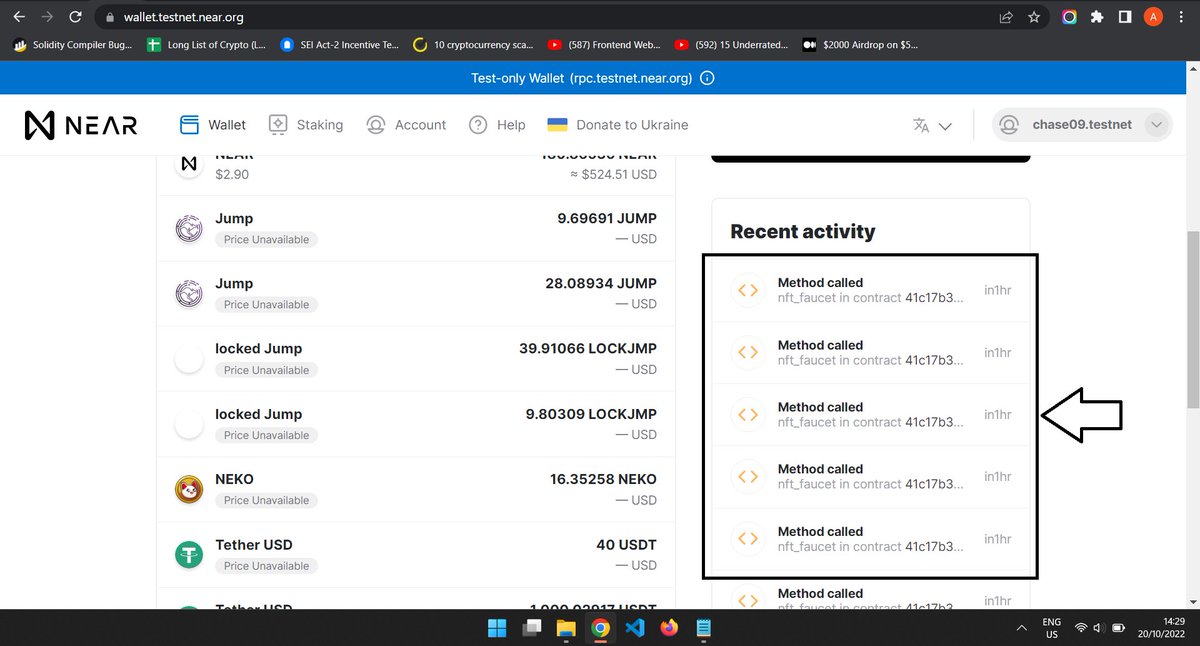
go to TESTNET: wallet.testnet.near.org and check your recent activity, and if you see something like "METHOD CALL" it means yes you have received it and can continue, but if you don't see it just repeat what we did above.
go to TESTNET: wallet.testnet.near.org and check your recent activity, and if you see something like "METHOD CALL" it means yes you have received it and can continue, but if you don't see it just repeat what we did above.
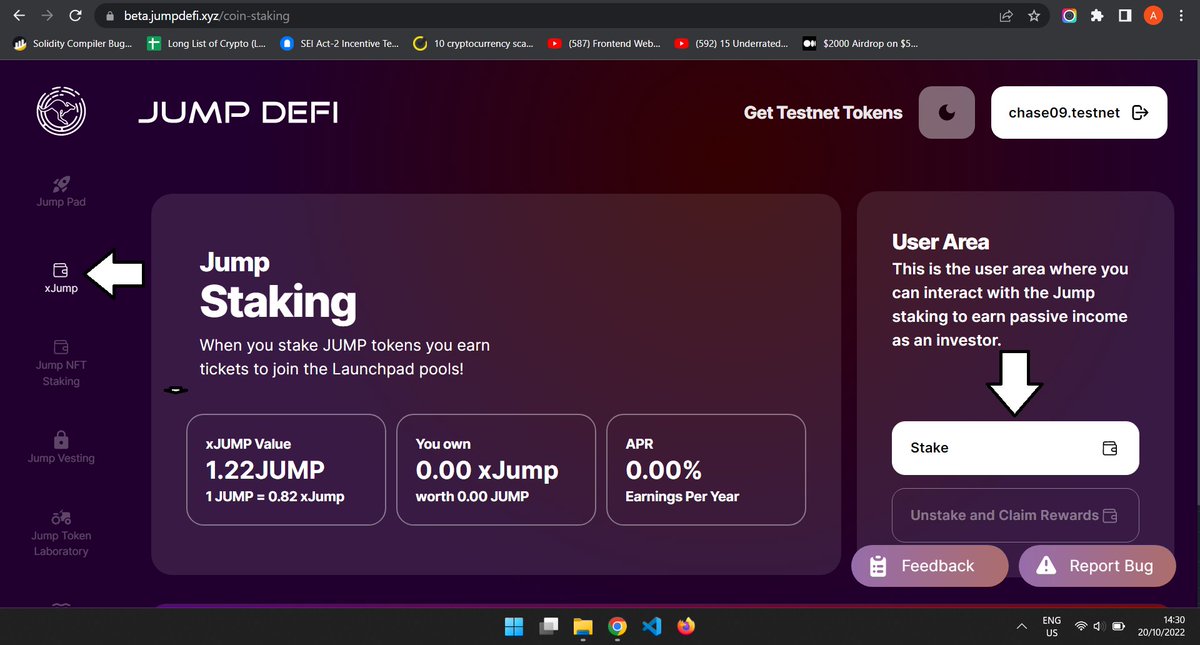
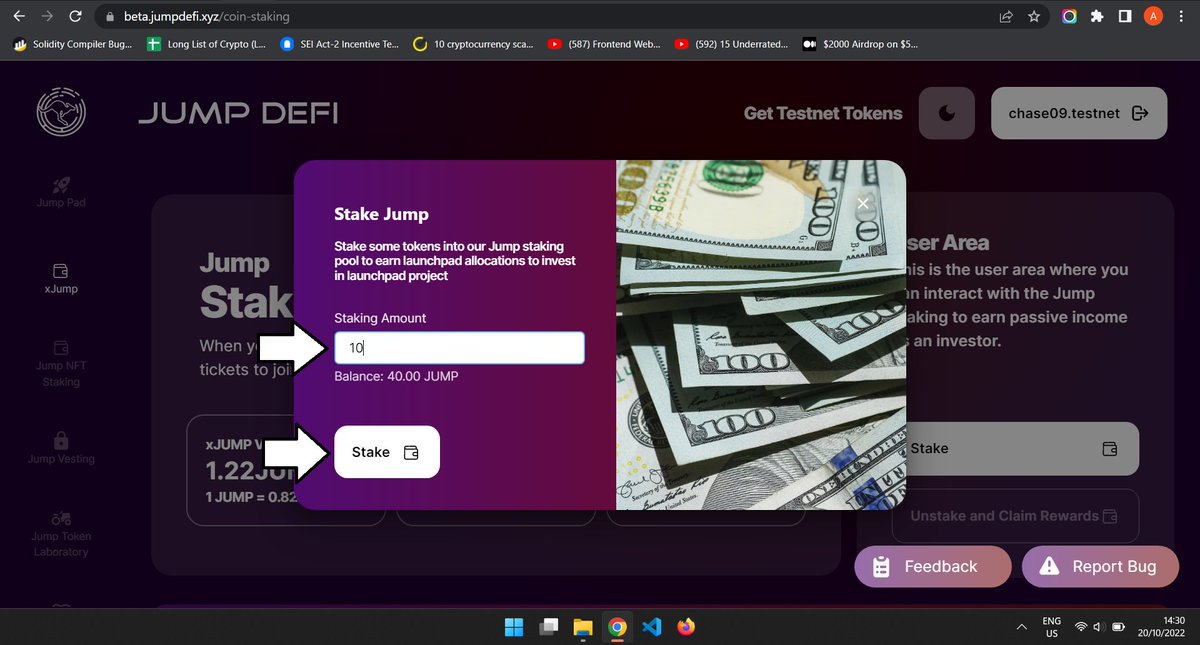
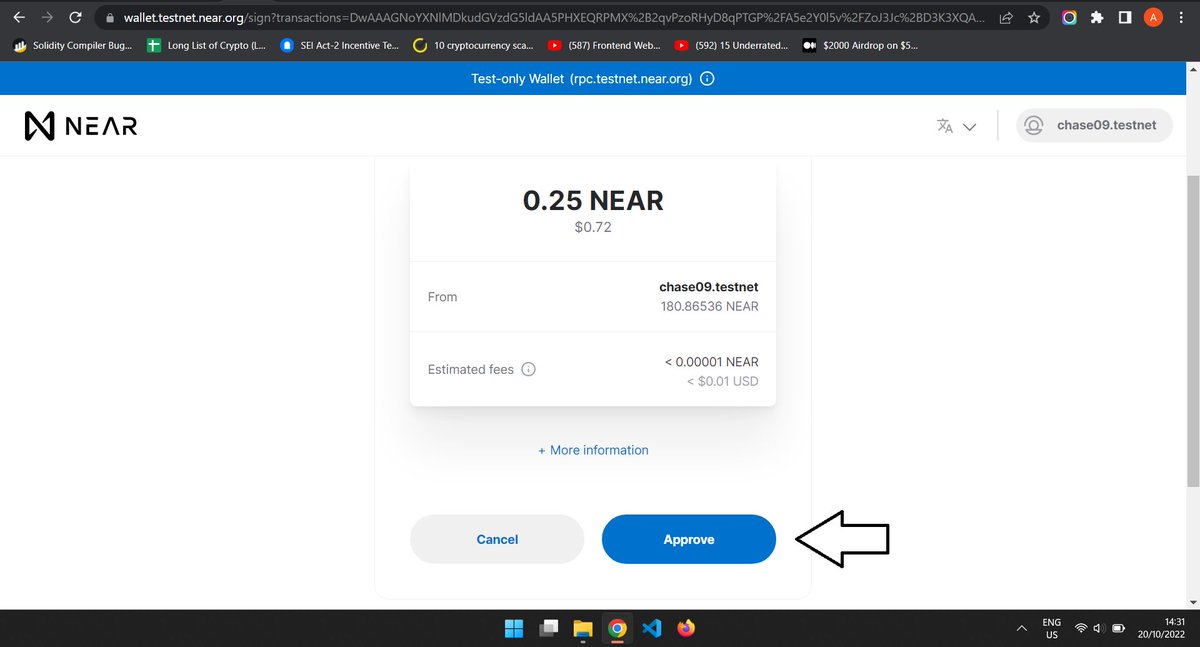
Now that you have gotten the faucet, go back to beta.jumpdefi.xyz And tap on the XJUMP tab on the left-hand side, then tap on stake and input a little amount, after that, tap on stake and approve the transaction that comes up.
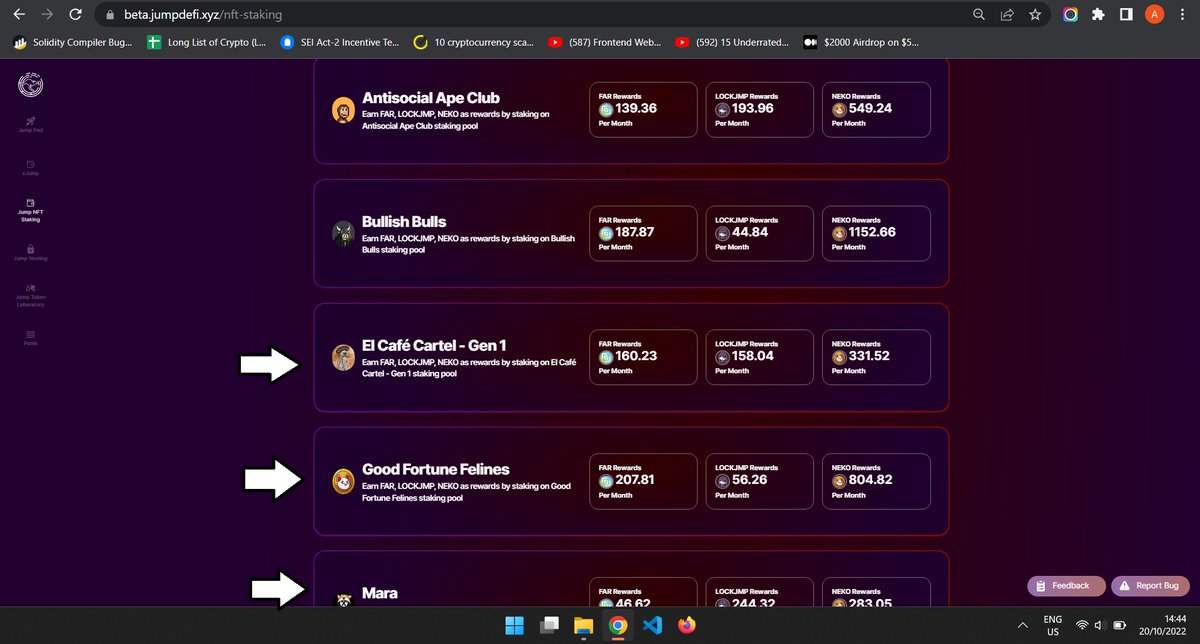
Next, tap on "Jump NFT staking", now I will be using the "Antisocial Ape club" for this tutorial, if you check and you don't have the NFT, scroll down and chose another one, tap on it, then tap on stake NFT and select one NFT and tap on STAKE NOW and approve the transaction.
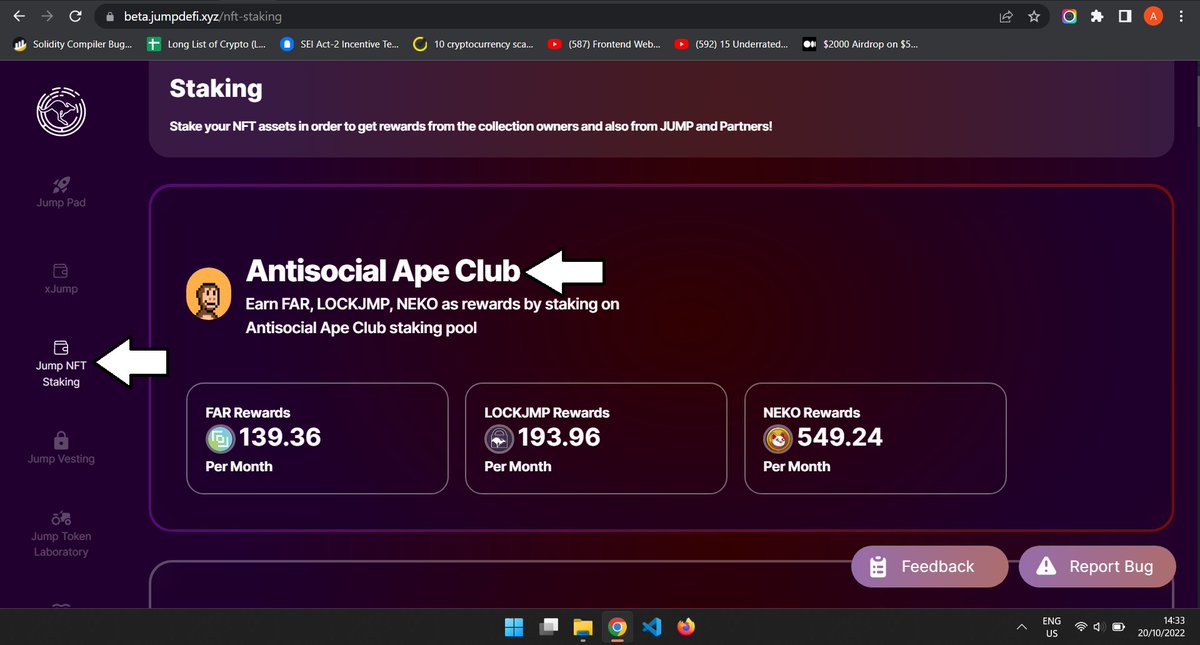
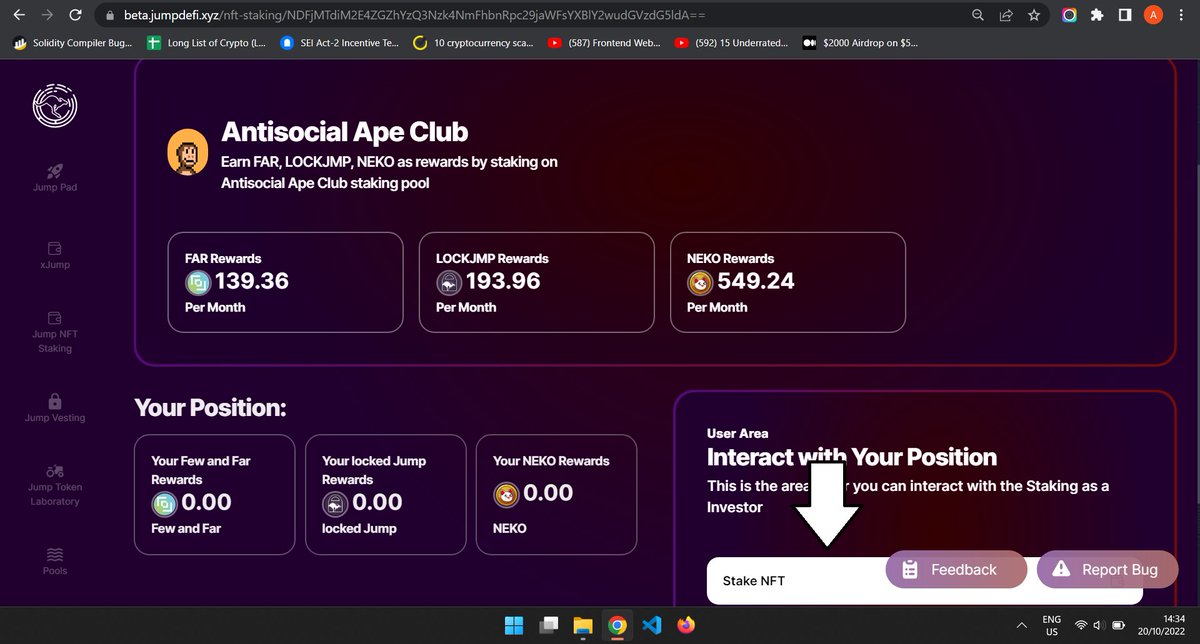
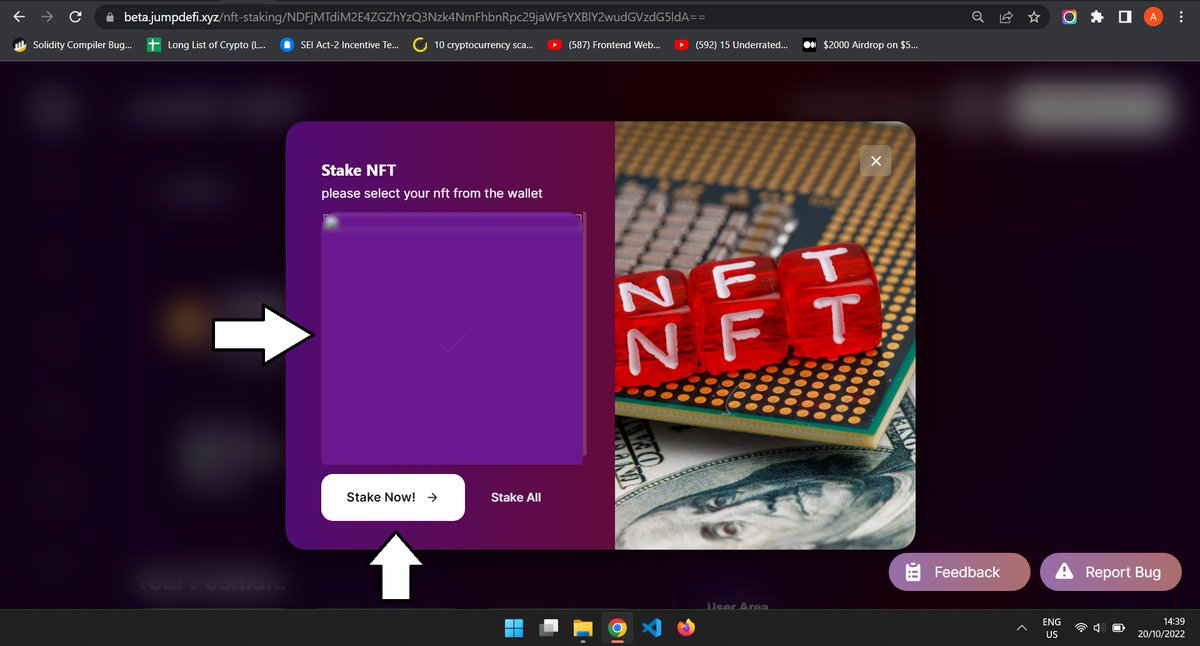
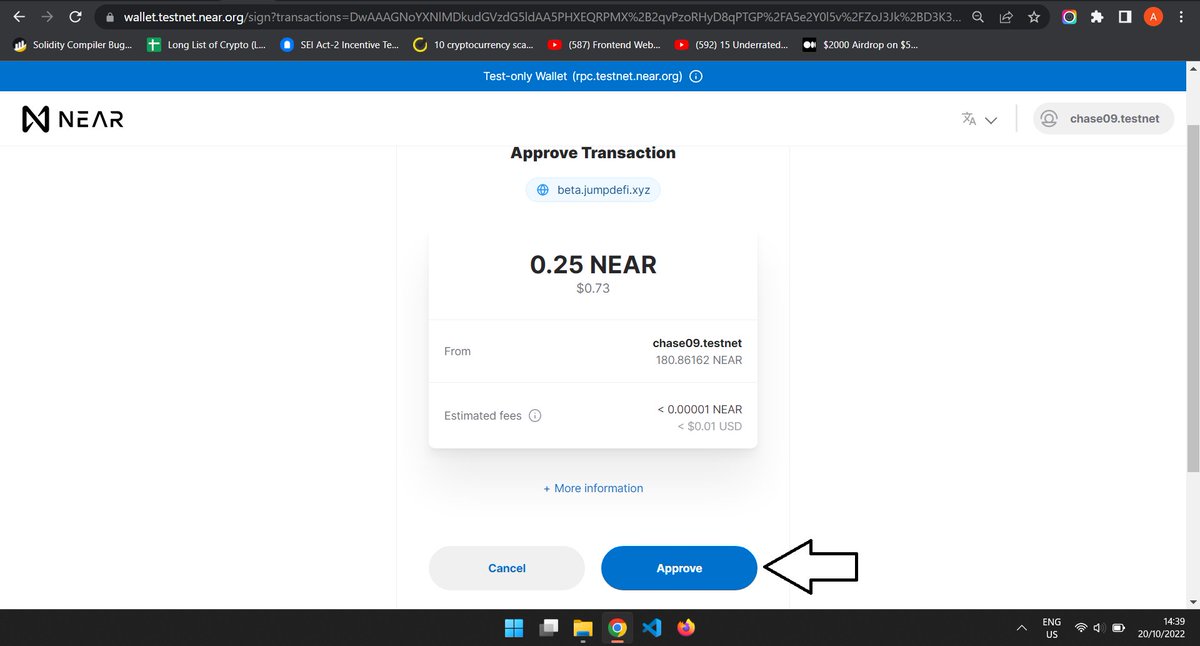
Next, let's claim rewards, tap on claim rewards and approve the transaction that comes up.
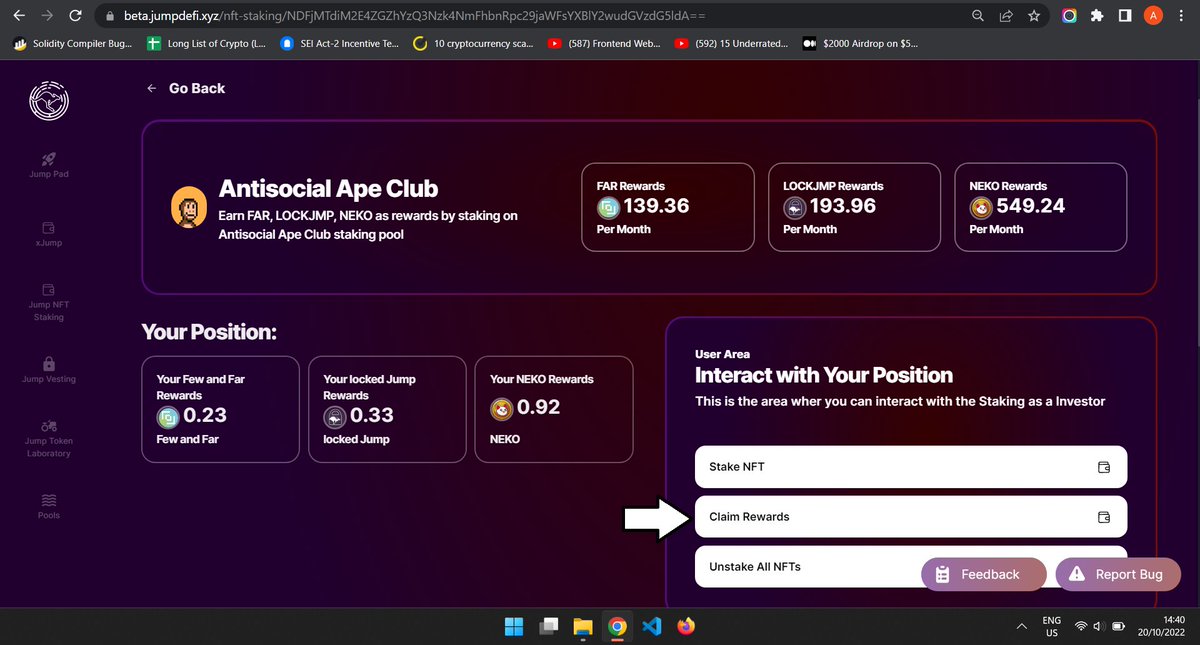
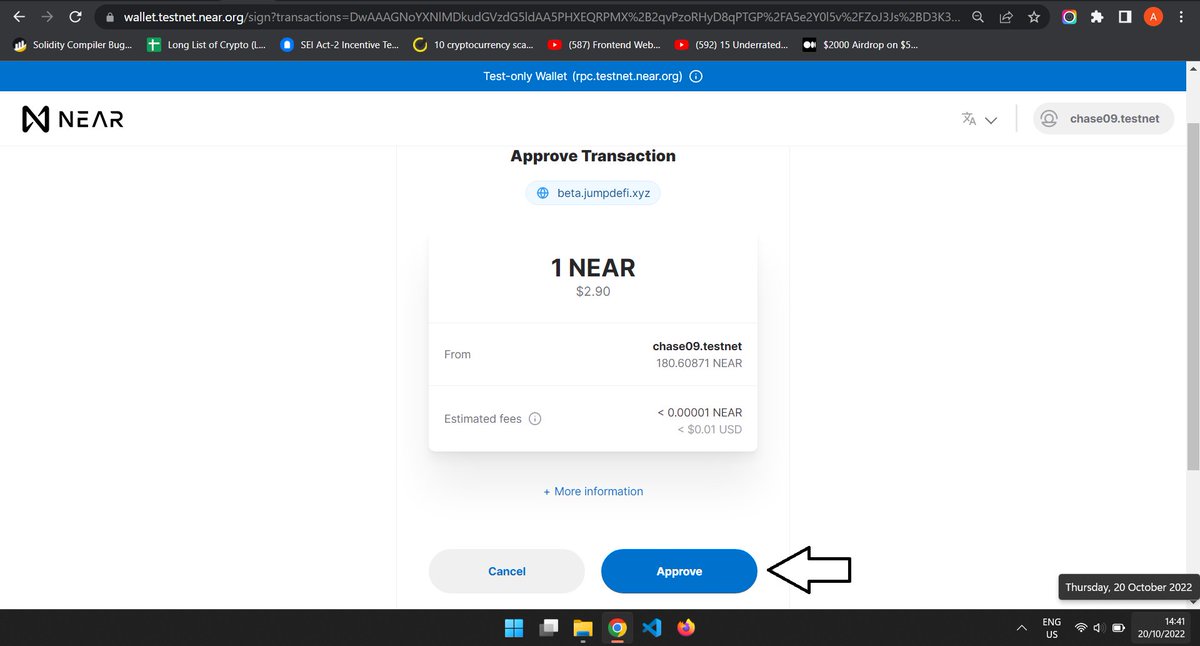
Remember I use the "Antisocial Ape club" NFT collection only, you can make use of others too, just like the image below is showing you.
Next, Tap on "Jump vesting' and on the right-hand side tap on " Buy Fast Pass'' and approve the transaction on the page that comes up.
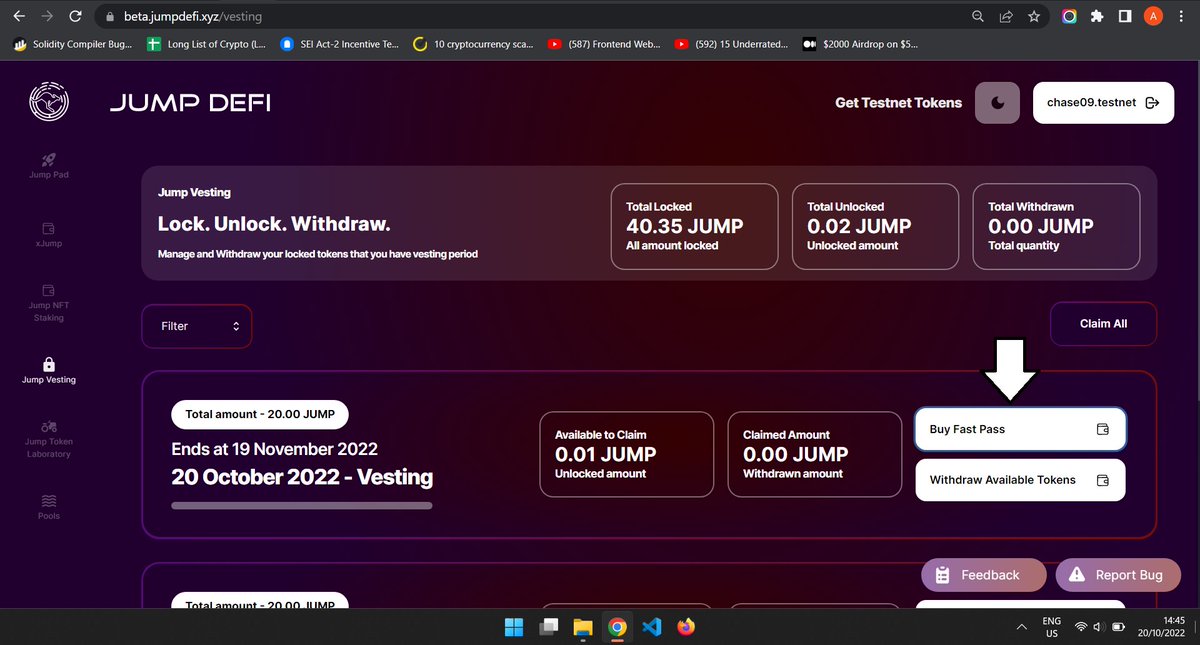
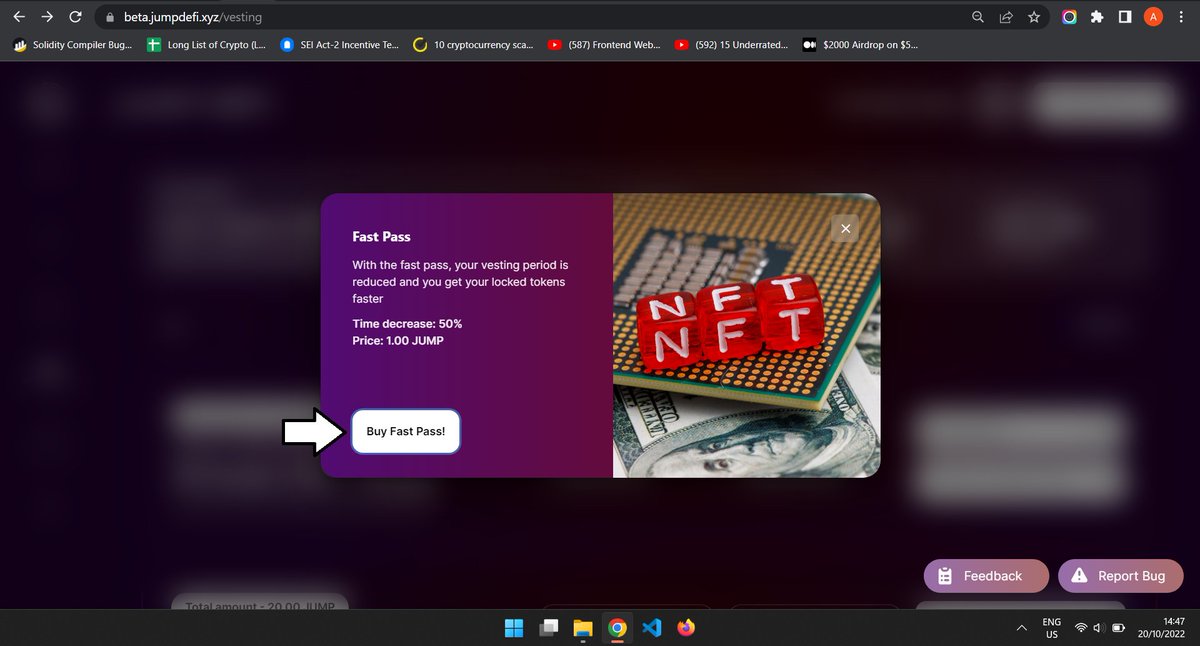
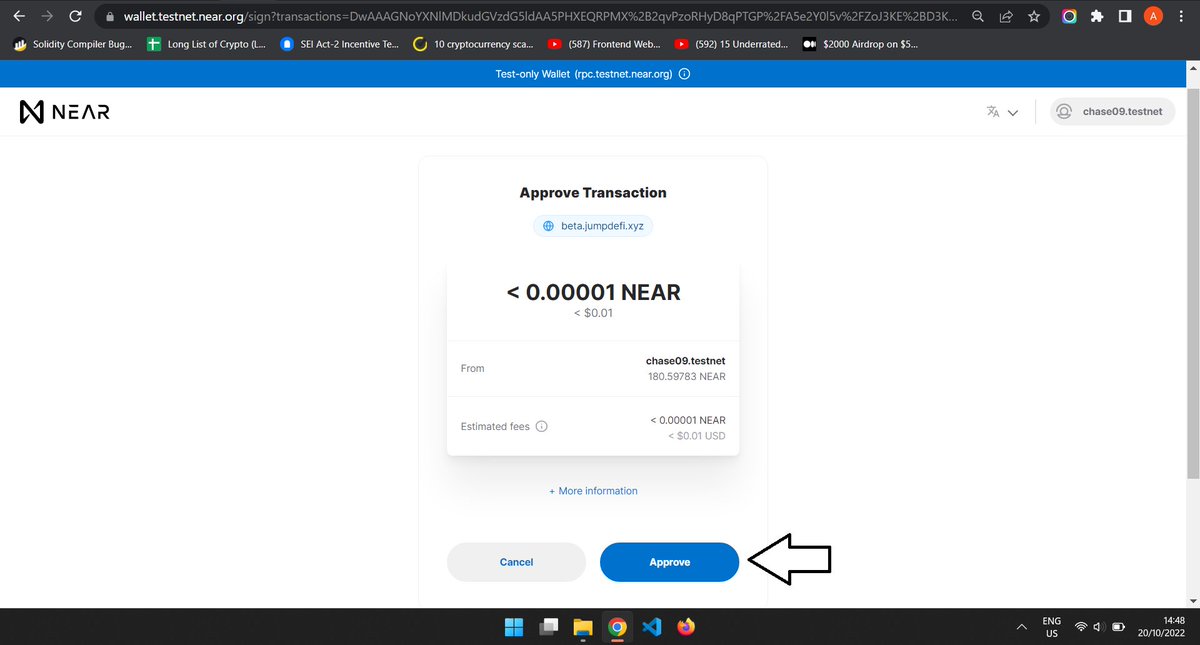
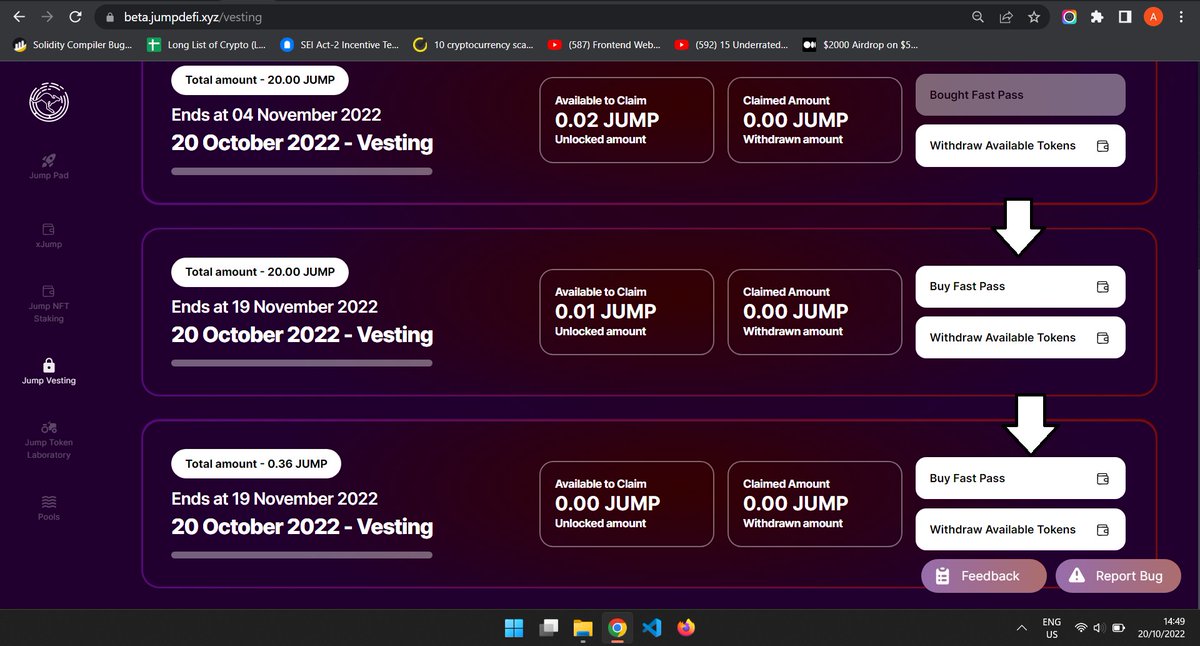
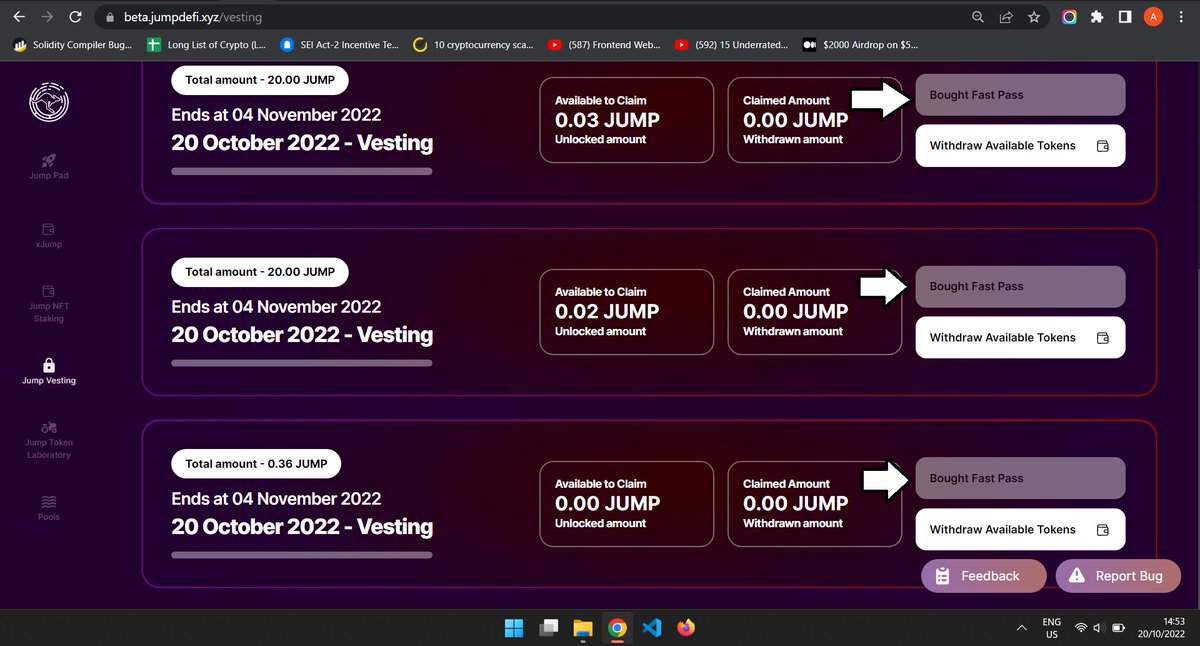
Now repeat the same thing for the other Two passes available there. and they should look like the image in frame 2.
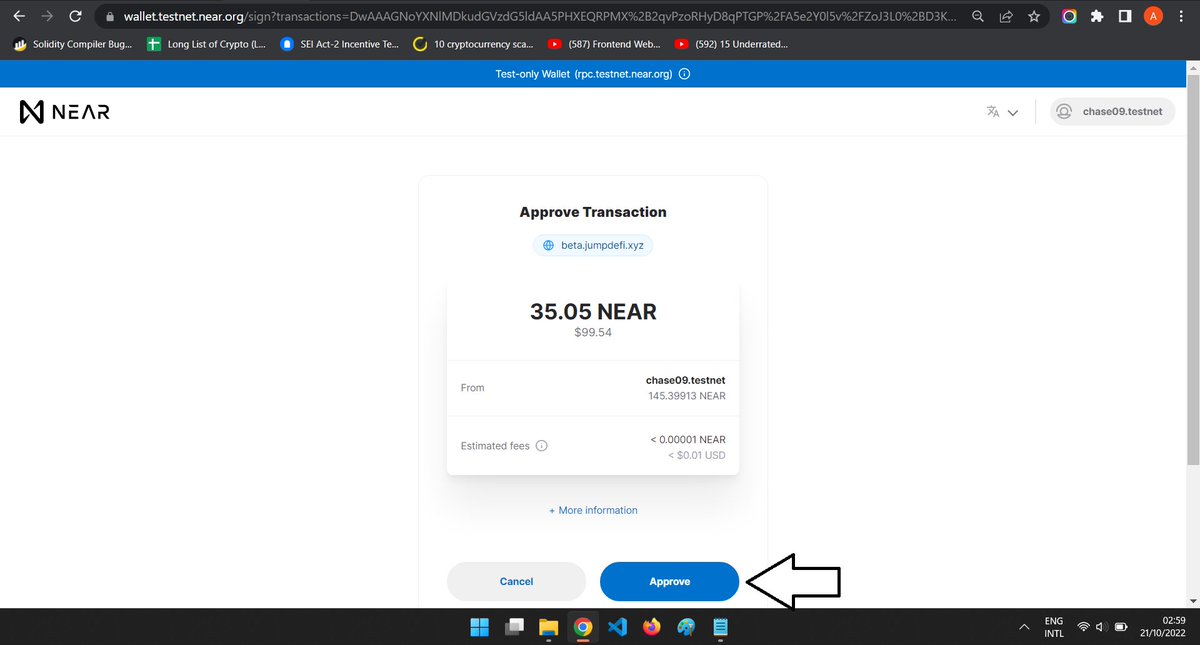
Next, tap on "Jump Token laboratory'' Now please listen carefully, if you look at frame 1 carefully, you will see the name of my token is "chase09", in that frame 1 again look at the top arrow, my testnet wallet domain is "chase09.testnet"...
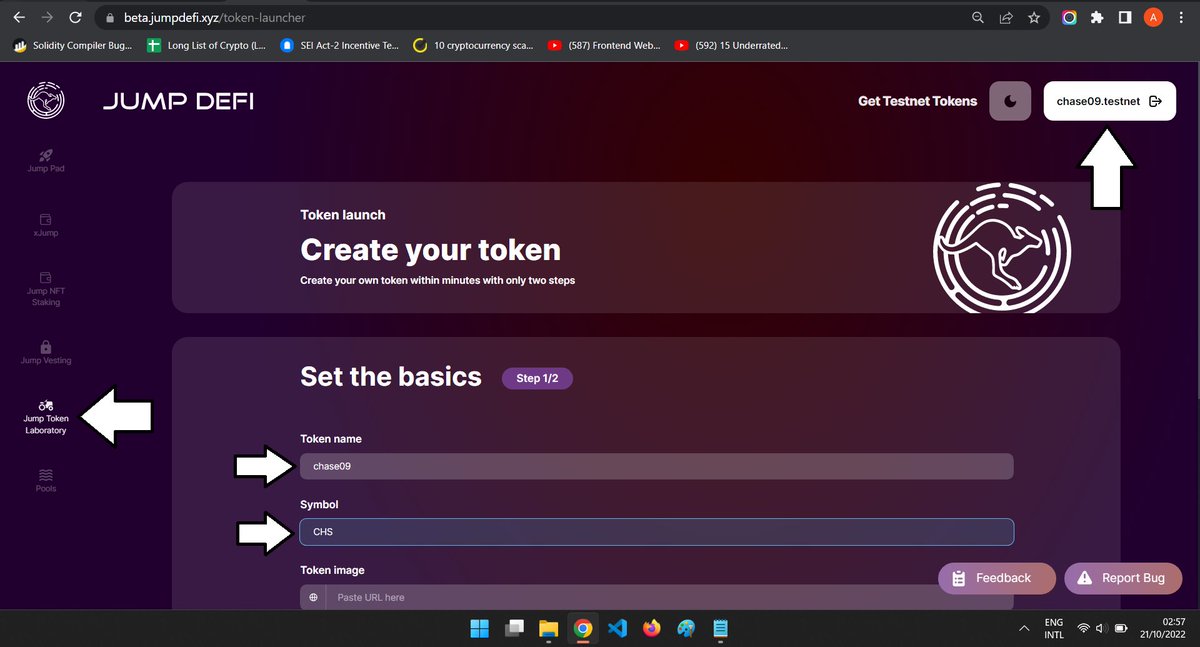
... means whatever name your testnet wallet domain is, is what you will use for your token name but don't add the ".testnet" if not it won't WORK! I hope you understand thank you.
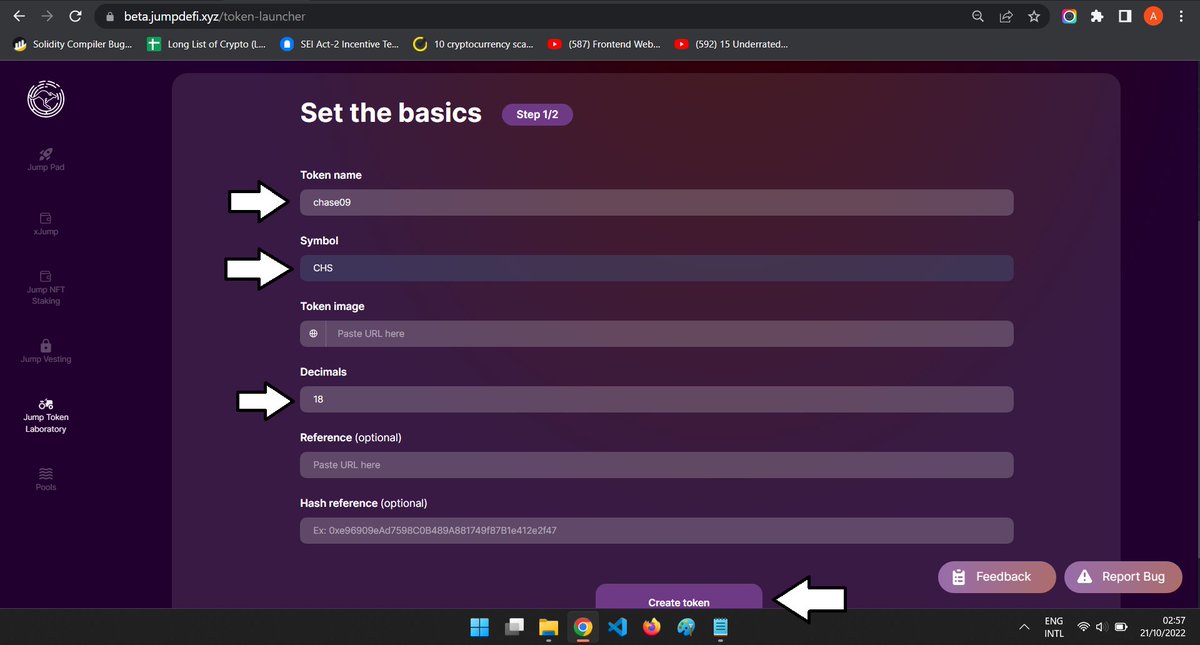
next input the short form of your token, it can be anything, as you can see I used "CHS" and entered the number 18 in the token decimal, then tap on create the token.
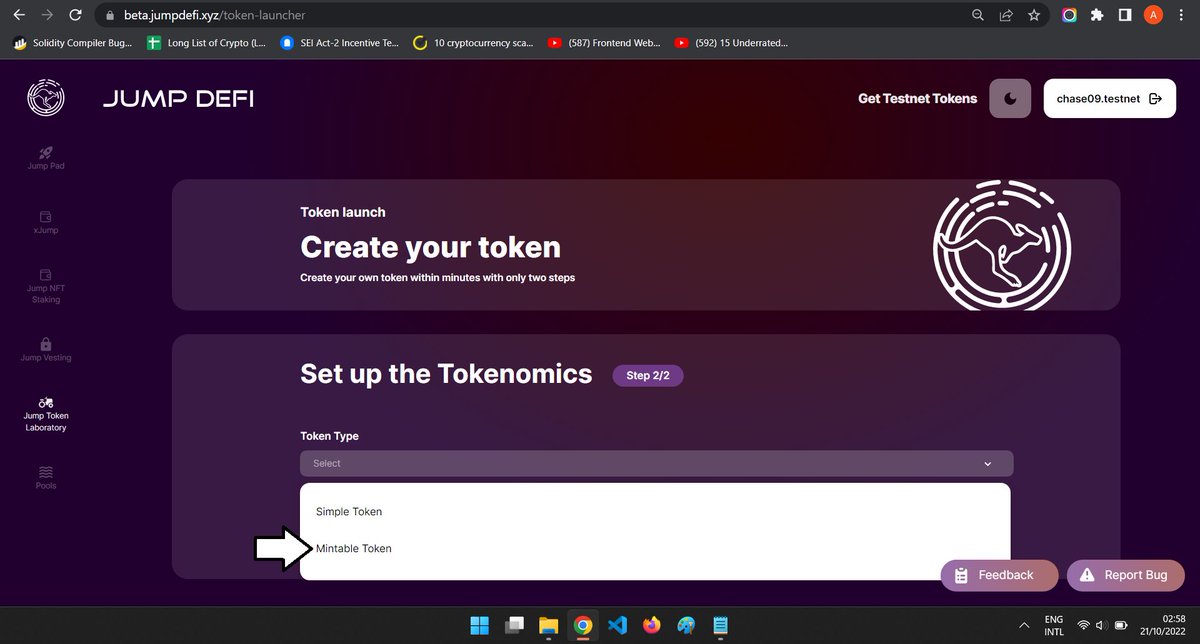
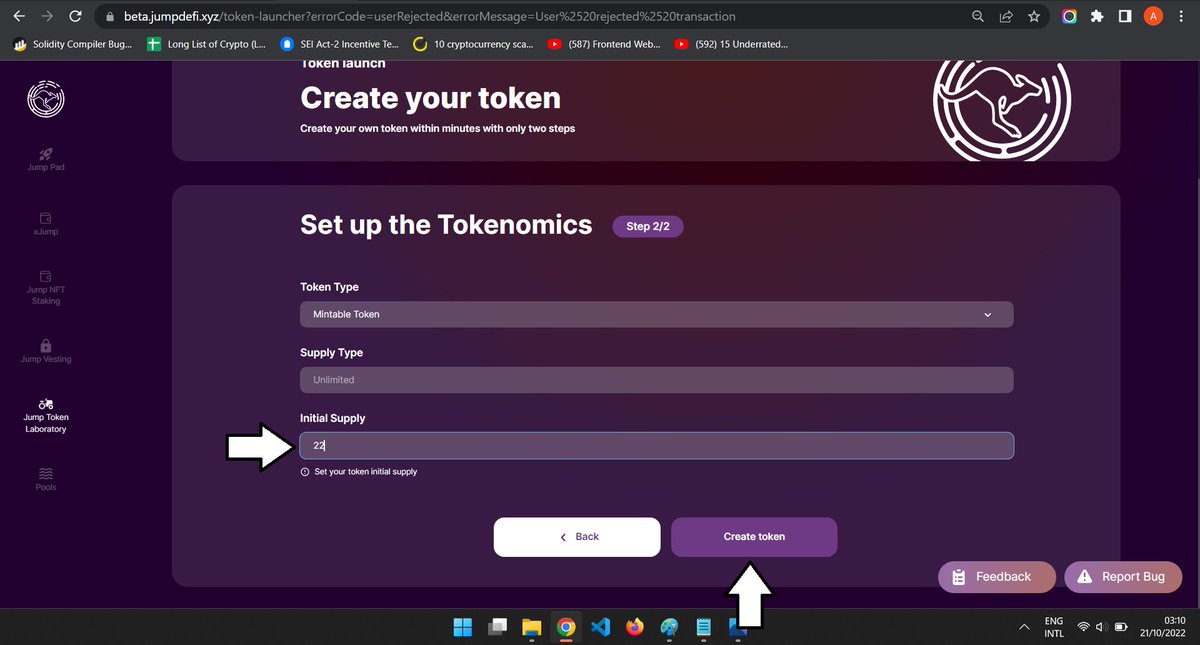
Next, you can choose between SIMPLE OR MINTABLE Token, anyone works, I choose MINTABLE, Then enter the supply you want your token to have, I choose "22" and tap on "Create token" and approve the transaction that comes up, and it should automatically redirect you back if it works.
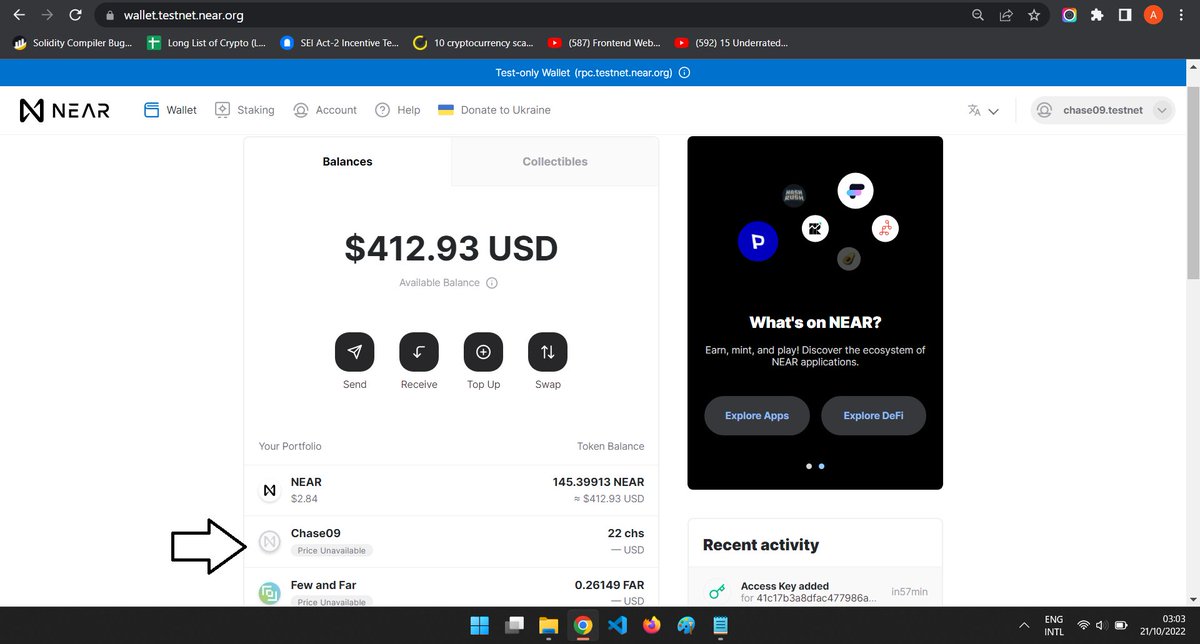
To check the token you just created go to your testnet wallet
TESTNET: wallet.testnet.near.org and under your tokens, you should see it there.
TESTNET: wallet.testnet.near.org and under your tokens, you should see it there.
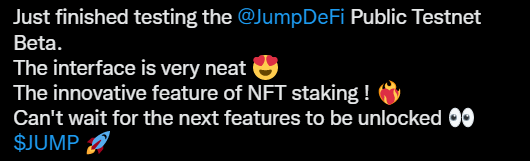
Next, go to your Twitter account and make a tweet saying how your experience with the protocol was and tag
@JumpDeFi and use the tag $JUMP just something like the image below, and copy the link to the tweet.
@JumpDeFi and use the tag $JUMP just something like the image below, and copy the link to the tweet.
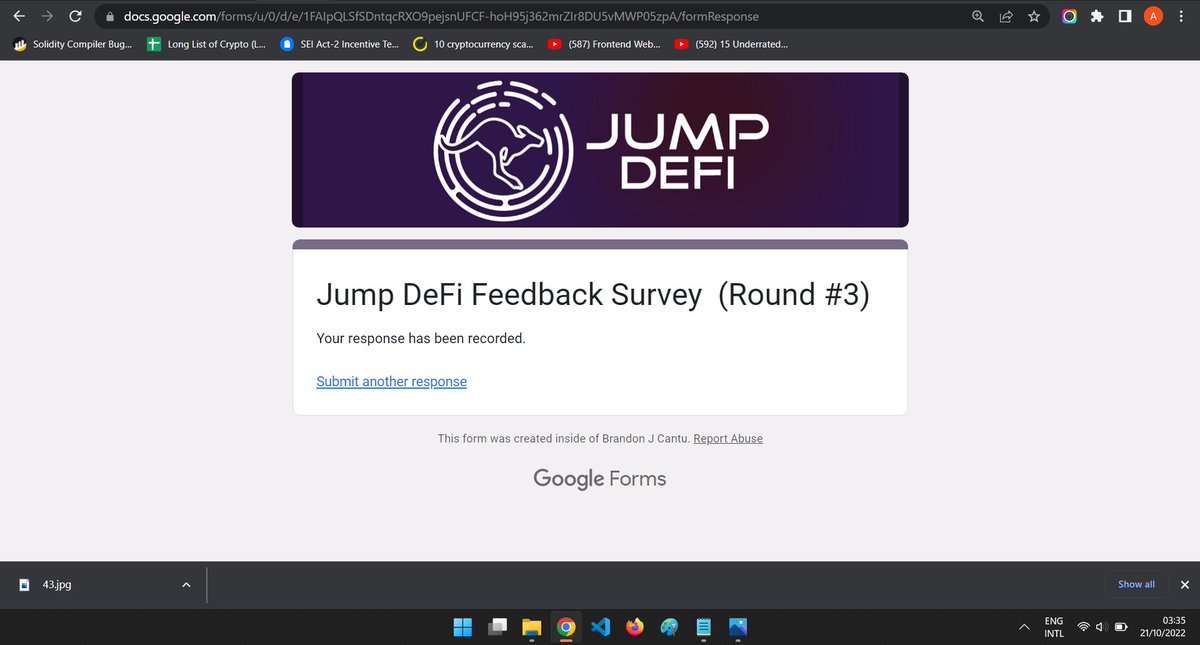
docs.google.com fill in your details and according to how you felt the testnet was and at the last part, paste the link to that your tweet, and submit.


Next, if you had any bugs or you have any suggestions, fill out the form below
docs.google.com
docs.google.com

Next, Like & Retweet + Tag 2 Friends in this tweet:
t.me you can also Join my telegram channel for updates.

And That's all you are done with Round 3 and all of the
@JumpDeFi Testnet, we await our rewards now.
Please do well to follow, like, retweet, and tag your friends so they do not miss out. Thank you😌 don't forget to turn on 🔔to
@JumpDeFi Testnet, we await our rewards now.
Please do well to follow, like, retweet, and tag your friends so they do not miss out. Thank you😌 don't forget to turn on 🔔to
Loading suggestions...