

Three methods for splitting text in Excel: 🤓
1. Flash Fill:
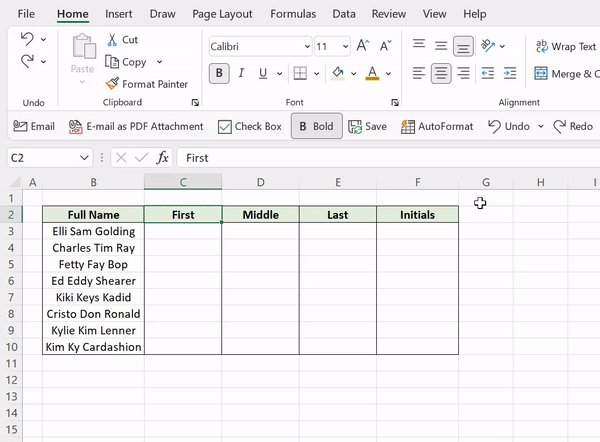
Flash Fill is the quickest and easiest way to split text, in my opinion. To use Flash Fill to split text, enter how you want the text to be split, and then just hit CTRL E to automatically fill the pattern down the column!
Flash Fill is the quickest and easiest way to split text, in my opinion. To use Flash Fill to split text, enter how you want the text to be split, and then just hit CTRL E to automatically fill the pattern down the column!
2. TEXTSPLIT
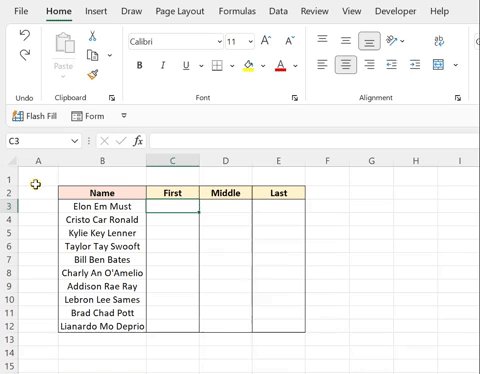
The TEXTSPLIT function is a new function used to split text at a specified delimiter. To use the TEXTSPLIT function, enter the text you want to split as the text argument and the delimiter that you want to split the text at as the col_delimiter argument.
The TEXTSPLIT function is a new function used to split text at a specified delimiter. To use the TEXTSPLIT function, enter the text you want to split as the text argument and the delimiter that you want to split the text at as the col_delimiter argument.
3. Text to Columns
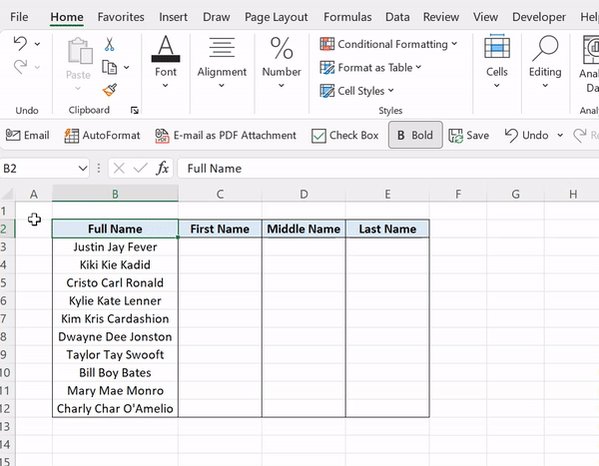
Text to Columns is an OG data tool used to split text into columns. To use Text to Columns, select the text you want to split > data tab > text to columns > select the delimiter(s) to split the text at > select where to insert the new data > finish.
Text to Columns is an OG data tool used to split text into columns. To use Text to Columns, select the text you want to split > data tab > text to columns > select the delimiter(s) to split the text at > select where to insert the new data > finish.
Which method is your go-to for splitting text? Mine is Flash Fill, obviously. 😏
Follow me @exceldictionary for even more Excel tips and tricks.
And if you never want to forget my excel tips at your desk, check out my shortcut merch and ebooks. shop.morningbrew.com
Follow me @exceldictionary for even more Excel tips and tricks.
And if you never want to forget my excel tips at your desk, check out my shortcut merch and ebooks. shop.morningbrew.com
Loading suggestions...